
KLIM K8
KLIM K8 Cassette Player Instruction Manual
Model: K8
1. Important Safety Instructions
- Read all instructions carefully before using the device.
- Keep this manual for future reference.
- Do not expose the device to rain, moisture, or extreme temperatures.
- Avoid placing the device near heat sources such as radiators, heat registers, stoves, or other apparatus (including amplifiers) that produce heat.
- Use only attachments/accessories specified by the manufacturer.
- Unplug this apparatus during lightning storms or when unused for long periods of time.
- Refer all servicing to qualified service personnel. Servicing is required when the apparatus has been damaged in any way, such as power-supply cord or plug is damaged, liquid has been spilled or objects have fallen into the apparatus, the apparatus has been exposed to rain or moisture, does not operate normally, or has been dropped.
- Do not open the device casing. There are no user-serviceable parts inside.
- Dispose of batteries properly according to local regulations.
2. Package Contents
Verify that all items are present and in good condition:
- KLIM K8 Cassette Player
- KLIM Fusion Earbuds
- USB Type-C Cable (for power, not data transfer)
- AA Batteries (2x)
- Instruction Manual (this document)
3. Product Overview

Image 3.1: The KLIM K8 Cassette Player, showing the cassette compartment, main controls, and included earbuds.
3.1. Controls and Ports
- PLAY Button: Initiates cassette playback.
- STOP Button: Stops playback or recording.
- F.FWD (Fast Forward) Button: Advances the tape quickly.
- REW (Rewind) Button: Rewinds the tape quickly.
- REC (Record) Button: Initiates recording (press simultaneously with PLAY).
- Volume Control (VOL): Adjusts the audio output level.
- Built-in Microphone (MIC): Captures audio for recording.
- Tuning Knob: Selects AM/FM radio frequencies.
- AM/FM/TAPE Selector: Switches between radio and cassette modes.
- Headphone Jack (3.5mm): Connects headphones for private listening.
- DC IN Port (USB Type-C): Connects to an external power source.
- Battery Compartment: Holds AA batteries for portable power.
- Telescopic Antenna: Extends for improved FM radio reception.
4. Setup
4.1. Powering the Device
The KLIM K8 can be powered by two AA batteries or via a USB Type-C cable connected to a compatible AC-DC adapter (not included) or USB power source.
- Battery Installation:
- Open the battery compartment cover on the back of the device.
- Insert two AA batteries, ensuring correct polarity (+/-) as indicated inside the compartment.
- Close the battery compartment cover securely.

Image 4.1: Powering options for the KLIM K8, including AA batteries and USB Type-C cable.
- External Power:
- Connect the provided USB Type-C cable to the DC IN port on the device.
- Connect the other end of the USB cable to a compatible USB power source (e.g., wall adapter, computer USB port).
4.2. Inserting a Cassette Tape
- Gently slide open the cassette compartment door.
- Insert a standard audio cassette tape with the open edge facing the playback head and the desired side (A or B) facing outwards.
- Close the cassette compartment door until it clicks securely.
5. Operating Instructions
5.1. Cassette Playback
- Ensure a cassette tape is properly inserted.
- Set the AM/FM/TAPE selector to "TAPE".
- Press the PLAY button to begin playback.
- Adjust the VOL control to your desired listening level.
- To fast forward, press the F.FWD button. To rewind, press the REW button. Press STOP to resume playback after fast forwarding or rewinding.
- Press the STOP button to end playback.
5.2. Cassette Recording
The KLIM K8 allows recording audio directly onto a cassette tape using its built-in microphone.
- Insert a blank or recordable cassette tape. Ensure the tape's erase protection tabs are intact if you intend to record over existing content.
- Set the AM/FM/TAPE selector to "TAPE".
- Press the REC button simultaneously with the PLAY button. The tape will start moving, and recording will begin.
- Speak clearly into the built-in microphone (MIC).
- Press the STOP button to end recording.
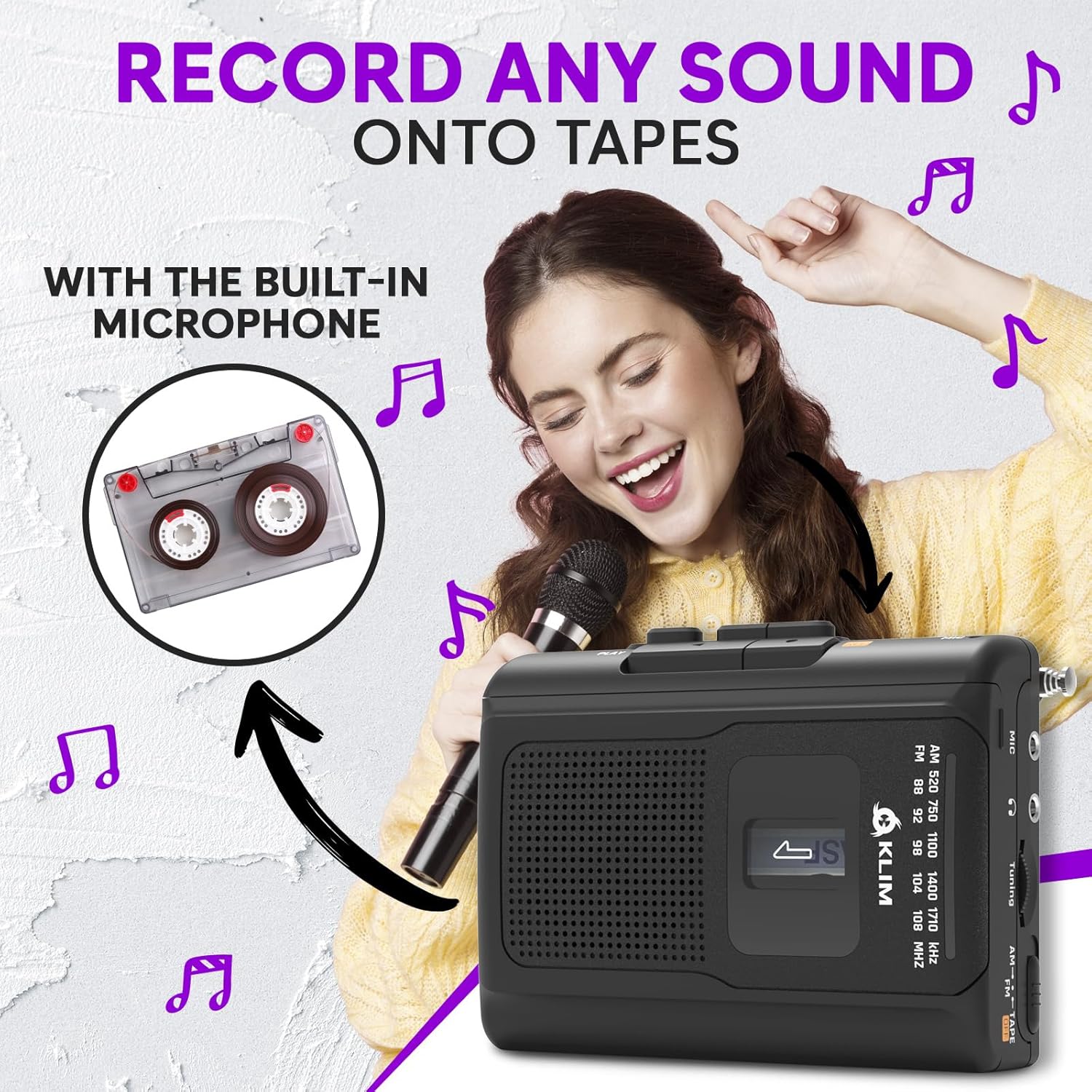
Image 5.1: Recording audio onto a cassette tape using the integrated microphone.
5.3. AM/FM Radio Operation
- Set the AM/FM/TAPE selector to "AM" or "FM".
- Extend the telescopic antenna for optimal FM reception. For AM reception, rotate the unit for best signal.
- Rotate the Tuning Knob to scan for radio stations.
- Adjust the VOL control to your desired listening level.

Image 5.2: Tuning into AM/FM radio stations with the KLIM K8.
5.4. Using Headphones
For private listening, connect the included KLIM Fusion earbuds or any standard 3.5mm headphones to the headphone jack on the side of the device. The built-in speaker will automatically mute when headphones are connected.

Image 5.3: Enjoying audio privately with headphones.
6. Maintenance
- Cleaning: Use a soft, dry cloth to clean the exterior of the device. Do not use liquid cleaners or abrasive chemicals.
- Tape Head Cleaning: Periodically clean the tape heads and pinch rollers with a specialized cassette head cleaning kit to ensure optimal sound quality and prevent tape damage.
- Storage: When not in use for extended periods, remove the batteries to prevent leakage. Store the device in a cool, dry place away from direct sunlight and dust.
7. Troubleshooting
| Problem | Possible Cause | Solution |
|---|---|---|
| No power / Device does not turn on. |
|
|
| Poor sound quality from cassette. |
|
|
| Poor radio reception. |
|
|
| Recording not working. |
|
|
8. Specifications
| Brand | KLIM |
| Model | K8 |
| Functions | Cassette Player, Cassette Recorder, AM/FM Radio |
| Microphone | Built-in |
| Headphone Jack | 3.5mm Universal |
| Power Source | 2x AA Batteries (included) or USB Type-C (DC IN) |
| Color | Black |
| Dimensions (Approx.) | 4.7" x 3.4" x 1.5" (based on image PT06) |
| Weight (Approx.) | 6.8 oz (based on image PT06) |

Image 8.1: Approximate dimensions and weight of the KLIM K8.
9. Warranty and Support
The KLIM K8 Cassette Player comes with a 5-year warranty. This warranty covers manufacturing defects and ensures the quality and durability of your device.
For technical support, warranty claims, or any questions regarding your KLIM K8, please contact KLIM Technologies France, the seller, through your purchase platform or visit the official KLIM website for contact information.
Please retain your proof of purchase for warranty purposes.
Related documentsK8


Ask a question about this manual
Ask about setup, troubleshooting, compatibility, parts, safety, or missing instructions. Manuals+ will review the question and use this page’s manual context to help answer it.