
Retevis RB658
Retevis RB658 Two-Way Radio User Manual
Model: RB658
Introduction
Thank you for choosing the Retevis RB658 Two-Way Radio. This professional-grade bidirectional radio is designed for reliable and clear communication over long distances. Featuring advanced functionalities such as APP control, Bluetooth 5.0 connectivity, and AI noise reduction, the RB658 offers enhanced flexibility and operational ease. This manual provides detailed instructions for setup, operation, maintenance, and troubleshooting to ensure optimal performance of your device.
Product Overview
The Retevis RB658 is a compact and portable two-way radio equipped with a 1.77-inch LCD screen for easy readability. Its robust design and intelligent features make it suitable for various professional and recreational uses.

Figure 1: Front view of the Retevis RB658 Two-Way Radio, showing the display, buttons, and antenna.
Key Features:
- APP Control: Edit walkie-talkie settings directly from your Android phone, enhancing flexibility and operation.
- Bluetooth 5.0: Connect wireless headphones and mobile phones for hands-free operation.
- AI Noise Reduction: Intelligent noise suppression for clear communication in noisy environments.
- Long Range Communication: High power output and long antenna for stable signal and strong penetration, up to 3.4 km.
- 1.77-inch LCD Screen: Adjustable 15-level brightness for clear information display day or night.
- 1800mAh Rechargeable Battery: Type-C charging port, providing up to 18 hours of continuous use.
- VOX Hands-Free: 9 optional levels for voice-activated transmission without pressing the PTT button.
- Emergency Alarm: Remote and local alarm functions for emergency situations.
Setup Guide
1. Unpacking and Inspection:
Carefully unpack all components and verify that all items listed in the package contents are present and undamaged. The package includes the RB658 walkie-talkie, battery, belt clip, user manual, Type-C charging cable, and hand strap.

Figure 2: Contents included in the Retevis RB658 package, showing the radio, battery, charging cable, belt clip, and manual.
2. Battery Installation:
- Ensure the radio is powered off.
- Align the battery with the battery compartment on the back of the radio.
- Gently push the battery into place until it clicks securely.
3. Charging the Battery:
Before first use, fully charge the battery. The RB658 uses a standard Type-C charging port.
- Connect the Type-C charging cable to the radio's charging port.
- Connect the other end of the cable to a compatible USB power adapter (not included) or a computer USB port.
- The charging indicator on the radio will show the charging status. A full charge typically takes several hours.

Figure 3: The Retevis RB658 showing its Type-C charging port and the 1800mAh battery.
4. Attaching the Antenna:
Screw the antenna clockwise into the connector on the top of the radio until it is firmly seated.
5. Attaching the Belt Clip and Hand Strap:
Attach the belt clip to the back of the radio for convenient carrying. Secure the hand strap to the designated loop for added security.
Operating Instructions
1. Power On/Off and Volume Control:
- Power On: Rotate the Power/Volume knob clockwise until you hear a click. The LCD screen will light up.
- Power Off: Rotate the Power/Volume knob counter-clockwise until you hear a click and the screen turns off.
- Volume Adjustment: Rotate the Power/Volume knob to adjust the listening volume.
2. Channel Selection:
The RB658 supports 256 channels. Use the navigation buttons (up/down arrows) to scroll through and select desired channels displayed on the 1.77-inch LCD screen.

Figure 4: Close-up of the Retevis RB658's 1.77-inch LCD screen, showing channel and frequency information with adjustable brightness.
3. Transmitting and Receiving:
- To Transmit: Press and hold the Push-To-Talk (PTT) button on the side of the radio. Speak clearly into the microphone. Release the PTT button to listen.
- To Receive: Ensure the PTT button is not pressed. The radio will automatically receive signals on the selected channel.
4. APP Control (Android Only):
The RB658 can be configured via a dedicated Android application, eliminating the need for PC programming.
- Download the Retevis APP from the official Retevis website or a trusted app store.
- Enable Bluetooth on your Android phone and the RB658 radio.
- Open the APP and follow the on-screen instructions to connect to your radio.
- Once connected, you can modify channel settings, frequencies, and other parameters directly from your phone.
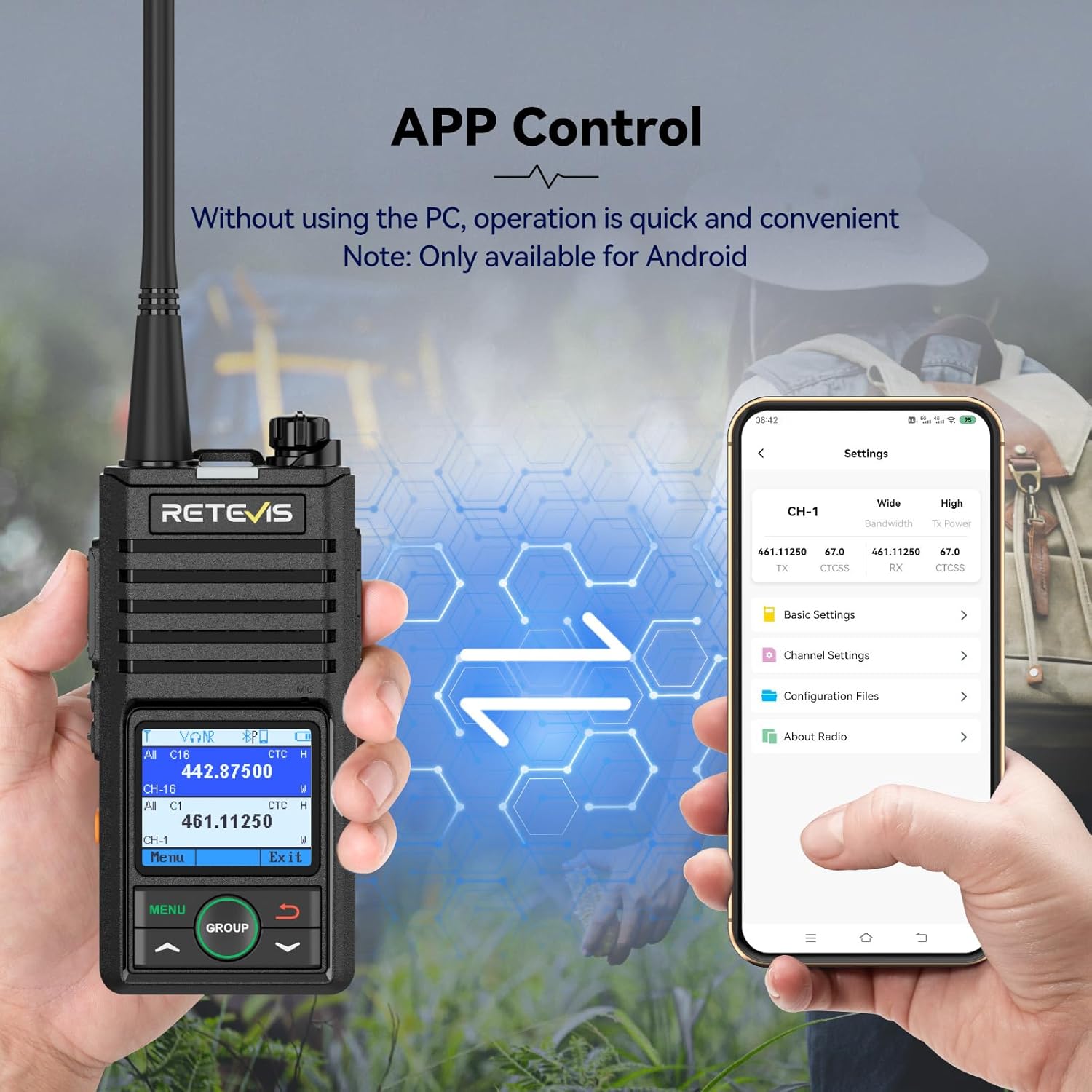
Figure 5: Illustration of the Retevis RB658 being controlled and configured via a mobile application on an Android phone.
5. Bluetooth 5.0 Connectivity:
Connect your RB658 to wireless headphones or other Bluetooth-enabled devices for hands-free communication.
- Ensure Bluetooth is enabled on both your radio and the device you wish to pair.
- Navigate to the Bluetooth settings on your RB658 (refer to the APP or on-screen menu).
- Select the desired device from the list of available devices to pair.
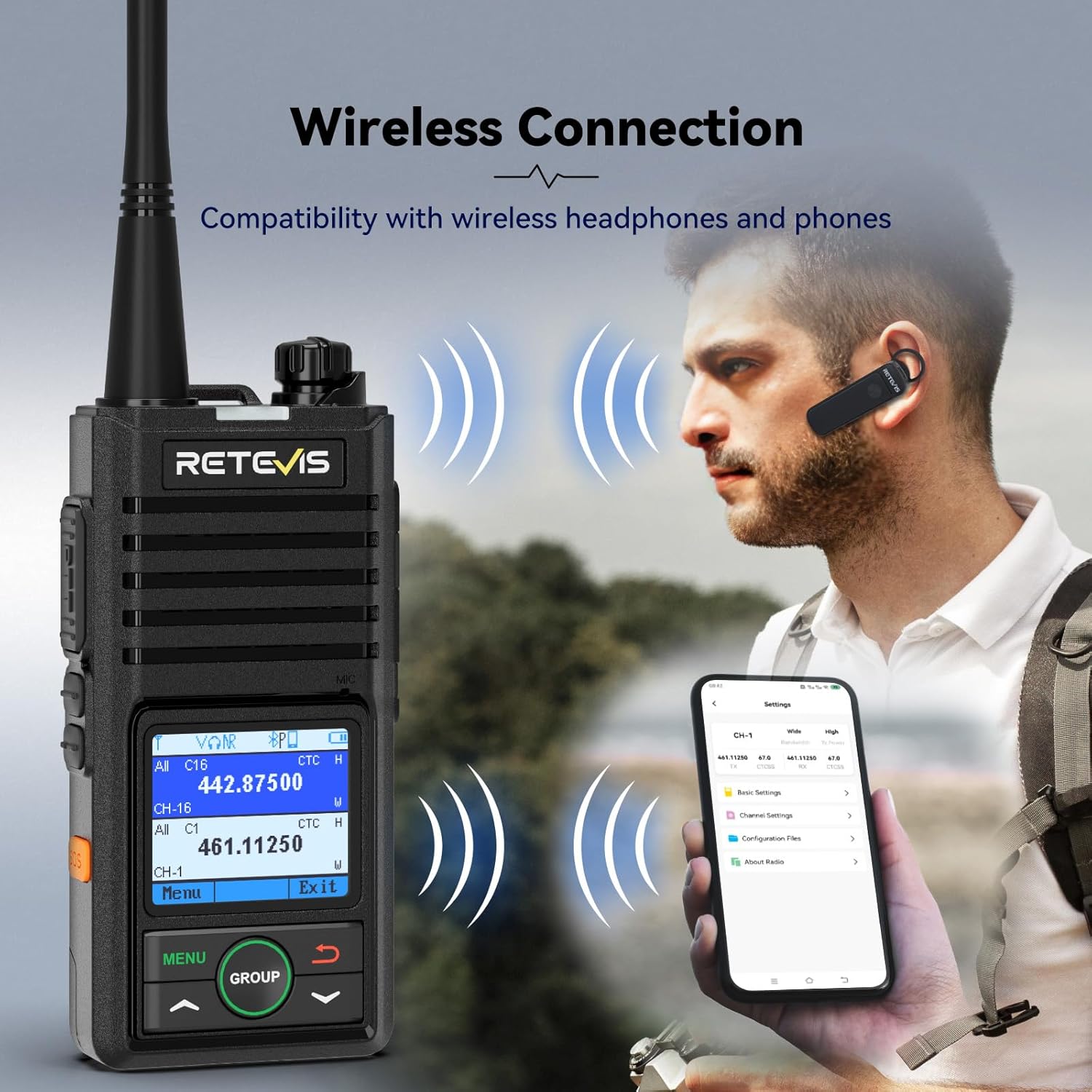
Figure 6: A user wearing a wireless earpiece connected to the Retevis RB658, demonstrating its Bluetooth connectivity.
6. AI Noise Reduction:
The RB658 features an AI noise reduction function that intelligently filters out background noise, ensuring clear voice transmission and reception even in loud environments.

Figure 7: Visual representation of the AI noise reduction technology in the Retevis RB658, showing how background noise is filtered.
7. VOX Function (Voice Operated Exchange):
The VOX function allows for hands-free transmission. When enabled, the radio will automatically transmit when it detects your voice, eliminating the need to press the PTT button.
- Access the VOX settings via the radio's menu or the APP.
- Select one of the 9 available sensitivity levels. A higher level requires a softer voice to activate transmission.
8. Emergency Alarm:
In an emergency, the RB658 can activate a remote and local alarm to signal for help.
- Locate the dedicated alarm button (if present) or access the alarm function through the menu.
- Activate the alarm to send an alert signal.

Figure 8: The Retevis RB658 displaying an emergency alarm on its screen, with a visual representation of an alarm siren.
Maintenance
1. Battery Care:
- To maximize battery life, avoid overcharging or completely draining the battery.
- Charge the battery in a cool, dry place.
- If the radio will not be used for an extended period, remove the battery and store it separately.
2. Cleaning the Device:
- Use a soft, damp cloth to wipe the exterior of the radio.
- Do not use harsh chemicals or abrasive cleaners.
- Ensure the charging port and other openings are free of dust and debris.
3. Storage:
Store the radio in a dry, cool environment, away from direct sunlight and extreme temperatures. Keep it away from strong magnetic fields.
4. Water Resistance:
Important: The Retevis RB658 is not waterproof. Avoid exposing the device to water, rain, or high humidity to prevent damage.
Troubleshooting
If you encounter issues with your Retevis RB658, please refer to the following common problems and solutions:
| Problem | Possible Cause | Solution |
|---|---|---|
| Radio does not power on. | Battery is low or not installed correctly. | Charge the battery fully. Reinstall the battery ensuring it is seated correctly. |
| Cannot transmit or receive. | Incorrect channel selected; antenna loose; radio out of range; battery low. | Verify channel settings. Check antenna connection. Move closer to other radios. Charge battery. |
| Poor audio quality / Static. | Weak signal; interference; AI Noise Reduction setting. | Move to an open area. Check for sources of interference. Adjust AI Noise Reduction settings via APP. |
| APP connection issues. | Bluetooth not enabled; APP not updated; incorrect pairing. | Ensure Bluetooth is on for both devices. Update the APP. Re-pair the radio with the APP. |
If the problem persists after trying these solutions, please contact Retevis customer support for further assistance.
Specifications
| Feature | Detail |
|---|---|
| Brand | Retevis |
| Model Number | RB658 |
| Frequency Range | 400-470 MHz |
| Maximum Range | 3 Kilometers (approx. 1.86 miles) |
| Number of Channels | 256 |
| Battery Capacity | 1800mAh Lithium-ion |
| Voltage | 3.7 Volts (DC) |
| Water Resistance Level | Not waterproof |
| Product Dimensions (L x W x H) | 11.5 x 5.6 x 2.7 cm (Antenna not included) |
| Weight | 185g (approx.) |
| Special Features | TOT (Time-Out Timer), VOX (Voice Operated Exchange) |
| Compatible Devices | Wireless headphones, two-way radios on the same frequency band or channel |
Warranty and Support
Retevis offers a comprehensive warranty and support for the RB658 Two-Way Radio:
- Warranty Period: 2 years warranty for the radio body and 1 year warranty for accessories.
- Return Policy: 30 days no-reason return policy.
- Post-Warranty Service: Maintenance service is always available beyond the warranty period; buyers are responsible for associated costs.
- Contact Support: For any inquiries or assistance, please contact Retevis customer support via Amazon. Responses are typically provided within 12 hours.
Related documentsRB658


Ask a question about this manual
Ask about setup, troubleshooting, compatibility, parts, safety, or missing instructions. Manuals+ will review the question and use this page’s manual context to help answer it.