Introduction
Thank you for choosing the Z7 Ultra Smartwatch. This manual provides essential information for setting up, operating, and maintaining your device. Please read it thoroughly to ensure proper use and to maximize the features of your smartwatch.

Image: Z7 Ultra Smartwatch models displayed with their packaging, showcasing different strap colors.
Package Contents
Ensure all items are present in the box:
- Smartwatch x 1
- USB Wireless Charging Cable x 1
- User Manual x 1
- Original Retail Box x 1

Image: Z7 Ultra Smartwatches with various colored interchangeable straps, indicating included accessories.
Setup
1. Charging the Smartwatch
Before first use, fully charge your Z7 Ultra Smartwatch. Connect the USB wireless charging cable to a power source and place the smartwatch on the charging pad. The watch display will indicate charging status. A full charge typically takes a few hours.
2. Pairing with Your Mobile Phone
The Z7 Ultra Smartwatch uses Bluetooth 5.4 for connectivity. It is compatible with Android 5.0 or higher and iOS 10.0 or higher.
- Ensure Bluetooth is enabled on your mobile phone.
- Turn on your Z7 Ultra Smartwatch.
- Open the companion application on your phone (if applicable, refer to the app store for 'Smartwatch' or 'Z7 Ultra' related apps).
- Follow the in-app instructions to search for and connect to your smartwatch.
- Confirm the pairing request on both your phone and the smartwatch.
Operating Instructions
Basic Navigation
- 3D Menu: Navigate through the watch's features using the intuitive 3D menu interface.
- Shortcut Bar (Control Center): Swipe down from the top of the screen to access quick settings and controls.
- Raise Wrist to Illuminate: The screen automatically lights up when you raise your wrist.
- Dial Change: Customize your watch face by changing the dial from the settings or by long-pressing the current watch face.

Image: Close-up of the Z7 Ultra Smartwatch display, highlighting the 1.43-inch HD screen, 3D menu style, and quick access button.
Health Monitoring
The Z7 Ultra Smartwatch offers comprehensive health tracking features:
- Heart Rate: Continuous and automatic heart rate monitoring.
- Blood Pressure: Measure your blood pressure directly from your wrist.
- Blood Oxygen (SpO2): Monitor your blood oxygen levels.
- Sleep Monitoring: Tracks your sleep patterns and quality.
- Sedentary Reminder: Alerts you when you've been inactive for too long.
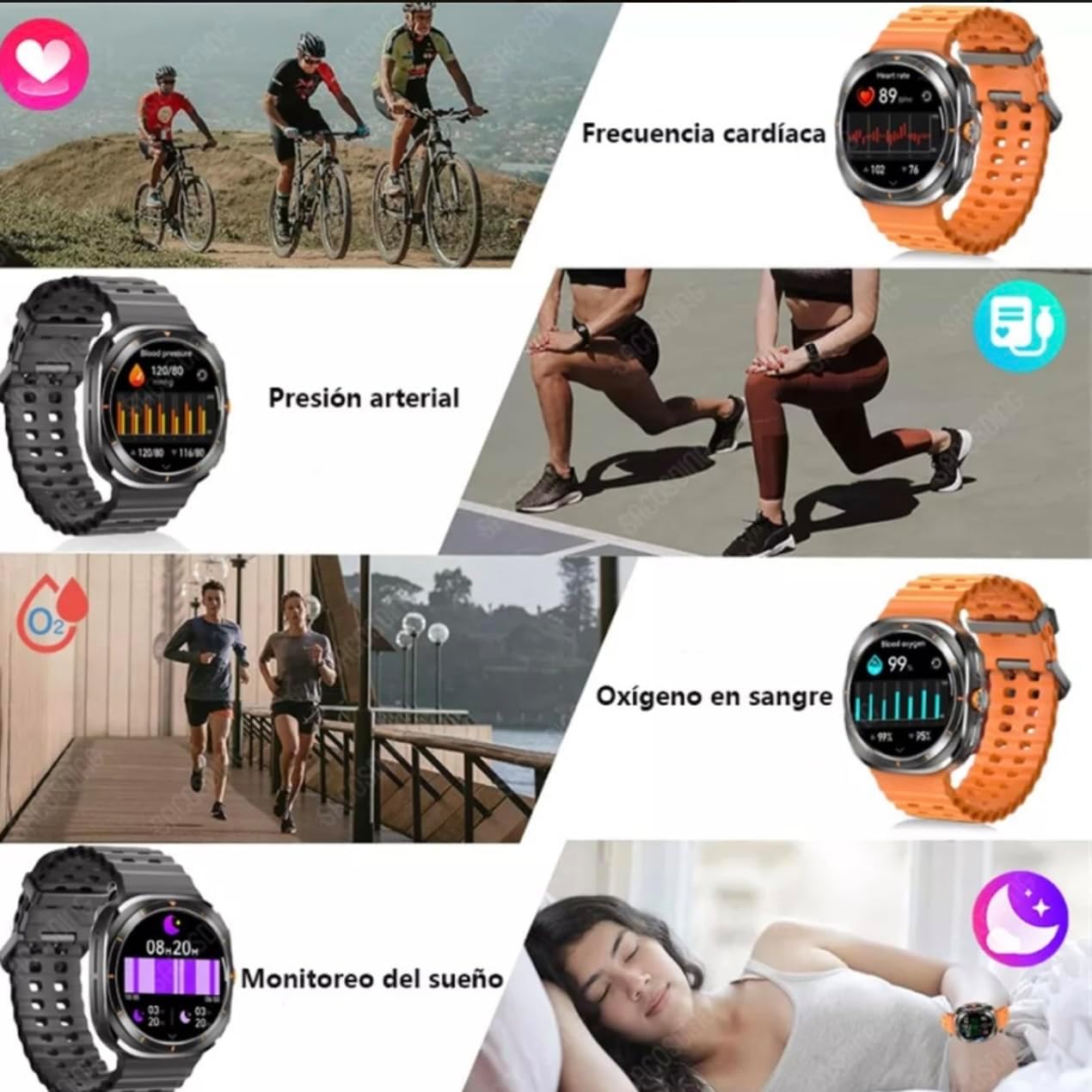
Image: Visual representation of the Z7 Ultra Smartwatch's health monitoring capabilities, including heart rate, blood pressure, blood oxygen, and sleep tracking.
Communication Features
- Calls: Make and receive calls directly from the watch.
- Messages: Receive notifications for messages and other information.
- Frequent Contacts: Access your frequently used contacts.
- Dialpad: Use the on-screen dialpad to make calls.
- Voice Assistant (SIRI): Control your watch and phone with voice commands.
Fitness and Exercise
- Data Tracking: Pedometer (steps), distance, and calories burned.
- Exercise Modes: Various exercise modes to track specific activities.
- Exercise History: Review your past workout data.
- Breathing Exercise: Guided breathing exercises for relaxation.
Other Functions
- Weather: Get real-time weather updates.
- Music Control: Control music playback on your connected phone.
- Alarm: Set alarms directly on the watch.
- Stopwatch & Timer: Built-in timing functions.
- Find Phone/Bracelet: Locate your phone or watch if misplaced.
- Shake to Take Photo: Remotely control your phone's camera.
- Settings: Language selection, brightness adjustment, brightness duration, vibration settings, factory reset, version information.
- Passcode Lock: Secure your watch with a passcode.
- Flashlight: Use the screen as a temporary light source.
- Payment Codes: Support for payment codes (e.g., Alipay).
- Calendar: Access your calendar.
- Calculator: Basic calculator function.
- Compass: Built-in compass for navigation.
Menu Languages
The Z7 Ultra Smartwatch supports the following menu languages: Chinese, English, Russian, Spanish, German, Italian, French, Portuguese, Polish, Dutch, Turkish, Japanese, Traditional Chinese, Arabic, Persian, Hebrew, Ukrainian, Vietnamese, Thai, Czech.
Maintenance
Cleaning
Regularly clean your smartwatch and strap to prevent skin irritation and maintain device hygiene. Use a soft, lint-free cloth. If necessary, dampen the cloth with a small amount of water. Do not use harsh chemicals or abrasive materials.
Water Resistance (IP68)
The Z7 Ultra Smartwatch is IP68 water-resistant, meaning it can withstand immersion in water up to 1.5 meters for up to 30 minutes. It is suitable for daily use, such as hand washing or light rain. However, it is not recommended for swimming, diving, or exposure to high-pressure water jets. Avoid contact with hot water, steam, or corrosive liquids.

Image: Illustration of the Z7 Ultra Smartwatch's IP68 water resistance level and its 400mAh battery capacity, indicating long battery duration.
Battery Care
To prolong battery life:
- Avoid extreme temperatures.
- Charge the device before the battery is completely depleted.
- Do not leave the device uncharged for extended periods.
- Use only the provided charging cable.
Troubleshooting
If you encounter issues with your Z7 Ultra Smartwatch, try the following solutions:
- Device not turning on: Ensure the battery is charged. Connect to the charger and wait a few minutes before attempting to power on.
- Cannot pair with phone: Check that Bluetooth is enabled on both devices. Ensure the smartwatch is within range. Restart both the phone and the smartwatch.
- Inaccurate health data: Ensure the watch is worn snugly on your wrist. Clean the sensor on the back of the watch.
- Screen unresponsive: Restart the smartwatch. If the issue persists, perform a factory reset.
- Short battery life: Reduce screen brightness, disable unnecessary notifications, or turn off continuous heart rate monitoring.
- Factory Reset: If problems persist, you can restore the watch to its factory settings via the 'Settings' menu. This will erase all personal data on the watch.
Specifications
| Feature | Specification |
|---|---|
| Model | Z7 Ultra |
| Manufacturer | Smart watch |
| Display Size | 1.43 Inches |
| Display Type | LCD |
| Resolution | 360 x 360 |
| Battery Capacity | 400 Milliamp Hours (mAh) |
| Average Battery Life | 7 days |
| Standby Time | Approx. 30 days |
| Connectivity | Bluetooth 5.4 |
| Compatible Devices | Mobile Phone (Android 5.0+ / iOS 10.0+) |
| Operating System | watchOS 4 (as per product data, actual OS may vary) |
| Memory Storage Capacity | 128 MB |
| Water Resistance | IP68 |
| Special Features | Wireless Charging, Voice Control, Alarm Clock, Notifications, Sedentary Reminder |
| Shape | Square |
| Color | Black |
Warranty and Support
For warranty information and customer support, please refer to the documentation provided with your purchase or contact the retailer. Keep your proof of purchase for any warranty claims.


