1. Product Overview
The Homary Extendable TV Stand is a modern media console designed for versatility and functionality. It features a unique retractable design, allowing the worktop to be adjusted to fit various TV sizes up to 120 inches. The unit includes three spacious drawers for organized storage of media accessories and other essentials, helping to maintain a clutter-free living space. Its mid-century modern aesthetic complements a wide range of interior styles, making it suitable for both living rooms and bedrooms.
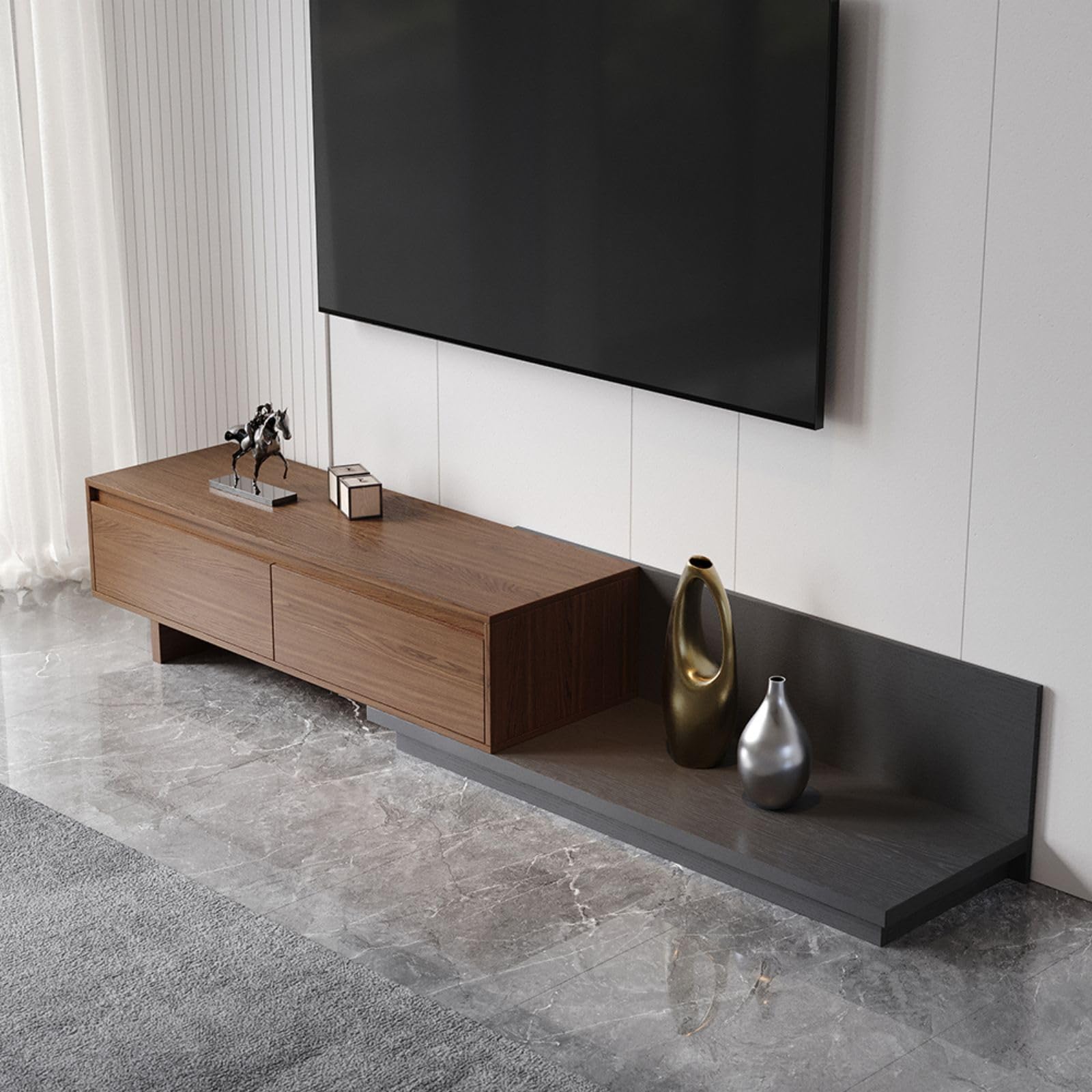
Image 1.1: The Homary Extendable TV Stand in Walnut and Gray.

Image 1.2: The TV stand demonstrating its retractable and fully extendable positions.
2. Safety Information
Please read and understand all instructions before assembly and use. Keep all small parts and packaging materials away from children. Ensure the TV stand is placed on a stable, level surface to prevent tipping. Do not overload the drawers or the extendable worktop. Always use appropriate tools and follow safety guidelines during assembly.
3. Assembly Instructions
Assembly of the Homary Extendable TV Stand is required. Detailed instructions and all necessary hardware are included in the packaging. Please follow these steps carefully:
- Unpack Components: Carefully remove all parts from the packaging. Lay them out on a clean, soft surface to prevent scratches. Verify that all components listed in the parts diagram are present.
- Identify Hardware: Separate and identify all screws, dowels, and other hardware using the provided hardware list.
- Follow Step-by-Step Guide: Refer to the included assembly manual for a detailed, illustrated, step-by-step guide. Ensure each step is completed accurately before proceeding to the next.
- Secure Connections: Tighten all fasteners securely, but do not overtighten to avoid damaging the engineered wood.
- Positioning: The TV stand offers flexible positioning, allowing the extendable section to be configured to the left or right side to best suit your room layout.

Image 3.1: Left and Right configuration options for the TV stand.

Image 3.2: Dimensional diagram for planning placement and assembly.
4. Operating Instructions
This TV stand is designed for ease of use and adaptability.
- Extending/Retracting the Worktop: The top section of the TV stand is designed to slide horizontally, allowing you to extend or retract the overall length to accommodate different TV sizes or room layouts. Gently push or pull the top section to adjust its position. Ensure the movement is smooth and free of obstructions.
- Using the Drawers: The three drawers feature a hidden pull design for a sleek, minimalist look. To open, gently pull the front panel of the drawer. To close, push firmly until the drawer is fully seated. These drawers provide ample space for media devices, remote controls, cables, and other items.
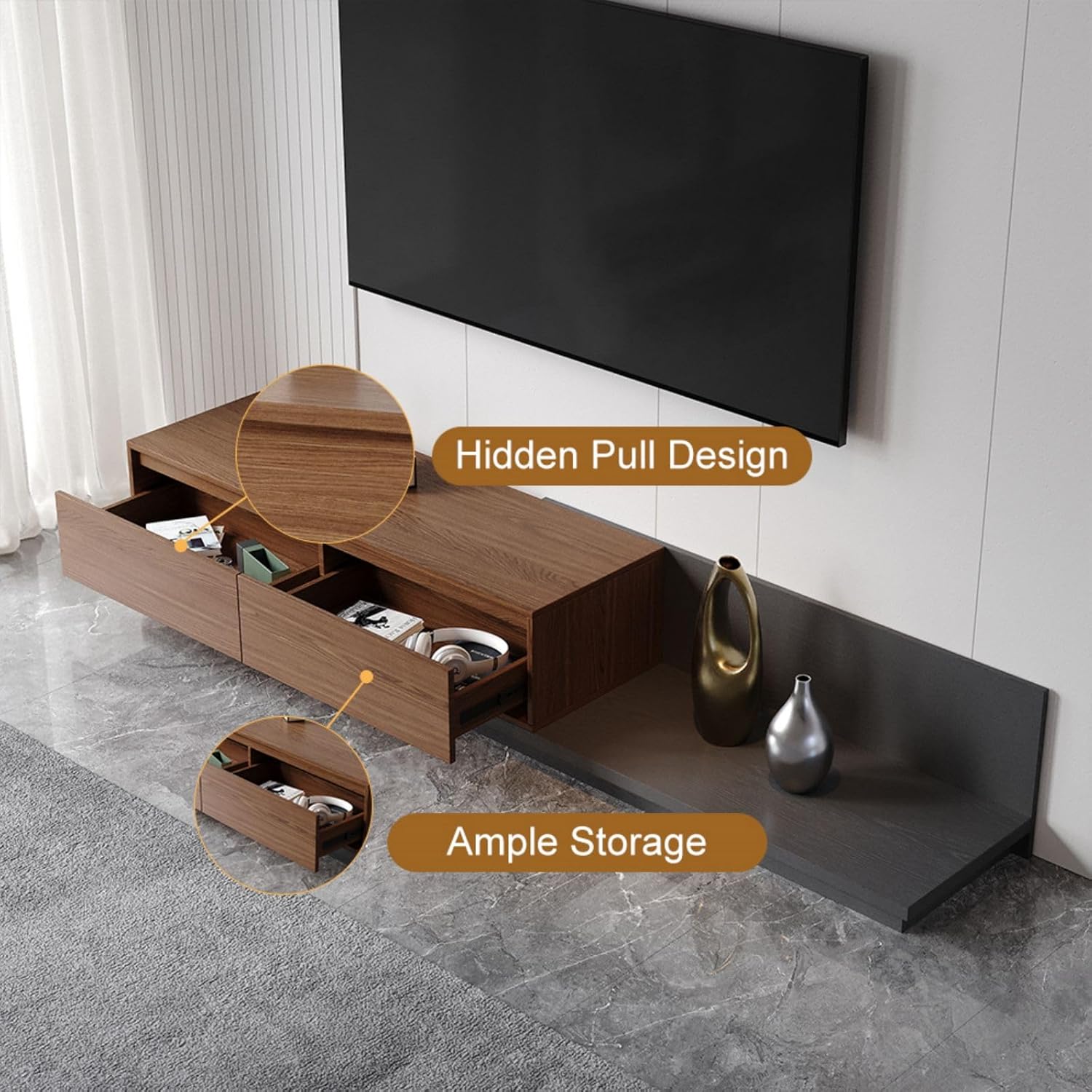
Image 4.1: Drawers open, showcasing the hidden pull design and storage capacity.
5. Care and Maintenance
To ensure the longevity and appearance of your Homary TV Stand, follow these care guidelines:
- Cleaning: Wipe surfaces with a soft, damp cloth. Avoid using harsh chemicals, abrasive cleaners, or polishes that may damage the finish.
- Spills: Clean up spills immediately with a dry cloth to prevent moisture damage.
- Heat and Moisture: Avoid placing hot items directly on the surface. Use coasters or protective pads. Keep the unit away from direct sunlight and excessive humidity.
- Drawer Mechanism: Periodically check the drawer slides for smooth operation. If they become stiff, a small amount of silicone-based lubricant can be applied.
- Fasteners: Occasionally check and retighten any loose fasteners to maintain structural integrity.
6. Troubleshooting
If you encounter any issues with your TV stand, refer to the following common problems and solutions:
- Drawers are Sticking or Difficult to Open/Close:
Solution: Check for any obstructions in the drawer slides. Ensure the unit is on a level surface. Apply a small amount of silicone lubricant to the drawer slides if necessary. - Extendable Section is Not Sliding Smoothly:
Solution: Verify that there are no objects blocking the sliding mechanism. Ensure the unit is level. Clean any dust or debris from the sliding tracks. - Unit Appears Unstable:
Solution: Recheck all assembly fasteners and tighten them securely. Ensure the TV stand is placed on a completely flat and stable floor. - Missing Parts or Damaged Components:
Solution: Do not proceed with assembly. Contact Homary Customer Care immediately for assistance (refer to Section 8).
7. Product Specifications
| Feature | Detail |
|---|---|
| Brand | Homary |
| Model Number | GY-78668192 |
| Material | Engineered Wood |
| Color | Walnut & Gray |
| Product Dimensions (Retracted) | 47.2"W × 15.7"D × 13.8"H (120cm W × 40cm D × 35cm H) |
| Extendable Feature | Accommodates TVs up to 120 inches |
| Item Weight | 121.5 pounds (55.1 kg) |
| Special Feature | Extendable |
| Assembly | Assembly required, instructions included |
8. Warranty and Support
Homary products are manufactured with quality and care. For specific warranty details, please refer to the documentation included with your purchase or visit the official Homary website. If you have any questions, require assistance with assembly, or need to report missing/damaged parts, please contact our Customer Care Center.

Image 8.1: Homary Customer Care Contact Information.
When contacting support, please provide your order number for faster service.