
1. Introduction
This manual provides detailed instructions for the Vibeat Bluetooth Fingertip Pulse Oximeter. This device is designed to measure blood oxygen saturation (SpO2), pulse rate (PR), and perfusion index (PI) through the finger. It features Bluetooth connectivity for data synchronization with the ViHealth app, offering comprehensive analysis and record-keeping. This product is intended for sports and aviation use only and should not be used for medical diagnosis or treatment.
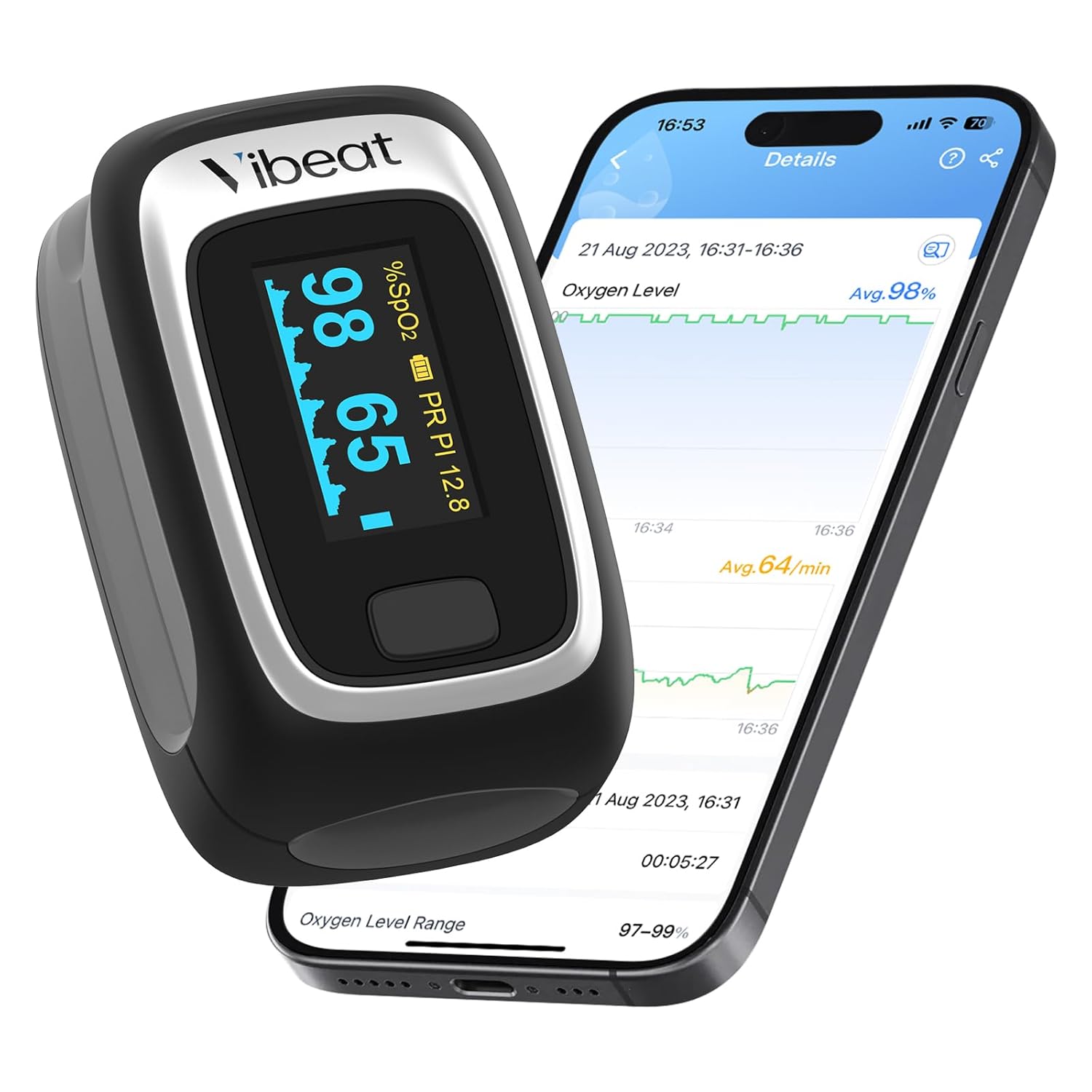
Image 1.1: The Vibeat Fingertip Pulse Oximeter displaying readings alongside a smartphone showing the ViHealth app interface with oxygen level and pulse rate graphs.
2. Product Overview
2.1. Components
The Vibeat Fingertip Pulse Oximeter package includes the following items:
- Vibeat Fingertip Pulse Oximeter
- Lanyard
- Pouch
- 2 AAA Batteries
- User Manual

Image 2.1: An illustration showing the contents of the product package, including the pulse oximeter, packing box, pouch, lanyard, 2 AAA batteries, and the user manual.
2.2. Device Features
The Vibeat Pulse Oximeter offers several key features:
- Notification Function: Customizable thresholds for blood oxygen and pulse rate. The oximeter will beep and readings will flash if preset limits are exceeded.
- Instant Operation: Simple finger clip design for quick measurements. Displays SpO2, pulse rate, perfusion index, and pulse waveform within seconds on the OLED screen.
- App Connectivity: Wirelessly connects to the ViHealth app via Bluetooth for automatic data reception, storage, and intelligent analysis.
- High Accuracy: Utilizes research-grade photoplethysmograph technology for precise measurements.
- Easy Data Recording: Stores the latest 12 sets of data directly on the device. View real-time data, graphical reports, O2 readings, and heart rate trends on the ViHealth app (PDF or CSV format export available). Compatible with both iOS and Android.
- Portable Design: Compact and lightweight, easy to carry with included lanyard and pouch.

Image 2.2: A detailed view of the pulse oximeter's display, labeling the Blood Oxygen Level, Pulse Rate Level, Pulse Strength Bar, Plethysmograph, Perfusion Index, and Lanyard Hole.
3. Setup
3.1. Battery Installation
To install the batteries:
- Open the battery compartment cover on the back of the device.
- Insert the two AAA batteries, ensuring correct polarity (+/-) as indicated inside the compartment.
- Close the battery compartment cover securely.
The device will power on automatically once batteries are correctly installed and a finger is inserted.
3.2. ViHealth App Download and Connection
To utilize the full features of your Vibeat Pulse Oximeter, download the ViHealth app from your device's app store (iOS or Android).
- Download and install the ViHealth app from the Apple App Store or Google Play Store.
- Register or log in to your app account.
- Ensure Bluetooth is enabled on your smartphone.
- Insert your finger into the oximeter to turn it on.
- Open the ViHealth app and tap the 'Add device' option. The app will search for available devices.
- Select your Vibeat Pulse Oximeter from the list of found devices to establish a Bluetooth connection.

Image 3.1: A visual guide demonstrating the three steps to connect the Vibeat Pulse Oximeter to the ViHealth app: register/login, insert finger and enable Bluetooth, then tap the searched device icon.
4. Operation
4.1. Taking Measurements
To take a measurement:
- Open the clamp of the oximeter.
- Insert one finger completely into the rubber opening of the oximeter, ensuring the nail surface is facing upwards.
- Release the clamp. The device will automatically power on and begin measurement.
- Keep your hand still during the measurement. Avoid movement to ensure accuracy.
- The readings for SpO2, PR, and PI will appear on the display within a few seconds.
The device will automatically power off after approximately 8 seconds of inactivity (when no finger is detected).

Image 4.1: A person's hand with the Vibeat Pulse Oximeter on their finger, while their other hand holds a smartphone displaying the connected ViHealth app.
4.2. Notification Function
The Vibeat Pulse Oximeter allows you to set custom notification thresholds for blood oxygen levels and pulse rate. If your readings fall outside these preset limits, the device will alert you.
- Threshold Setting: Configure your desired SpO2 and PR limits within the ViHealth app.
- Audible Alert: If a reading exceeds or falls below the set threshold, the oximeter will emit a 'bi-bi-bi' sound.
- Visual Alert: The corresponding reading on the OLED screen will flash to draw attention to the out-of-range value.
- Beeping On/Off: The audible alert can be toggled on or off through the device settings or the ViHealth app. Refer to the detailed user manual for specific instructions on adjusting this setting.

Image 4.2: An illustration detailing the notification functions of the Vibeat Pulse Oximeter, including threshold setting, beeping for exceeding thresholds, flashing readings, and the option to turn normal beeping on or off.
5. ViHealth App Usage
The ViHealth app enhances the functionality of your Vibeat Pulse Oximeter by providing advanced data management and analysis tools.
- Real-time Tracking: View your SpO2 and PR data in real-time on your smartphone when connected.
- Unlimited Data Storage: The app automatically receives and stores measurement data from the oximeter, building a comprehensive history.
- Intuitive Waveform Graph: Observe pulse waveform graphs for a visual representation of your pulse.
- Shareable Reports: Generate graphical reports of your O2 readings and heart rate trends, which can be exported in PDF or CSV format for sharing or personal records.
- Multiple User Profiles: The app supports creating multiple user profiles, allowing different individuals to track their data separately.

Image 5.1: Screenshots of the ViHealth app on various smartphones, illustrating its capabilities for recording oxygen levels and pulse rates, displaying historical data, and offering shareable PDF/CSV formats.
6. Maintenance
6.1. Cleaning
To clean the device:
- Wipe the surface of the oximeter with a soft cloth dampened with a mild disinfectant (e.g., 70% isopropyl alcohol).
- Do not immerse the device in water or any cleaning solution.
- Ensure the device is completely dry before storage or next use.
6.2. Storage
Store the oximeter in its protective pouch in a cool, dry place, away from direct sunlight and extreme temperatures. If the device will not be used for more than 7 days, remove the batteries to prevent potential damage from battery leakage.
7. Troubleshooting
If you encounter issues with your Vibeat Pulse Oximeter, refer to the following common troubleshooting steps:
| Problem | Possible Cause | Solution |
|---|---|---|
| No display after inserting finger | Batteries incorrectly installed or depleted. | Check battery polarity. Replace with new AAA batteries. |
| Inaccurate or unstable readings | Finger not inserted properly; excessive movement; cold fingers; nail polish. | Reinsert finger correctly. Remain still during measurement. Warm hands if cold. Remove nail polish if present. |
| Bluetooth connection fails | Bluetooth not enabled on phone; app not running; device too far from phone; oximeter not powered on. | Ensure phone Bluetooth is on. Open ViHealth app. Keep device and phone close. Insert finger into oximeter to power on. |
| App not recording data | App not open or connected; phone storage full. | Ensure app is open and connected to the oximeter. Check phone storage. |
If the problem persists, please contact Vibeat customer support.
8. Specifications
| Parameter | Value |
|---|---|
| Product Dimensions | 3.7 x 2.83 x 1.57 inches |
| Item Model Number | S5WB-VB-20241112 |
| Batteries | 2 AAA batteries (included) |
| Brand | Vibeat |
| Measurement Accuracy | ±2% |
| Measuring Range (SpO2) | 70-100% |
| Measuring Range (PR) | 30-250 bpm |
| Measuring Range (PI) | 0-20% |
| Weight | 2.89 ounces |
9. Important Safety Information
Disclaimer: This product is intended for sports and aviation use only. It should not be used to diagnose or treat any medical condition. Consult a medical professional for any health concerns.
10. Warranty and Support
The Vibeat Pulse Oximeter typically comes with a 1-year warranty from the date of purchase. Please retain your proof of purchase for warranty claims.
For technical support, warranty inquiries, or any questions regarding your device, please contact Vibeat customer support:
- Email: support@vibeatstore.com
- Website: www.vibeatstore.com


