
INIU P73
INIU MagSafe Portable Charger User Manual
Model: P73
1. Introduction
Thank you for choosing the INIU MagSafe Portable Charger. This user manual provides essential information for the safe and efficient operation of your new power bank. Please read this manual thoroughly before use and retain it for future reference.
2. Product Overview
2.1. Package Contents
- INIU 10,000mAh Magnetic Power Bank (P73) x 1
- 0.4ft/12cm Lanyard USB-C Cable x 1
- User Manual x 1
2.2. Key Features
- Ultra-slim 0.5-inch design for portability.
- Qi2-Certified 15W wireless charging.
- Speedy PD 45W wired charging via USB-C.
- 10,000mAh capacity providing extended power.
- Integrated foldable kickstand for hands-free viewing.
- Lanyard USB-C cable for convenience.
- Multiple safety protections.
2.3. Product Diagram
Below is a diagram illustrating the main components of your INIU MagSafe Portable Charger.
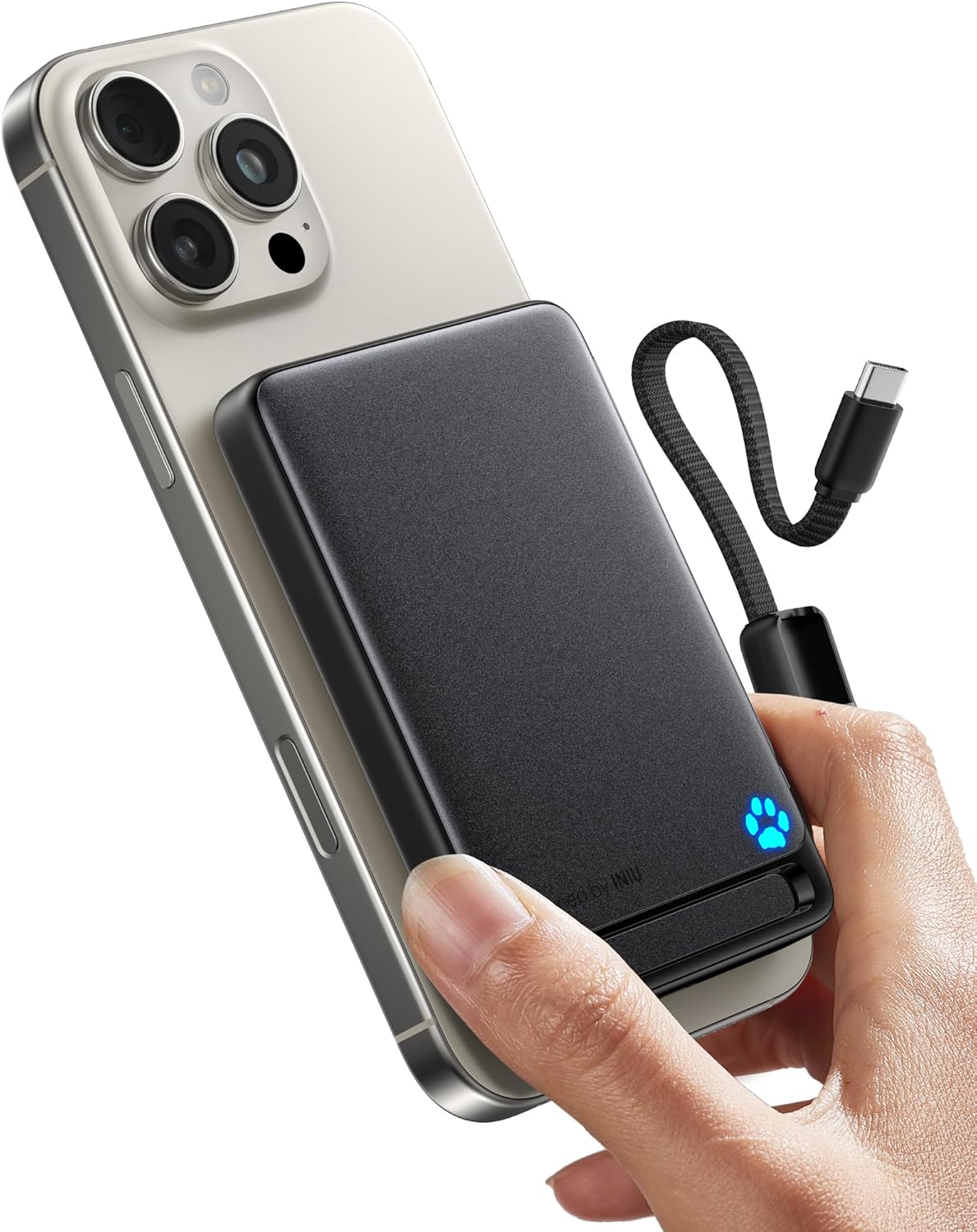
Figure 1: INIU MagSafe Portable Charger (Black) with a phone attached, highlighting its compact design and the included lanyard USB-C cable.

Figure 2: Side profile of the power bank demonstrating its ultra-slim 0.5-inch thickness.
3. Setup
3.1. Initial Charge of the Power Bank
Before first use, fully charge your INIU MagSafe Portable Charger. Use the included USB-C cable and a compatible power adapter (not included) to connect the power bank to a power source.
- Connect the small end of the USB-C cable to one of the USB-C ports on the power bank.
- Connect the large end of the USB-C cable to a USB power adapter.
- The LED indicator lights will illuminate to show charging progress. A full charge is indicated when all lights are solid.

Figure 3: LED indicator lights showing charge status. Each segment represents approximately 20% charge.
4. Operating Instructions
4.1. Charging Devices Wirelessly (MagSafe Compatible)
The power bank supports 15W Qi2 wireless charging for compatible devices, such as iPhone 12-16 series and AirPods 3/Pro 2.
- Ensure your device is MagSafe compatible or has a MagSafe-compatible case.
- Align the back of your device with the magnetic charging area of the power bank. The magnets will snap into place, and charging will begin automatically.
- The LED indicator on the power bank will show charging activity.

4.2. Charging Devices via USB-C Cable
The power bank features two USB-C ports for wired charging, supporting up to 45W Power Delivery (PD).
- Use the included lanyard USB-C cable or another compatible USB-C cable.
- Connect one end of the cable to a USB-C port on the power bank.
- Connect the other end to your device's charging port.
- Charging will begin automatically.
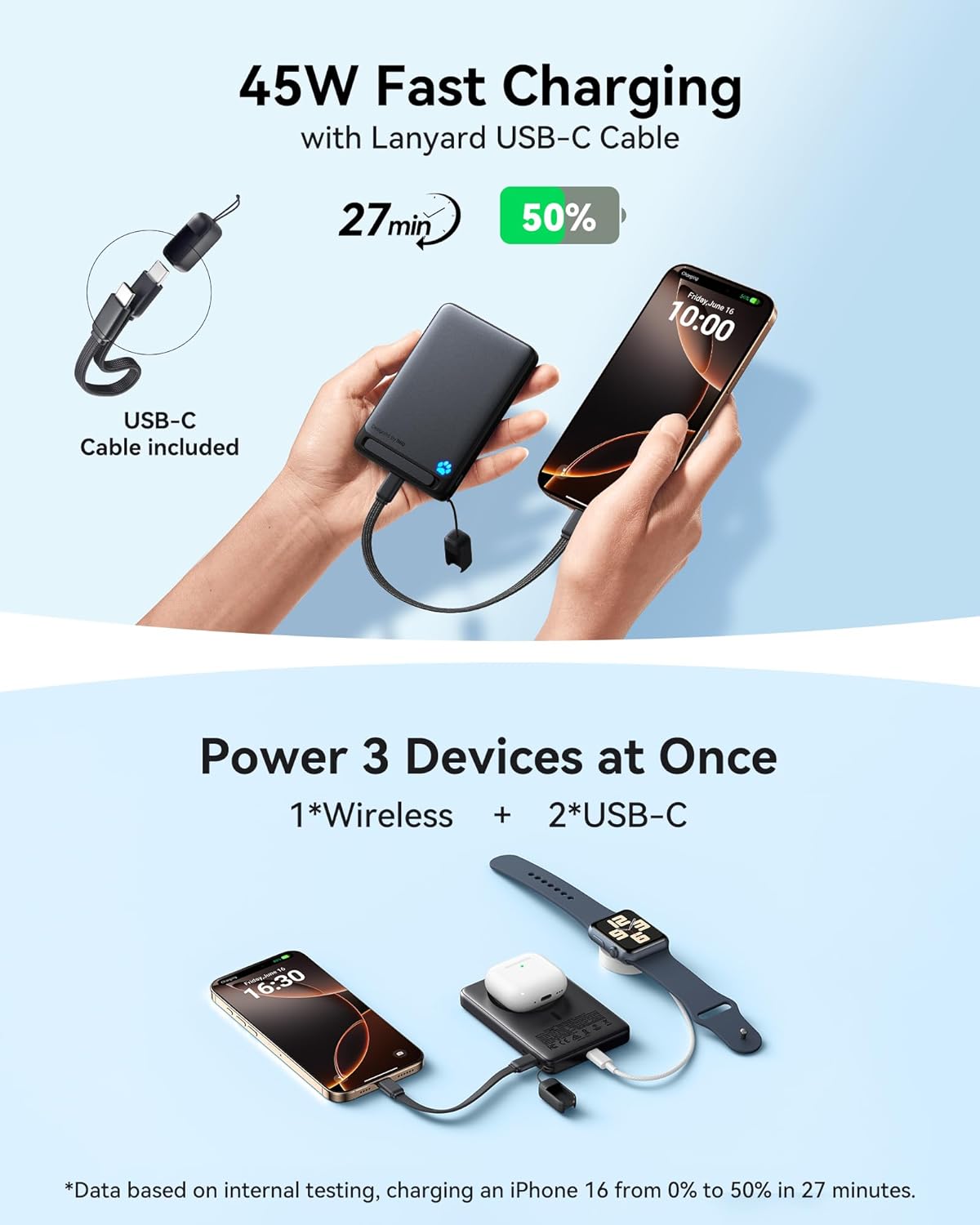
Figure 5: Wired charging using the integrated lanyard USB-C cable.
4.3. Using the Foldable Kickstand
The integrated kickstand allows for hands-free viewing in both portrait and landscape orientations.
- Gently pull out the kickstand from the back of the power bank.
- Position the power bank and attached device on a flat surface.
- Adjust the angle for optimal viewing.

Figure 6: Power bank with kickstand in use, supporting a phone for hands-free viewing.
5. Maintenance
- Keep the power bank away from extreme temperatures, direct sunlight, and liquids.
- Do not disassemble, modify, or attempt to repair the device.
- Clean the surface with a soft, dry cloth. Avoid using harsh chemicals or abrasive materials.
- Store in a cool, dry place when not in use for extended periods.
- Avoid dropping or subjecting the power bank to strong impacts.
6. Troubleshooting
| Problem | Possible Cause | Solution |
|---|---|---|
| Power bank not charging. | Cable not properly connected; faulty cable/adapter; power bank fully discharged. | Ensure cable is securely connected. Try a different cable or power adapter. Allow a few minutes for the power bank to respond if deeply discharged. |
| Device not charging wirelessly. | Misalignment; non-compatible device/case; foreign objects between power bank and device. | Ensure proper alignment. Verify device/case is MagSafe compatible. Remove any foreign objects. |
| Device not charging via wired connection. | Cable not properly connected; faulty cable/device port. | Ensure cable is securely connected. Try a different USB-C cable. Test with another device if possible. |
| Slow charging speed. | Using a non-fast charging adapter/cable; device not supporting fast charging; multiple devices charging simultaneously. | Use a PD-compatible adapter and cable. Ensure your device supports fast charging. Charging multiple devices may reduce individual charging speeds. |
7. Specifications
| Feature | Detail |
|---|---|
| Model Number | P73 |
| Battery Capacity | 10,000 mAh |
| Wireless Charging Output | Up to 15W (Qi2 Certified) |
| Wired Charging Output | USB Type-C x 2, up to 45W PD |
| Dimensions | 4.1 x 2.8 x 0.5 inches |
| Weight | 8.1 ounces |
| Special Features | LED Indicator Lights, Fast Charging, Pocket Size, Lanyard USB-C Cable, Foldable Kickstand |
8. Warranty and Support
INIU provides an industry-leading 3-year warranty for this product, along with lifetime technical support.
For any inquiries or support needs, please contact INIU customer service through their official website or the platform where you purchased the product.
Website: www.iniu.com
Related documentsP73


Ask a question about this manual
Ask about setup, troubleshooting, compatibility, parts, safety, or missing instructions. Manuals+ will review the question and use this page’s manual context to help answer it.