
Introduction
This instruction manual provides essential information for the safe and efficient use of your INIU Qi2 15W Magnetic Power Bank, Model P73. Please read this manual thoroughly before using the product and retain it for future reference.
Package Contents
Verify that all items are present in the package:
- INIU 10,000mAh Magnetic Power Bank (Model P73) x 1
- 0.4ft / 12cm USB-C GoCord x 1
- User Manual x 1

Image: The INIU Magnetic Power Bank, showing its integrated foldable stand and the detachable USB-C GoCord. The power bank features a paw-print power indicator.
Product Features
- Qi2 Certified 15W Wireless Charging: Provides up to 15W wireless output for compatible devices, ensuring efficient and safe charging.
- 10000mAh Capacity: Offers extended power for mobile devices.
- 45W Wired Fast Charging: Supports up to 45W wired output via USB-C for rapid charging.
- Integrated Foldable Stand: Allows for hands-free device usage during charging in both vertical and horizontal orientations.
- Detachable USB-C GoCord: A short USB-C cable for wired charging, which also serves as a lanyard.
- Advanced Safety Features: Includes over-charging protection and real-time temperature monitoring (TempGuard 3.0).
- Slim Design: Compact and lightweight for portability.
Setup
Charging the Power Bank
Before initial use, fully charge the power bank. Use the included USB-C GoCord or another compatible USB-C cable and a power adapter (not included) to connect the power bank to a power source. The paw-print LED indicators will illuminate to show the charging status.
- One paw print: 0-20% charged
- Two paw prints: 20-40% charged
- Three paw prints: 40-60% charged
- Four paw prints: 60-80% charged
- All paw prints solid: 80-100% charged

Image: The INIU Power Bank connected via USB-C for charging, demonstrating its ability to charge itself and a device simultaneously.
Operating Instructions
Wireless Charging (MagSafe Compatible)
The power bank supports Qi2 certified 15W wireless charging for compatible devices, primarily iPhone 12-17 series. Ensure your device is MagSafe compatible or uses a MagSafe-compatible case.
- Align the back of your compatible iPhone (iPhone 12-17 series) with the magnetic charging area of the power bank.
- The magnets will securely attach the power bank to your phone, and wireless charging will begin automatically.
- The paw-print LED indicators will show the remaining power in the power bank.
Note: For optimal magnetic attachment and charging efficiency, use the power bank directly with a compatible iPhone or with a MagSafe-compatible case. Non-magnetic cases may prevent proper attachment and charging.

Image: The INIU Power Bank highlighting its official Qi2 and ETL certifications, indicating safe and fast 15W wireless charging.
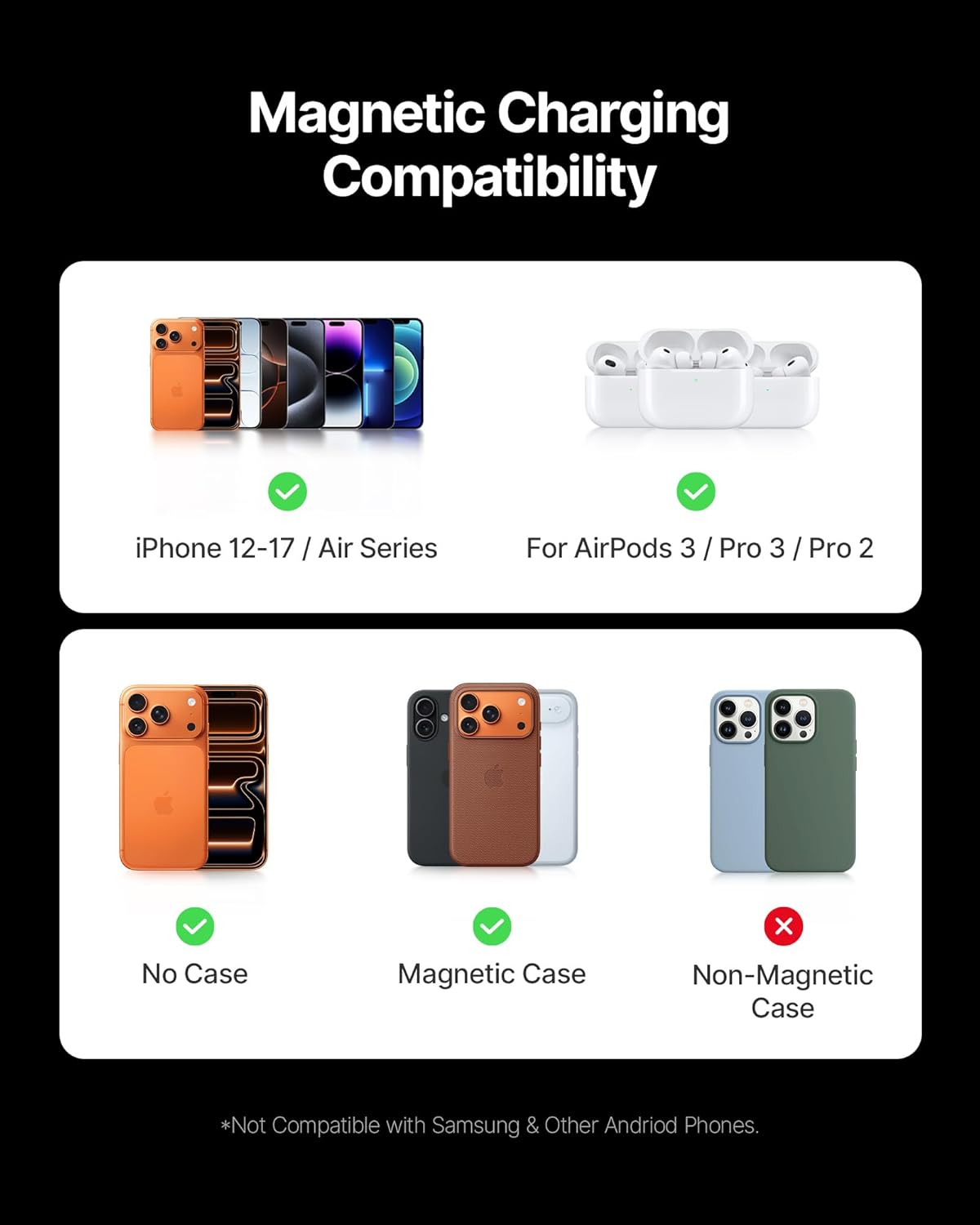
Image: A visual guide illustrating compatibility with iPhone 12-17 series and AirPods 3/Pro/Pro 2. It also shows that the power bank works with no case or magnetic cases, but not with non-magnetic cases.
Wired Charging
The power bank supports up to 45W wired fast charging via its USB-C port.
- Connect one end of the USB-C GoCord (or another USB-C to USB-C cable) to the power bank's USB-C port.
- Connect the other end to your device's charging port.
- Charging will begin automatically.
The USB-C port is bidirectional, meaning it can be used to charge the power bank itself or to charge other devices.

Image: The INIU Power Bank connected via its USB-C port to an iPhone 17 Pro, demonstrating 45W wired fast charging.
Using the Foldable Stand
The integrated foldable stand allows for convenient hands-free viewing while your device is charging wirelessly.
- Gently pull out the stand from the back of the power bank.
- Extend the stand to your desired angle.
- Attach your MagSafe-compatible iPhone to the power bank.
- Position your phone vertically for video calls or horizontally for watching videos.
Image: The INIU Magnetic Power Bank with its foldable stand extended, supporting an iPhone for hands-free use. The detachable USB-C GoCord is also visible.
Safety Information
- Do not expose the power bank to extreme temperatures (hot or cold), direct sunlight, or high humidity.
- Do not disassemble, modify, or repair the device yourself.
- Keep the power bank away from water and other liquids.
- Avoid dropping or subjecting the power bank to strong impacts.
- Use only certified charging cables and adapters.
- Do not place metal objects or magnetic cards between the power bank and your device during wireless charging.
- This power bank includes over-charging protection. However, it is recommended to disconnect the power bank once fully charged.

Image: An internal view of the power bank's circuitry, highlighting the TempGuard 3.0 system for real-time temperature monitoring and optimized power allocation.
Maintenance
- Clean the power bank with a soft, dry cloth. Do not use abrasive cleaners or solvents.
- Store the power bank in a cool, dry place when not in use.
- If the power bank will not be used for an extended period, charge it to approximately 50% every three months to prolong battery life.
Troubleshooting
| Problem | Possible Cause | Solution |
|---|---|---|
| Power bank not charging | Cable or adapter issue; power bank fully discharged. | Ensure the USB-C cable and power adapter are working correctly. Try a different cable or adapter. Allow a few minutes for the power bank to respond if fully discharged. |
| Wireless charging not working | Device not MagSafe compatible; non-magnetic case; improper alignment; foreign objects. | Ensure your device is an iPhone 12-17 series or has a MagSafe-compatible case. Remove any non-magnetic cases. Realign the phone on the power bank. Remove any metal objects or magnetic cards. |
| Slow charging speed | Using a non-fast charging adapter/cable; device not supporting fast charging; high ambient temperature. | Use a power adapter and cable that support fast charging (e.g., 45W for wired, 15W for wireless). Ensure your device supports the advertised charging speeds. Avoid charging in excessively hot environments. |
| Power bank gets warm during use | Normal operation; high load. | It is normal for the power bank to generate some heat during charging or discharging. If it becomes excessively hot, disconnect it and contact support. |
Specifications
| Model Name | P73-E1 |
| Item Model Number | P73 |
| Battery Capacity | 10000mAh |
| Battery Cell Type | Lithium Polymer |
| Wireless Output | Up to 15W (Qi2 Certified) |
| Wired Output (USB-C) | Up to 45W |
| Input (USB-C) | Up to 45W |
| Number of Ports | 2 (1x USB-C, 1x Wireless) |
| Product Dimensions | 10.5 x 7 x 1.4 cm |
| Item Weight | 230 g |
| Compatible Devices | iPhone 12-17 Series (MagSafe compatible), AirPods 3/Pro/Pro 2. Other devices can charge wirelessly but may not support magnetic feature or peak speed. |
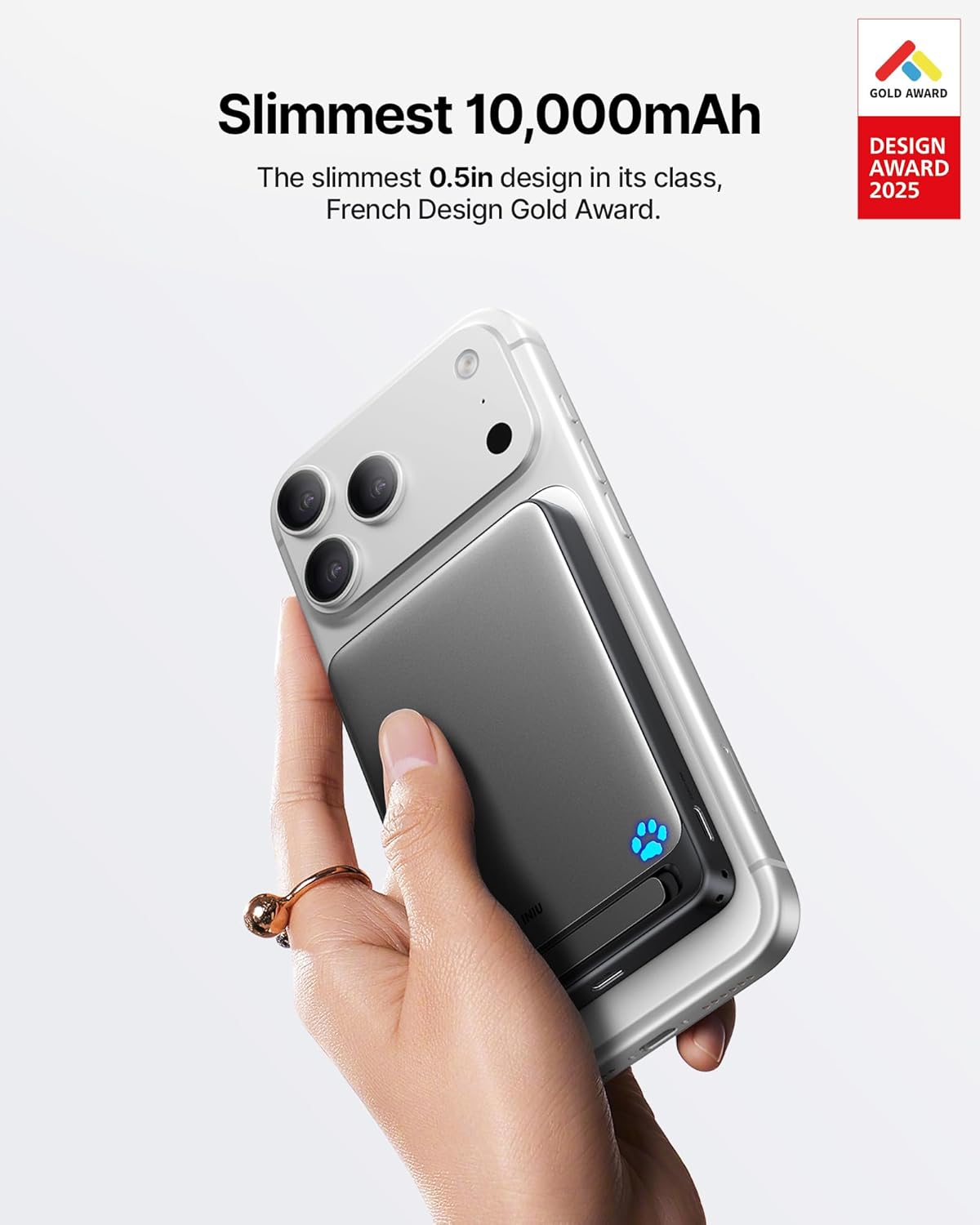
Image: The INIU Power Bank attached to an iPhone, showcasing its slim profile and 10000mAh capacity, recognized with a French Design Gold Award.
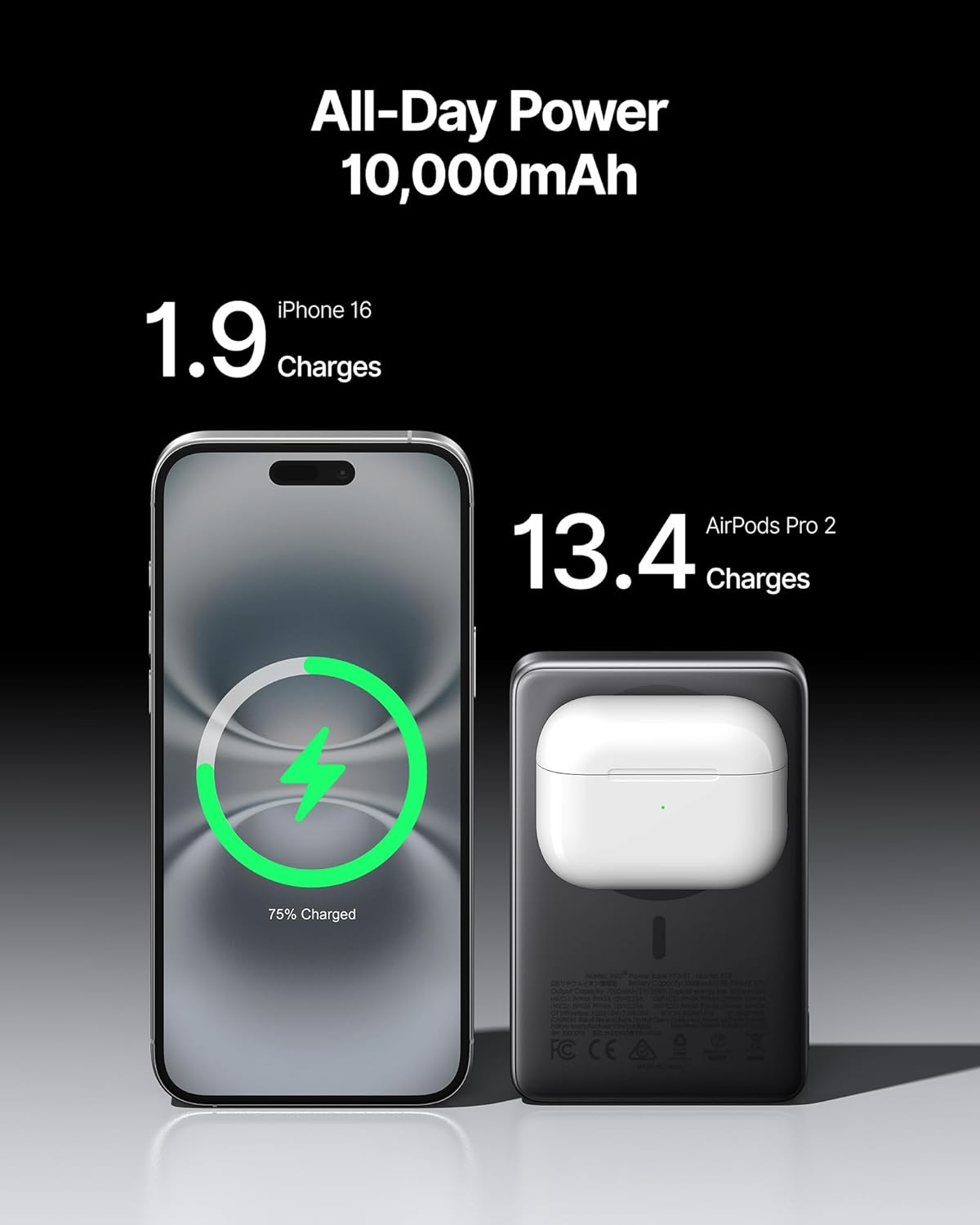
Image: The INIU Power Bank demonstrating its 10000mAh capacity by showing it can provide 1.9 charges for an iPhone 16 and 13.4 charges for AirPods Pro 2.
Warranty and Support
INIU provides an industry-leading 3-year warranty for this product. In case of any quality issues within this period, a new unit will be provided, and shipping costs will be covered for defects.
For technical support or warranty claims, please contact INIU customer service through the retailer where the product was purchased or visit the official INIU website for contact information.

Image: The INIU Power Bank and its packaging, emphasizing the 3-year INIU Care warranty, which includes a replacement unit for defects.


