
HELLEE N18
User Manual for HELLEE 15000mAh Portable Charger
Model: N18
Brand: HELLEE
1. Introduction
Thank you for choosing the HELLEE 15000mAh Portable Charger. This compact and powerful device is designed to keep your electronic devices charged on the go, featuring built-in cables for universal compatibility and fast charging capabilities. Please read this manual carefully before using the product to ensure safe and optimal performance.
2. Safety Information
To prevent damage to the product or injury to yourself and others, please observe the following safety precautions:
- Do not expose the power bank to extreme temperatures (above 60°C/140°F) or direct sunlight.
- Avoid dropping, disassembling, or attempting to repair the device yourself.
- Keep away from water, moisture, and flammable materials.
- Use only compatible charging cables and adapters.
- This portable charger complies with airline safety regulations and is safe for air travel.
- The device includes built-in protections against overcharging, overheating, over-voltage, and overcurrent.
3. Product Features
- Multi-Device Charging with Built-In Cables: Integrated cables for USB-A, Type-C, iOS (Lightning), and Micro USB, ensuring broad compatibility.
- Fast 22.5W Charging: Significantly reduces charging times with advanced voltage regulation.
- Charge Up to 6 Devices Simultaneously: Features 6 output and 3 input ports, including a bi-directional Type-C port for fast input and output.
- Compact and Lightweight: Weighs only 7.09 ounces (200g) and measures 4.56 x 2.67 x 0.86 inches, with an added lanyard for portability.
- Smart LED Display: Shows real-time battery percentage and current charging status.
- Air Travel Approved with Safety Features: Designed with fire-resistant materials and multiple built-in protections.
4. Package Contents
- HELLEE 15000mAh Portable Charger (Model N18)
- User Manual
Note: This power bank features built-in charging cables (USB-A, Type-C, iOS, Micro USB) and a built-in USB-A input cable for recharging the power bank itself, eliminating the need for separate cables.
5. Product Overview and Components
Familiarize yourself with the different parts of your HELLEE portable charger:

Image 1: Front and back view of the HELLEE 15000mAh Portable Charger. The front features a digital LED display showing battery percentage, while the back integrates multiple charging cables for various devices.

Image 2: The portable charger demonstrating its 22.5W super fast charging capability, indicated by a smartphone connected and charging rapidly.

Image 3: The power bank connected to and simultaneously charging six different devices, including smartphones, a tablet, earbuds, and a smartwatch, highlighting its multi-output functionality.
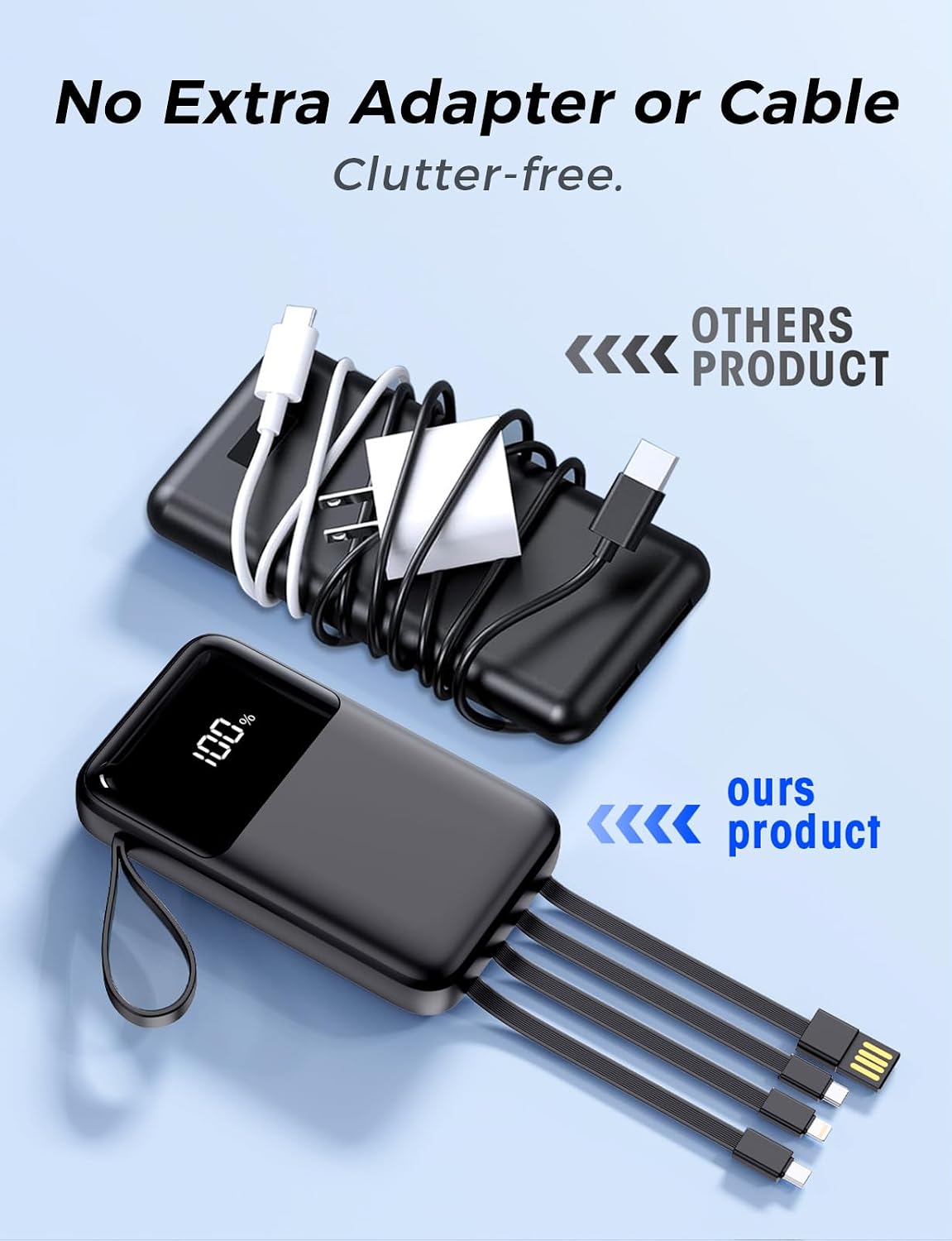
Image 4: A visual comparison illustrating the convenience of the HELLEE power bank's built-in cables, contrasting it with other portable chargers that require carrying additional, often tangled, external cables.

Image 5: A hand holding the HELLEE 15000mAh portable charger, emphasizing its compact size and ease of portability, similar to a small smartphone.

Image 6: The portable charger positioned against an airplane window, illustrating its compliance with airline safety regulations and suitability for air travel.

Image 7: The portable charger in a professional setting, highlighting its compatibility with various devices via Type-C, Lightning, and Micro USB connections, making it suitable for diverse users.
6. Setup
6.1 Initial Charging of the Power Bank
Before first use, it is recommended to fully charge your HELLEE portable charger.
- Locate the built-in USB-A input cable on the power bank.
- Connect the USB-A input cable to a compatible USB wall adapter (not included) or a computer's USB port.
- The LED display will show the charging progress. The power bank is fully charged when the display shows "100%".
Alternatively, you can use the bi-directional Type-C port for input charging:
- Connect a USB-C to USB-C cable (not included) from a compatible USB-C wall adapter to the Type-C port on the power bank.
- Monitor the LED display for charging status.
7. Operating Instructions
7.1 Charging Your Devices
The HELLEE power bank offers multiple ways to charge your devices:
- Using Built-in Cables:
- Identify the correct built-in cable (iOS/Lightning, Type-C, or Micro USB) for your device.
- Gently pull out the desired cable from its slot.
- Connect the cable to your device's charging port. The power bank will automatically begin charging.
- Using External Ports:
- For devices requiring a standard USB-A or an additional Type-C connection, use your device's original charging cable.
- Plug one end of your cable into the USB-A or Type-C output port on the power bank.
- Connect the other end to your device. Charging will commence automatically.
The smart LED display will show the current battery level of the power bank and indicate when a device is being charged.
7.2 Trickle-Charging Mode for Small Earphones
For low-power devices like Bluetooth earphones or smartwatches, the power bank supports a trickle-charging mode to prevent overcharging and protect the device's battery. This mode activates automatically when a low-power device is connected.
8. Maintenance
- Cleaning: Use a soft, dry cloth to clean the surface of the power bank. Do not use liquid cleaners or abrasive materials.
- Storage: Store the power bank in a cool, dry place away from direct sunlight and extreme temperatures.
- Battery Care: To prolong battery life, fully charge the power bank at least once every three months if not in regular use.
- Avoid fully discharging the power bank frequently.
9. Troubleshooting
| Problem | Possible Cause | Solution |
|---|---|---|
| Power bank not charging |
|
|
| Device not charging from power bank |
|
|
| LED display not working |
|
|
10. Specifications
| Feature | Detail |
|---|---|
| Model Number | N18 |
| Battery Capacity | 15000 Milliamp Hours (mAh) |
| Product Dimensions | 4.57 x 2.68 x 0.86 inches |
| Item Weight | 7 ounces |
| Charging Power | 22.5W Fast Charging |
| Output Ports | Built-in USB-A, Type-C, iOS (Lightning), Micro USB cables; Additional USB-A and Type-C ports |
| Input Ports | Built-in USB-A cable; Bi-directional Type-C port |
| Special Features | Compact, Fast Charging, Portable, LED Display, Air Travel Approved |
| Color | Black |
| Manufacturer | Anshi Shengying(Shenzhen) Technology Co., Ltd |
| Date First Available | November 11, 2024 |
11. Warranty and Support
HELLEE products are designed for reliability and performance. For any questions, technical support, or warranty inquiries, please contact your retailer or the manufacturer directly. Keep your purchase receipt as proof of purchase.
For further assistance, please visit the official HELLEE support website or contact their customer service team.
Related Documents - N18
 |
N18 Smart Bracelet User Manual User manual for the N18 Smart Bracelet, detailing its features, functions, charging, pairing, and troubleshooting. |
 |
TONEMAC N18 Bluetooth Headphones User Manual Official user manual for TONEMAC N18 Bluetooth Headphones, providing detailed information on setup, operation, safety guidelines, specifications, and warranty. |
 |
N18 Smart Home Wireless Door Chime User Manual - Installation & Troubleshooting Comprehensive user manual for the N18 Smart Home Wireless Door Chime system. Learn about installation, features, pairing, troubleshooting, and available ringtones. Compatible with Satisure products. |
 |
GUSTARD N18 & N18PRO HIFI Switch - User Manual & Specifications Comprehensive user manual and technical specifications for the GUSTARD N18 and N18PRO HIFI switches. Learn about features, connections, parameters, and after-sales service. |
 |
คู่มือผู้ใช้รถยนต์ Nissan Almera คู่มือผู้ใช้รถยนต์ Nissan Almera นี้ให้ข้อมูลที่จำเป็นสำหรับการใช้งานและบำรุงรักษารถยนต์ Nissan ของท่านอย่างปลอดภัยและมีประสิทธิภาพ ครอบคลุมการใช้งาน คุณสมบัติด้านความปลอดภัย การบำรุงรักษา และการแก้ไขปัญหาเบื้องต้น |