
1. Introduction
This manual provides detailed instructions for the assembly, operation, and maintenance of your DICTAC LIW-01 140x190cm Metal Bed Frame. Please read this manual thoroughly before assembly and use to ensure safe and correct operation. Keep this manual for future reference.

Image 1.1: DICTAC LIW-01 140x190cm Metal Bed Frame with LED Headboard, USB Ports, and Power Outlets.
2. Safety Instructions
Please observe the following safety precautions to prevent injury or damage to the product:
- Read all instructions carefully: Ensure you understand each step before beginning assembly.
- Assemble on a soft, clean surface: This prevents scratches to the bed frame and flooring.
- Two-person assembly recommended: For easier and safer handling of larger components.
- Check all connections: Ensure all screws and bolts are tightened securely before use. Re-tighten periodically.
- Do not overload: Adhere to the maximum weight capacity of 350 kg.
- Electrical safety:
- Ensure the power outlet for the LED lights and charging ports is easily accessible.
- Do not expose electrical components to water or excessive moisture.
- Unplug the bed frame from the power source before cleaning or if any electrical issues arise.
- Do not attempt to modify the electrical components. Contact qualified personnel for repairs.
- Keep children and pets away: During assembly to prevent accidents.
- Use only original parts: Do not substitute parts, as this may compromise safety and stability.
3. Package Contents
Before starting assembly, verify that all components and hardware are present. Refer to the included installation manual for a detailed list of parts. If any parts are missing or damaged, contact customer support immediately.

Image 3.1: Example of bed frame components and hardware. Actual contents may vary slightly based on packaging.
4. Assembly Instructions
The DICTAC LIW-01 bed frame is designed for easy assembly. Follow the step-by-step instructions provided in the separate installation manual included with your product. All necessary tools are typically provided.
- Unpack all components: Carefully remove all parts from the packaging and lay them out on a soft, clean surface.
- Identify parts: Match each part to the corresponding label in the instruction manual.
- Assemble the main frame: Follow the sequence of steps for connecting the side rails, headboard, and footboard.
- Install the support slats: Ensure the metal slats are evenly distributed and secured. The anti-vibration EVA strips should be placed between metal parts to reduce noise.
- Attach reinforced feet and anti-slip pads: Secure the triangular support feet and apply anti-slip pads to protect your floor and prevent movement.
- Connect electrical components: Integrate the LED strip and the power strip with USB ports and outlets into the headboard as instructed.
- Final check: Verify all connections are tight and the frame is stable before placing your mattress.

Image 4.1: Illustration of simplified assembly steps for the bed frame.

Image 4.2: Detail of anti-vibration EVA strips to ensure silent operation.

Image 4.3: Reinforced bed feet design for increased stability.
5. Operating Instructions
5.1 LED Headboard Lighting
The integrated LED strip offers customizable lighting options. Control methods include a dedicated app, remote control, or a button on the headboard.
- App Control: Download the specified app (refer to the installation manual for app name/QR code). The app allows access to over 60,000 colors, brightness adjustment, various lighting modes, a timer function, and custom modes.
- Remote Control: Use the provided remote to adjust color, brightness, and switch between preset modes.
- Button Control: A button on the headboard provides basic control for turning the lights on/off and cycling through basic colors/modes.
- Music Sync Mode: In this mode, the LED lights will change color in rhythm with music played on your connected devices, creating a dynamic ambiance.

Image 5.1: App interface for controlling LED lighting features.

Image 5.2: Overview of LED features including multiple colors, adjustable brightness, music sync, and timer function.
5.2 USB Ports and Power Outlets
The headboard includes 2 USB ports and 2 standard power outlets for convenient charging of your electronic devices.
- USB Ports: Provide 5V/2.1A output, suitable for charging smartphones, tablets, and other USB-powered devices.
- Power Outlets: Rated for 250V/16A, suitable for powering lamps, alarm clocks, or other small appliances.
- Usage: Simply plug your devices into the appropriate port or outlet. Ensure the bed frame is connected to a wall power outlet.
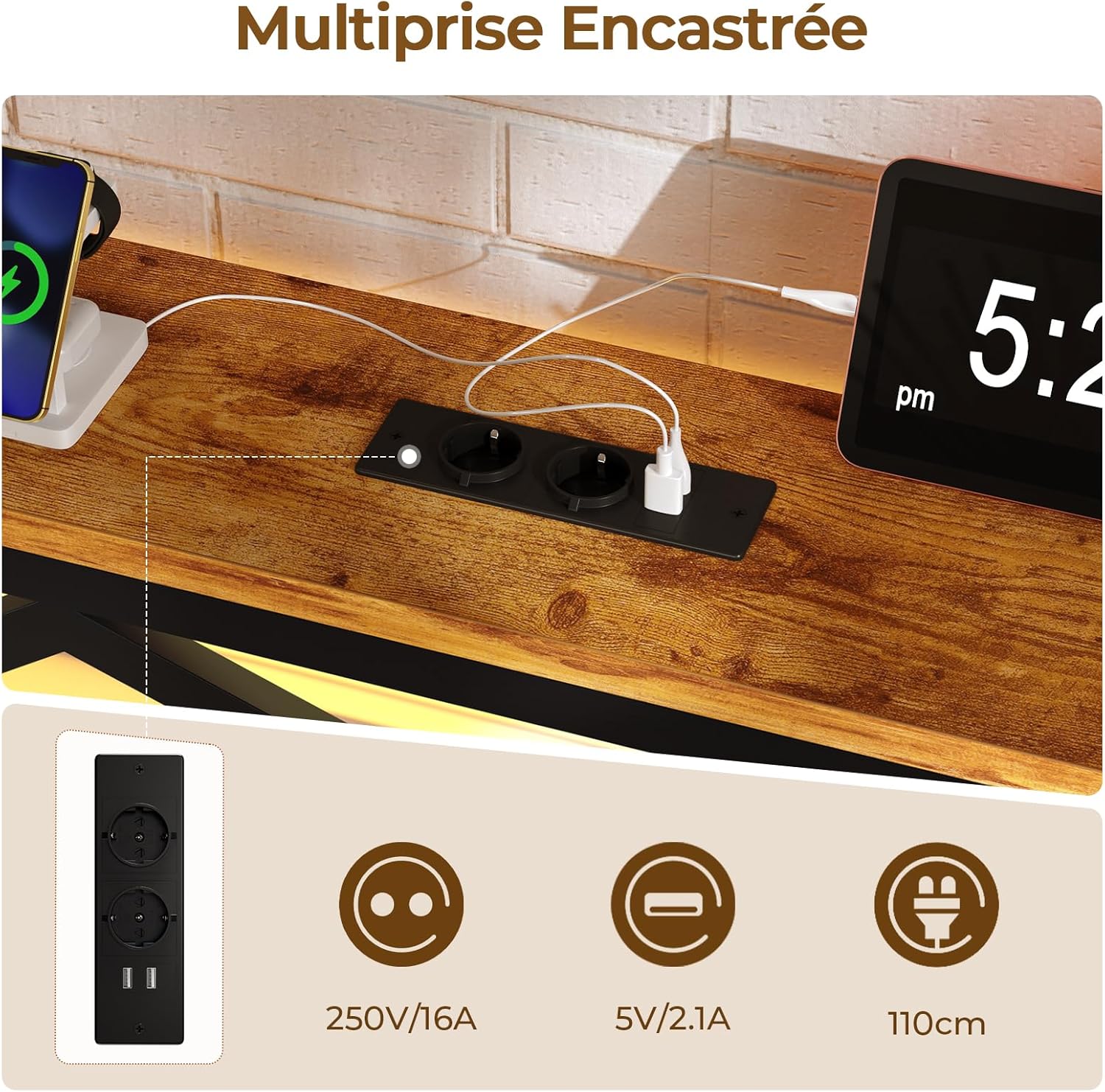
Image 5.3: Integrated power strip with USB ports and power outlets.
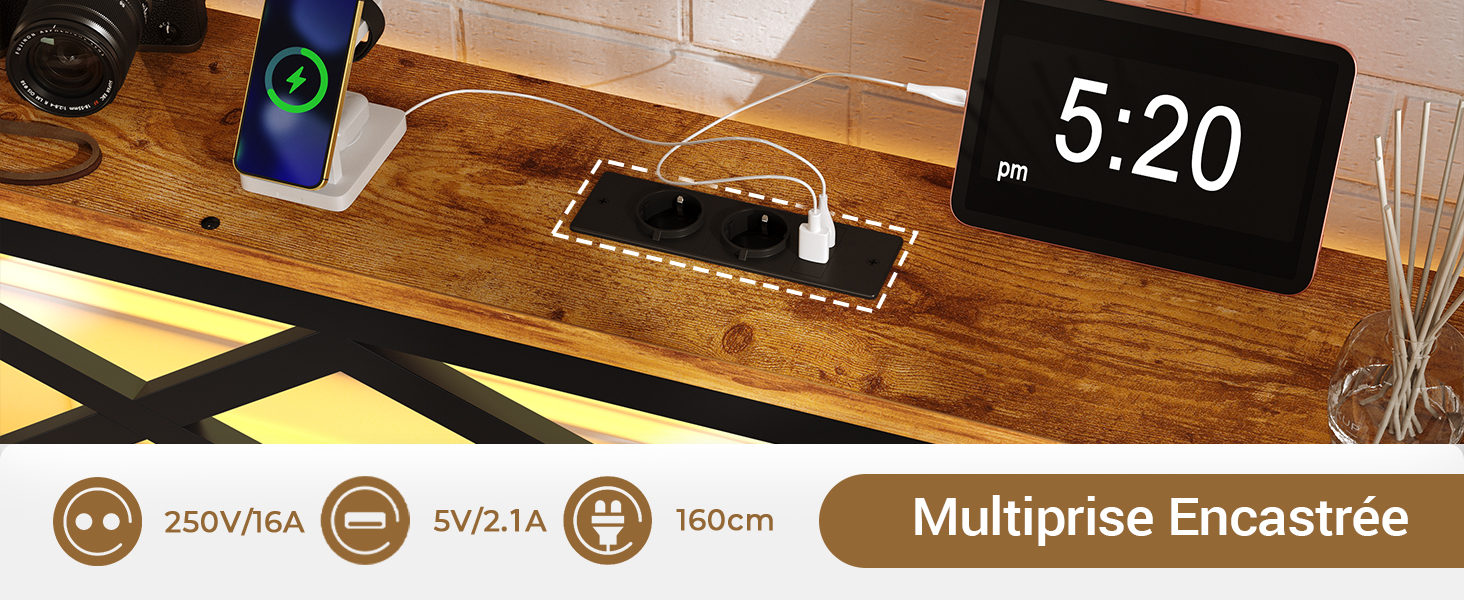
Image 5.4: Headboard shelf with charging devices.
6. Maintenance
Regular maintenance will help prolong the life and appearance of your bed frame.
- Cleaning: Wipe the metal and wood surfaces with a soft, damp cloth. Avoid harsh chemicals or abrasive cleaners that could damage the finish.
- Dusting: Regularly dust the LED strip and charging ports to prevent accumulation that could affect performance.
- Check connections: Periodically inspect all screws and bolts to ensure they remain tight. Re-tighten if necessary.
- Electrical components: Ensure the power cord is not pinched or damaged. If any electrical component malfunctions, unplug the unit and contact support.
7. Troubleshooting
If you encounter issues with your DICTAC LIW-01 bed frame, refer to the following common problems and solutions:
| Problem | Possible Cause | Solution |
|---|---|---|
| Bed frame is wobbly or squeaks. | Loose connections; missing anti-vibration strips. | Ensure all screws and bolts are securely tightened. Check that EVA anti-vibration strips are correctly installed between metal slats. |
| LED lights are not working. | Power cord unplugged; remote control battery dead; LED strip connection loose. | Verify the bed frame is plugged into a working power outlet. Test remote control battery. Ensure LED strip connections are secure. |
| USB ports or power outlets are not charging. | Bed frame unplugged; device cable faulty; power strip malfunction. | Confirm the bed frame is plugged in. Test with a different charging cable or device. If the issue persists, contact customer support. |
| Mattress slides off the frame. | Footboard not providing sufficient retention. | Ensure the footboard is correctly assembled and the raised edge is facing upwards to prevent mattress movement. |
8. Specifications
- Model: LIW-01
- Brand: DICTAC
- Size: 140x190cm
- Material: Engineered Wood, Metal
- Product Dimensions (L x W x H): 190L x 140W x 90H cm
- Under-bed Clearance: 32 cm
- Weight: 18 kg
- Max Load Capacity: 350 kg
- Color: Vintage Brown/Black
- Special Features:
- LED Headboard with adjustable brightness, color, and modes (App/Remote/Button control)
- 2 USB Charging Ports (5V/2.1A)
- 2 Power Outlets (250V/16A)
- Integrated Storage Shelf on Headboard
- Anti-vibration EVA strips for noise reduction
- Reinforced support feet
- Anti-slip pads
- Assembly Required: Yes
- Care Instructions: Wipe with a damp cloth

Image 8.1: Product dimensions overview.

Image 8.2: Illustration of the 32cm under-bed storage space.
9. Warranty and Support
For warranty information, please refer to the documentation included with your purchase or contact the retailer. If you have any questions, require assistance with assembly, or need to report missing/damaged parts, please contact DICTAC customer support.
DICTAC Customer Support:
- Refer to your purchase documentation for specific contact details.
- Visit the official DICTAC store on Amazon: DICTAC Amazon Store