
Introduction
The Vibeat Fingertip Pulse Oximeter (Model S5WG-VB-20241111) is designed to measure blood oxygen saturation (SpO2), pulse rate (PR), and perfusion index (PI). This device is intended for sports and aviation use only and should not be used for diagnosing or treating any medical condition. This manual provides instructions for proper setup, operation, maintenance, and troubleshooting.

Image: Vibeat Fingertip Pulse Oximeter, Gray model.
What's Included
The package contains the following items:

Image: All items included in the Vibeat Pulse Oximeter package.
- Vibeat Fingertip Pulse Oximeter
- 2 AAA Batteries
- Lanyard
- Pouch
- User Manual
Product Overview
The Vibeat Fingertip Pulse Oximeter features an OLED screen displaying various measurements and indicators:

Image: Detailed view of the oximeter's display and physical features.
- Blood Oxygen Level (SpO2): Indicates the percentage of oxygenated hemoglobin in the blood.
- Pulse Rate Level (PR): Shows the number of heartbeats per minute.
- Pulse Strength Bar: A visual indicator of pulse signal strength.
- Plethysmograph: A waveform graph representing blood flow.
- Perfusion Index (PI): Indicates the strength of the pulse signal.
- Lanyard Hole: For attaching the included lanyard.
Setup
Battery Installation
Open the battery compartment cover on the back of the device. Insert two AAA batteries, ensuring correct polarity (+/-). Close the cover securely.
Lanyard Attachment
Thread the included lanyard through the designated hole on the oximeter for convenient carrying.
Vihealth App Connection

Image: Visual guide for connecting the oximeter to the Vihealth App.
- Download the Vihealth APP from your device's app store (compatible with Android and iOS).
- Register or log in to your APP account.
- Insert your finger into the oximeter to turn it on. Ensure Bluetooth is enabled on your phone.
- Open the Vihealth APP and tap the searched device icon to connect. The app will automatically store data when running and connected.
Operating Instructions
Taking a Measurement
1. Ensure the oximeter has batteries installed.
2. Open the clamp and place one finger into the rubber opening of the oximeter, ensuring the finger is fully inserted and resting on the sensor.
3. Release the clamp. The oximeter will automatically turn on and begin measuring.
4. Readings for SpO2, PR, and PI will appear on the OLED screen within a few seconds.
5. The device will automatically turn off after approximately 8 seconds of inactivity.

Image: The oximeter provides accurate and fast readings.
Understanding Readings
The device displays your Blood Oxygen Saturation (SpO2), Pulse Rate (PR), and Perfusion Index (PI). Normal SpO2 levels are typically between 95-100%. Consult a healthcare professional if you have concerns about your readings.
Notification Function
You can set custom blood oxygen and pulse rate notification thresholds within the Vihealth APP. If your SpO2 level or PR value exceeds or falls below the preset limits, the oximeter will emit a beep, and the reading will flash on the screen, providing an alert.
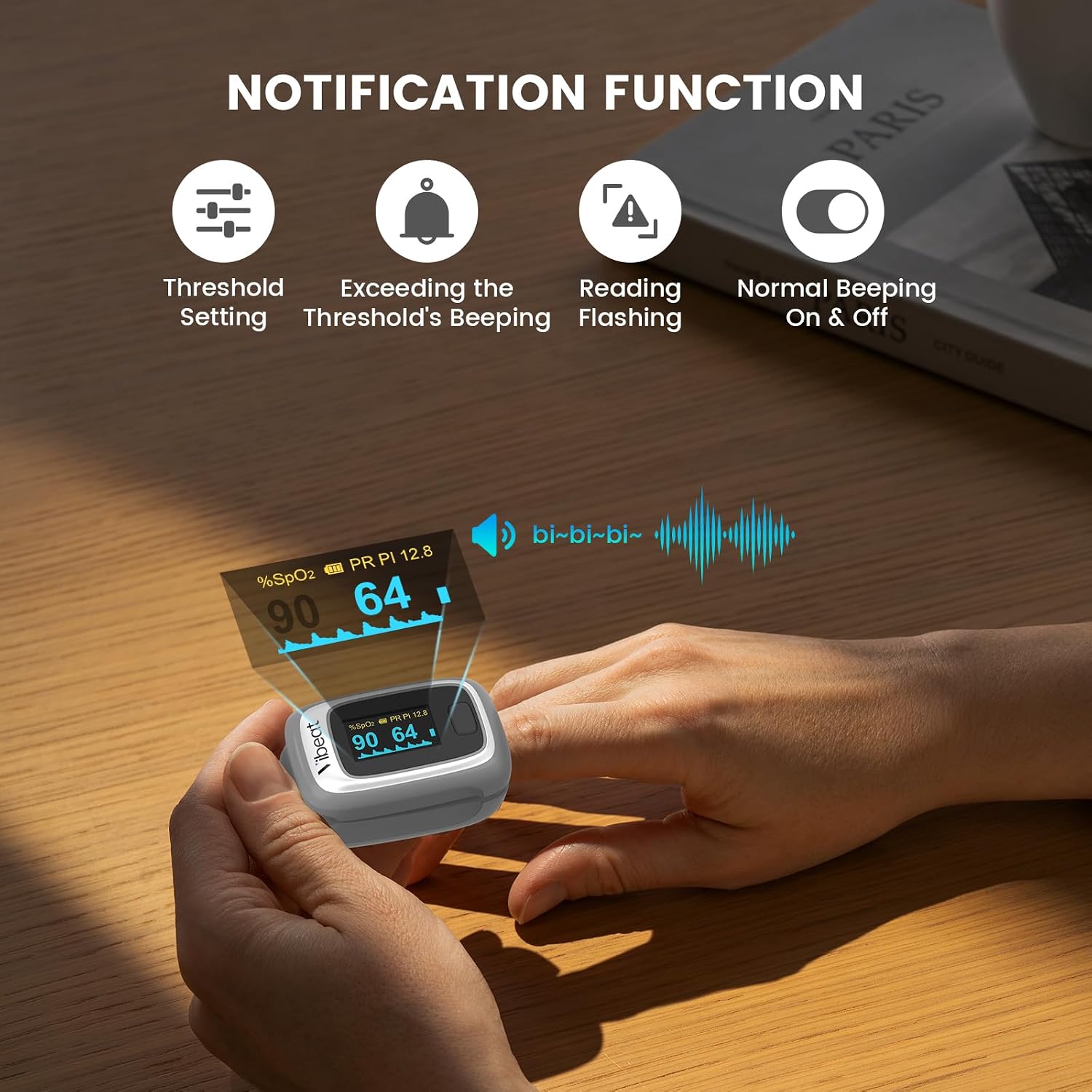
Image: The oximeter's notification feature with adjustable thresholds.
Data Recording and Review
The oximeter stores the latest 12 sets of data internally. For comprehensive data tracking, connect the device to the Vihealth APP via Bluetooth. The app allows you to view real-time data, graphical reports, O2 readings, and heart rate trends. Data can be exported in shareable formats like PDF and CSV.

Image: The Vihealth App interface for recording and viewing data.

Image: Data storage options, including built-in memory and app integration.
Portable Design

Image: The compact and portable design of the oximeter.
Maintenance
Cleaning
Clean the surface of the oximeter with a soft cloth dampened with medical alcohol. Do not immerse the device in water or other cleaning solutions. Ensure the device is dry before use.
Storage
Store the device in a cool, dry place, away from direct sunlight and extreme temperatures. If not in use for extended periods, remove the batteries to prevent leakage.
Battery Replacement
When the low battery indicator appears on the screen, replace both AAA batteries with new ones, following the correct polarity.
Troubleshooting
| Issue | Possible Cause | Solution |
|---|---|---|
| No display or power | Batteries incorrectly installed or depleted | Reinstall batteries with correct polarity or replace with new ones. |
| Inaccurate readings | Finger not fully inserted, excessive movement, cold fingers, nail polish | Ensure finger is fully inserted, remain still, warm hands if cold, remove nail polish. |
| Bluetooth connection issues | Bluetooth off on phone, app not running, device not discoverable | Ensure phone's Bluetooth is on, open Vihealth APP, ensure oximeter is on and finger is inserted. Restart both device and app if necessary. |
| Reading flashes or device beeps | SpO2 or PR values are outside preset notification thresholds | Check your readings. Adjust notification thresholds in the Vihealth APP if desired. |
Specifications
| Feature | Value |
|---|---|
| Brand | Vibeat |
| Model Name | Fingertip Pulse Oximeter |
| Model Number | S5WG-VB-20241111 |
| Color | Gray |
| Measurement Accuracy | SpO2: ±2% (70-100%) |
| Measuring Range | SpO2: 70-100%, PR: 30-250bpm, PI: 0-20% |
| Power Supply | 2 AAA batteries (included) |
| Battery Life | Approximately 1 year (typical use) |
| Included Components | Lanyard |
| UPC | 850063708586 |
Warranty and Support
Vibeat provides a standard warranty for this product. For warranty claims, technical support, or any inquiries, please contact the manufacturer directly.
Manufacturer Contact Information: 4E,Building3,Tingwei Indutrial Park,No.6 Liufang Road,Block 67,Xin'an Street,Baoan District,Shenzhen,518101,Guangdong,China.
Important Safety Information
This product is intended for sports and aviation use only. It is not a medical device and should not be used to diagnose, treat, cure, or prevent any medical condition. Consult a medical professional for any health concerns.

