
1. Introduction
Thank you for choosing the soyes Mini Phone 4G Unlocked Smartphone. This compact and feature-rich device is designed for portability and essential communication, offering a balance of functionality and convenience. This manual provides detailed instructions to help you set up, operate, and maintain your new smartphone.
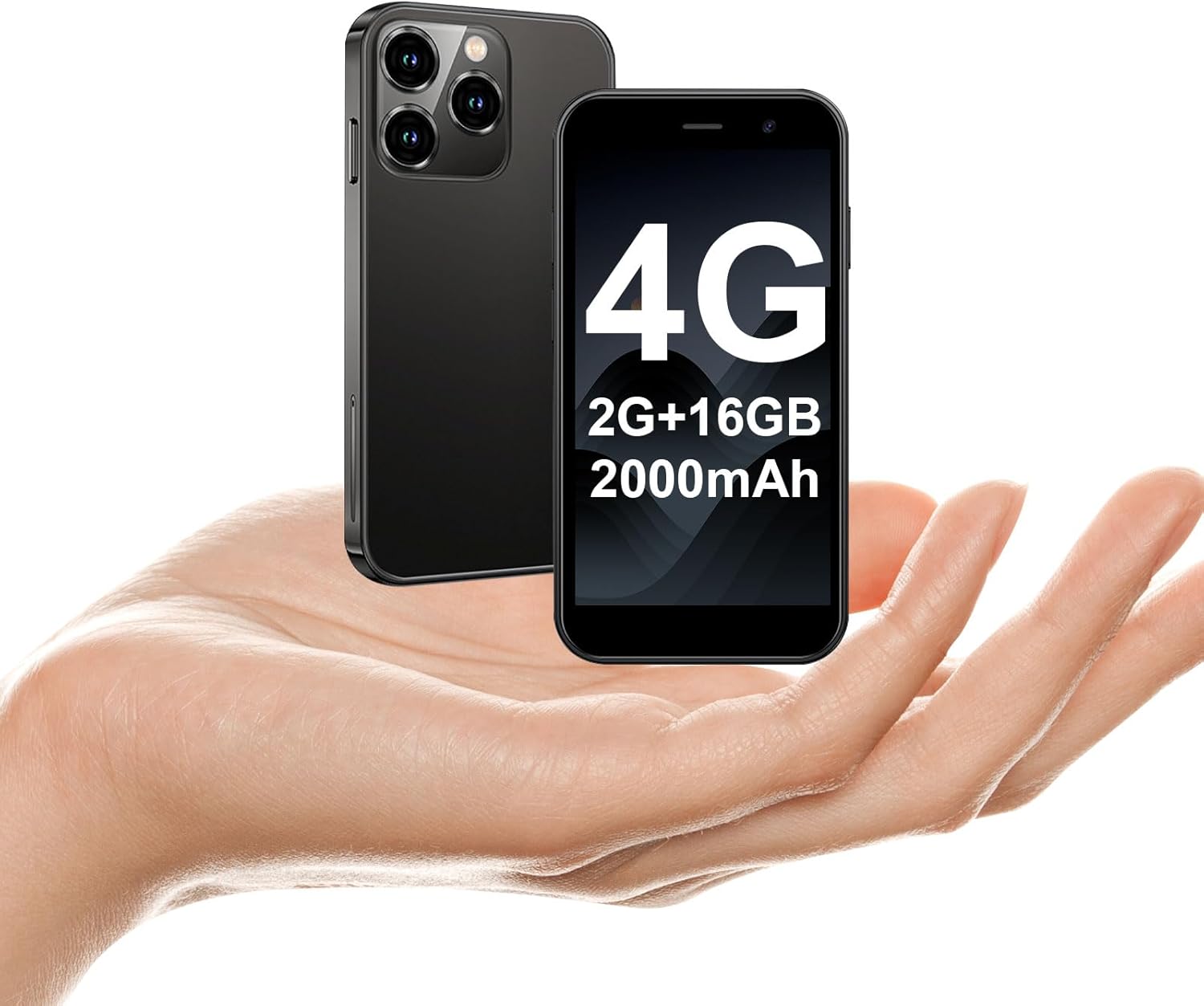
The soyes Mini Phone 4G Unlocked Smartphone, designed for portability and essential communication.
2. What's in the Box
Please verify that all items are present in your package:
- 1 x soyes Mini Smartphone
- 1 x Tempered Film (Screen Protector)
- 1 x Type C Cable
- 1 x Mobile Phone Case
- 1 x SIM Ejector Pin
3. Setup
3.1. SIM Card and Memory Card Installation
The soyes Mini Phone supports dual SIM cards and a memory card for expanded storage. Ensure your SIM card is compatible with the following frequency bands: WCDMA B2/B4, B5; FDD B2/B4/B5/B7/B17/B28/B28A/B41/B66.
- Locate the SIM card tray on the side of the phone.
- Insert the provided SIM ejector pin into the small hole next to the tray and press gently until the tray pops out.
- Carefully pull out the tray.
- Place your Nano-SIM cards into the designated slots (SIM1, SIM2) and the TF (microSD) card into its slot, ensuring the gold contacts face downwards.
- Gently push the tray back into the phone until it clicks into place.

Insert your SIM and memory cards into the tray.
3.2. Initial Power On
Press and hold the Power button (located on the right side of the phone) until the screen lights up. Follow the on-screen prompts to complete the initial setup, including language selection, Wi-Fi connection, and Google account setup.
3.3. Charging the Device
Before first use, it is recommended to fully charge the phone. Connect the provided Type-C cable to the phone's charging port and the other end to a compatible USB power adapter (not included) or a computer's USB port.

Connect the Type-C cable to charge your device.
4. Operating Instructions
4.1. Basic Navigation
The soyes Mini Phone features a 3.0-inch HD touchscreen. Navigate the interface by tapping, swiping, and pinching. The Android 8.1 operating system provides an intuitive user experience.

Experience clear visuals on the 3.0-inch HD touchscreen.
4.2. Calling and Messaging
Utilize the Phone app for making and receiving calls. The Messaging app allows you to send and receive SMS/MMS messages. With dual SIM support, you can manage two different phone numbers simultaneously.
4.3. Camera Usage
The phone is equipped with a 2MP front camera and a 5MP rear camera. Open the Camera app to capture photos and videos. Tap the screen to focus and press the shutter button to take a picture.

Capture moments with the HD Dual Camera.
4.4. App Installation and Usage
Running on Android 8.1, the soyes Mini Phone is fully compatible with the Google Play Store. You can download and install a wide range of applications, including social media, entertainment, and productivity tools.
- Ensure you are connected to Wi-Fi or have mobile data enabled.
- Open the 'Play Store' app from your home screen or app drawer.
- Search for your desired application.
- Tap 'Install' to download and set up the app.

Download and enjoy a wide variety of applications from the Google Play Store.
4.5. Face ID
The device features advanced facial recognition technology for faster and secure unlocking. To set up Face ID, go to Settings > Security > Face Unlock and follow the on-screen instructions.

Unlock your phone quickly and securely with Face ID.
4.6. Storage Management
The soyes Mini Phone comes with 2GB RAM and 16GB ROM. You can expand the storage capacity up to 256GB using a TF (microSD) card, allowing you to store more photos, videos, and applications.

Manage your storage with 2GB RAM, 16GB ROM, and expandable memory.
5. Maintenance
5.1. Battery Care
The phone is equipped with a 2000mAh battery. To maximize battery life:
- Avoid extreme temperatures.
- Charge the phone regularly, but avoid leaving it fully charged or fully depleted for extended periods.
- Use the provided Type-C cable for charging.

The 2000mAh battery provides extended usage time.
5.2. Cleaning
Use a soft, lint-free cloth to clean the screen and body of the phone. Avoid using harsh chemicals or abrasive materials.
5.3. Software Updates
Periodically check for software updates in Settings > System > System update to ensure your device has the latest features and security patches.
6. Troubleshooting
If you encounter issues with your soyes Mini Phone, please refer to the following common solutions:
| Problem | Possible Solution |
|---|---|
| Phone is unresponsive or frozen | Press and hold the Power button for about 10-15 seconds to force a restart. |
| Battery drains quickly | Close unused apps, reduce screen brightness, disable Wi-Fi/Bluetooth when not in use, or check for background app activity. |
| Cannot connect to Wi-Fi/Mobile Data | Toggle Wi-Fi/Mobile Data off and on. Restart the phone. Ensure correct SIM card installation and network settings. |
| Apps crashing or not installing | Clear cache for the app or Play Store. Ensure sufficient storage space. Check app compatibility with Android 8.1. |
| Face ID not working | Ensure good lighting and that your face is clearly visible to the front camera. Re-register your face in settings if necessary. |
If the problem persists, consider performing a factory reset (backup your data first) or contact customer support.
7. Specifications
The soyes Mini Phone 4G Unlocked Smartphone offers the following technical specifications:

Compact and lightweight design for easy portability.

Designed to fit comfortably in the palm of your hand.
| Feature | Detail |
|---|---|
| Model Name | soyes-15mini-bk |
| Operating System | Android 8.1 |
| Processor | Quad-core |
| RAM | 2 GB |
| Internal Storage (ROM) | 16 GB |
| Expandable Memory | TF Card Slot (up to 256GB) |
| Screen Size | 3.0 Inches |
| Screen Resolution | 480*854 HD |
| Rear Camera | 5 MP |
| Front Camera | 2 MP |
| Battery Capacity | 2000 mAh Lithium Ion |
| SIM Card Support | Dual SIM (Nano-SIM) |
| Cellular Technology | 4G (Unlocked) |
| Supported Frequency Bands | WCDMA B2/B4, B5; FDD B2/B4/B5/B7/B17/B28/B28A/B41/B66 |
| Connectivity | Wi-Fi, Bluetooth, GPS |
| Special Features | Face ID, Stereo Speakers, Fast Charging Support |
| Dimensions (Phone) | Approx. 3.7 inches (L) x 1.87 inches (W) |
| Weight | 3.35 ounces (95 Grams) |
| Charging Port | Type-C |
8. Warranty and Support
For warranty information and customer support, please refer to the documentation included with your product packaging or visit the official soyes website. Keep your purchase receipt as proof of purchase.


