
Bellemave FST00146-FB1
Contents
Bellemave Loft Bed Full Size with Desk
Instruction Manual
1. Product Overview
The Bellemave Full Size Loft Bed with Desk is engineered to maximize space efficiency in any room. It combines a comfortable sleeping area on the upper level with a dedicated workstation below, making it an ideal solution for bedrooms, dorms, or small apartments. This model features a robust metal frame, integrated desk, USB charging capabilities, and customizable LED lighting to enhance functionality and ambiance.

Image 1.1: Bellemave Full Size Loft Bed with integrated desk and ladder.
2. Safety Information
Please read and adhere to all safety warnings to ensure safe operation and prevent injury or damage.
- Always follow the assembly instructions carefully to prevent instability or collapse.
- Be cautious of sharp edges on the desk and upper bed during assembly and use.
- The item weight of this bed is 43 pounds. Please consult the official assembly manual for the actual maximum weight capacity for safe use.
- Keep objects away from the edge of the upper bed to prevent them from falling.
- Always supervise children when they are using the loft bed.
- This loft bed has passed the Children's Product Certificate (CPC) test, ensuring it meets safety standards for children's products.
3. Components List
Before beginning assembly, ensure all parts are present and undamaged. Refer to the packing list provided with your product for a complete inventory. Key included components are:
- Metal Bed Frame Sections
- Desk Surface
- Guardrails
- Bed Slats
- Ladders
- Assembly Hardware (screws, bolts, nuts)
- Assembly Tools (typically an Allen wrench)
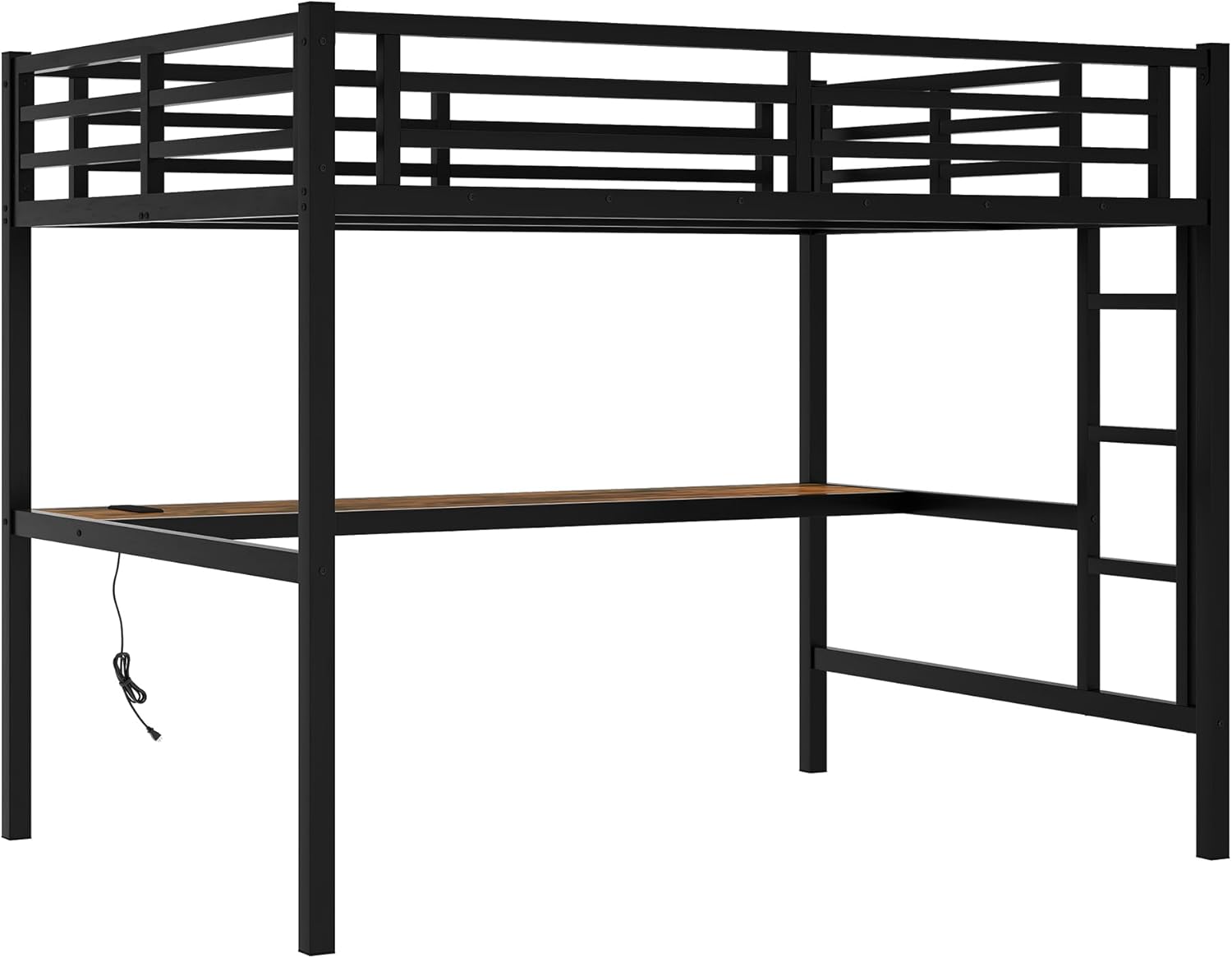
Image 3.1: The metal frame structure of the loft bed.
4. Setup and Assembly
Assembly of the Bellemave Loft Bed is designed to be straightforward. It is recommended to have at least two adults for efficient and safe assembly. Follow the numbered steps in the provided manual carefully.
- Unpack and Organize: Lay out all components and hardware on a clean, flat surface. Verify all parts against the components list.
- Assemble Base Frame: Begin by connecting the main support beams and legs as per the instructions. Do not fully tighten screws until all sections are aligned.
- Install Desk: Secure the desk surface to the designated frame sections. Ensure the USB charging station is correctly oriented.
- Attach Bed Slats: Place and secure the bed slats onto the upper bed frame.
- Mount Guardrails and Ladder: Attach the safety guardrails to all four sides of the upper bed and secure the ladder in its designated position.
- Final Tightening: Once all components are in place and aligned, systematically tighten all screws and bolts.
- Anchor to Wall (Optional but Recommended): Use the provided securing straps to anchor the bed to the wall for added stability, especially if wobbling is observed.
For detailed, step-by-step visual instructions, please refer to the assembly manual included in the packaging.
5. Operating Instructions
The Bellemave Loft Bed is designed for ease of use and functionality.
5.1 Using the Integrated Desk
The spacious desk underneath the loft bed provides ample room for study, work, or creative activities. Ensure the desk surface is clear of obstructions before use.
5.2 USB Charging Station
The desk is equipped with a convenient USB charging station. Simply plug the bed's power cord into a standard wall outlet, and then connect your electronic devices (e.g., smartphones, tablets) to the USB ports for charging.
5.3 LED Lighting System
The DIY smart light system offers various light modes to create a personalized ambiance. Use the provided remote control to adjust colors, brightness, and lighting effects. Refer to the separate LED light manual for specific instructions on pairing and advanced features.
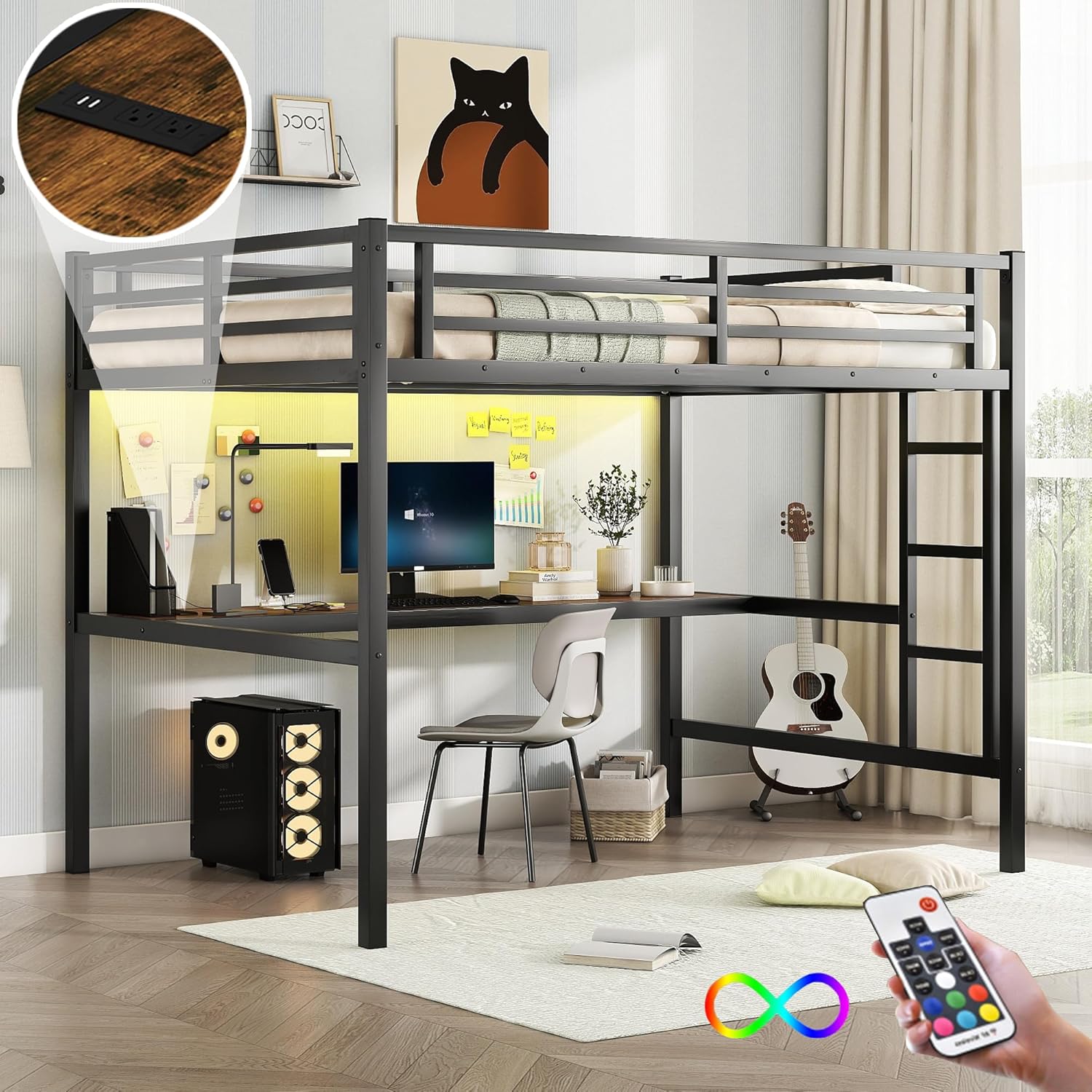
Image 5.1: Loft bed featuring integrated LED lighting and USB charging station.
6. Maintenance
Regular maintenance will prolong the life and ensure the safety of your Bellemave Loft Bed.
- Cleaning: Wipe down metal surfaces with a soft, damp cloth. Avoid abrasive cleaners that may damage the finish. For the desk surface, use a mild cleaner suitable for wood or laminate.
- Hardware Check: Periodically inspect all bolts and screws to ensure they remain tight. Re-tighten as necessary to maintain structural integrity and prevent wobbling.
- Guardrails: Ensure guardrails are securely attached and free from damage.
- Ladder: Check ladder rungs for stability and ensure they are free from obstructions.
7. Troubleshooting
If you encounter issues with your Bellemave Loft Bed, refer to the following common problems and solutions:
- Bed Wobbles:
- Ensure all bolts and screws are fully tightened.
- Verify the bed is on a level surface.
- Utilize the provided wall anchoring straps to secure the bed to a wall.
- Missing Parts:
- Carefully re-check all packaging materials, as small parts can sometimes be overlooked.
- If parts are genuinely missing, contact Bellemave customer support with your product model number and a list of the missing components.
- USB Port Not Working:
- Ensure the bed's main power cord is securely plugged into a functional wall outlet.
- Check the connection of the USB charging station to the bed's internal wiring.
- Test with a different USB cable and device.
If problems persist, please contact Bellemave customer support for further assistance.
8. Specifications
| Feature | Detail |
|---|---|
| Model Number | FST00146-FB1 |
| Size | Full |
| Color | Black |
| Product Dimensions | 77.6"L x 56.7"W x 68.9"H |
| Item Weight | 43 Pounds |
| Material | Metal |
| Included Components | Desk, Guardrails, Slat, Ladders |
| Special Features | Integrated Desk, USB Charging Station, LED Lights |
| Age Range (Description) | Kids, Teens, Adults |
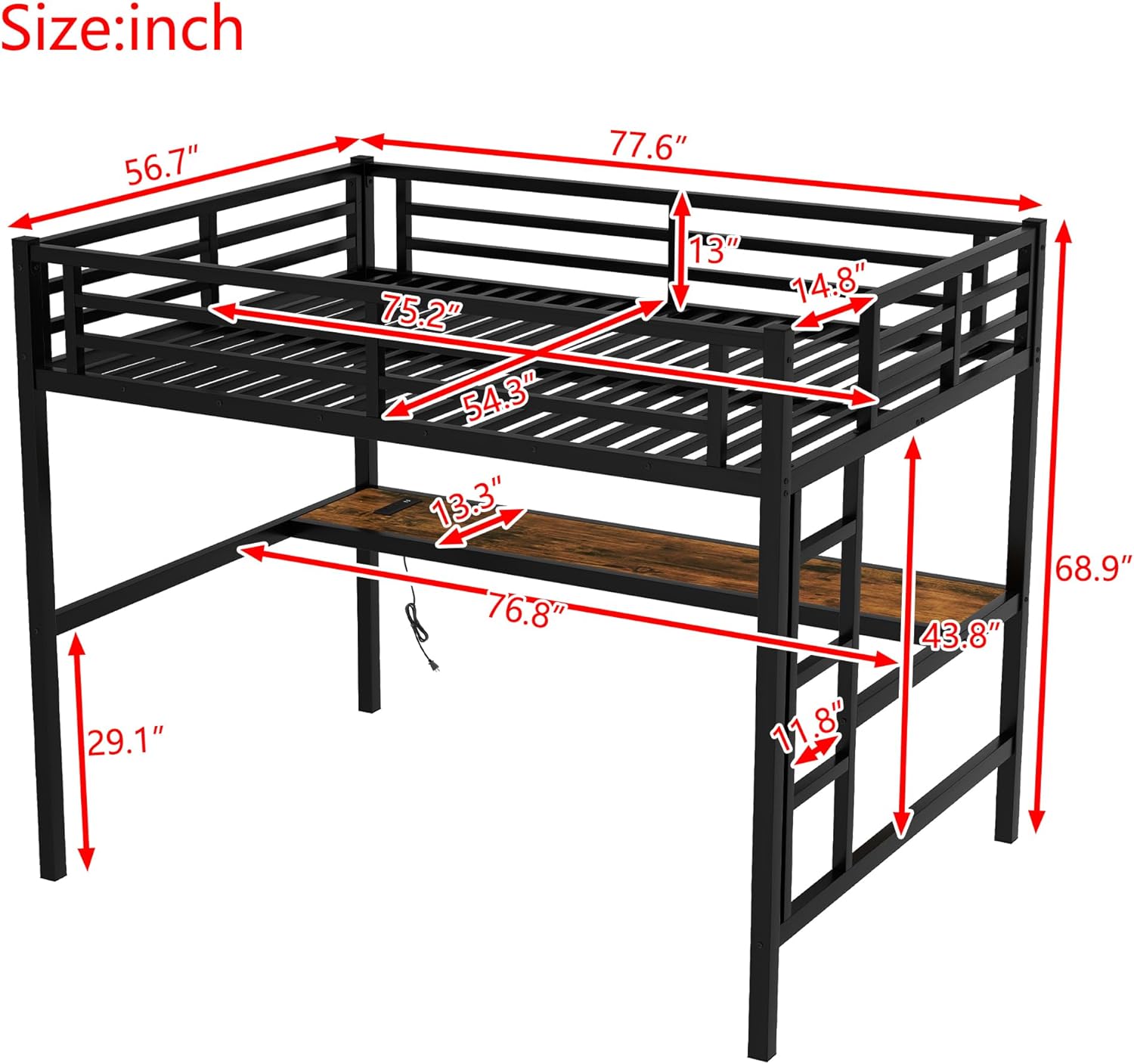
Image 8.1: Detailed dimensions of the Bellemave Full Size Loft Bed.
9. Warranty and Support
For information regarding product warranty, returns, or to purchase protection plans, please refer to your purchase documentation or contact the retailer directly. Bellemave is committed to customer satisfaction and provides support for product inquiries and issues.
For assistance with missing parts, assembly questions, or troubleshooting not covered in this manual, please reach out to Bellemave customer service through the contact information provided at the point of purchase or on the official Bellemave website.
Ask a question about this manual
Ask about setup, troubleshooting, compatibility, parts, safety, or missing instructions. Manuals+ will review the question and use this page’s manual context to help answer it.