
1. Introduction
The AILKIN CWD-W001 Bluetooth Item Finder is a compact and lightweight device designed to help you locate your personal belongings. It integrates seamlessly with Apple's "Find My" app on iOS devices, providing both nearby sound alerts and distant map tracking capabilities. This manual provides detailed instructions for setting up, operating, maintaining, and troubleshooting your item finder.
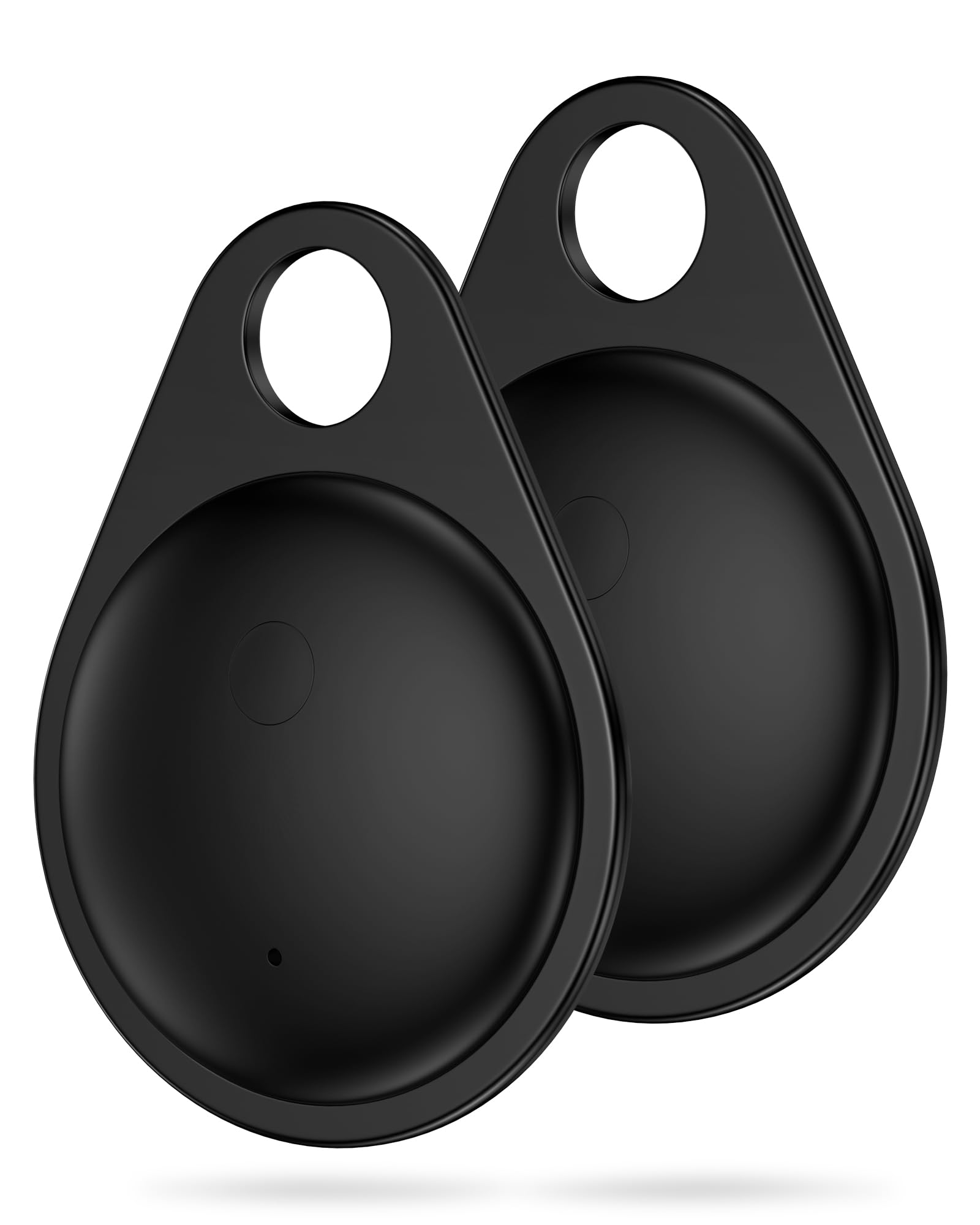
Figure 1.1: AILKIN CWD-W001 Bluetooth Item Finder.
2. Product Overview
The AILKIN CWD-W001 is engineered for reliability and ease of use. Key features include:
- Seamless iOS Integration: Works with Apple's "Find My" app for effortless tracking.
- Versatile Tracking: Ideal for keys, luggage, pets, backpacks, and other personal items.
- Bluetooth Connectivity: Provides a stable connection up to 65 feet (20 meters) for nearby tracking.
- Audible Alert: Features a built-in sound locator with a volume up to 100dB to quickly find misplaced items.
- Compact and Durable Design: Sleek, lightweight, splash-proof, and resistant to wear and tear.
- Long Battery Life: Powered by a replaceable CR2032 coin cell battery, offering up to 365 days of use.

Figure 2.1: AILKIN CWD-W001 Item Finder and packaging.
3. Setup Instructions
Follow these steps to set up your AILKIN CWD-W001 Bluetooth Item Finder with your iOS device:
- Enable Find My and Bluetooth: On your iPhone or iPad, ensure that the "Find My" app is installed and Bluetooth is enabled.
- Add New Item: Open the "Find My" app. Navigate to the "Items" tab, tap the "+" icon, and select "Add Other Item" or "Add Other Supported Item".
- Connect the Tag: Press and hold the button on your AILKIN CWD-W001 Item Finder for approximately 5 seconds until you hear a confirmation sound. Your device should then appear in the "Find My" app for connection. Follow the on-screen prompts to complete the pairing process.

Figure 3.1: Turn on "Find My" app and Bluetooth.

Figure 3.2: Tap "Add Item" and select "Other supported item".

Figure 3.3: Press the button for 5 seconds and connect the tag.
Note: This item finder is only compatible with iOS devices. Android devices are not supported.
4. Operating Instructions
4.1 Finding Items Nearby
When your item is within Bluetooth range (up to 65 feet / 20 meters), you can use the "Find My" app to play a sound on the AILKIN CWD-W001. This is useful for locating items hidden under cushions or in another room.
- Open the "Find My" app on your iOS device.
- Select the AILKIN CWD-W001 from your list of items.
- Tap "Play Sound". The item finder will emit a loud alert (up to 100dB) to help you pinpoint its location.

Figure 4.1: Using the "Find Nearby" feature to play a sound.
4.2 Finding Items Far Away
If your item is outside of Bluetooth range, the "Find My" network can help you locate it. The network uses other Apple devices to anonymously detect your item finder's location and report it back to your "Find My" app.
- Open the "Find My" app on your iOS device.
- Select the AILKIN CWD-W001 from your list of items.
- View its last known location on the map. If it's detected by another device in the "Find My" network, its current location will be updated.
- Tap "Directions" to get navigation to your item's location.
Figure 4.2: Locating an item far away using the "Find My" app map.
4.3 Sharing Your Item Finder
You can share the location of your AILKIN CWD-W001 with up to six other people, allowing friends and family to help track your items.
- In the "Find My" app, select the AILKIN CWD-W001 you wish to share.
- Look for an option to "Share This Item" or similar.
- Follow the prompts to invite contacts to view the item's location.

Figure 4.3: Sharing the item finder's location with others.
4.4 Multi-Scenario Use
The AILKIN CWD-W001 is designed for various applications:
- Car Keys: Attach to your car keys to prevent misplacement.
- Backpacks: Secure to children's backpacks for added peace of mind.
- Luggage: Place inside luggage or attach to suitcases for travel tracking.
- Pet Tracking: Attach to pet collars to help locate wandering pets.

Figure 4.4: Examples of multi-scenario use for the item finder.
5. Maintenance
5.1 Battery Replacement
The AILKIN CWD-W001 uses a replaceable CR2032 coin cell battery, which typically lasts up to 365 days. When the battery is low, you will receive a notification on your iOS device. To replace the battery:
- Locate the battery compartment on the item finder.
- Use a small tool (often included) to open the compartment cover.
- Remove the old CR2032 battery.
- Insert a new CR2032 battery with the positive (+) side facing up.
- Securely close the battery compartment cover.

Figure 5.1: Battery swappable feature of the item finder.
5.2 Care and Cleaning
- The device is splash-proof, but not fully waterproof. Avoid submerging it in water.
- Clean the device with a soft, dry cloth. Do not use harsh chemicals or abrasive materials.
- Store the item finder in a cool, dry place when not in use for extended periods.
6. Troubleshooting
If you encounter issues with your AILKIN CWD-W001, refer to the following common problems and solutions:
| Problem | Possible Cause | Solution |
|---|---|---|
| Item finder does not pair with iOS device. | Bluetooth is off; "Find My" app not open; item finder not in pairing mode; iOS version too old. | Ensure Bluetooth is on and "Find My" app is open. Press and hold the item finder button for 5 seconds to enter pairing mode. Update your iOS device to the latest version. |
| Cannot hear the sound alert. | Item is too far away; battery is low or dead; environmental noise. | Move closer to the item. Check and replace the battery if necessary. Reduce background noise or try to locate the item visually. |
| Location on map is inaccurate or not updating. | Item is out of range of the "Find My" network; poor GPS signal on reporting devices. | Ensure the item is in an area where other Apple devices are likely to be present. The location updates depend on the "Find My" network. |
| Battery drains quickly. | Frequent use of sound alerts; faulty battery. | Reduce frequency of sound alerts. Replace the battery with a new, high-quality CR2032 battery. If the issue persists, contact customer support. |
| Item finder falls out of its holder/keyring. | Loose fit; wear and tear. | Ensure the item finder is securely fastened. Consider using a more robust keyring or holder if the issue persists. |
7. Specifications
Below are the technical specifications for the AILKIN CWD-W001 Bluetooth Item Finder:
- Model Number: CWD-W001
- Brand: AILKIN
- Connectivity: Bluetooth
- Compatible Devices: iPhone, iPad, iPod Touch (iOS only)
- Battery Type: 1 x CR2032 Lithium Ion (included)
- Battery Life: Up to 365 days
- Material: Plastic, Polycarbonate (PC)
- Color: Black
- Item Weight: 1.44 ounces
- Package Dimensions: 4.8 x 3.94 x 0.67 inches
- Audible Alert Volume: Up to 100dB
- Water Resistance: Splash-proof
8. Warranty and Support
AILKIN is committed to providing high-quality products and customer satisfaction. If you have any questions, concerns, or require assistance with your AILKIN CWD-W001 Bluetooth Item Finder, please do not hesitate to contact our customer support team.
Our dedicated support team is available to help you with setup, troubleshooting, and any other product-related inquiries.

Figure 8.1: AILKIN 24-Hour Customer Service.