1. Introduction
This user manual provides comprehensive instructions for the safe and efficient operation of your BAOFENG UV26 10W Ham Radio. Please read this manual thoroughly before using the device to ensure proper functionality and to prevent damage. Keep this manual for future reference.
2. Package Contents
Verify that all items listed below are included in your package:
- 1x BAOFENG UV26 Ham Radio
- 1x 6.1" Standard Antenna
- 1x 15.12" 771 High-Gain Antenna
- 1x 10.63" 771 Air-band Antenna
- 1x 2500mAh Lithium-Ion Battery
- 1x Type-C Charger with Cable
- 1x Earpiece with Microphone
- 1x Belt Clip
- 1x Hand Strap
- 1x Charging Base Station

Figure 2.1: BAOFENG UV26 Ham Radio with all included accessories.
3. Product Overview
The BAOFENG UV26 is a robust 10W multi-band ham radio designed for reliable communication. It features a 1.77-inch TFT color screen and a durable build.
3.1 Key Features
- High Power Output: Up to 10 Watts for extended range.
- Multi-Band Operation: Supports various frequency bands for transmitting and receiving.
- Large Color Display: 1.77-inch TFT screen for clear information display.
- Type-C Charging: Convenient charging via a Type-C port on the battery.
- Multiple Programming Options: Compatible with CHIRP, CPS, and TIDRADIO wireless programmer.
- NOAA Weather Channels: Direct access to weather alerts.
- Frequency Copy Function: Quickly match frequencies from other radios.
- Durable Design: Ergonomic anti-slip design with a reinforced polymer shell.
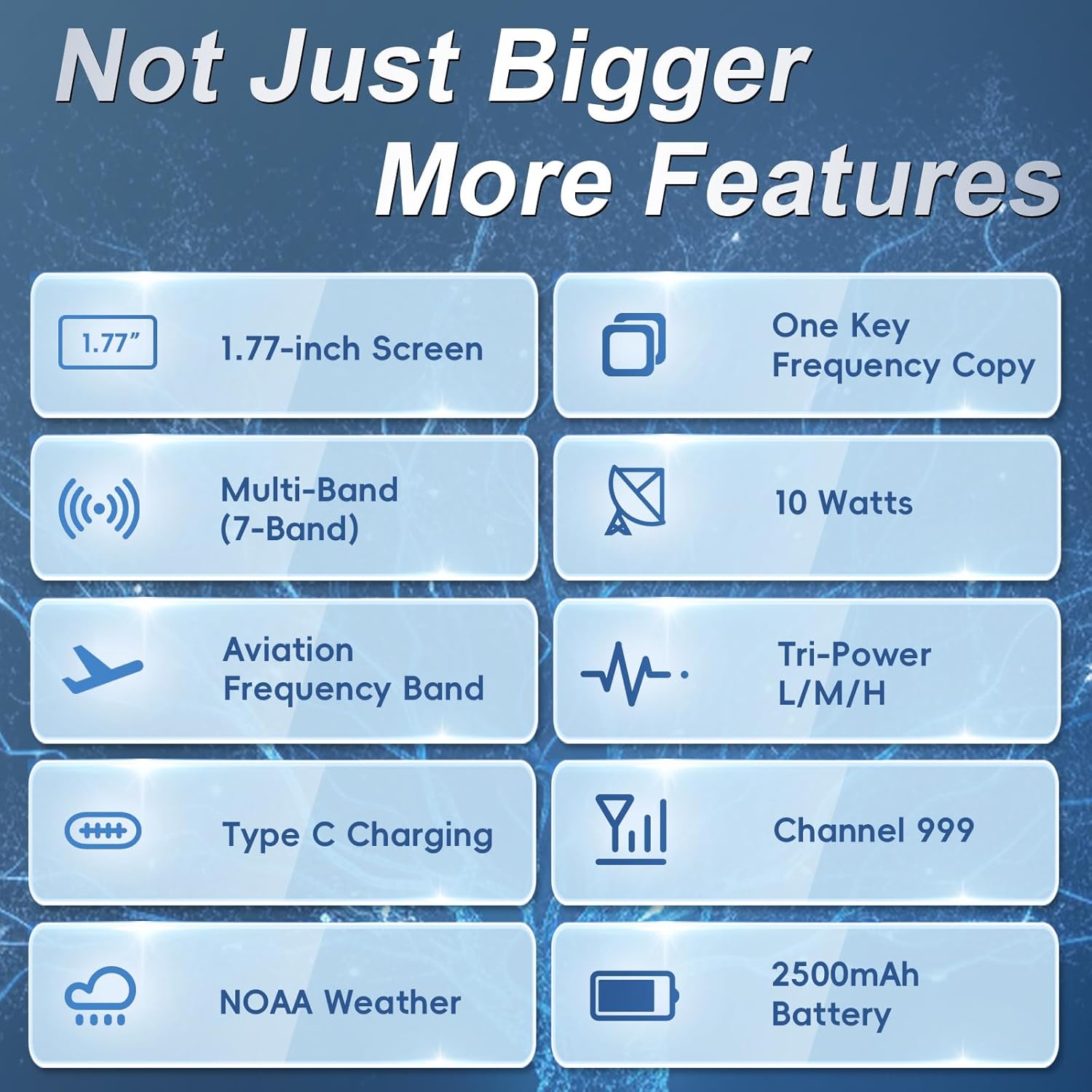
Figure 3.1: Overview of BAOFENG UV26 key features.
3.2 Controls and Ports
Familiarize yourself with the radio's buttons, knobs, and ports for efficient operation.
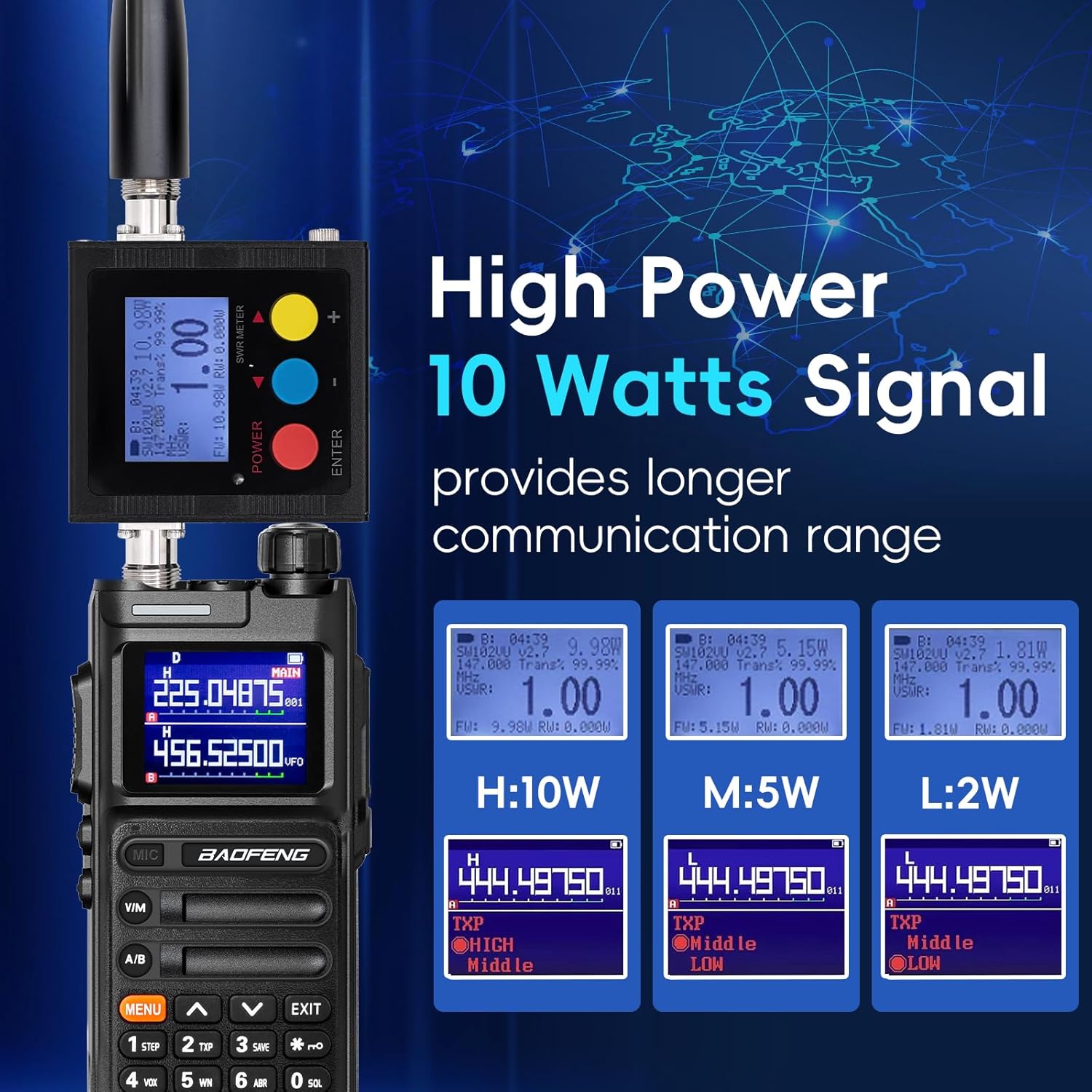
Figure 3.2: Front view of the BAOFENG UV26.

Figure 3.3: Side view of the BAOFENG UV26.
4. Setup
4.1 Battery Installation and Charging
- Align the battery with the back of the radio.
- Slide the battery upwards until it clicks into place.
- To remove, press the release latch (if present) and slide the battery downwards.
The 2500mAh battery can be charged directly via its built-in Type-C port or using the provided charging base station. A full charge typically takes about 3 hours via Type-C or 5-7 hours with the seat charger.

Figure 4.1: Type-C charging port on the battery.
4.2 Antenna Attachment
Carefully screw the desired antenna (standard, 771 high-gain, or 771 air-band) onto the connector at the top of the radio until it is finger-tight. Do not overtighten.
5. Basic Operation
5.1 Power On/Off and Volume
To power on the radio, rotate the top-right knob clockwise. Continue rotating to increase the volume. Rotate counter-clockwise to decrease volume and power off.
5.2 Channel Mode and Frequency Mode (VFO)
Press the V/M button to switch between Channel Mode (pre-programmed channels) and Frequency Mode (VFO, for direct frequency input).
5.3 Direct Frequency Input
In Frequency Mode (VFO), use the numeric keypad to directly enter the desired frequency.
5.4 NOAA Weather Radio
Long press the 0 key to access NOAA weather channels for emergency alerts.

Figure 5.1: NOAA Weather Radio function.
5.5 FM Radio
Long press Side Key 1 to activate the FM radio function.
5.6 LED Flashlight
Short press Side Key 1 to turn the LED flashlight on or off.

Figure 5.2: LED Flashlight function.
5.7 Display
The 1.77-inch TFT color screen provides clear visibility of frequencies, channel names, and menu options.

Figure 5.3: The 1.77-inch color screen.
6. Advanced Features
6.1 Frequency Match (VFO Copy)
The Frequency Match feature allows you to quickly copy a frequency from another radio without manual input:
- Hold down the VFO button to activate COPY mode.
- Press the # key to select the desired band (UHF or VHF).
- Press the Menu button to save the channel details.

Figure 6.1: Frequency Copy (VFO Match) process.
6.2 Programming the Radio
The UV26 supports multiple programming methods:
- CHIRP Software: Compatible with UV-17Pro or 5RM models. Ensure your CHIRP software is updated.
- CPS Software: Refer to the manufacturer's website (walkietalkiesoftware.com) for download and instructions.
- TIDRADIO Wireless Programmer: Select 5RM (AR-5RM) model within the TIDRADIO wireless programmer application (Odmaster APP/Web).
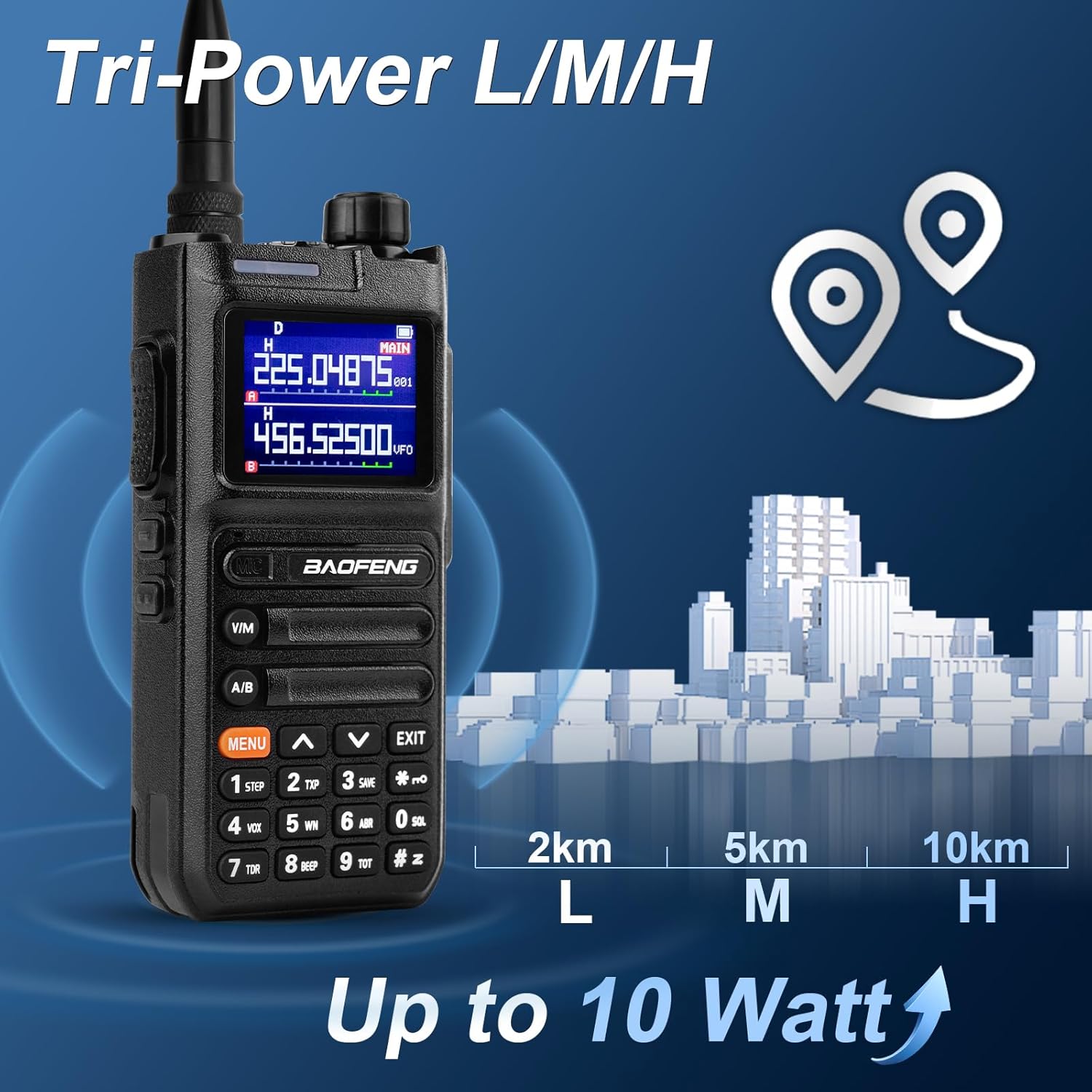
Figure 6.2: Multiple programming options.
Video 6.1: Programming a similar Baofeng radio using CHIRP software. (Note: This video demonstrates programming for a K5Plus model, but the general CHIRP process is similar.)
Video 6.2: Firmware update process for a similar Baofeng radio. (Note: This video demonstrates firmware update for a 5RH PRO model, but the general process is similar.)
6.3 Repeater Operation (Offset and Shift Direction)
To configure repeater operation, you will need to set the frequency offset and shift direction (positive or negative) within the radio's menu. Consult your local repeater directory for the correct settings.
Video 6.3: Demonstration of setting frequency offset and frequency reversal on a similar Baofeng radio. (Note: This video demonstrates features for a K6 model, but the functionality is similar.)
6.4 Other Functions
The UV26 includes various other functions such as VOX (Voice Operated Exchange), DTMF (Dual-Tone Multi-Frequency), Scrambling, CTCSS (Continuous Tone-Coded Squelch System), and DCS (Digital-Coded Squelch) for enhanced communication and privacy. Refer to the detailed menu options on your radio for configuration.
7. Maintenance
7.1 Battery Care
- Avoid fully discharging the battery frequently to prolong its lifespan.
- Store the battery in a cool, dry place when not in use.
- Do not expose the battery to extreme temperatures.
7.2 Cleaning
Wipe the radio's surface with a soft, damp cloth. Avoid using harsh chemicals or abrasive cleaners. Ensure all ports are dry before use.
8. Troubleshooting
If you encounter issues with your BAOFENG UV26, consider the following basic troubleshooting steps:
- No Power: Check battery charge level and ensure it is correctly installed.
- No Reception/Transmission: Verify antenna is securely attached. Ensure you are on the correct frequency/channel and power setting. Check squelch level.
- Poor Audio Quality: Adjust volume. Check earpiece connection if in use.
- Programming Issues: Ensure the correct radio model is selected in your programming software (e.g., 5RM or UV-17Pro for CHIRP). Verify the programming cable connection.
For further assistance, refer to the support section of this manual.
9. Specifications
Detailed technical specifications for the BAOFENG UV26 Ham Radio:
| Feature | Specification |
|---|---|
| Model Number | UV26 |
| Brand | BAOFENG |
| Power Output | 10 Watts (Max) |
| Transmitting Frequency Range | 136-174MHz, 220-260MHz, 400-520MHz |
| Receiving Frequency Range | 108-136MHz (Air-band), 136-174MHz, 220-260MHz, 350-390MHz, 400-520MHz |
| Number of Channels | 999 |
| Battery Capacity | 2500mAh Lithium-Ion |
| Charging Type | Type-C, Charging Base Station |
| Display | 1.77" TFT Color Screen |
| Maximum Talking Range | 10 Kilometers (approx. 6.2 miles) |
| Water Resistance Level | Water Resistant |
| Item Weight | 1.5 pounds |
| Package Dimensions | 8.07 x 4.88 x 4.41 inches |
Figure 9.1: Frequency ranges for the BAOFENG UV26.
Figure 9.2: 10 Watt high power output capability.
Video 9.1: Overview of BAOFENG 5RM features, including 10W output, USB-C charging, APP programming, GPS, and multi-band reception. (Note: The UV26 is a new generation of the 5RM series, sharing many features.)
10. Warranty and Support
The BAOFENG UV26 Ham Radio comes with a 180-day quality guarantee. If you are not satisfied with the product or have any questions, please contact customer support.
10.1 Customer Support
For support inquiries, please follow these steps:
- Go to your 'Orders' section.
- Select 'Get help' for the relevant order.
- Choose 'other' as the issue type.
- Send your question directly to the seller.


