
ARPHA AL501-01
ARPHA Smart Door Lock with Video Camera User Manual
Model: AL501-01
1. Introduction
The ARPHA AL501 Smart Door Lock with Video Camera is an advanced 6-in-1 security solution designed for modern homes. It integrates a 2K HD camera, doorbell, fingerprint reader, keypad, traditional key access, and Wi-Fi app control into a single device. This manual provides comprehensive instructions for installation, operation, and maintenance to ensure optimal performance and security.
2. What's in the Box
Verify that all components are present before beginning installation:
- ARPHA AL501 Smart Door Lock (Exterior and Interior Assemblies)
- Rechargeable 10,000 mAh Battery Pack
- Doorbell Chime Module
- Installation Template
- Mounting Hardware (Screws, Spindle, etc.)
- User Manual (this document)
- Quick Start Guide
- 32GB SD Card (pre-installed or included)
- Traditional Keys (2)
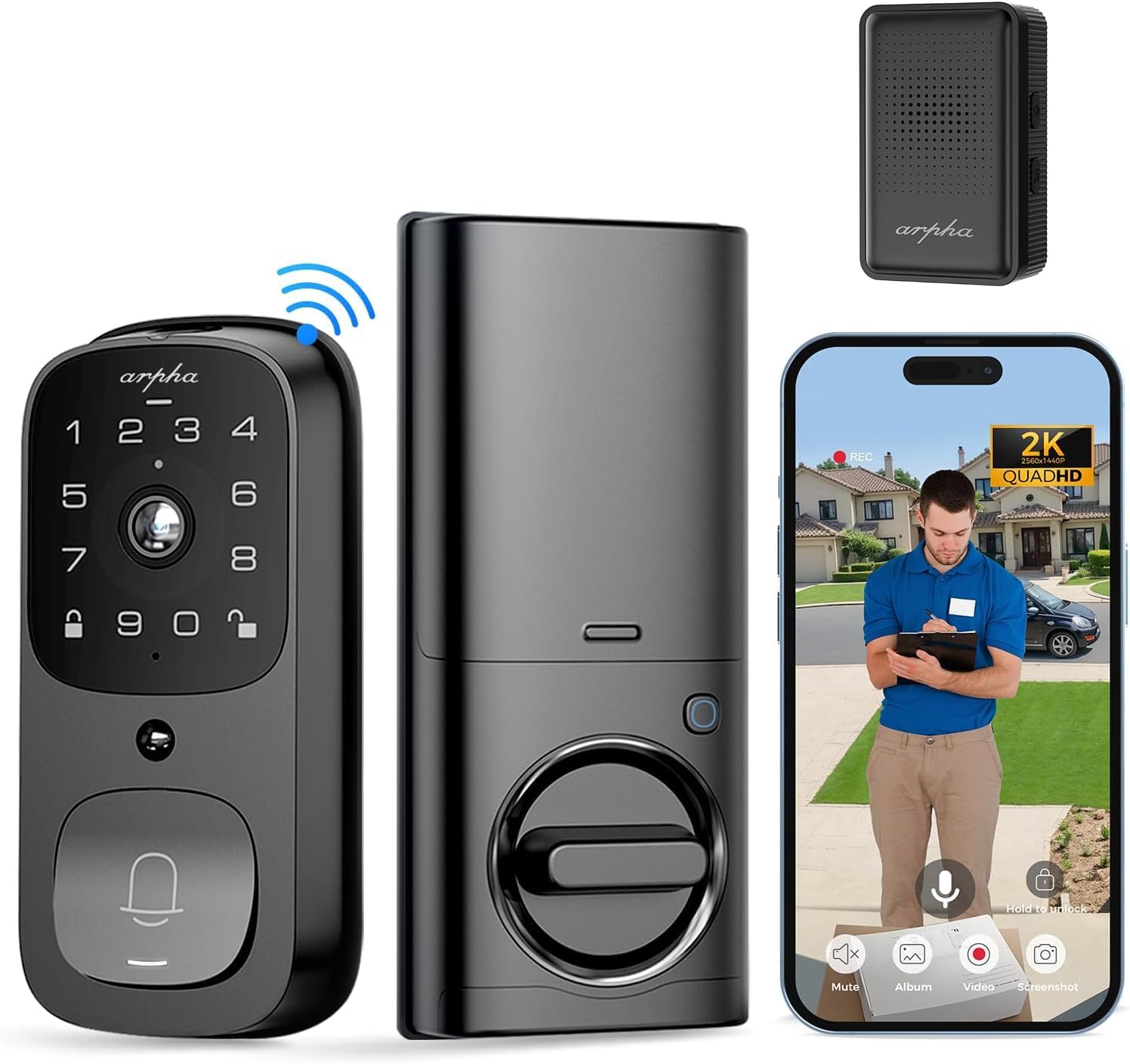
Image: Overview of the ARPHA AL501 Smart Door Lock and its accessories.
3. Setup and Installation
3.1 Pre-installation Checklist
- Ensure your door thickness is between 1-3/8" to 2-1/8" (35mm - 55mm).
- Verify your door's backset is 2-3/8" (60mm) or 2-3/4" (70mm).
- Confirm the lock is suitable for both left and right-handed door directions.
- A screwdriver is the primary tool required for installation.

Image: Door compatibility and dimensions for installation.
3.2 Installation Steps
Follow these steps carefully for proper installation:
- Remove Existing Hardware: Unscrew and remove your current deadbolt and any associated hardware from the door.
- Install Latch Bolt: Insert the new latch bolt into the door edge, ensuring the "UP" arrow is pointing upwards. Secure it with screws.
- Install Exterior Assembly: Place the exterior keypad assembly onto the door, aligning the spindle through the latch bolt. Ensure the cable passes through the door.
- Install Mounting Plate: Secure the interior mounting plate to the door using the provided screws, ensuring it's flush against the door surface.
- Connect Cables: Connect the cable from the exterior assembly to the interior assembly.
- Install Interior Assembly: Attach the interior assembly to the mounting plate, securing it with screws. Ensure the thumb turn operates smoothly.
- Insert Battery: Fully charge the 10,000 mAh battery pack before first use. Insert the charged battery into the interior assembly.
- Install Doorbell Chime: Plug the Doorbell Chime module into a USB power port. Press and hold the doorbell icon button on the chime for 10 seconds until you hear a sound to pair it with the lock.
- Test Operation: Test the lock's functionality using the keypad, fingerprint sensor, and traditional key.
- App Setup: Download the "Arpha Plus" app from your device's app store. Follow the in-app instructions to connect your smart lock to your 2.4GHz Wi-Fi network and complete the setup.
4. Operating Instructions
4.1 Arpha App Control
The Arpha Plus App provides remote control and monitoring capabilities:
- Remote Unlock: Unlock your door from anywhere using the app.
- Temporary Codes: Generate and share one-time or time-limited access codes for visitors and family.
- Real-time Notifications: Receive alerts for motion detection, doorbell rings, and lock status changes.
- Live View: Access the 2K HD camera live feed to see who is at your door.
- Two-Way Audio: Communicate with visitors directly through the app.

Image: Two-way audio and app control interface.
4.2 Fingerprint Unlock
The integrated fingerprint sensor offers quick and secure access:
- Fast Identification: Unlock the door in approximately 0.3 seconds.
- High Accuracy: Features a 99.9% accuracy rate with AI self-learning for improved recognition over time.
- Enrollment: Follow the app instructions to enroll multiple fingerprints for authorized users.

Image: Fingerprint unlock feature.
4.3 Keypad Entry
Use the touchscreen keypad for code-based entry:
- Setting Codes: Create and manage user codes through the Arpha Plus app.
- Anti-Peeping Password: Enter random digits before or after your actual code to prevent others from guessing your entry code.
- Backlit Keypad: The keypad illuminates for easy use in low-light conditions.
4.4 2K Video & Two-Way Audio
The integrated camera and audio features enhance security and communication:
- 2K HD Video: Provides clear, high-resolution video footage.
- 170° Wide-Angle Lens: Offers a broad view of your front door area, minimizing blind spots.
- Enhanced Night Vision: See clearly up to 33 feet in low-light conditions.
- Two-Way Audio: Speak and listen to visitors in real-time via the Arpha Plus app.
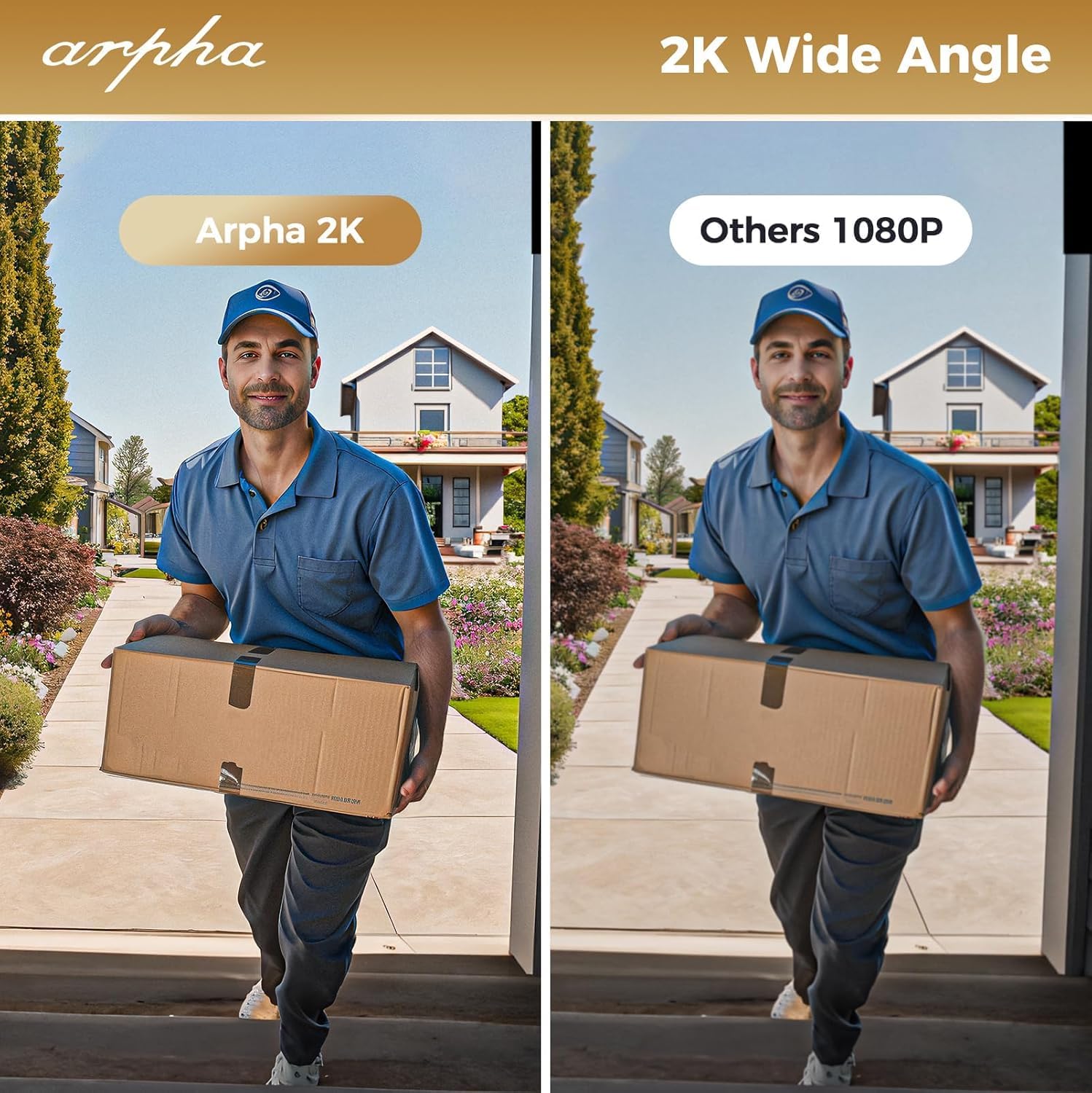
Image: 2K wide-angle camera view comparison.
4.5 PIR Motion Detection
The Passive Infrared (PIR) sensor detects movement and provides alerts:
- Human/Animal Detection: Identifies motion in the front door area.
- Real-time Notifications: Sends instant alerts to your Arpha Plus app when motion is detected.
- Customizable Activity Areas: Define specific zones to monitor, reducing unwanted alerts.
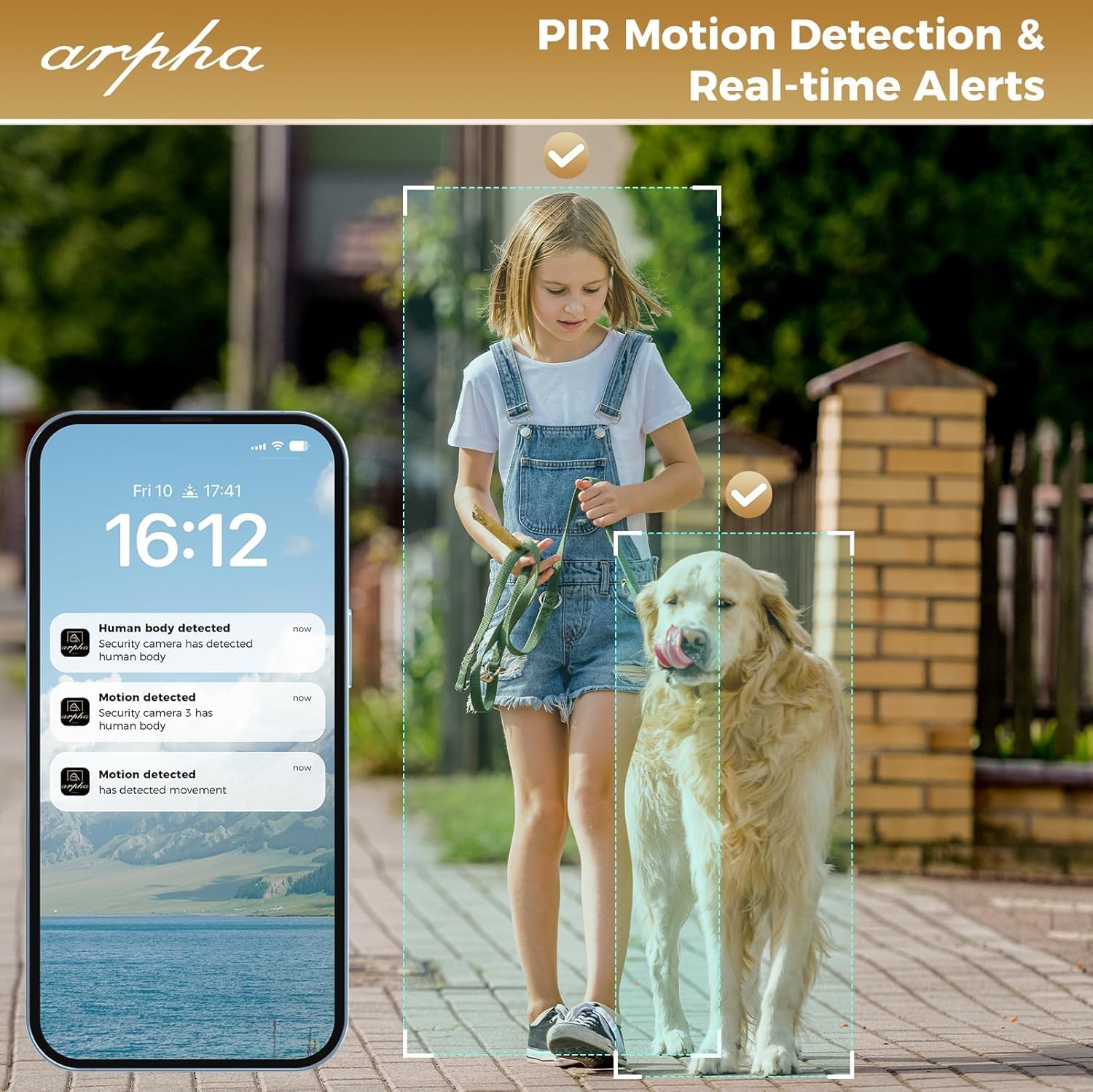
Image: PIR motion detection and real-time alerts.
5. Maintenance
- Battery Life: The 10,000 mAh battery pack can last up to 270 days with 10 daily uses on a single full charge.
- Charging: Recharge the battery using the provided USB cable when the low battery warning is issued.
- Local Storage: The lock supports up to 32GB of local storage for video recordings.
- Cleaning: Regularly clean the camera lens with a soft microfiber cloth to ensure clear video quality. Avoid harsh cleaners.
- Weatherproofing: The lock is IP65 weatherproof, designed to withstand rain and various weather conditions.

Image: Long battery life feature.
6. Troubleshooting
- Lock Not Responding: Check battery level. If low, recharge the battery. Ensure the battery is properly seated.
- Fingerprint Recognition Issues: Ensure your finger is clean and dry. Re-enroll your fingerprint if issues persist.
- Wi-Fi Connectivity Problems: The lock only connects to 2.4GHz Wi-Fi networks. Ensure your router is broadcasting on this frequency. Move the router closer if signal is weak.
- Doorbell Chime Not Working: Ensure the chime module is plugged into a USB power port. Re-pair the chime by pressing and holding its doorbell icon button for 10 seconds until it makes a sound.
- App Issues (Android): As of mid-August, the Android app is undergoing an upgrade. If you experience issues, please contact customer service for assistance.
- Poor Video Quality: Clean the camera lens with a soft microfiber cloth. Ensure adequate lighting for optimal night vision performance.
- False Motion Alerts: Adjust the sensitivity settings for PIR motion detection in the Arpha Plus app. Consider customizing activity areas to exclude high-traffic zones.
- Lock Not Fitting Door: Double-check your door's thickness and backset against the specifications in Section 3.1.
7. Specifications
| Feature | Detail |
|---|---|
| Brand | ARPHA |
| Model Name | AL501 |
| Item Model Number | AL501-01 |
| Lock Type | Biometric (Fingerprint), Keypad, Key, App Control |
| Connectivity | Wi-Fi (2.4GHz only) |
| Camera Resolution | 2K HD |
| Camera Angle | 170° Wide-Angle |
| Night Vision Range | Up to 33 feet |
| Battery Capacity | 10,000 mAh Lithium Polymer |
| Local Storage | 32GB SD Card (included) |
| Weatherproofing | IP65 |
| Door Thickness Compatibility | 1-3/8" to 2-1/8" (35mm - 55mm) |
| Backset Compatibility | 2-3/8" (60mm) and 2-3/4" (70mm) |
| Material | Metal |
| Item Dimensions (L x W x H) | 2.8 x 5.9 x 1.2 inches |
| Item Weight | 2.75 pounds |
8. Warranty & Support
ARPHA is committed to providing high-quality products and excellent customer service. For any questions, concerns, or support needs regarding your ARPHA Smart Door Lock, please contact our support team.
- Online Service: 24/7 online support is available.
- Response Time: Expect a response within 2 hours for inquiries.
- Email Support: For assistance, please email support@arpha.com.

Image: ARPHA Support Team commitment.
Related documentsAL501-01


Ask a question about this manual
Ask about setup, troubleshooting, compatibility, parts, safety, or missing instructions. Manuals+ will review the question and use this page’s manual context to help answer it.