1. Introduction
Thank you for purchasing the Gabba Goods Miller Lite Bottle Shape Bluetooth Speaker. This portable speaker is designed to deliver high-fidelity stereo sound with the convenience of wireless connectivity. Its unique splashproof design makes it suitable for various indoor and outdoor environments. Please read this manual carefully to ensure proper use and maintenance of your speaker.

Image 1.1: Miller Lite Bottle Shape Bluetooth Speaker
2. Package Contents
Ensure all items are present in the package:
- Miller Lite Bottle Shape Bluetooth Speaker
- Micro USB Charging Cable
- Quick Start Guide
3. Key Features
- High-Fidelity Stereo Sound: Enjoy clear and rich audio quality.
- Wireless Bluetooth Connectivity: Seamless pairing with compatible devices up to 30 feet.
- Splashproof and Dustproof Design: Durable construction for outdoor and poolside use.
- Long-Lasting Playtime: Up to 6 hours of continuous audio playback on a single charge.
- Integrated Controls: Easy access to volume, track navigation, and power.
- AUX 3.5mm Port: For wired connection to non-Bluetooth devices.
- Micro USB Charging: Convenient charging via the included cable.
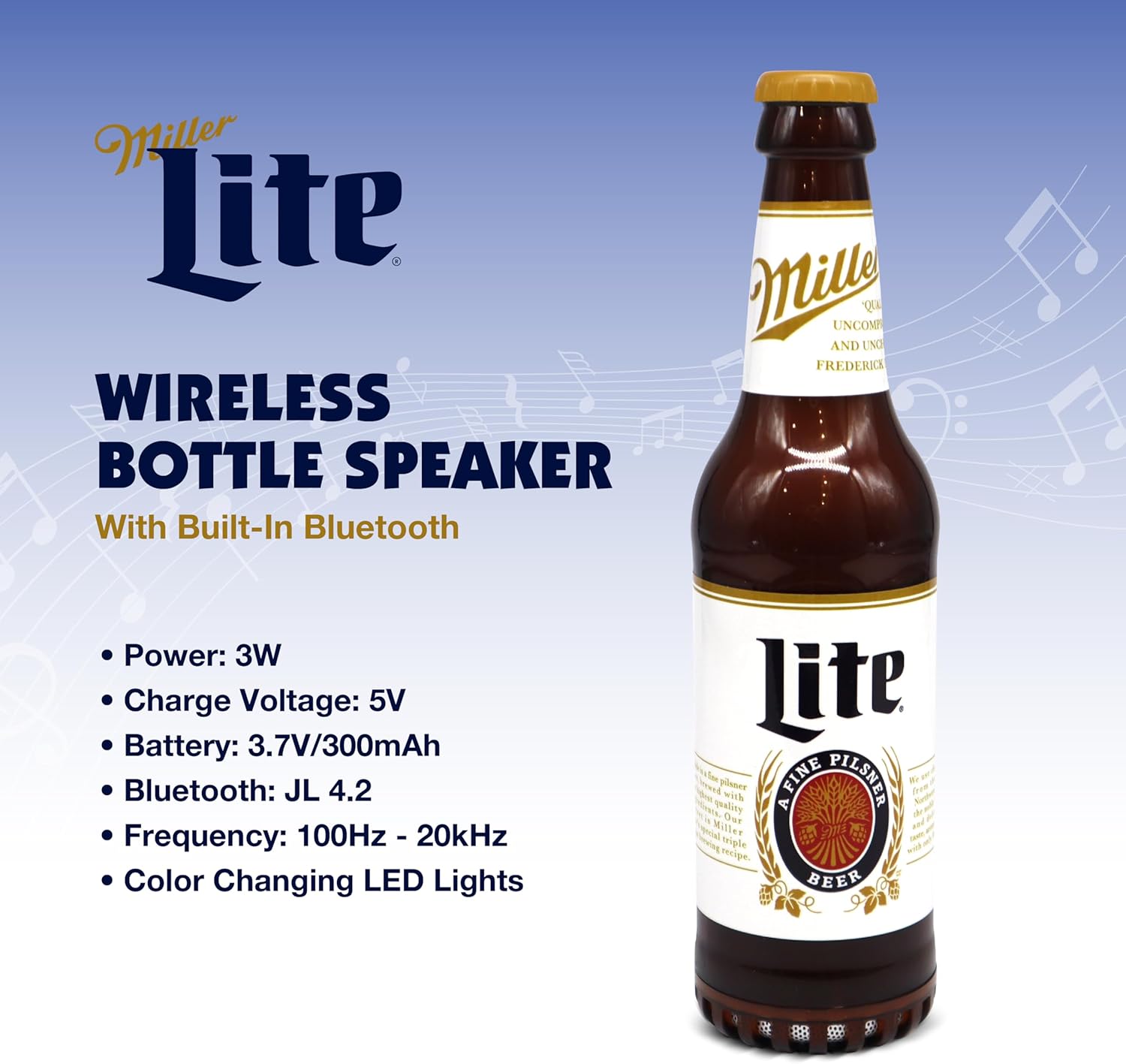
Image 3.1: Speaker highlighting key specifications.
4. Setup
4.1 Charging the Speaker
- Locate the Micro USB charging port on the speaker.
- Connect the Micro USB end of the charging cable to the speaker.
- Connect the USB-A end of the charging cable to a compatible USB power adapter (not included) or a computer's USB port.
- The LED indicator will illuminate during charging and turn off when fully charged. A full charge typically takes approximately 2-3 hours.
4.2 Powering On/Off
- To power on, press and hold the Power/On/Off button located on the side of the speaker until the LED indicator lights up and you hear an audible prompt.
- To power off, press and hold the Power/On/Off button again until the LED indicator turns off and you hear an audible prompt.
4.3 Bluetooth Pairing
- Ensure the speaker is powered on and in Bluetooth pairing mode (indicated by a flashing LED light).
- On your smartphone or Bluetooth-enabled device, navigate to the Bluetooth settings.
- Search for available devices and select "ML-BBS-MHL" (or similar name) from the list.
- Once paired, the LED indicator will stop flashing and remain solid, and you will hear a confirmation tone.
4.4 AUX Connection
- Connect one end of a 3.5mm audio cable (not included) to the AUX port on the speaker.
- Connect the other end of the 3.5mm audio cable to the audio output jack of your device.
- The speaker will automatically switch to AUX mode.

Image 4.1: Close-up of the speaker's control buttons and ports.
5. Operating Instructions
5.1 Music Playback
- Play/Pause: Press the Play/Pause button once to play or pause audio.
- Volume Up/Down: Press the '+' button to increase volume, and the '-' button to decrease volume.
- Next/Previous Track: Press and hold the '+' button for the next track, and the '-' button for the previous track.
5.2 LED Lights
The speaker features color-changing LED lights that illuminate the bottle. These lights activate automatically when the speaker is powered on, enhancing the visual experience.

Image 5.1: Speaker in an outdoor setting, demonstrating portability and usage.
6. Maintenance
- Cleaning: Wipe the speaker with a soft, damp cloth. Do not use harsh chemicals or abrasive cleaners.
- Storage: Store the speaker in a cool, dry place away from direct sunlight and extreme temperatures.
- Water Resistance: While splashproof, do not submerge the speaker in water. Ensure the charging port cover is securely closed when near liquids.
7. Troubleshooting
7.1 No Power
- Ensure the speaker is fully charged. Connect it to a power source using the Micro USB cable.
- Verify that the power button is pressed and held correctly to turn the unit on.
7.2 Cannot Pair via Bluetooth
- Make sure the speaker is in pairing mode (flashing LED).
- Ensure Bluetooth is enabled on your device and it is within 30 feet of the speaker.
- Try unpairing and re-pairing the speaker from your device's Bluetooth settings.
- Restart both the speaker and your device.
7.3 No Sound
- Check the volume levels on both the speaker and your connected device.
- Ensure the speaker is successfully paired via Bluetooth or correctly connected via AUX cable.
- If using AUX, ensure the cable is fully inserted into both the speaker and the audio source.
8. Specifications
| Feature | Detail |
|---|---|
| Model Name | Miller Lite Bottle Shaped Bluetooth Speaker |
| Brand | Gabba Goods |
| Connectivity Technology | Bluetooth |
| Bluetooth Range | 30 Feet |
| Audio Output Mode | Stereo |
| Speaker Maximum Output Power | 101 Watts |
| Power Source | Battery Powered |
| Battery Capacity | 300 Milliamp Hours |
| Playtime | Up to 6 hours |
| Material | Plastic |
| Product Dimensions | 4"D x 4"W x 12"H |
| Item Weight | 1.57 pounds |
| Is Waterproof | False (Splashproof) |
9. Warranty and Support
This product comes with a full warranty. For detailed warranty information, technical support, or customer service inquiries, please refer to the contact information provided in the Quick Start Guide included with your product or visit the official Gabba Goods website.


