1. Introduction
This manual provides essential instructions for the assembly, operation, and maintenance of your DLisiting Black Gaming Desk with Hutch and Pegboard. Please read this manual thoroughly before beginning assembly or use to ensure proper setup and safe operation.
Safety Warnings
- This desk is not designed to support heavy equipment or excessive weight.
- Always ensure the desk is placed on a flat, stable surface to prevent tipping.
- Do not attempt to anchor the desk to the wall.
- Keep all small parts and packaging materials away from children.
2. Package Contents
Before assembly, verify that all components are present and undamaged. Refer to the detailed parts list included in your assembly guide for specific item identification. The package typically includes:
- Desk tabletop
- Hutch components
- Pegboard panel
- Metal frame components
- Built-in power outlet unit
- Assembly hardware (screws, bolts, etc.)
- Assembly tools (e.g., Allen wrench)
- Pegboard storage bag and hooks
- LED strip

Image: Product dimensions showing the overall size and key measurements of the desk, hutch, and pegboard.
3. Setup and Assembly Instructions
Assembly of the DLisiting Gaming Desk is designed to be straightforward, typically taking approximately 20 minutes. A detailed instruction manual with diagrams and all necessary tools are provided in the package. No additional tools are required.
General Assembly Steps:
- Unpack all components and verify against the parts list.
- Assemble the metal frame structure according to the provided diagrams. Ensure all connections are secure.
- Attach the tabletop to the assembled frame.
- Mount the hutch and pegboard components to the desk structure.
- Install the built-in power outlet unit into its designated slot.
- Attach the pegboard storage bag and hooks as desired.
- Apply the LED strip to the desired location.
- Adjust the leg pads to ensure the desk is level and stable on your floor.

Image: An overview of the fully assembled DLisiting Black Gaming Desk, showcasing the hutch, pegboard, and integrated features.
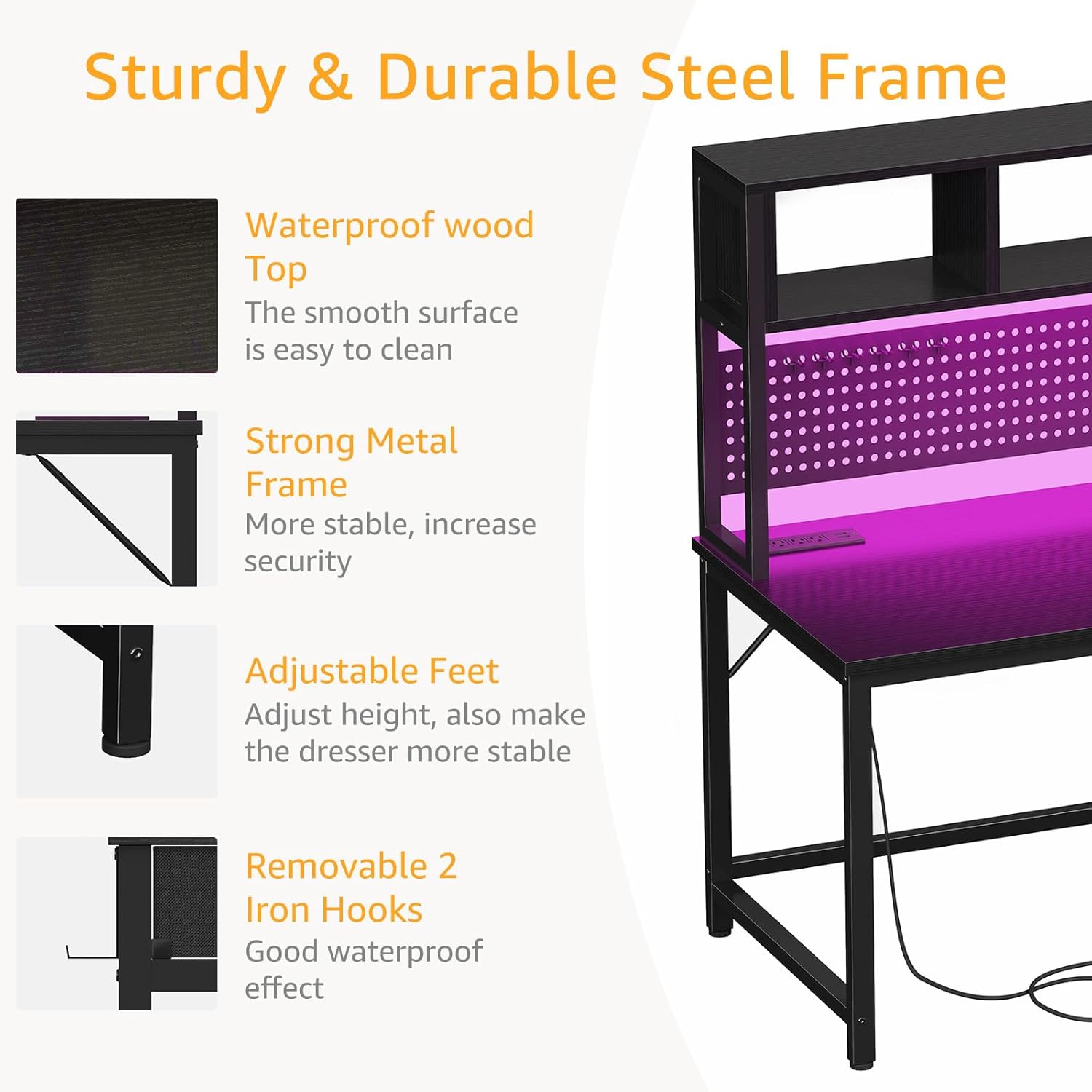
Image: Detailed view highlighting the sturdy and durable steel frame, waterproof wood top, adjustable feet, and removable iron hooks.
4. Operating Instructions
Your DLisiting Gaming Desk is designed with several features to enhance your workspace.
Power Outlets:
The desk includes a built-in power strip with 3 AC power outlets and 2 USB ports. Connect the desk's main power cord to a wall outlet. You can then plug in your electronic devices directly into the desk's integrated outlets for convenient power access.
Pegboard and Storage:
Utilize the integrated pegboard for organizing accessories, cables, or small items using the provided hooks and storage bag. The hutch provides additional shelving for monitors, speakers, or decorative items.

Image: Illustration of the removable storage function, highlighting the pegboard and the side storage bag for increased desktop space.
LED Strip:
The included LED strip can be attached to the desk to provide ambient lighting. Follow the separate instructions provided with the LED strip for installation and operation, including power connection and color/mode selection.
5. Maintenance
To ensure the longevity and appearance of your DLisiting Gaming Desk, follow these maintenance guidelines:
- Cleaning: The desk features a waterproof wood top. Wipe surfaces with a soft, damp cloth. Avoid abrasive cleaners or harsh chemicals that may damage the finish.
- Stability Check: Periodically check all screws and bolts to ensure they remain tight. Re-tighten if necessary to maintain desk stability.
- Leg Pads: Ensure the adjustable leg pads are properly positioned and adjusted to keep the desk level and prevent wobbling.
6. Troubleshooting
If you encounter any issues with your DLisiting Gaming Desk, refer to the following common solutions:
- Desk Wobbles: Ensure the desk is on a flat surface. Adjust the leg pads at the bottom of the desk legs until the desk is stable and level. Check that all assembly screws are securely tightened.
- Power Outlets Not Working: Verify that the desk's main power cord is securely plugged into a functional wall outlet. Check for any tripped circuit breakers.
- LED Strip Not Adhering: If the LED strip adhesive is insufficient, consider using additional adhesive strips or clips to secure it firmly to the desired surface. Ensure the surface is clean and dry before application.
- Missing Parts or Damaged Components: If you find any parts missing or damaged upon unpacking, do not proceed with assembly. Contact customer support immediately for assistance.
7. Specifications
| Brand | DLisiting |
| Model Number | LST-JCHMP47-Black |
| Product Dimensions (D x W x H) | 18.9" x 47.2" x 59.8" |
| Item Weight | 38.5 Pounds |
| Color | Black |
| Material Type | Engineered Wood (Top), Metal (Base) |
| Special Features | Built-In USB Outlet, Compact Design, Hutch, Pegboard |
| Included Components | Built-in Outlet, Headphone Hook, Pegboard storage bag, hooks, shelves |
| Number of Shelves | 1 (on hutch) |
| Assembly Required | Yes (Tools Included) |

Image: The DLisiting Black Gaming Desk presented without additional accessories, highlighting the hutch and pegboard features.
8. Warranty and Support
DLisiting is committed to providing quality products and customer satisfaction. If you experience any quality issues with your desk or require assistance, our professional customer support team is ready to help.
For specific warranty information, replacement services, or technical support, please refer to the contact details provided in your product packaging or visit the official DLisiting website.


