
1. Introduction
Thank you for choosing the Brightup Electric Razor FK-375S. This manual provides essential information for the safe and effective use, maintenance, and care of your new electric shaver. Please read these instructions thoroughly before first use and retain them for future reference.

Image: The Brightup Electric Razor FK-375S, a sleek dark grey rotary shaver.
2. Important Safety Information
WARNING:
- Do not use the shaver while it is charging. Always unplug the shaver from the power source before use.
- This appliance is not intended for use by persons (including children) with reduced physical, sensory or mental capabilities, or lack of experience and knowledge, unless they have been given supervision or instruction concerning use of the appliance by a person responsible for their safety.
- Children should be supervised to ensure that they do not play with the appliance.
- Keep the charging cable away from heated surfaces.
- Do not immerse the charging adapter in water or other liquids.
- Only use the provided charging cable.
3. Package Contents
Please check the package for the following items:
- Brightup Electric Razor FK-375S
- USB Charging Cable
- Cleaning Brush
- Travel Case
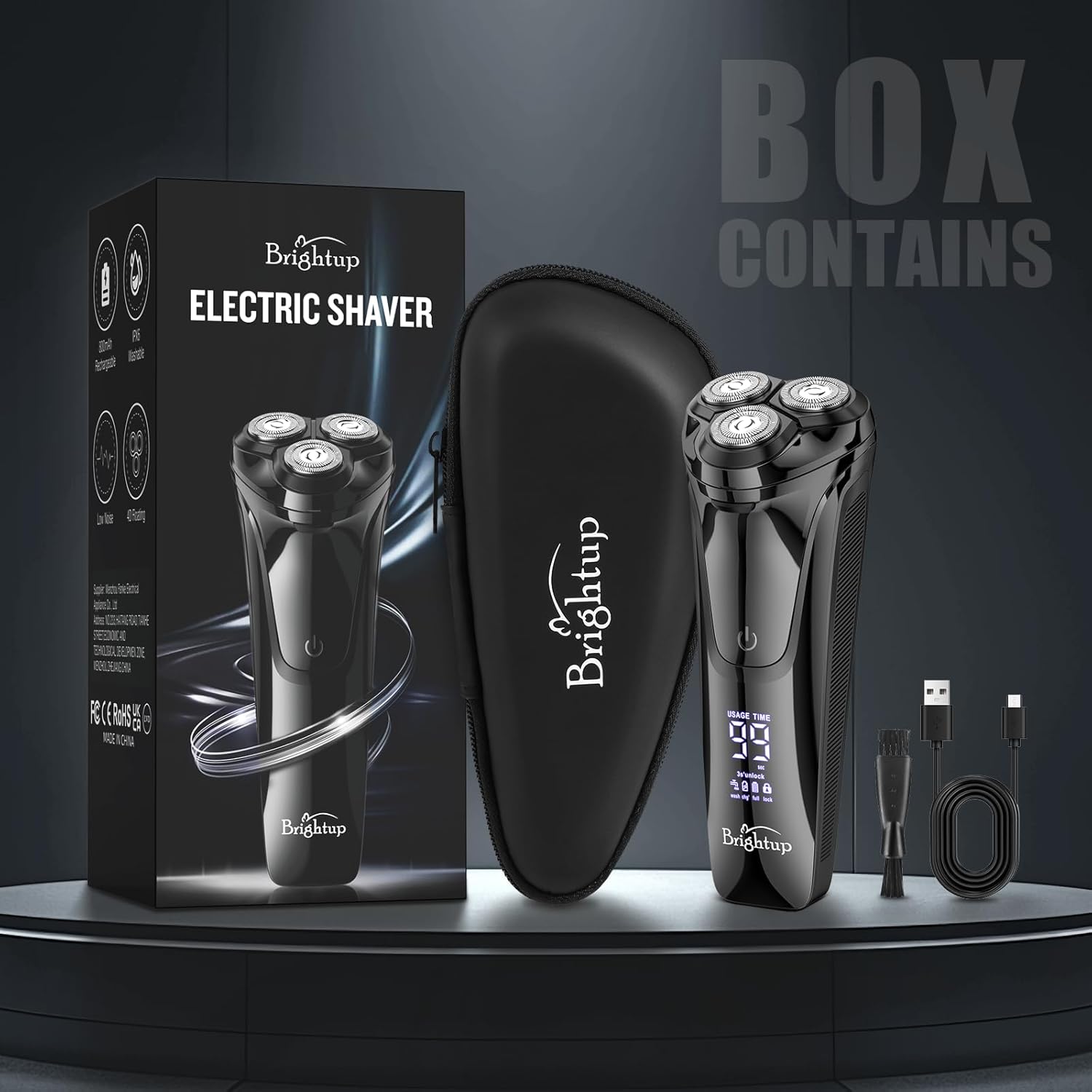
Image: The Brightup Electric Razor, its charging cable, cleaning brush, and travel case, displayed next to its retail box.
4. Product Overview and Features
The Brightup Electric Razor FK-375S is designed for a comfortable and efficient shaving experience. Key features include:
4D Flexible Floating Head
The shaver features a 4D flexible floating head that adjusts to the contours of your face and neck, ensuring a close and smooth shave without irritation.
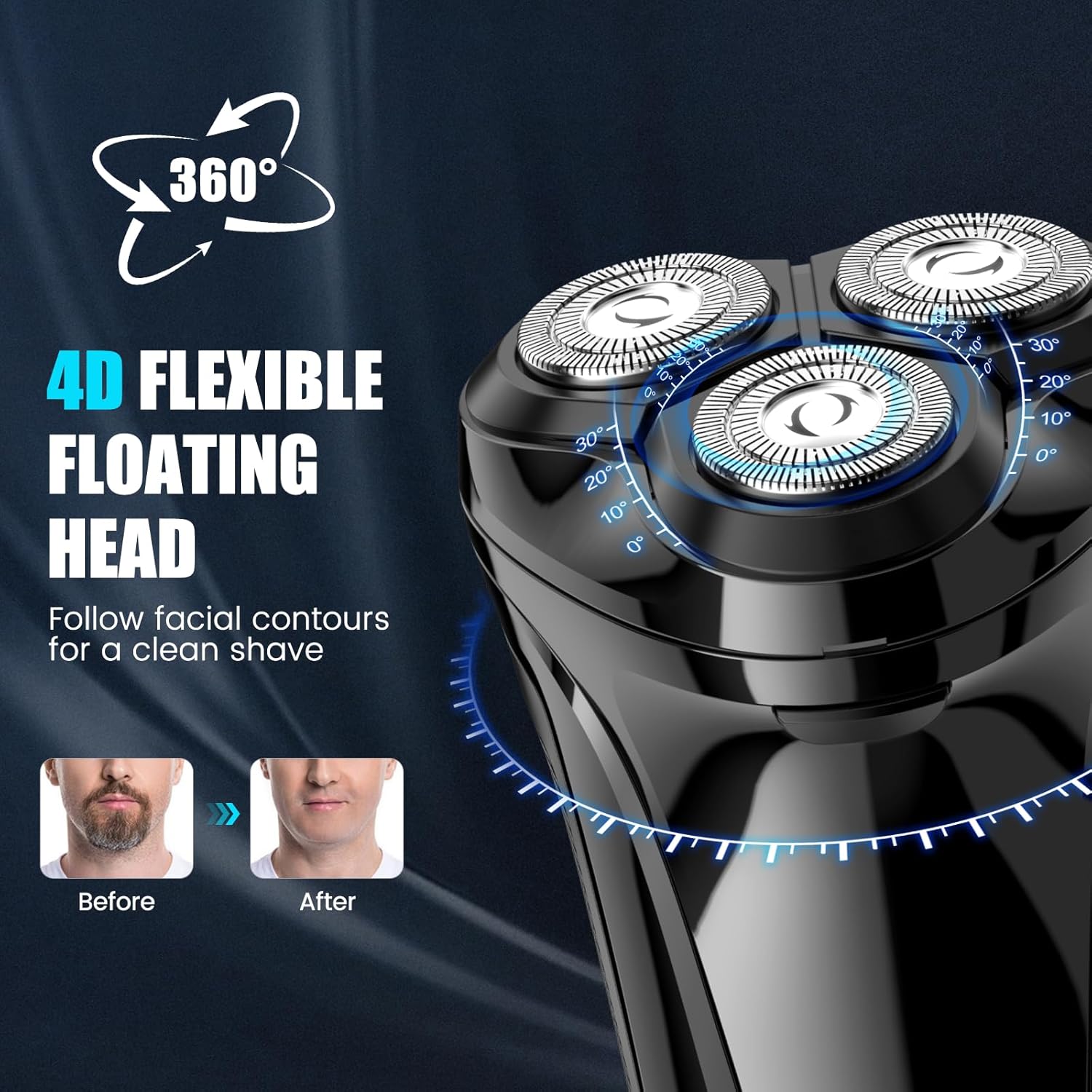
Image: Close-up of the shaver's head, highlighting the three rotary blades and their 4D flexible movement.
Premium Double-Track Cut Blades
Equipped with premium double-track cut blades, this shaver provides an efficient and comfortable shave by capturing more hair with each pass.

Image: An exploded view showing the internal structure of the shaver head with its double-track blades.
Integrated Pop-up Trimmer
A convenient pop-up trimmer is integrated into the shaver body, ideal for refining sideburns and shaping facial hair.

Image: The electric shaver with its pop-up trimmer extended, ready for use.
Wet and Dry Shaving
The FK-375S supports both wet and dry shaving. Enjoy a quick dry shave or a refreshing wet shave with foam or gel for added comfort.

Image: A split image showing a man dry shaving on one side and wet shaving with foam on the other, both using the Brightup Electric Razor.
USB Fast Charging & LED Display
The shaver features USB-C fast charging, allowing for a full charge in approximately 1.5 hours, providing up to 90 minutes of shaving time. The LED display shows the battery percentage and charging status.
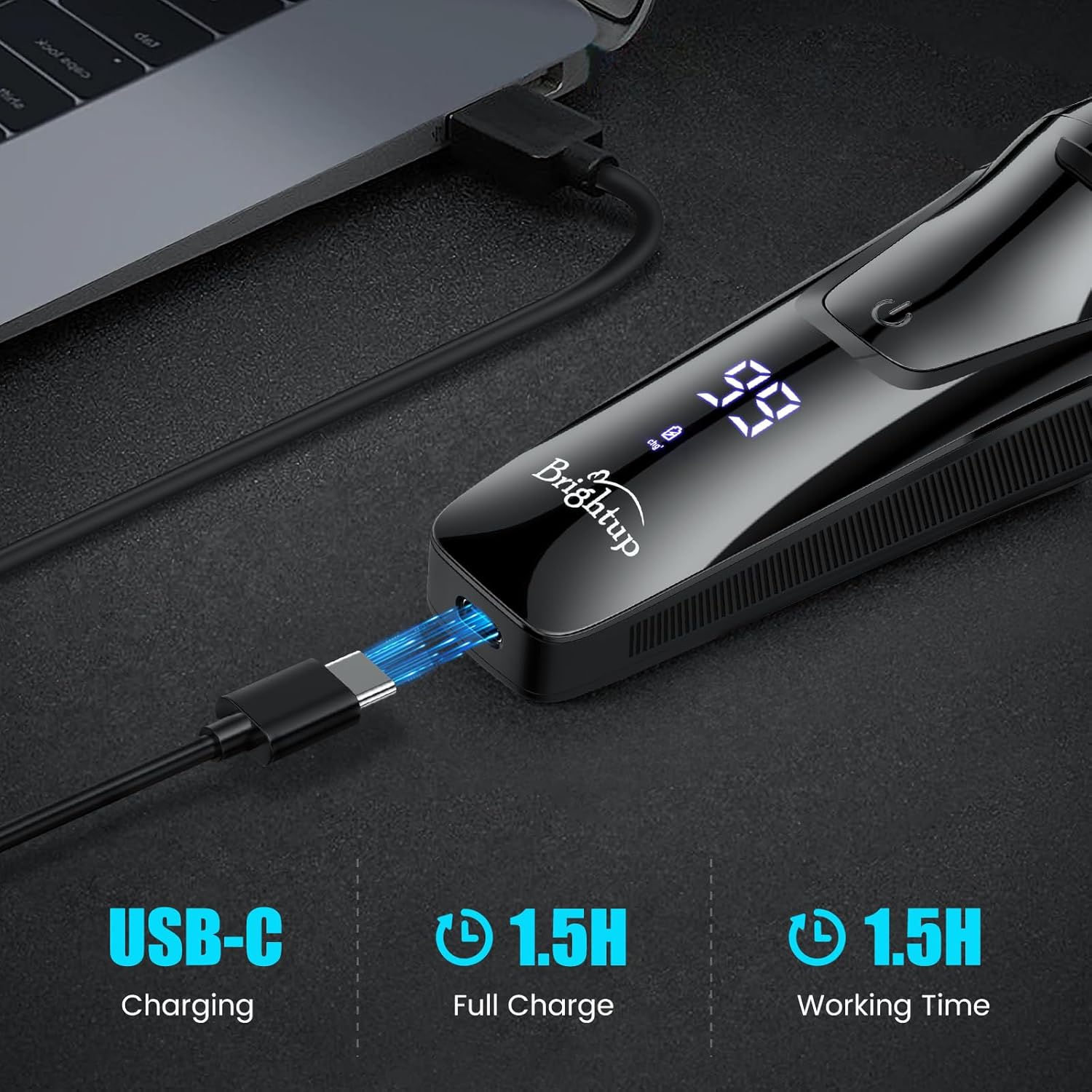
Image: The Brightup Electric Razor connected to a laptop via a USB-C cable for charging, with the LED display showing battery level.
Travel Lock
Activate the travel lock feature to prevent accidental power-on during travel, ensuring safety and preserving battery life.
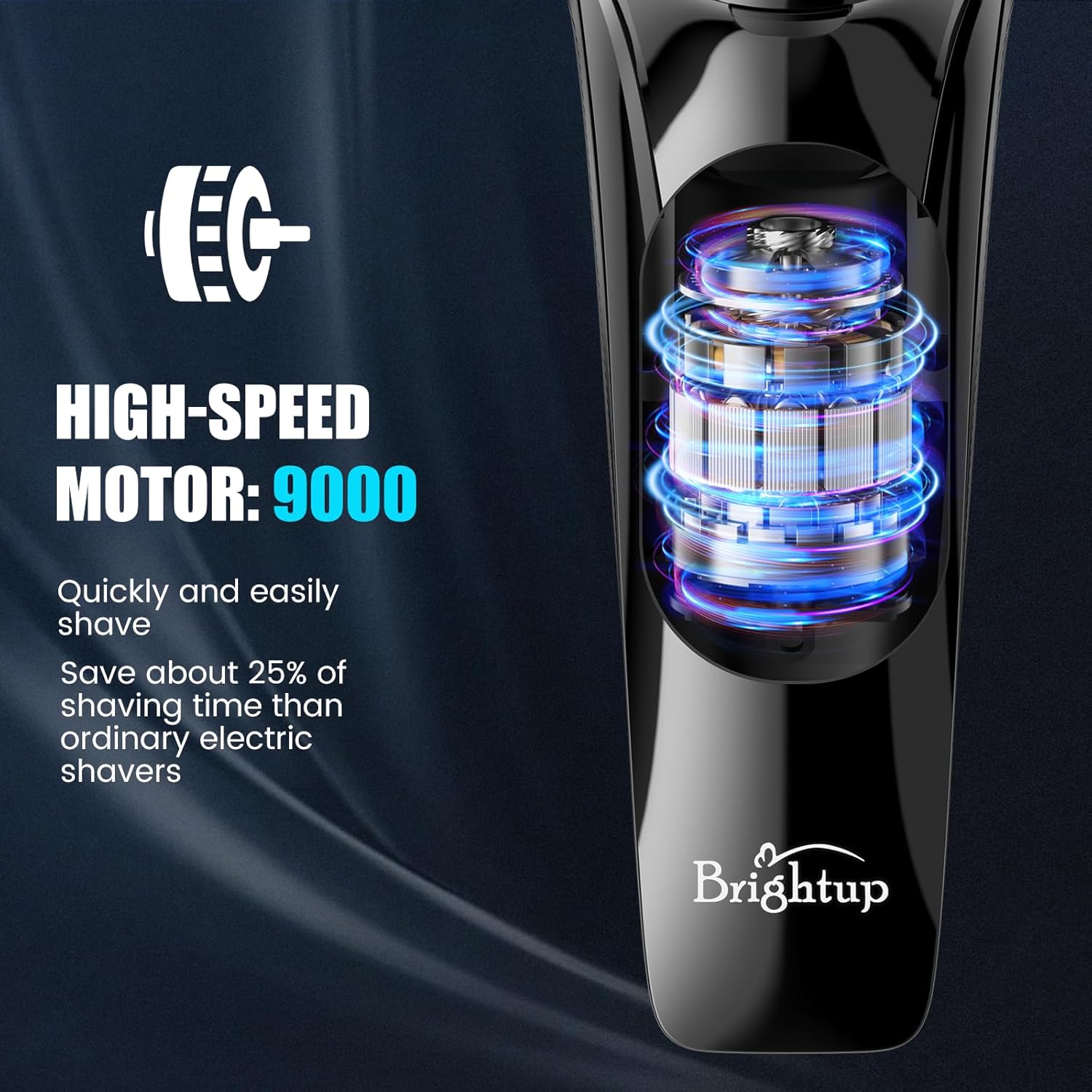
Image: A hand holding the Brightup Electric Razor, with the LED display showing a lock icon, indicating the travel lock is active.
High-Speed Motor
A powerful 9000 RPM motor ensures efficient and quick shaving, reducing overall shaving time.

Image: An illustrative internal view of the Brightup Electric Razor, highlighting its high-speed motor.
IPX6 Waterproof Rating
The shaver is IPX6 waterproof, allowing for easy cleaning under running water.
5. Product Features in Action
Watch this video to see the Brightup Electric Razor FK-375S in use, demonstrating its key features and benefits.
Video: A demonstration of the Brightup Electric Razor, showcasing its 4D flexible head, pop-up trimmer, wet/dry shaving capabilities, and easy cleaning.
6. Setup
Initial Charging
- Before first use, fully charge the shaver.
- Connect the provided USB charging cable to the shaver's charging port.
- Plug the other end of the USB cable into a compatible USB power source (e.g., computer, USB wall adapter, power bank).
- The LED display will show the battery percentage increasing during charging. A full charge typically takes about 1.5 hours.
- Once fully charged, unplug the shaver.
7. Operating Instructions
Basic Shaving
Ensure the shaver is fully charged and unplugged before use.
- Dry Shaving: For a quick shave, ensure your face is clean and dry. Press the power button to turn on the shaver. Move the shaver in small, circular motions against the direction of hair growth.
- Wet Shaving: For a more comfortable shave, apply shaving foam or gel to your face. Press the power button to turn on the shaver. Move the shaver in small, circular motions. Rinse the shaver head under running water during shaving to prevent clogging.
Using the Pop-up Trimmer
- Locate the pop-up trimmer release button on the side of the shaver.
- Push the button to extend the trimmer.
- Use the trimmer to shape sideburns, moustaches, or trim longer hairs before shaving.
- Once finished, gently push the trimmer back into its housing until it clicks into place.
Activating/Deactivating Travel Lock
The travel lock prevents the shaver from accidentally turning on in your bag.
- To activate: Press and hold the power button for 3 seconds. A lock icon will appear on the LED display.
- To deactivate: Press and hold the power button for 3 seconds again. The lock icon will disappear, and the shaver will be ready for use.
8. Maintenance
Cleaning the Shaver
Regular cleaning ensures optimal performance and hygiene.
- Turn off the shaver and unplug it from any power source.
- Press the release button to open the shaver head.
- Rinse the shaver head and the internal shaving chamber thoroughly under running water. The IPX6 waterproof rating allows for easy rinsing.
- Use the provided cleaning brush to remove any stubborn hair clippings from the blades and inner parts.
- Shake off excess water and leave the shaver head open to air dry completely before closing it or storing.
Blade Care
The shaver's blades are designed for long-lasting performance. For optimal results, avoid dropping the shaver or exposing the blades to hard surfaces. Replace the shaving head unit if you notice a decrease in shaving performance or discomfort.
9. Troubleshooting
| Problem | Possible Cause | Solution |
|---|---|---|
| Shaver does not turn on. | Battery is low or depleted. Travel lock is activated. | Charge the shaver fully. Deactivate the travel lock by pressing and holding the power button for 3 seconds. |
| Poor shaving performance. | Shaver head is dirty or clogged. Blades are worn. | Clean the shaver head thoroughly. Consider replacing the shaving head unit if performance does not improve. |
| Shaver stops during use. | Battery is low. | Recharge the shaver. |
10. Specifications
| Feature | Detail |
|---|---|
| Model Number | FK-375S |
| Power Source | Battery Powered (1 Lithium Ion battery included) |
| Charging Time | Approx. 1.5 hours |
| Operating Time | Approx. 90 minutes |
| Waterproof Rating | IPX6 |
| Head Type | 4D Flex Rotary |
| Number of Blades | 4 (Double-track) |
| Blade Material | Stainless Steel |
| Item Weight | 0.31 Kilograms (approx. 10.86 ounces) |
| Color | Dark Grey |
11. Warranty and Support
Brightup products are manufactured to high-quality standards. For any questions, concerns, or warranty claims, please contact Brightup customer service. Please retain your proof of purchase for warranty purposes.


