
FanttikRide T9Apex
FanttikRide T9 Apex Electric Scooter User Manual
Model: T9 Apex
Product Overview
The FanttikRide T9 Apex Electric Scooter is designed for kids aged 4.3-5.6 ft, featuring a 200W motor, LED colorful lights with a Bluetooth music speaker, and adjustable speed settings. It offers a fun and safe riding experience with its robust design and intuitive controls.
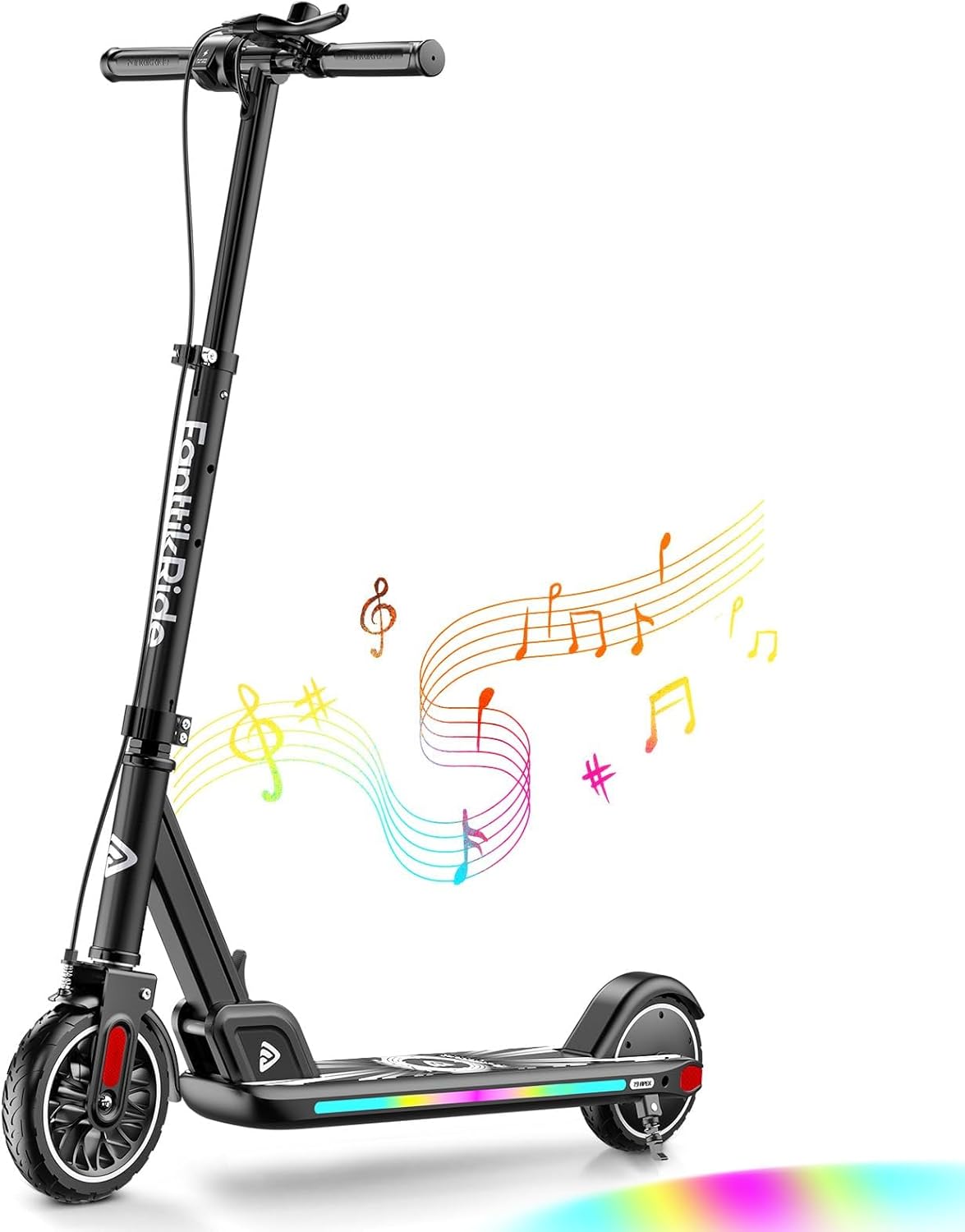
Figure 1: FanttikRide T9 Apex Electric Scooter (Black model shown)
Setup and Assembly
The FanttikRide T9 Apex Electric Scooter requires minimal assembly. The main components are pre-assembled, and only the handlebar needs to be attached.
Unboxing and Initial Inspection
- Carefully remove all components from the packaging.
- Verify that all parts are present: scooter body, handlebar, charger, and user manual.
- Inspect for any visible damage from shipping.
Handlebar Attachment
- Unfold the scooter body until it locks into place.
- Insert the handlebar stem into the main shaft.
- Align the screw holes on the handlebar stem with those on the shaft.
- Use the provided Allen wrench to secure the handlebar with the single screw. Ensure it is tightened firmly.

Figure 2: Handlebar attachment point. Ensure the screw is tightened securely.
Initial Charging
Before first use, fully charge the scooter's battery. The scooter comes with a dedicated charger.
- Locate the charging port on the handlebar stem.
- Connect the charger to the scooter and then plug it into a standard wall outlet.
- The charger indicator light will show charging status (e.g., red for charging, green for fully charged).
- A full charge typically takes a few hours. It is recommended to fully charge the battery after each ride to maintain battery health.
Operating Instructions
Controls Overview
- Power Button: Located on the handlebar. Press and hold to turn the scooter on/off. Short press to cycle through speed modes.
- Throttle: Thumb-activated lever on the handlebar. Engages the motor for acceleration.
- Light Button: Located near the power button. Controls the LED lights on the deck.
- Bell: Manual bell for alerting others.
- LED Display: Shows current speed mode (E, N, S) and battery life.
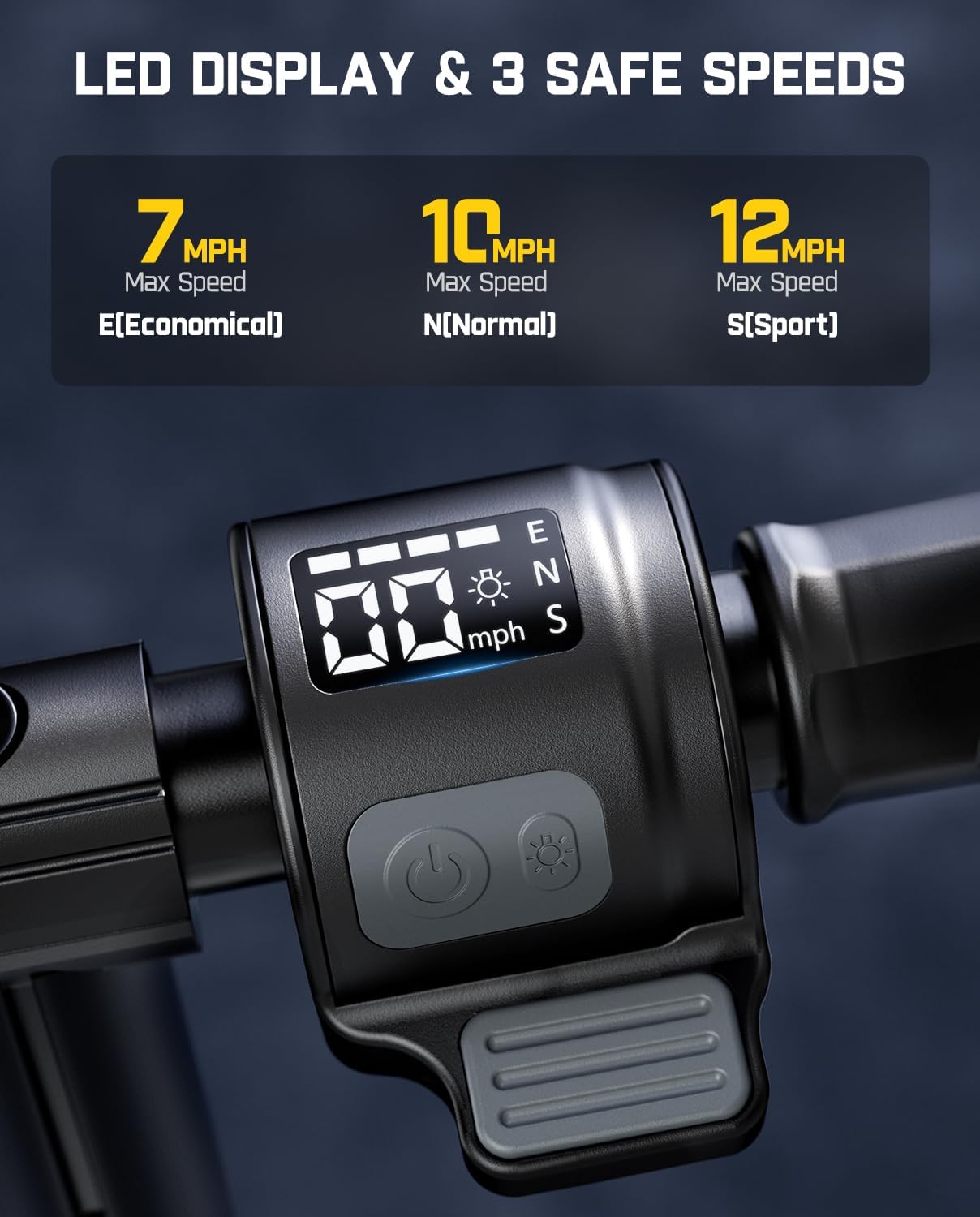
Figure 3: Close-up of the handlebar controls and LED display.
Speed Modes
The scooter offers three user-selectable speed modes:
- E (Economical) Mode: Max speed of 7 MPH. Ideal for beginners or longer rides to conserve battery.
- N (Normal) Mode: Max speed of 10 MPH. A balanced mode for general riding.
- S (Sport) Mode: Max speed of 12 MPH. For experienced riders seeking maximum performance.
Braking System
The T9 Apex features a triple brake system for enhanced safety:
- Hand Brake (Electric Brake): Located on the handlebar. Provides smooth, controlled deceleration.
- Rear Fender Fast Brake: Activated by pressing down on the rear fender with your foot. Offers quick stopping power.
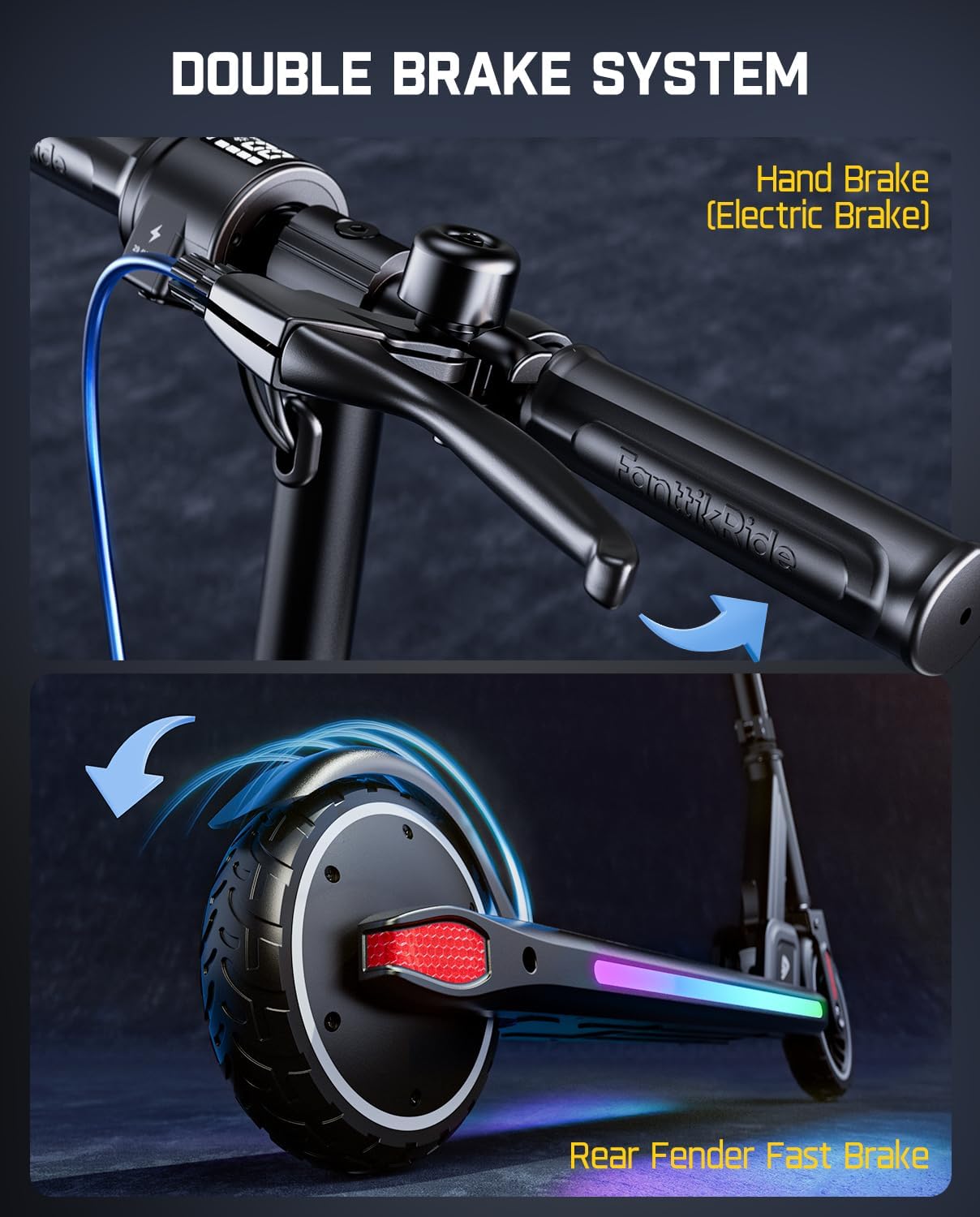
Figure 4: Illustration of the hand brake and rear fender brake.
Kick-Start Activation
For safety, the motor will only engage after the scooter reaches a minimum speed. To activate the electric motor:
- Turn on the scooter using the power button.
- Push off with your foot to gain initial momentum (approximately 3 MPH).
- Once moving, press the thumb throttle to engage the electric motor.
Adjustable Height Handlebar
The handlebar height can be adjusted to accommodate riders of different heights. This ensures a comfortable and safe riding posture.
- Locate the height adjustment clamp on the handlebar stem.
- Open the clamp and press the release button/pin.
- Adjust the handlebar to one of the three available height settings (34 in, 36.5 in, 39 in).
- Ensure the pin locks securely into the desired height hole.
- Close the clamp firmly to lock the handlebar in place.
LED Lights and Bluetooth Speaker
The scooter features flashing rainbow LED lights on the deck and a built-in Bluetooth music speaker for an enhanced riding experience.
- LED Lights: Press the light button on the handlebar to cycle through 6 different light modes. These lights improve visibility and add a fun aesthetic, especially at night.
- Bluetooth Speaker: Easily connect your smartphone to the scooter via Bluetooth. The speaker is located on the underside of the deck. Play your favorite music directly through the scooter's speaker.
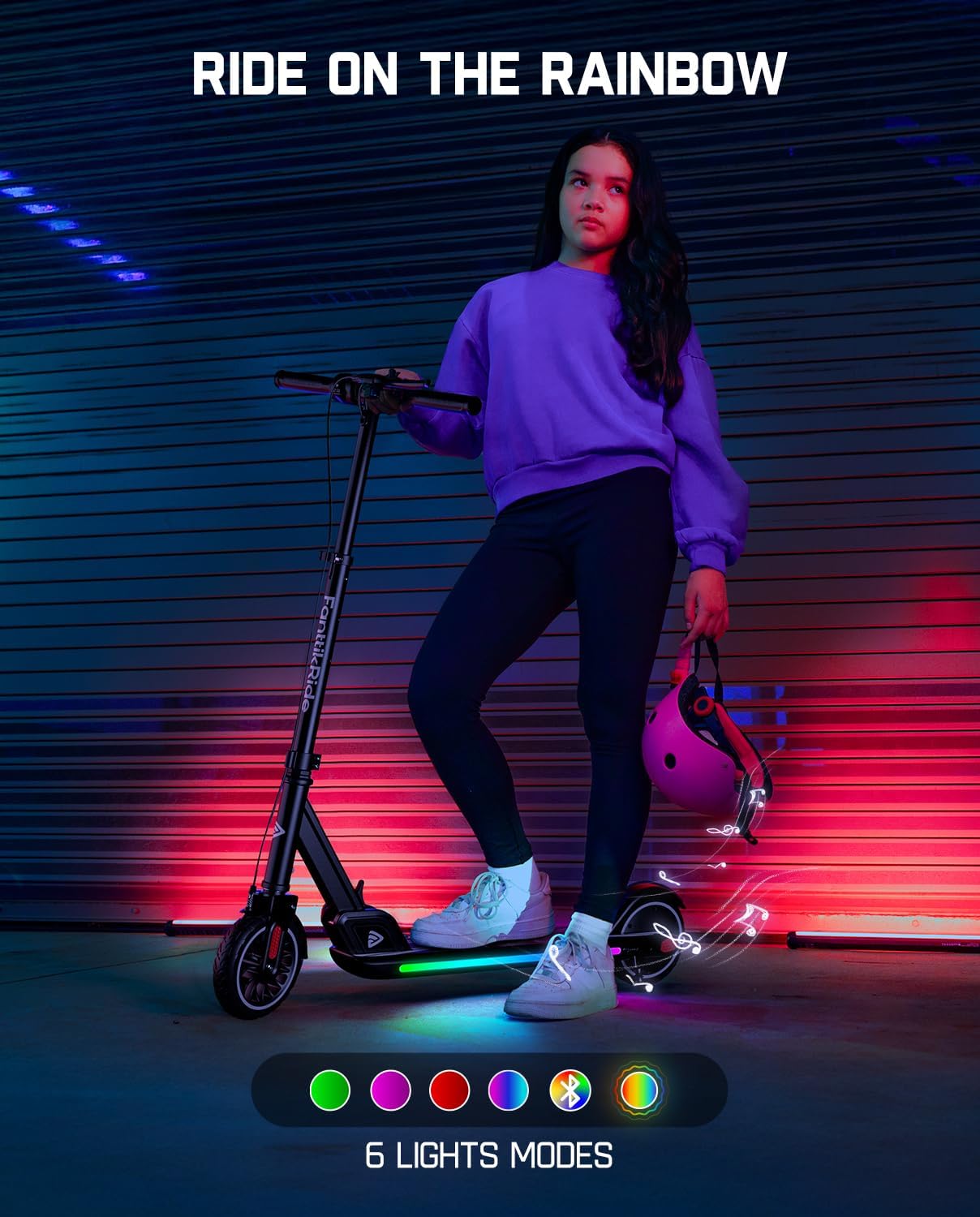
Figure 5: The scooter's deck with colorful LED lights activated.
Portability and Storage
The T9 Apex is designed for easy portability and storage.
- Folding Mechanism: Locate the folding lever at the base of the handlebar stem. Release the lever and fold the handlebar down towards the deck until it locks into a compact position.
- Carrying: Once folded, the scooter can be easily carried by the stem. Its lightweight aluminum frame (18 lbs net weight) makes it convenient for transport.
- Kickstand: A convenient kickstand allows the scooter to stand upright when not in use.
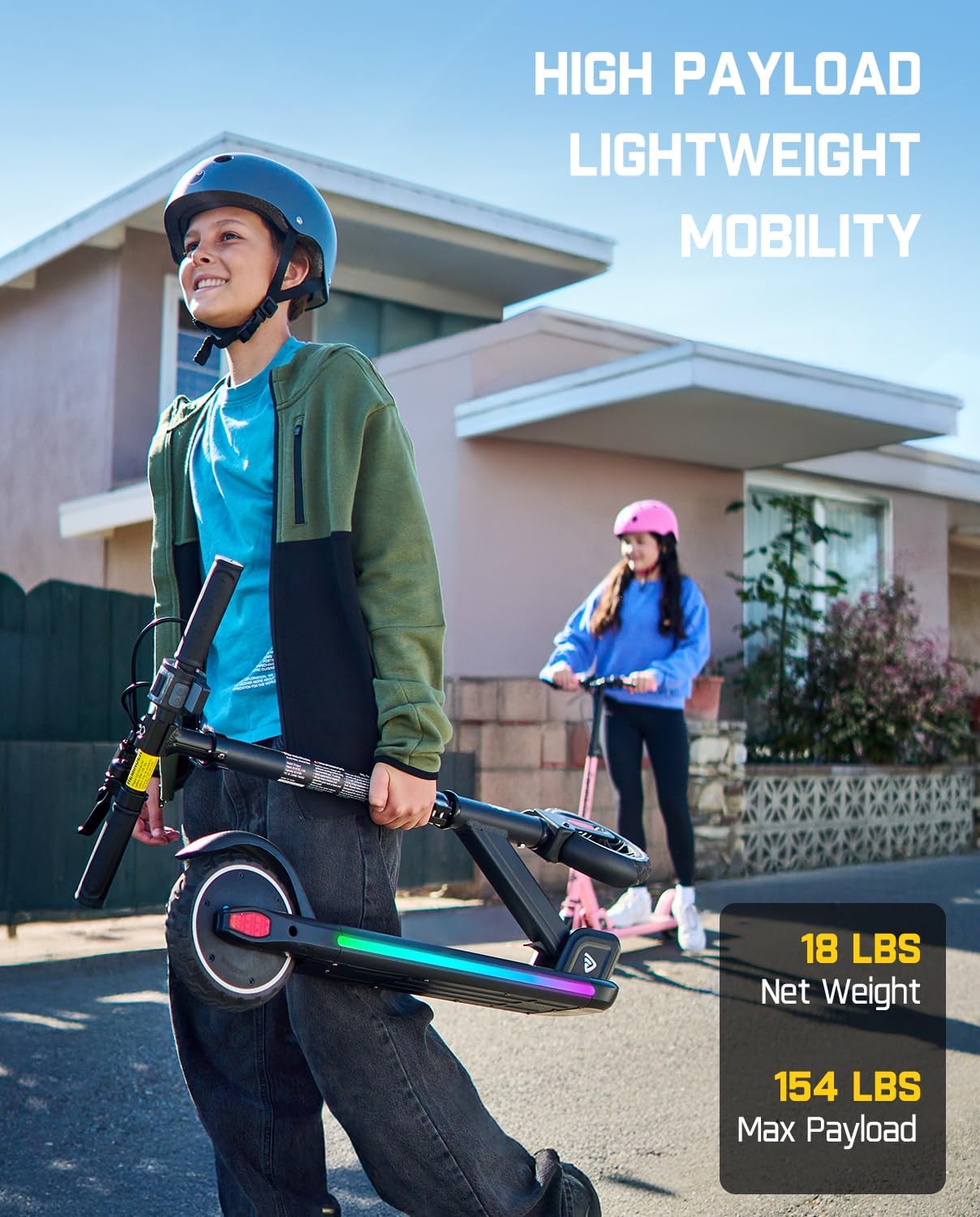
Figure 6: The scooter in its folded, portable state.
Maintenance
- Battery Care: Always fully charge the battery after each use to prolong its lifespan. Avoid completely draining the battery.
- Cleaning: Wipe down the scooter with a damp cloth after use to remove dirt and debris. Do not use harsh chemicals or abrasive cleaners.
- Storage: Store the scooter in a cool, dry place away from direct sunlight and extreme temperatures.
Specifications
| Feature | Specification |
|---|---|
| Brand | FanttikRide |
| Model Name | T9 Apex |
| Motor Power | 200W |
| Max Speed | 12 MPH (Sport Mode) |
| Max Distance Range | Up to 7 Miles (depending on rider weight and speed mode) |
| Battery | 25.2V, 3.2Ah Lithium Battery |
| Playtime | Up to 40-60 minutes |
| Weight Limit | 70 Kilograms (approx. 154 lbs) |
| Net Weight | 18 lbs |
| Product Dimensions | 36"L x 15.4"W x 36.1"H |
| Adjustable Handlebar Heights | 34 in, 36.5 in, 39 in |
| Wheel Size | 7 Inches |
| Brake Style | Electric/Regenerative (Hand Brake) and Rear Fender Brake |
| Special Features | Foldable, LED Colorful Lights, Bluetooth Music Speaker, Digital Display |
Official Product Video
Watch the official product video for a comprehensive overview of the FanttikRide T9 Apex Electric Scooter's features and operation.
Video 1: FanttikRide T9 Apex Electric Scooter for Kids (Official Seller Video). This video demonstrates the scooter's key features, including its lights, speed modes, and overall design.
Warranty and Support
The FanttikRide T9 Apex Electric Scooter comes with a Limited Warranty. For specific warranty terms and conditions, please refer to the documentation included with your product or contact FanttikRide customer support.
For any questions, technical assistance, or warranty claims, please visit the official FanttikRide website or contact their customer service department. Contact information can typically be found in the product packaging or on the brand's official online store.
Related Documents - T9Apex
 |
FanttikRide T10/T10 Apex Electric Scooter for Kids Owner's Manual Comprehensive owner's manual for the FanttikRide T10 and T10 Apex electric scooters for kids, covering safety, assembly, operation, maintenance, specifications, and warranty information. |
 |
FanttikRide K9 Pro / K9 Apex Electric Scooter Owner's Manual Comprehensive owner's manual for the FanttikRide K9 Pro and K9 Apex electric scooters for kids, covering setup, safety, operation, maintenance, and troubleshooting. |
 |
FanttikRide C9 Pro/C9 Apex Electric Scooter for Kids Owner's Manual Comprehensive owner's manual for FanttikRide C9 Pro and C9 Apex electric scooters for kids, covering safety, assembly, operation, maintenance, troubleshooting, and warranty. |
 |
دليل المالك لسكوتر FanttikRide الكهربائي للأطفال K9 Apex / K9 Pro دليل شامل لسكوتر FanttikRide الكهربائي للأطفال K9 Apex و K9 Pro، يتضمن تعليمات السلامة، الإعداد، التشغيل، الصيانة، واستكشاف الأخطاء وإصلاحها. |
 |
FanttikRide K9 Pro / K9 Apex Electric Scooter for Kids - Owner's Manual Comprehensive owner's manual for the FanttikRide K9 Pro and K9 Apex electric scooters for kids, covering safety, assembly, operation, maintenance, and troubleshooting. Learn how to safely operate and care for your electric scooter. |
 |
FanttikRide T9/T9 Apex Electric Scooter Owner's Manual Owner's manual for the FanttikRide T9 and T9 Apex electric scooters for kids, covering safety warnings, product overview, assembly, charging, riding instructions, maintenance, and troubleshooting. |
Ask a question about this manual
Ask about setup, troubleshooting, compatibility, parts, safety, or missing instructions. Manuals+ will review the question and use this page’s manual context to help answer it.