1. Introduction
Thank you for purchasing the UGREEN USB C+HDMI Switch 2 in 1 Out. This device allows you to connect two different video sources, one via USB-C and one via HDMI, to a single HDMI display. It simplifies your setup by eliminating the need to constantly swap cables between devices, enhancing efficiency for both work and entertainment.
2. Product Overview
The UGREEN USB C+HDMI Switch is a compact and durable device designed for seamless switching between two video inputs. It features an aluminum shell for efficient heat dissipation and stable signal transmission.
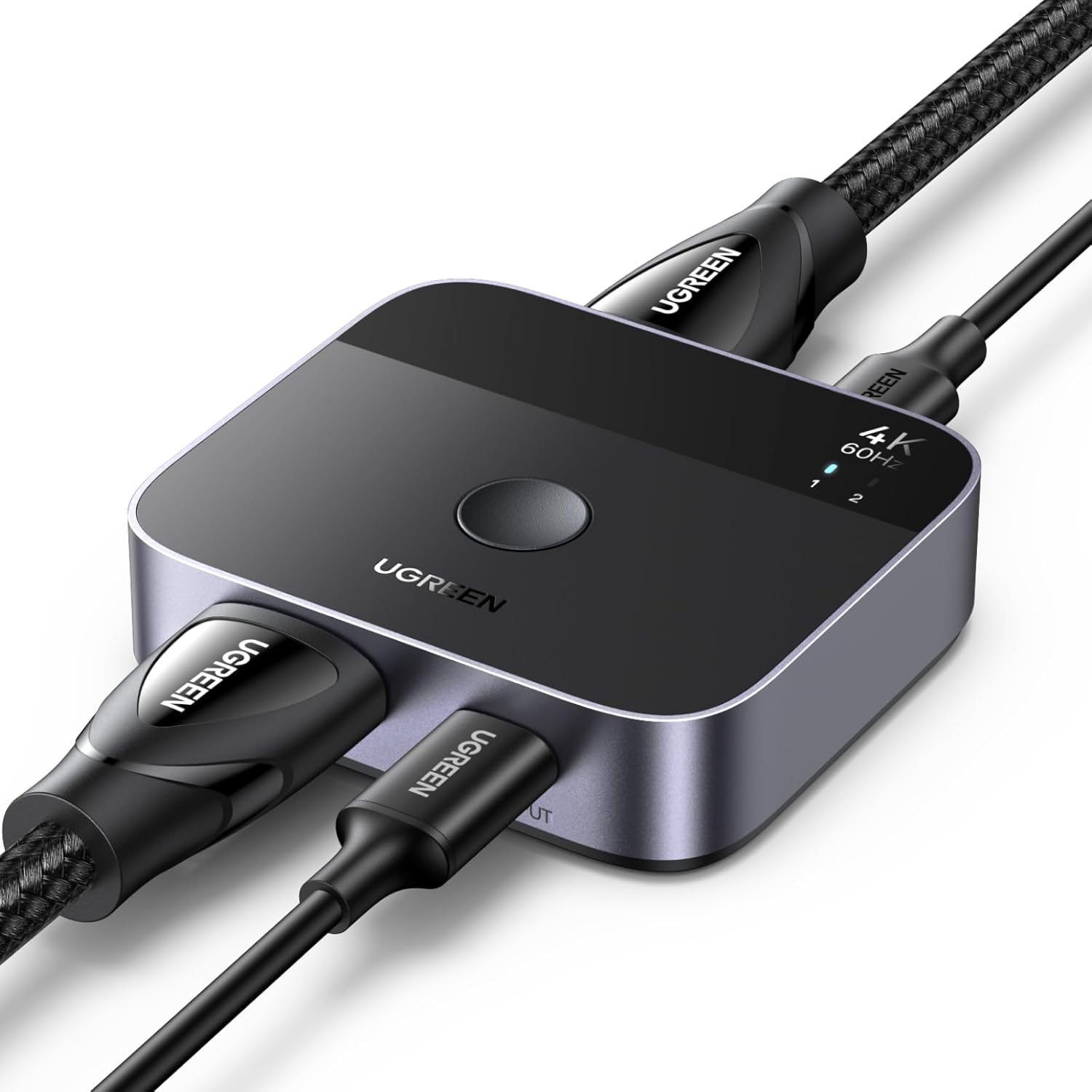
Image: The UGREEN USB C+HDMI Switch, showing its compact design and connected cables.
The switch includes a dedicated button for easy input selection and LED indicators to show the active source. It supports high-resolution video and audio formats for an immersive viewing experience.

Image: A detailed diagram illustrating the various ports (Power, HDMI Out, HDMI Input, USB-C Input) and features (Switch Button, Indicator Light) of the UGREEN USB C+HDMI Switch.
3. Key Features
- USB-C + HDMI 2 in 1 Out: Connects one USB-C device and one HDMI device to a single HDMI display.
- 4K@60Hz High Resolution: Supports resolutions up to 4K@60Hz, backward compatible with 4K@30Hz, 1080P@60Hz, 720p, and 480p.
- Advanced Video & Audio Support: Compatible with 3D, HDR, HDCP 2.2, Dolby Vision, and Dolby Atmos for superb images and immersive audio.
- Fast Transmission: Supports high-bandwidth 18Gbps data transmission.
- Premium Quality Build: Constructed with an aluminum shell and ABS material for scratch resistance, fast heat dissipation, and stable signal transmission.
- Plug and Play: Driver-free operation across various operating systems.
- Wide Compatibility: Works with devices featuring standard HDMI 2.0 and fully functional USB-C ports (DP Alt Mode).

Image: Visual comparison demonstrating the clearer and more realistic display quality at 4K@60Hz compared to 4K@30Hz.
4. Package Contents
- UGREEN USB C+HDMI Switch 2 in 1 Out
- USB-A to C Charging Cable (for power supply)
Note: HDMI cables, USB-C video cables, and a power adapter are not included and must be purchased separately.
5. Setup Instructions
Follow these steps to set up your UGREEN USB C+HDMI Switch:
- Connect Power: Use the included USB-A to C cable to connect the switch to a 5V/1A (or higher) power adapter (not included). This is essential for normal operation.
- Connect Input Devices:
- Connect your HDMI source device (e.g., PS5, Xbox, TV box) to the HDMI Input port on the switch using an HDMI cable.
- Connect your USB-C source device (e.g., laptop, tablet, MacBook, Steam Deck) to the USB-C Input port on the switch using a fully functional USB-C cable (Thunderbolt 4 recommended, not exceeding 1 meter). Ensure the USB-C port on your device supports DP Alt Mode.
- Connect Output Display: Connect your HDMI display (e.g., TV, projector, monitor) to the HDMI Output port on the switch using an HDMI cable. Ensure your monitor supports HDCP.

Image: The USB-C port on the switch connected to a 5V/1A power source for stable operation.

Image: A visual guide demonstrating how to connect the HDMI input, USB-C input, USB-C charging, and HDMI output to the switch and display.
6. Operating Instructions
Once all connections are made and the switch is powered on, you can easily switch between the connected input devices:
- Switching Inputs: Press the button located on the top of the UGREEN USB C+HDMI Switch to toggle between the HDMI input and the USB-C input.
- Indicator Lights: The LED indicators on the switch will illuminate to show which input source is currently active.

Image: The UGREEN switch showing its central switch button and the indicator lights that denote the active input.
7. Compatibility
This switch is designed for broad compatibility, but certain requirements must be met for optimal performance:
- HDMI Devices: Compatible with most devices featuring a standard HDMI 2.0 interface, including PS5, PS4, PS3, Xbox One, Xbox Series X/S, Apple TV, Fire Stick, Roku, DVD players, TVs, projectors, and monitors.
- USB-C Devices: Compatible with devices that have a fully functional USB-C port supporting DP Alt Mode (DisplayPort Alternate Mode). This includes many laptops, tablets, MacBook Air/Pro models, smartphones, Steam Deck, and ASUS ROG Ally.

Image: A chart illustrating the wide range of input devices (Laptops, PCs, TV Boxes, Gaming Consoles like PS5/4/3, Xbox, Steam Deck) and output devices (HDTVs, Monitors, Projectors, VR) compatible with the switch.
Important Compatibility Notes:
- The USB-C port of your input device must support DP Alt Mode for video output. USB-C ports that only support data transfer or charging are incompatible for video.
- The connected monitor must support HDCP for image output.
- This switch is NOT bi-directional. It only supports 2 inputs to 1 output, not 1 input to 2 outputs (it is not a splitter).
- Automatic switching is NOT supported. Input selection is manual via the button.

Image: A visual guide to identify compatible USB-C ports (Thunderbolt, USB 4, DP Alt Mode) and incompatible ones (data transfer only, charging only).
8. Troubleshooting
| Problem | Possible Cause / Solution |
|---|---|
| No video output / Black screen |
|
| Image flickering or unstable signal |
|
| Cannot switch inputs |
|
| Audio issues |
|
9. Specifications
| Feature | Detail |
|---|---|
| Model Number | 55452 |
| Product Dimensions | 2.5 x 2.2 x 0.67 inches |
| Item Weight | 4.2 ounces |
| Hardware Interface | USB Type C, HDMI |
| Resolution Support | Up to 4K@60Hz (backward compatible) |
| Data Transmission Rate | 18Gbps |
| HDCP Support | HDCP 2.2 |
| Audio Support | Dolby Atmos, Dolby Vision |
| Power Supply | 5V/1A (via USB-C port) |
| Country of Origin | China |
10. Warranty and Support
UGREEN products are designed and manufactured to the highest quality standards. For warranty information or technical support, please refer to the official UGREEN website or contact UGREEN customer service directly. Please have your product model number (55452) and purchase details ready when contacting support.
UGREEN Official Website: www.ugreen.com