
1. Introduction
Thank you for choosing the STASRC Surpass Hobby Flier 80A Brushless Electronic Speed Controller (ESC). This manual provides essential information for the proper installation, operation, and maintenance of your ESC. Please read this manual thoroughly before using the product to ensure safe and optimal performance. This ESC is designed for use in remote-controlled vehicles, offering reliable power delivery and advanced protection features.
2. Key Features
- Advanced Power Output: Utilizes a new generation MOSFET manufacturing technology for low heat generation, large instantaneous current, and high reliability.
- High-Performance Processor: Equipped with a 32-bit processor for stronger computing power and faster running speed.
- Smooth Operation: Provides ultra-smooth start-up and precise throttle linearity.
- Energy Efficiency: High efficiency design leads to more energy-saving operation and extended battery life.
- Adjustable SBEC: Features a SBEC with 5V/6V two-speed adjustable output, delivering a continuous 8A current to power steering gears and other components.
- Multiple Protections: Includes start-up protection, over-temperature protection, low-voltage protection, phase loss protection, and signal loss protection.
- Motor Compatibility: Automatically identifies motor timing and supports high RPM motors, compatible with most motors on the market.
- Programmable: Supports LCD programming for simpler and more convenient operation (LCD programming card sold separately).
3. Specifications (Model: 80A)
| Parameter | Value |
|---|---|
| Continuous/Burst Current | 80A / 100A |
| Battery Cell (NiXX/Lipo) | 5-18NC / 2-6Lipo |
| Weight | 75g (2.65 oz) |
| BEC Output | 5V/6V 8A (Adjustable) |
| Dimensions (L x W x H) | 90 x 37 x 10 mm (3.54 x 1.46 x 0.39 inches) |
| Connector Size | 4 mm |
| User Program | Yes |
| Manufacturer | SURPASS HOBBY |
| Included Components | SURPASS HOBBY Brushless ESC Speed Controller |
4. Setup and Installation
Proper installation is crucial for the safe and efficient operation of your ESC. Follow these steps carefully:
- Mounting the ESC: Securely mount the ESC in your vehicle using double-sided tape or zip ties. Ensure adequate airflow for cooling.
- Motor Connection: Connect the three motor wires from the ESC to the three motor wires of your brushless motor. The order of connection may affect motor rotation direction; this can be adjusted later if needed.
- Battery Connection: Connect the battery connector from the ESC to your LiPo or NiXX battery pack. Ensure correct polarity (red to positive, black to negative). Incorrect polarity will damage the ESC.
- Receiver Connection: Plug the small signal cable from the ESC into the throttle channel (usually channel 2) of your RC receiver.
- Auxiliary Connections (if applicable): If using additional accessories powered by the BEC, connect them to the appropriate ports on your receiver or directly to the BEC output if available and within current limits.
4.1 Wiring Diagram Overview
Below is a general representation of the ESC connections. Always refer to your motor and receiver manuals for specific wiring details.
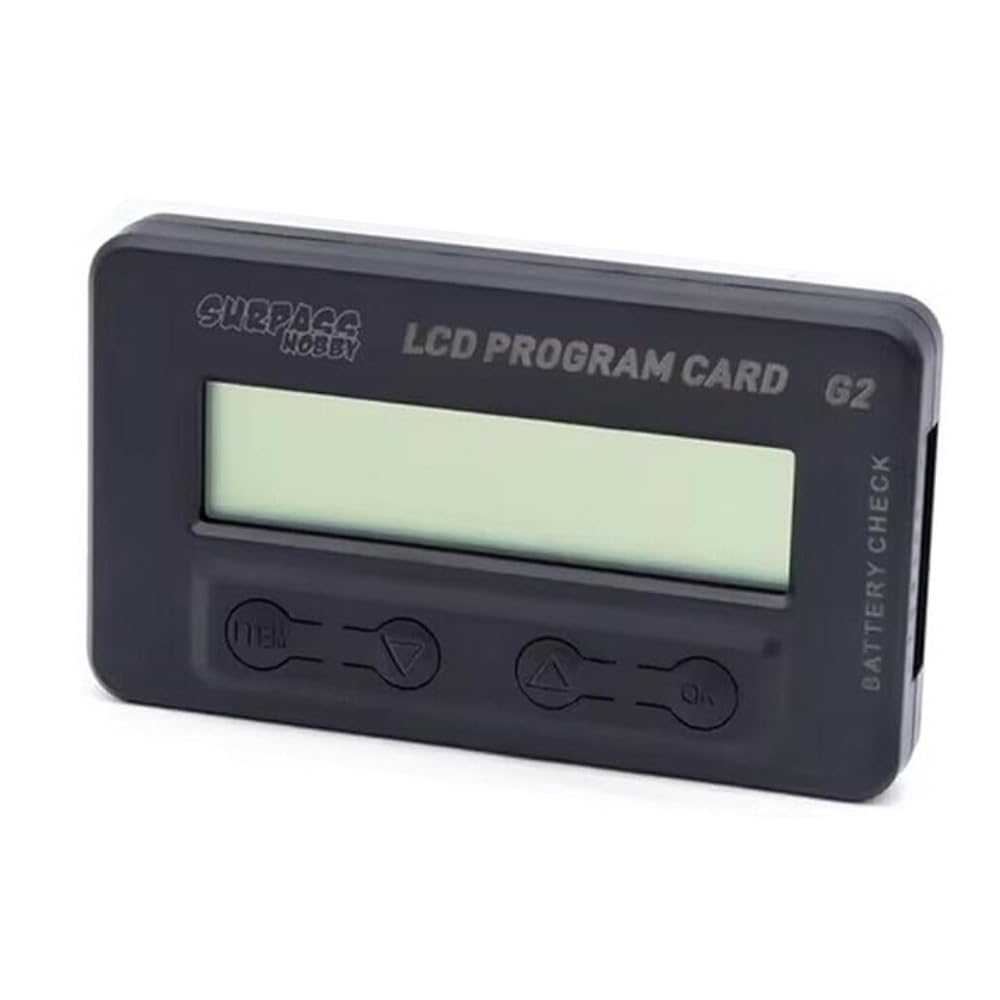
Image: The STASRC Surpass Hobby Flier 80A Brushless ESC, showing its compact design and the various wire connections for the motor, battery, and receiver. This image illustrates the physical appearance of the ESC and its connection points.
5. Operation
5.1 Initial Power-Up and Calibration
- Ensure your transmitter is turned on and the throttle trim is set to neutral (center).
- Connect the battery to the ESC. The ESC will emit a series of beeps indicating cell count and readiness.
- If the motor does not respond correctly or behaves erratically, perform a throttle range calibration according to your transmitter's instructions. Generally, this involves powering on the ESC with the throttle at full, then moving to neutral, then full reverse.
5.2 Programming the ESC
The Surpass Hobby Flier ESC supports programming via an optional LCD programming card (sold separately). This card allows you to adjust various parameters such as:
- Brake Force
- Cut-off Voltage
- Start Mode (Punch)
- Timing
- BEC Voltage (5V or 6V)
- Motor Rotation
- And other advanced settings.
Refer to the LCD programming card's manual for detailed instructions on how to connect and use it to modify ESC settings.
6. Maintenance
To ensure the longevity and optimal performance of your ESC, follow these maintenance guidelines:
- Cleaning: Regularly clean the ESC to remove dirt, dust, and debris. Use a soft brush or compressed air. Avoid using liquids directly on the ESC.
- Inspection: Periodically inspect all wires and connectors for signs of wear, damage, or corrosion. Replace any damaged components immediately.
- Storage: When not in use, store the ESC in a cool, dry place away from direct sunlight and extreme temperatures. Disconnect it from the battery.
- Heat Management: Ensure the ESC has adequate ventilation during operation to prevent overheating. Avoid covering it with other components.
7. Troubleshooting
If you encounter issues with your ESC, consult the table below for common problems and their solutions:
| Problem | Possible Cause | Solution |
|---|---|---|
| ESC does not power on / No response | Battery not connected, low battery voltage, incorrect polarity, damaged ESC. | Check battery connection and charge. Verify polarity. Inspect ESC for visible damage. |
| Motor stutters or runs erratically | Incorrect motor wiring, throttle calibration issue, motor timing incorrect, damaged motor. | Verify motor wire connections. Perform throttle calibration. Check motor timing settings. Test with a different motor if possible. |
| Motor runs in the wrong direction | Motor wire connection order. | Swap any two of the three motor wires. Alternatively, adjust motor rotation via programming card. |
| ESC overheats | Insufficient airflow, motor/gear ratio too high, excessive load, damaged ESC. | Ensure proper ventilation. Reduce gear ratio or use a less aggressive motor. Reduce load. |
| Low voltage cut-off activates too soon | Incorrect battery type setting, battery degradation. | Adjust low voltage cut-off setting via programming card to match battery type (e.g., LiPo cells). Test battery health. |
8. Warranty and Support
STASRC products are manufactured to high-quality standards. This product is covered by a limited warranty against manufacturing defects from the date of purchase. Please retain your proof of purchase for warranty claims.
The warranty does not cover damage caused by:
- Improper installation or wiring.
- Misuse, abuse, or negligence.
- Unauthorized modifications or repairs.
- Operating outside of specified parameters.
- Normal wear and tear.
For technical support or warranty inquiries, please contact your retailer or the manufacturer directly through their official support channels. Please have your product model and purchase details ready.