
1. Product Overview
The STASRC Surpass Hobby Flier 60A Brushless ESC (Electronic Speed Controller) is designed for remote-controlled vehicles, offering reliable power delivery and precise motor control. This ESC features a high-performance 32-bit processor for faster operation and ultra-smooth startup. It includes an integrated BEC (Battery Eliminator Circuit) with adjustable 5V/6V output to power your receiver and servos.
Key Features:
- Advanced MOSFET Technology: Utilizes a new generation of manufacturing technology for power output components, ensuring low heat generation, high instantaneous current capability, and enhanced reliability.
- High-Performance Processor: Equipped with a 32-bit processor for superior computing power and faster response times.
- Smooth Operation: Provides ultra-smooth motor startup and precise throttle linearity for optimal control.
- Energy Efficiency: Designed for high efficiency, contributing to longer battery life.
- Adjustable SBEC: Features a 5V/6V two-speed adjustable SBEC with a continuous 8A current supply, providing robust power to steering servos.
- Multiple Protections: Incorporates start-up protection, over-temperature protection, low-voltage protection, phase loss protection, and signal loss protection for safe operation.
- Motor Compatibility: Automatically identifies motor timing and supports high RPM motors, ensuring compatibility with most motors on the market.
- Programmable: Supports LCD programming for easier and more convenient adjustments (LCD programming card sold separately).
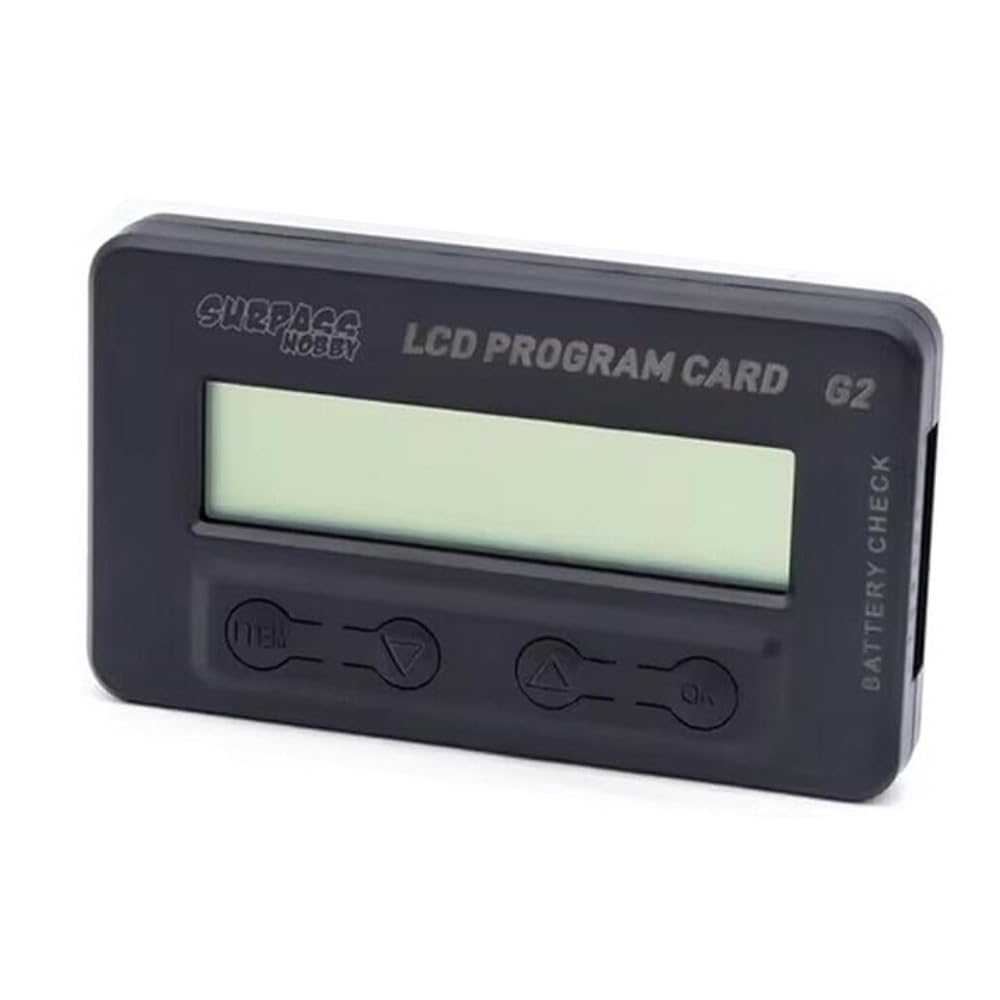
Figure 1: STASRC Surpass Hobby Flier 60A Brushless ESC Speed Controller. This image shows the compact design of the electronic speed controller with its various wires for connection.
2. Setup Instructions
Before operating your ESC, ensure all connections are secure and correct. Incorrect wiring can damage the ESC, motor, or battery.
2.1 Wiring Connections:
- Motor Connection: Connect the three motor wires from the ESC to the three motor wires of your brushless motor. The order of connection may affect motor rotation direction. If the motor rotates in the wrong direction, swap any two of the three wires.
- Battery Connection: Connect the battery input wires (red for positive, black for negative) from the ESC to your LiPo or NiXX battery pack. Ensure correct polarity to prevent damage. The ESC supports 2-6S LiPo or 5-18NC NiXX batteries.
- Receiver Connection: Plug the throttle signal cable (usually a three-wire cable: signal, positive, negative) from the ESC into the throttle channel (typically channel 2) of your RC receiver. The BEC output from the ESC will power the receiver and servos.
2.2 Initial Calibration:
After all connections are made, perform a throttle range calibration to match the ESC to your transmitter's throttle signals.
- Turn on your transmitter and set the throttle stick to its maximum position (full throttle).
- Connect the battery to the ESC. The ESC will emit a series of beeps.
- When you hear the confirmation tone (usually a long beep), move the throttle stick to the minimum position (full brake/reverse).
- The ESC will emit another series of beeps, confirming the minimum throttle position.
- The calibration is complete, and the ESC is now ready for operation.
Note: Specific beep patterns may vary. Refer to the manufacturer's detailed programming guide if available for precise calibration steps.
3. Operating Instructions
3.1 Basic Operation:
- Ensure the ESC is properly connected and calibrated as per the setup instructions.
- Turn on your transmitter first, then connect the battery to the ESC.
- The ESC will initialize and emit a series of tones indicating battery cell count and readiness.
- Slowly advance the throttle stick on your transmitter to control the motor speed. The ESC provides smooth and linear throttle response.
- To stop the motor, return the throttle stick to the neutral position.
- After use, disconnect the battery from the ESC first, then turn off your transmitter.
3.2 Programming Options:
The Surpass Hobby Flier ESC supports programming to customize various parameters such as brake force, cut-off voltage, start mode, and more. This can be done using an optional LCD programming card.
- LCD Programming Card: For detailed parameter adjustments, connect the LCD programming card (sold separately) to the ESC's programming port. Follow the instructions provided with the programming card for navigation and setting changes.
- Adjustable SBEC: The BEC output voltage can be adjusted between 5V and 6V. This adjustment is typically made via the programming card. Refer to the programming card manual for specific steps.
Always refer to the specific programming card manual for detailed instructions on parameter adjustments.
4. Maintenance
Proper maintenance ensures the longevity and optimal performance of your ESC.
- Cleaning: Regularly inspect the ESC for dirt, dust, or debris. Use a soft brush or compressed air to gently clean the heatsink and casing. Avoid using liquids or solvents.
- Connections: Periodically check all wiring connections (motor, battery, receiver) for looseness, corrosion, or damage. Secure any loose connections and replace damaged wires immediately.
- Storage: When not in use, store the ESC in a cool, dry place away from direct sunlight and extreme temperatures. Disconnect the battery before storage.
- Inspection: After any hard impact or unusual operation, inspect the ESC for physical damage, such as cracked casing or bent pins.
5. Troubleshooting
This section addresses common issues you might encounter with your ESC.
| Problem | Possible Cause | Solution |
|---|---|---|
| Motor does not start or stutters. |
|
|
| ESC beeps continuously or irregularly. |
|
|
| Motor runs in the wrong direction. | Incorrect motor phase wiring. | Swap any two of the three motor wires between the ESC and the motor. |
| No power to receiver/servos. |
|
|
If the problem persists after trying these solutions, please contact customer support or refer to the manufacturer's website for further assistance.
6. Specifications
Detailed technical specifications for the STASRC Surpass Hobby Flier 60A Brushless ESC.
| Parameter | Value (60A Model) |
|---|---|
| Continuous Current (Cont.) | 60A |
| Burst Current (Burst) | 80A |
| Battery Cells (NiXX/Lipo) | 5-18NC / 2-6Lipo |
| Weight | 50g (approx. 0.11 lbs) |
| BEC Output | 5V/6V 8A (Adjustable) |
| Dimensions (L*W*H) | 70x34x10 mm (2.76 x 1.34 x 0.39 inches) |
| Connector Type | 4mm (for motor) |
| User Program | Yes (via optional LCD programming card) |
| Manufacturer | SURPASS HOBBY |
| Included Components | SURPASS HOBBY Brushless ESC Speed Controller |
7. Warranty and Support
Specific warranty details for the STASRC Surpass Hobby Flier 60A Brushless ESC are not provided in this manual. For warranty information, returns, or technical support, please refer to the original purchase documentation or contact the manufacturer directly.
Manufacturer: SURPASS HOBBY
For further assistance, please visit the official STASRC or SURPASS HOBBY website or contact your retailer.