
HONOR BRP-NX1
Contents
HONOR X9c 5G User Manual
Model: BRP-NX1
1. Introduction
Welcome to the HONOR X9c 5G user manual. This guide provides detailed instructions on how to set up, operate, maintain, and troubleshoot your new smartphone. The HONOR X9c 5G is designed for exceptional durability, long-lasting battery life, and superior photographic capabilities, offering a seamless and intelligent user experience.

Figure 1.1: HONOR X9c 5G with accessories
2. Setup
2.1 Unboxing and Package Contents
Upon opening the package, ensure all items are present:
- HONOR X9c 5G Smartphone
- Charger
- Type-C Cable
- TPU Phone Case
- User Manual (this document)
- SIM Eject Pin
2.2 SIM Card Installation
The HONOR X9c 5G supports Dual SIM functionality. To install your SIM card(s):
- Locate the SIM card tray on the side of the device.
- Insert the SIM eject pin into the small hole next to the tray and gently push until the tray pops out.
- Place your Nano-SIM card(s) into the designated slots on the tray. Ensure the gold contacts face downwards.
- Carefully reinsert the tray into the phone until it is flush with the device body.
2.3 Initial Power On and Setup
To power on your device for the first time:
- Press and hold the Power button (located on the right side) until the HONOR logo appears.
- Follow the on-screen prompts to complete the initial setup, including language selection, Wi-Fi connection, Google account setup, and security settings.
2.4 Charging the Device
The HONOR X9c 5G is equipped with a 6600mAh battery and supports 66W SuperCharge technology.
- Connect the Type-C cable to the charging port at the bottom of the phone.
- Connect the other end of the cable to the provided charger.
- Plug the charger into a power outlet.
- For optimal charging speed, use the original HONOR 66W SuperCharge adapter and cable.

Figure 2.1: Charging the HONOR X9c 5G
3. Operating Your Device
3.1 Basic Navigation
The HONOR X9c 5G features an intuitive touchscreen interface running MagicOS 8.0 based on Android 14. Navigate by tapping, swiping, pinching, and spreading gestures.
3.2 Camera Features
Capture stunning photos and videos with the powerful 108MP OIS AI Camera system.
- 108MP OIS AI Camera: Provides high-resolution images with Optical Image Stabilization for reduced blur.
- AI Night Mode: Enhances low-light photography for brighter, clearer night shots.
- 3X Lossless Zoom: Allows for detailed close-ups without compromising image quality.
- Advanced Motion Sensing: Helps capture clear and vibrant photos of moving subjects.

Figure 3.1: HONOR X9c 5G Camera Capabilities
3.3 Display and Eye Comfort
Experience exceptional visuals with the risk-free, eye-comfort display.
- Brightness: Up to 4000 NITS peak brightness for clear visibility even in direct sunlight.
- Resolution: 1.5K resolution for sharp and detailed images.
- Refresh Rate: 120Hz adjustable refresh rate for smooth scrolling and fluid animations.
- Eye Comfort: Designed to reduce eye strain during prolonged use.

Figure 3.2: HONOR X9c 5G Display Features
3.4 Battery Management
The 6600mAh Silicon Carbon Battery provides extended usage, lasting up to 3 days on a single charge under typical usage conditions.
- Utilize the 66W SuperCharge for ultra-fast charging.
- Enable power-saving modes in settings to further extend battery life.
3.5 Connectivity
Your device supports various connectivity options:
- Wi-Fi: Connect to wireless networks for internet access.
- Bluetooth: Pair with headphones, speakers, and other Bluetooth-enabled devices.
- NFC: For contactless payments and quick data sharing.
- 5G: Enjoy high-speed mobile data connectivity where available.
3.6 AI, Intelligent Experience
The HONOR X9c 5G integrates AI for an intelligent and optimized user experience, adapting to your usage patterns and providing smart suggestions.

Figure 3.3: AI Intelligent Experience
4. Maintenance
4.1 Durability Features
The HONOR X9c 5G is built with advanced HONOR Ultra Bounce technology, providing enhanced durability.
- Drop Resistance: 2M drop-tested by SGS, designed to withstand drops on rough surfaces.
- Water Resistance: 360° water-resistant at a depth of 25cm.
- Heat Resistance: Built to perform reliably even in extreme temperatures.

Figure 4.1: Drop Resistance
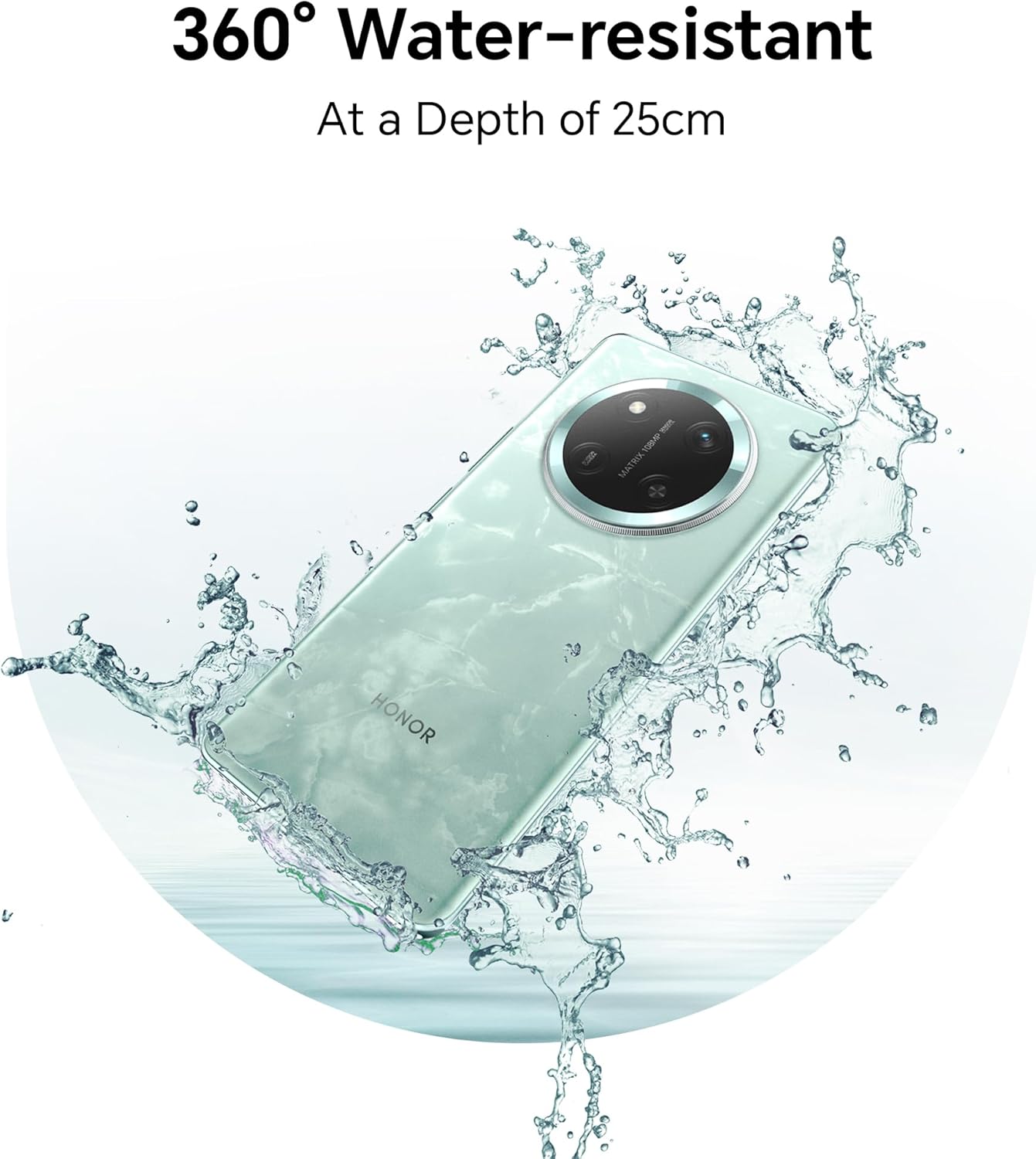
Figure 4.2: Water Resistance
4.2 Cleaning Instructions
To keep your device in optimal condition:
- Use a soft, lint-free cloth to wipe the screen and body.
- Avoid using harsh chemicals or abrasive materials.
- If the device gets wet, wipe it dry immediately with a clean cloth.
4.3 Software Updates
Regular software updates provide new features, security enhancements, and bug fixes. Ensure your device is connected to Wi-Fi and has sufficient battery before performing an update.
- Go to Settings > System & updates > Software update.
- Check for updates and follow the on-screen instructions.
5. Troubleshooting
This section addresses common issues you might encounter with your HONOR X9c 5G.
| Issue | Possible Solution |
|---|---|
| Device won't turn on | Ensure the battery is charged. Press and hold the Power button for at least 10 seconds to force restart. |
| Apps are crashing or freezing | Clear the app's cache and data (Settings > Apps > [App Name] > Storage). Restart the device. Ensure apps are updated. |
| Poor battery life | Close background apps. Reduce screen brightness. Disable unnecessary features like Bluetooth or GPS when not in use. Check battery usage in settings to identify power-hungry apps. |
| Network connectivity issues | Toggle Airplane mode on/off. Restart the device. Check SIM card installation. Reset network settings (Settings > System & updates > Reset > Reset network settings). |
| Screen is unresponsive | Force restart the device. If the issue persists, consider a factory reset (backup data first). |
6. Specifications
Key technical specifications for the HONOR X9c 5G (Model: BRP-NX1):
| Feature | Specification |
|---|---|
| Operating System | MagicOS 8.0, Android 14 |
| Dimensions | 16.28 x 7.55 x 0.8 cm |
| Weight | 189 g |
| Battery | 6600mAh Lithium Polymer (included) |
| Charging | 66W SuperCharge |
| RAM | 12 GB |
| Storage | 256 GB |
| CPU Model | Snapdragon |
| CPU Speed | 2.2 GHz |
| Display Resolution | 2700 x 1224 (1.5K) |
| Display Features | 4000 NITS Brightness, 120Hz Adjustable Refresh Rate, Eye Comfort Display |
| Main Camera | 108MP OIS AI Camera |
| Connectivity | Bluetooth, Wi-Fi, NFC, 5G |
| Audio Jack | 3.5 mm |
| Special Features | Fast Charging Support, Always On Display, Water Resistant, Drop Resistant |
7. Durability Test Videos
Witness the robust durability of the HONOR X9c 5G through these official test videos.
7.1 Heavy Duty Truck Crush Test
Description: This video demonstrates the HONOR X9c 5G undergoing an 80-ton heavy-duty truck crush test, showcasing its extreme pressure resistance.
7.2 High Altitude Drop Test
Description: This video shows the HONOR X9c 5G being dropped from a high altitude (65m), highlighting its resilience against impacts from significant heights.
7.3 Concrete Mixer Test
Description: This video demonstrates the HONOR X9c 5G surviving a prolonged period inside a concrete mixer, showcasing its extreme resistance to abrasion and impact from rough materials.
8. Warranty and Support
Your HONOR X9c 5G comes with a standard manufacturer's warranty. For detailed warranty terms and conditions, please refer to the warranty card included in your product packaging or visit the official HONOR website.
For technical support, service, or further inquiries, please contact HONOR customer service through their official channels. You can find contact information on the HONOR website or in the support section of your device's settings.
Online Resources:
- Official HONOR Website: www.hihonor.com/global/
- Amazon Product Page: amazon.ae/dp/B0DMF345P8
Documents and downloads
Ask a question about this manual
Ask about setup, troubleshooting, compatibility, parts, safety, or missing instructions. Manuals+ will review the question and use this page’s manual context to help answer it.