
1. Overview
The Luqeeg 50MP 4K Compact Digital Video Camera is designed for ease of use, offering high-resolution photo and video capabilities in a portable form factor. It features 50MP image capture, 4K Ultra HD video recording, 16x digital zoom, anti-shake technology, and autofocus. This manual provides essential information for setting up, operating, and maintaining your camera.

Image: The Luqeeg 50MP 4K Compact Digital Video Camera, showcasing its compact design and the quality of images it can capture, represented by two instant photos of pets.
2. Package Contents
Please verify that all items listed below are included in your package:
- 1 x Luqeeg 50MP 4K Digital Camera
- 1 x Lanyard
- 1 x Instruction Manual (this document)
- 1 x USB Charging Cable (Type-C)
- 1 x Storage Bag

Image: The Luqeeg 50MP 4K Compact Digital Video Camera displayed alongside its included accessories: a lanyard, a USB charging cable, and a protective storage bag.
3. Setup
3.1 Charging the Battery
The camera has a built-in 1000mAh Li-ion battery. Before first use, ensure the camera is fully charged.
- Connect the provided USB Type-C charging cable to the camera's Type-C port.
- Connect the other end of the cable to a USB power adapter (not included), power bank, or computer USB port.
- The charging indicator light will illuminate. Once charging is complete, the indicator light will change or turn off.
3.2 Inserting a Memory Card
The camera supports a small memory card (MicroSD) up to 128GB (not included). A memory card is required to save photos and videos.
- Locate the memory card slot on the side or bottom of the camera.
- Insert the memory card with the gold contacts facing the correct direction (refer to the diagram near the slot if available) until it clicks into place.
- To remove, gently push the card in until it clicks, then release, and it will eject.
4. Operating Instructions
4.1 Power On/Off
- To Power On: Press and hold the Power button (usually located on the top or side) for a few seconds until the screen illuminates.
- To Power Off: Press and hold the Power button again until the screen turns off.
4.2 Taking Photos
- Turn on the camera.
- Frame your shot using the 2.8-inch LCD screen.
- Press the Shutter button (typically on the top) halfway down to focus, then press fully to capture the image.
4.3 Recording Videos
- Turn on the camera.
- Switch to video mode (if applicable, usually via a mode button or menu option).
- Press the Record button (often marked with a red dot) to start recording.
- Press the Record button again to stop recording.
4.4 Using Digital Zoom
The camera features 16x digital zoom.
- While in photo or video mode, use the zoom buttons (often marked 'W' for Wide and 'T' for Telephoto) to zoom in or out.
4.5 Using the LED Flash
The built-in LED flash assists in low-light conditions.
- Access the flash settings via the camera's menu to select modes such as Auto Flash, Fill Flash, Red-eye Reduction, or Flash Off.
4.6 Reviewing Photos and Videos

Image: A user holding the Luqeeg 50MP 4K Compact Digital Video Camera, demonstrating the review function by displaying a captured image of a smiling woman on the camera's LCD screen.
- Press the Playback button (often marked with a triangle icon) to enter review mode.
- Use the navigation buttons to scroll through your captured media.
- Press the Playback button again to exit review mode.
4.7 Connecting to a Phone/Computer
To transfer files, you can connect the camera to a computer or use an OTG adapter for a phone.
- To Computer: Connect the camera to your computer using the provided USB Type-C cable. The camera should appear as a removable disk.
- To Phone (via OTG): Insert the memory card into a card reader, then connect the card reader to your phone via an OTG adapter (not included). You can then access and export photos/videos.
5. Features

Image: An infographic illustrating the key features of the Luqeeg 50MP 4K Compact Digital Video Camera, such as 50MP image resolution, 4K HD recording, 16x digital zoom, autofocus, anti-shake, and a 2.83-inch HD screen.
- 50MP Photo and 4K UHD Video: Capture highly detailed still images at 50 megapixels and record smooth, vivid videos in 4K Ultra HD resolution. The f/3.2 large aperture enhances image quality.
- 16x Digital Zoom: Bring distant subjects closer with the 16x digital zoom function.
- Anti-Shake Function: Built-in anti-shake technology helps to ensure clear and stable photos and videos, even when zooming or in motion.
- Autofocus: The autofocus system allows for sharp capture of details, from close-up subjects to broader scenes.
- 2.83 Inch Large Screen: A clear display for framing shots, reviewing media, and navigating menus.
- Built-in LED Flashlight: Provides illumination for shooting in low-light environments and at night.
- Rechargeable and Compact: Features a built-in rechargeable battery and a compact design for portability.

Image: Demonstrations of the camera's autofocus feature, highlighting its ability to achieve sharp focus on various subjects, including food, flowers, and text.
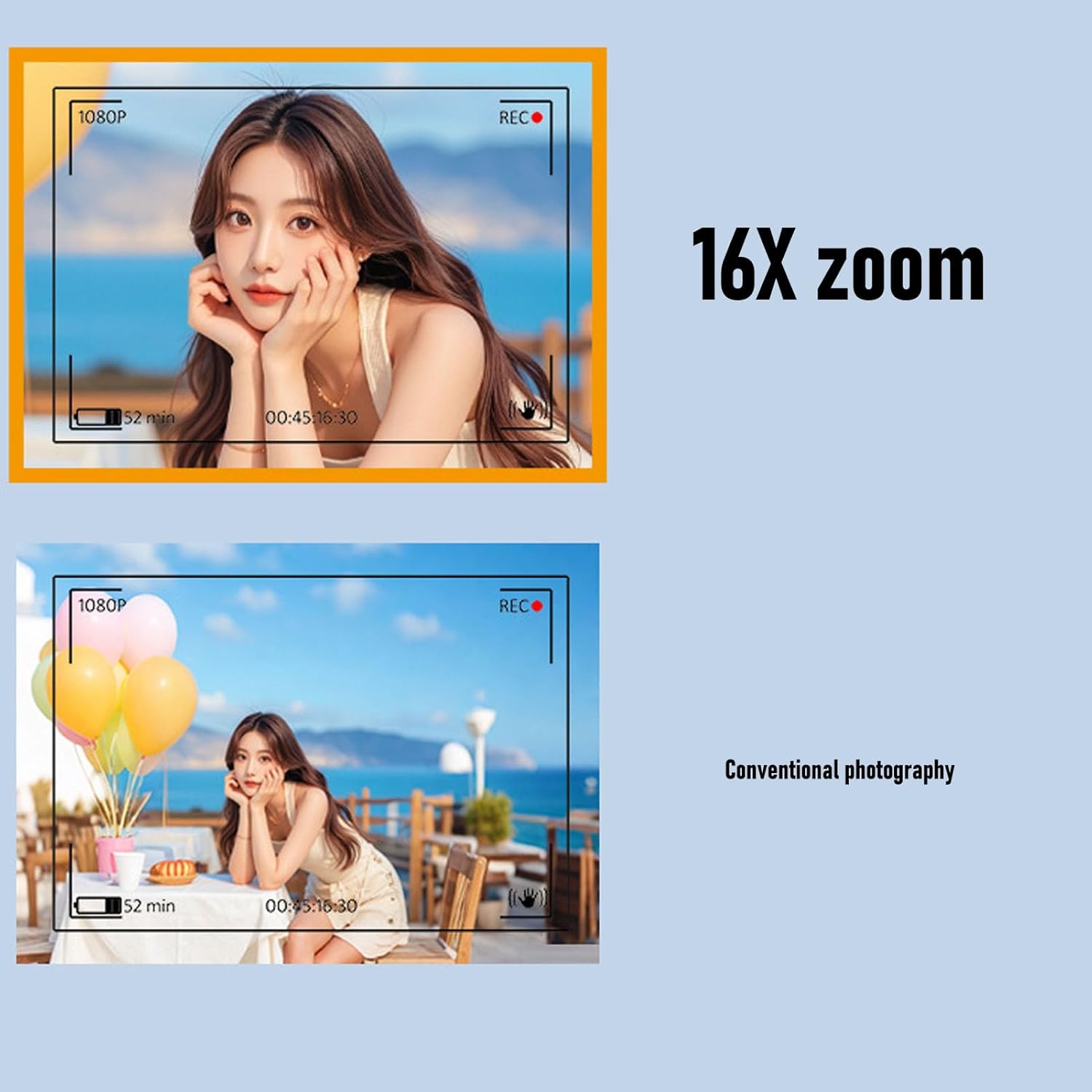
Image: A visual comparison demonstrating the effect of 16x digital zoom, showing a magnified view of a subject compared to a standard, wider shot.
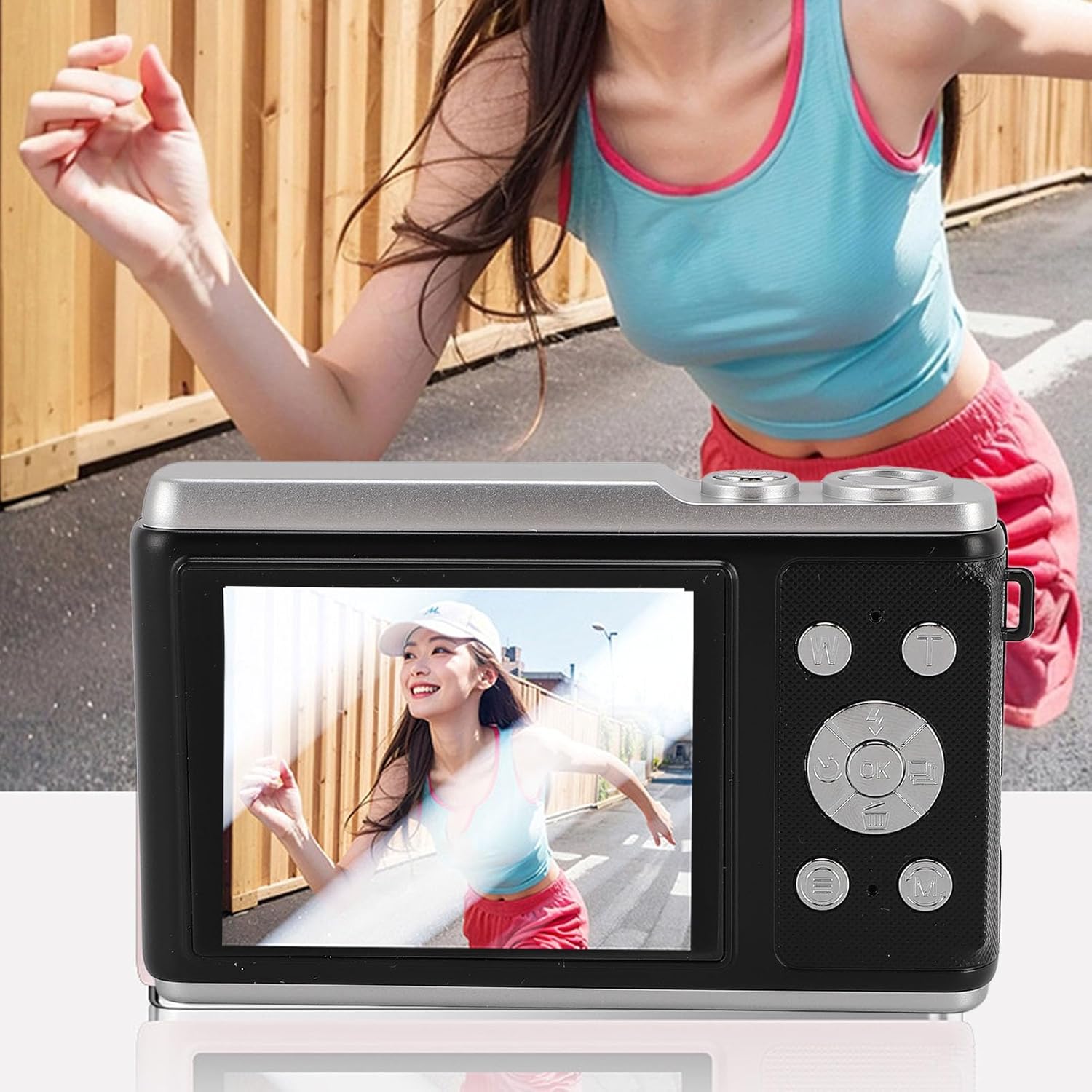
Image: The Luqeeg 50MP 4K Compact Digital Video Camera's screen displaying a dynamic image of a person in motion, illustrating its capability for capturing action shots.
6. Maintenance
- Cleaning the Camera: Use a soft, dry cloth to clean the camera body. For the lens and screen, use a specialized lens cleaning cloth and solution if necessary. Avoid abrasive materials.
- Battery Care: To prolong battery life, avoid fully discharging the battery frequently. Store the camera with a partially charged battery if not used for extended periods.
- Storage: Store the camera in a cool, dry place, away from direct sunlight, extreme temperatures, and high humidity. Use the provided storage bag for protection.
7. Troubleshooting
- Camera Not Turning On: Ensure the battery is charged. Connect the camera to a power source and try again.
- Memory Card Error: Ensure the memory card is inserted correctly. Try reformatting the card (this will erase all data) or use a different compatible memory card.
- Blurry Images: Check if the lens is clean. Ensure there is sufficient light. Allow the autofocus to lock onto the subject before fully pressing the shutter button.
- Short Battery Life: Reduce screen brightness, turn off unnecessary features, or ensure the battery is fully charged before use. Battery performance can degrade over time.
- Camera Freezes: Remove and reinsert the battery (if accessible) or press and hold the power button for an extended period (e.g., 10-15 seconds) to force a shutdown.
8. Specifications
| Feature | Specification |
|---|---|
| Model Number | Luqeegq14gpecrfn-12 |
| Highest Image Resolution | 50MP (maximum) |
| Highest Video Resolution | 4K (maximum) |
| Screen Size | 2.8 inches |
| Digital Zoom | 16x |
| Storage Support | Max 128GB Small Memory Card (not included) |
| Battery Type | 1000mAh Li-ion Battery (built-in) |
| Item Weight | 11.6 ounces |
| Package Dimensions | 4.72 x 4.72 x 2.36 inches |
| Special Features | USB connectivity, Anti-shake, Autofocus, LED Flash |
9. Warranty and Support
This product is covered by a limited warranty. For detailed warranty information, please refer to the warranty card included with your purchase or contact Luqeeg customer support. If you encounter any issues or have questions regarding your camera, please reach out to our support team for assistance.
Contact Information: Please refer to the official Luqeeg website or your purchase documentation for the most current customer support contact details.