
Tronsmart Sounfii Q20
Tronsmart Sounfii Q20 Active Noise Cancelling Headphones User Manual
Model: Sounfii Q20
Brand: Tronsmart
Introduction
This manual provides detailed instructions for the setup, operation, and maintenance of your Tronsmart Sounfii Q20 Active Noise Cancelling Headphones. Please read this manual thoroughly before using the product to ensure proper function and longevity.

Image: The Tronsmart Sounfii Q20 headphones in black, showcasing their sleek over-ear design.
What's in the Box
Upon unboxing, please verify that all the following components are included:
- 1x Tronsmart Sounfii Q20 Active Noise Cancelling Headphones
- 1x Type-C Charging Cable
- 1x Aux-in Cable
- 1x Warranty Card
- User Manual (this document)
Setup
1. Initial Charging
Before first use, fully charge your headphones. Connect the provided Type-C charging cable to the charging port on the headphones and the other end to a compatible USB power source. A full charge takes approximately 2.5 hours.
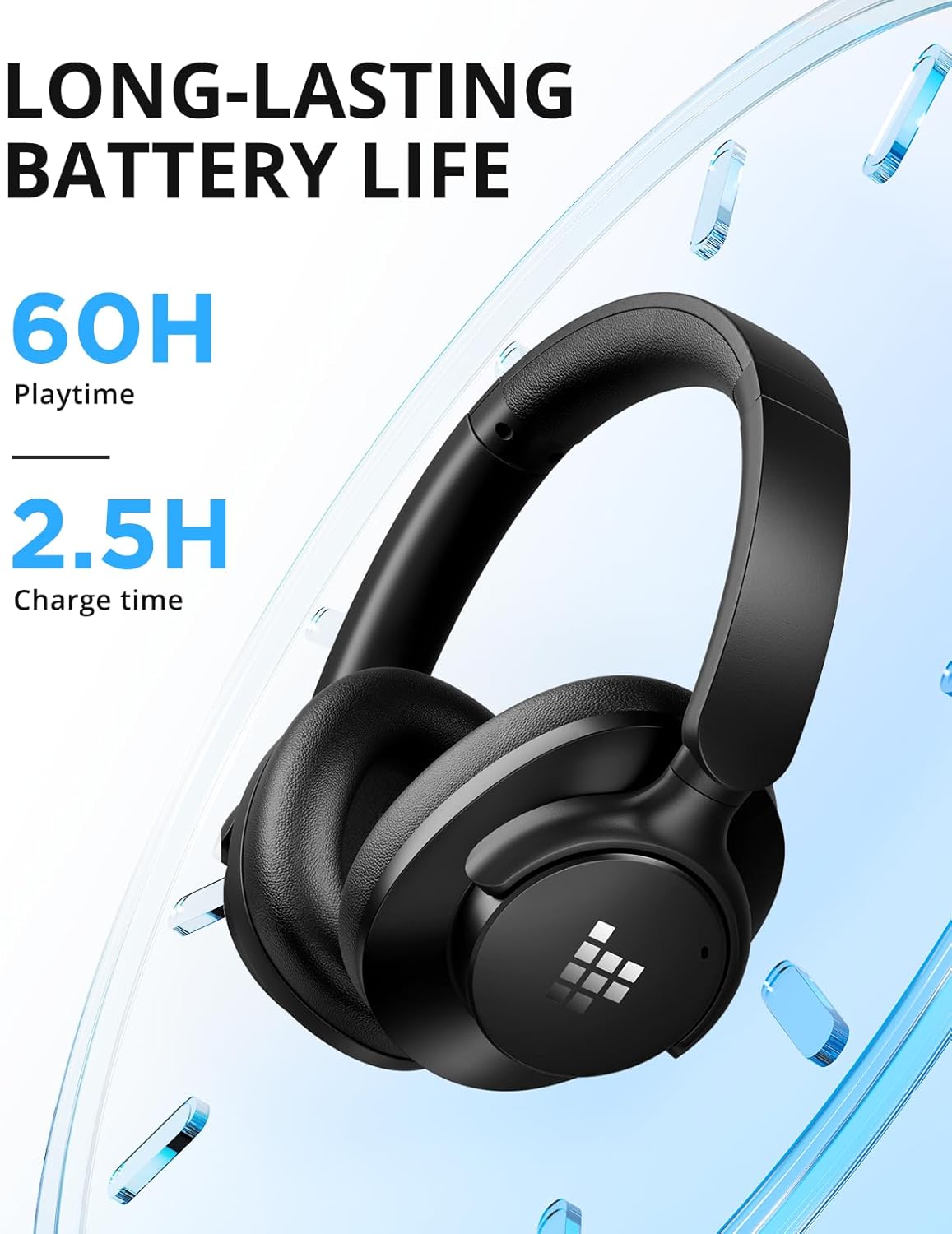
Image: Visual representation of the headphones' long battery life and quick charging capability.
2. Bluetooth Pairing
- Ensure the headphones are powered off.
- Press and hold the Power button until the LED indicator flashes blue and red, indicating pairing mode.
- On your device (smartphone, tablet, laptop), enable Bluetooth and search for "Tronsmart Sounfii Q20".
- Select the headphones from the list to connect. Once connected, the LED indicator will turn solid blue.
3. Wired Connection (Optional)
For a wired audio experience, use the included 3.5mm Aux-in cable. Connect one end to the headphone's 3.5mm jack and the other end to your audio device's auxiliary port. This mode can be used even when the headphones are out of battery.
Operating Instructions
Power On/Off
- Power On: Press and hold the Power button for 3 seconds.
- Power Off: Press and hold the Power button for 3 seconds.
Music Playback
- Play/Pause: Press the Multi-function button once.
- Next Track: Press and hold the Volume Up button.
- Previous Track: Press and hold the Volume Down button.
- Volume Up: Short press the Volume Up button.
- Volume Down: Short press the Volume Down button.
Call Functions
- Answer/End Call: Press the Multi-function button once.
- Reject Call: Press and hold the Multi-function button for 2 seconds.
- Activate Voice Assistant: Double-press the Multi-function button.

Image: The headphones feature a built-in microphone for clear, hands-free calls.
Active Noise Cancellation (ANC)
The Tronsmart Sounfii Q20 headphones feature advanced Active Noise Cancelling technology to reduce ambient noise by up to 85%.
- Toggle ANC: Press the dedicated ANC button once to activate or deactivate.

Image: The headphones effectively filter out environmental noise, ideal for travel or busy environments.
Customizable EQ via Tronsmart App
Enhance your listening experience by customizing the audio equalizer settings through the official Tronsmart App. The app allows you to fine-tune bass, mids, and highs, or select from six different preset sound modes.
- Download the Tronsmart App from your device's app store.
- Connect your Sounfii Q20 headphones to the app.
- Access the EQ settings to personalize your sound profile.

Image: The Tronsmart App provides a user-friendly interface for audio customization.
Comfort and Portability
The Sounfii Q20 headphones are designed for extended wear and easy transport.
- Comfort Fit: Ultra-soft memory foam earpads and a 90° swivel headband ensure a pressure-free, custom fit.
- Foldable Design: The headphones can be folded for compact storage, making them ideal for travel.

Image: The plush memory foam earcups provide superior comfort for long listening sessions.

Image: The headphones fold neatly for convenient storage and transport.
Maintenance
To ensure the longevity and optimal performance of your Tronsmart Sounfii Q20 headphones, follow these maintenance guidelines:
- Cleaning: Use a soft, dry cloth to wipe the headphones. Do not use abrasive cleaners or solvents.
- Storage: When not in use, store the headphones in a cool, dry place, away from direct sunlight and extreme temperatures. Utilize the foldable design for compact and safe storage.
- Avoid Water: The headphones are not water-resistant. Avoid exposure to water, rain, or excessive moisture.
- Charging: Only use the provided Type-C charging cable or a certified equivalent.
Troubleshooting
| Problem | Possible Cause | Solution |
|---|---|---|
| Headphones do not power on. | Low battery. | Charge the headphones fully. |
| Cannot pair with device. | Headphones not in pairing mode; device Bluetooth off; too far from device. | Ensure headphones are in pairing mode (flashing blue/red). Turn on Bluetooth on your device. Move headphones closer to the device (within 15 meters). |
| No sound or low volume. | Volume too low; incorrect audio source; headphones not connected. | Increase volume on headphones and device. Check if the correct audio source is selected. Re-pair or reconnect headphones. |
| ANC not working effectively. | ANC not activated; earpads not sealed properly. | Press the ANC button to activate. Adjust headphones for a snug fit over your ears. |
Specifications
| Feature | Detail |
|---|---|
| Model Name | Sounfii Q20 |
| Noise Control | Active Noise Cancellation |
| Connectivity Technology | Wireless (Bluetooth 5.3) |
| Bluetooth Range | Up to 49 feet (15 meters) |
| Headphones Jack | 3.5 mm Jack |
| Audio Driver Type | Dynamic Driver (40mm) |
| Battery Life | Up to 60 Hours (ANC off) |
| Charging Time | 2.5 Hours |
| Control Type | Button Control |
| Item Weight | 8.6 ounces |
| Product Dimensions | 7.32 x 7.17 x 8.23 inches |
| Water Resistance Level | Not Water Resistant |
| Compatible Devices | Desktops, Gaming Consoles, Laptops, Smartphones, Tablets, Telephones, Television |
Warranty and Support
Your Tronsmart Sounfii Q20 headphones come with a Warranty Card. Please refer to the card for specific warranty terms and conditions. For technical support, product inquiries, or warranty claims, please visit the official Tronsmart website or contact their customer service directly.
Official Tronsmart Store: Tronsmart Store on Amazon
Related documentsSounfii Q20


Ask a question about this manual
Ask about setup, troubleshooting, compatibility, parts, safety, or missing instructions. Manuals+ will review the question and use this page’s manual context to help answer it.