
Ergear EGESD7W-CA
ErGear Electric Standing Desk User Manual
Model: EGESD7W-CA | Brand: ErGear
Introduction
Thank you for choosing the ErGear Electric Standing Desk. This manual provides detailed instructions for assembly, operation, maintenance, and troubleshooting to ensure optimal performance and longevity of your desk. Please read this manual thoroughly before installation and use, and retain it for future reference.
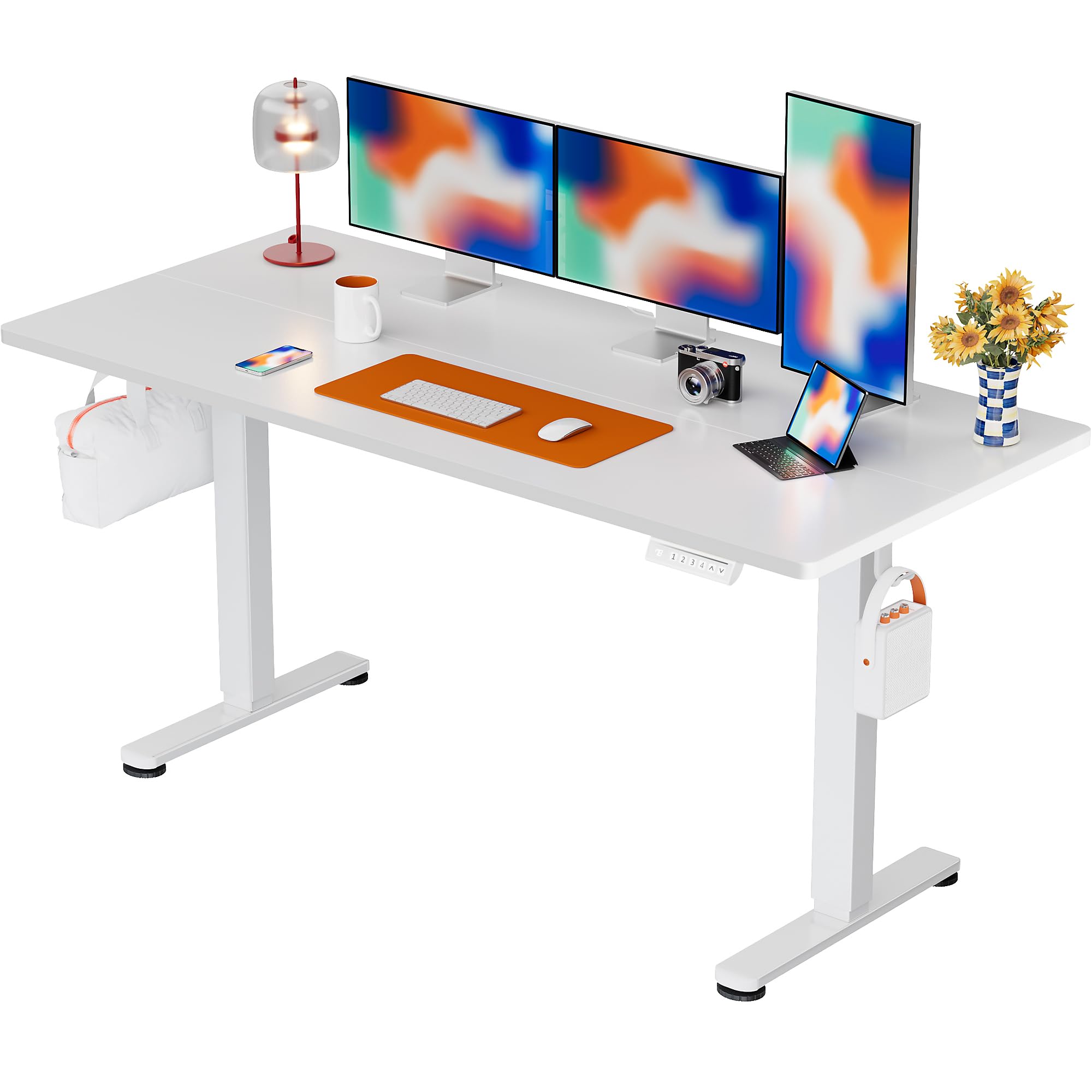
The ErGear Electric Standing Desk, 63x28 inch, in a white finish, featuring a spacious desktop and electric height adjustment capabilities.
Safety Information
- Ensure all components are present and undamaged before assembly. Do not use if any parts are missing or defective.
- Keep children and pets away from the desk during operation to prevent injury.
- Do not overload the desk. The maximum weight recommendation is 176 pounds (80 kg).
- Ensure the power cord is not pinched or damaged. Connect to a grounded outlet.
- Avoid placing liquids directly on the control panel or near electrical components.
- Regularly check all screws and connections to ensure they are tight and secure.
- This desk is designed for indoor use only.
Package Contents
Before beginning assembly, please verify that all the following components are included in your package:
- Desktop Boards ×2
- Leg with Motor ×1
- Leg ×1
- Leg Bases ×2
- Crossbar & Transmission Rod
- Controller & Power Cable
- All necessary assembly tools and hardware
Assembly Instructions
Follow these steps carefully to assemble your ErGear Electric Standing Desk. An assembly video is also provided for visual guidance.
Official ErGear Electric Standing Desk Assembly Video. This video demonstrates the step-by-step process for setting up your desk.
Step 1: Assemble the Desk Legs
Attach the leg bases to the desk legs using the provided screws. Ensure they are securely fastened.

The stable T-shaped desk legs provide a sturdy foundation for the electric standing desk.
Step 2: Attach Side Plates and Transmission Rod
Connect the side plates to the desk legs. Insert the transmission rod fully into the left leg and secure it. If the two desk legs are not at the same height, insert the rod into the left leg and turn to adjust.
Step 3: Assemble and Attach the Desktop
Place the two desktop boards together, aligning the dowels. Secure the desktop to the assembled frame using the provided screws and brackets. Ensure all connections are tight.
Step 4: Connect the Cables
Connect the motor and control panel cables to the main control box. Ensure all connections are firm and correctly oriented.
Step 5: Install Cable Hole Covers
Place the cable hole covers into the designated openings on the desktop to manage wires neatly.

Ergonomic guidelines for using the standing desk, showing optimal monitor and arm positions for both sitting and standing.
Operating Instructions
Control Panel Overview
The desk features an intuitive control panel with height adjustment buttons and memory presets.
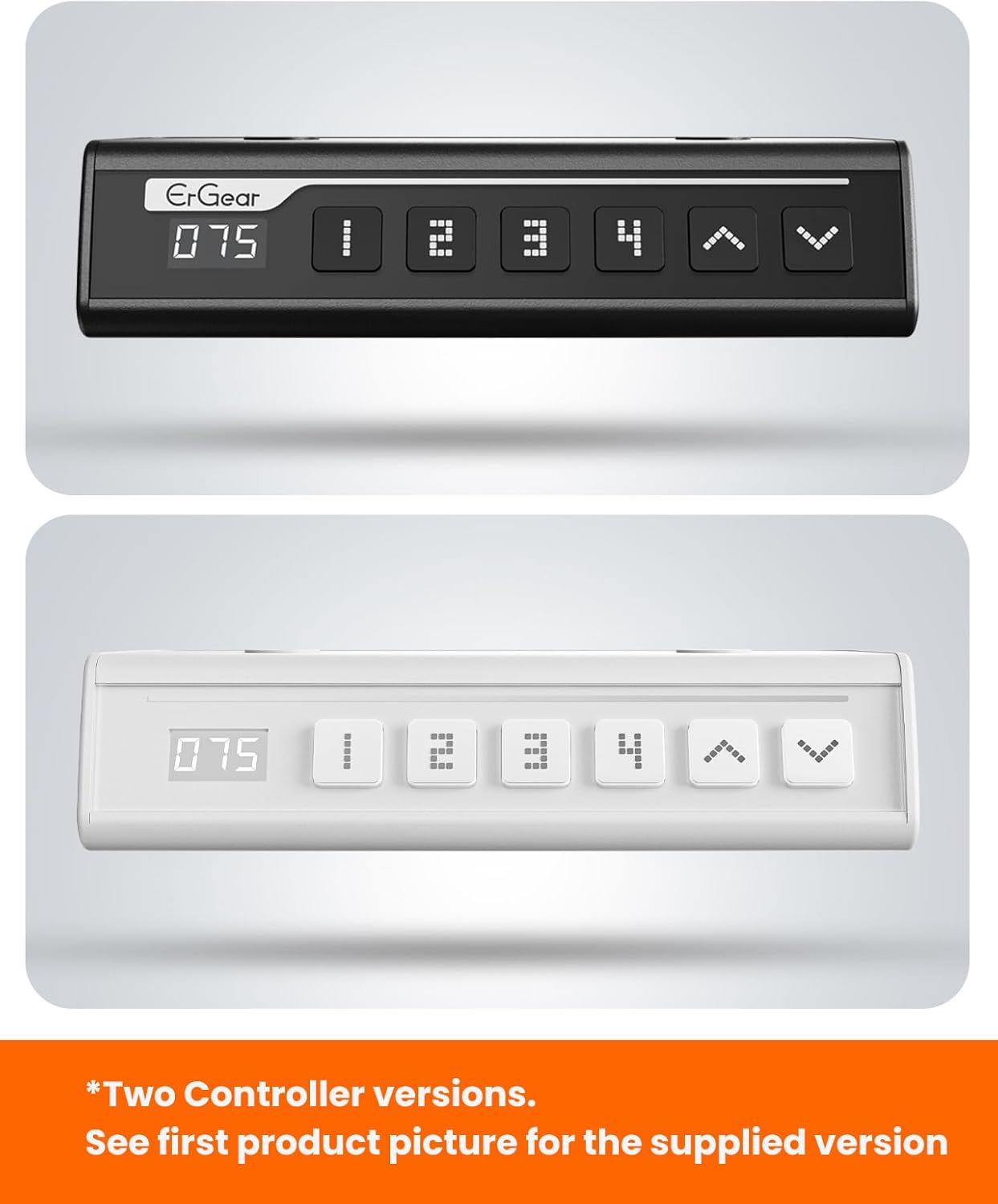
The ErGear control panel, available in two versions, features a digital height display and four programmable memory settings.
Height Adjustment
- Use the Up (^) and Down (v) arrows to smoothly adjust the desk height between 28.35 inches and 46.46 inches.
- Release the button at your desired height.
Memory Presets
The desk allows you to save up to 4 preferred height settings.
- Adjust the desk to your desired height using the Up/Down arrows.
- Press the M button (or equivalent memory set button). The display will flash.
- Press one of the numbered preset buttons (1, 2, 3, or 4) within 3 seconds to save the current height to that preset.
- To recall a saved height, simply press the corresponding numbered preset button. The desk will automatically move to the saved position.
This video demonstrates the smooth and quiet operation of the ErGear Electric Standing Desk, showcasing its height adjustment and memory preset features.
Maintenance
- Cleaning: Wipe the desktop and frame with a soft, damp cloth. Avoid harsh chemicals or abrasive cleaners.
- Inspection: Periodically check all screws and connections for tightness. Re-tighten if necessary.
- Cable Management: Ensure cables are neatly organized and not tangled or pinched to prevent damage.
Troubleshooting
If you encounter any issues with your ErGear Electric Standing Desk, please refer to the following common problems and solutions:
| Problem | Possible Cause | Solution |
|---|---|---|
| Desk does not move | Power cable disconnected, motor error, overloaded desk. | Check power connections. Unplug for 30 seconds and plug back in. Reduce weight on the desk. |
| Uneven height | Transmission rod not fully inserted or adjusted. | Refer to Step 2 of assembly to ensure the transmission rod is correctly installed and adjusted. |
| Noise during operation | Normal operation sound, loose screws. | A slight motor sound is normal. Check and tighten any loose screws on the frame. |
| Memory presets not working | Incorrect saving procedure. | Follow the memory preset instructions carefully (press M, then the number within 3 seconds). |
Specifications
| Feature | Detail |
|---|---|
| Brand | ErGear |
| Model Number | EGESD7W-CA |
| Desk Design | Standing Desk |
| Shape | Rectangular |
| Product Dimensions (D x W x H) | 71.1D x 160W x 118H Centimetres |
| Size | 63*28 Inch |
| Colour | White |
| Minimum Height | 28.35 Inches |
| Maximum Height | 46.46 Inches |
| Tabletop Thickness | 1.5 Centimeters |
| Base Material | Alloy Steel |
| Top Material Type | Engineered Wood (Walnut Wood finish) |
| Special Features | Adjustable Height, Electric, Ergonomic |
| Maximum Weight Recommendation | 176 Pounds (80 kg) |
| Assembly Required | Yes (Includes all assembly tools) |
Warranty and Support
ErGear is committed to providing high-quality products and customer satisfaction. This product comes with:
- 5-year protection on the desktop and desk frame.
- 2-year protection on motors and electrical components.
For any questions, concerns, or warranty claims, please contact ErGear customer support. You can typically find contact information on the product packaging or the official ErGear website. Please have your model number (EGESD7W-CA) and purchase details ready when contacting support.

The ErGear Electric Standing Desk seamlessly integrates into various home office environments.
Related documentsEGESD7W-CA


Ask a question about this manual
Ask about setup, troubleshooting, compatibility, parts, safety, or missing instructions. Manuals+ will review the question and use this page’s manual context to help answer it.