
Introduction
The Trane ComfortLink II XL850 Smart Thermostat provides advanced control for your home's heating, ventilation, and air conditioning (HVAC) system. This device is designed to integrate with Trane's ComfortLink Communicating and Variable Speed systems, offering precise temperature management and energy efficiency. It features a 4.3-inch color touchscreen for intuitive operation and built-in Wi-Fi and Z-Wave connectivity for remote access and smart home integration.
This manual provides instructions for the installation, operation, and maintenance of your Trane ComfortLink II XL850 Smart Thermostat.

Image: The Trane ComfortLink II XL850 thermostat display showing indoor temperature, outdoor temperature, and indoor humidity. It indicates the system is in cooling mode and following a schedule.
Setup and Installation
Package Contents
Verify that your package contains the following items:
- Trane ComfortLink II XL850 Thermostat
- Back Plate
- Anchors
- USB Cable
- User Manual (this document)

Image: The Trane ComfortLink II XL850 thermostat, its back plate, a USB cable, and mounting anchors, alongside the product packaging.
Physical Installation
Installation of the Trane ComfortLink II XL850 involves mounting the back plate to a wall and connecting the necessary wiring for your HVAC system. It is recommended that a qualified HVAC technician perform the physical installation to ensure proper wiring and system compatibility. Refer to the detailed wiring diagrams provided with your unit for specific connections.

Image: A side view of the Trane ComfortLink II XL850 thermostat mounted on a wall, showing its slim profile.
Initial Configuration and Connectivity
After physical installation, power on the thermostat. The touchscreen will guide you through the initial setup process, including:
- Date and Time Settings: Configure the current date and time.
- HVAC System Type: Select your specific heating and cooling system configuration.
- Wi-Fi Connection: Connect the thermostat to your home Wi-Fi network. The XL850 supports both Wi-Fi and Ethernet connectivity for remote access.
- Z-Wave Integration: The built-in Z-Wave bridge allows integration with other Z-Wave compatible smart home devices. Follow the on-screen prompts to add the thermostat to your Z-Wave network or to pair other Z-Wave devices with the thermostat. The device is Z-Wave Certified (ID: ZC08-14090003).
Operating Instructions
Touchscreen Interface
The Trane ComfortLink II XL850 features a vibrant 4.3-inch color touchscreen. Navigate through menus and adjust settings by touching the corresponding icons or values on the screen.
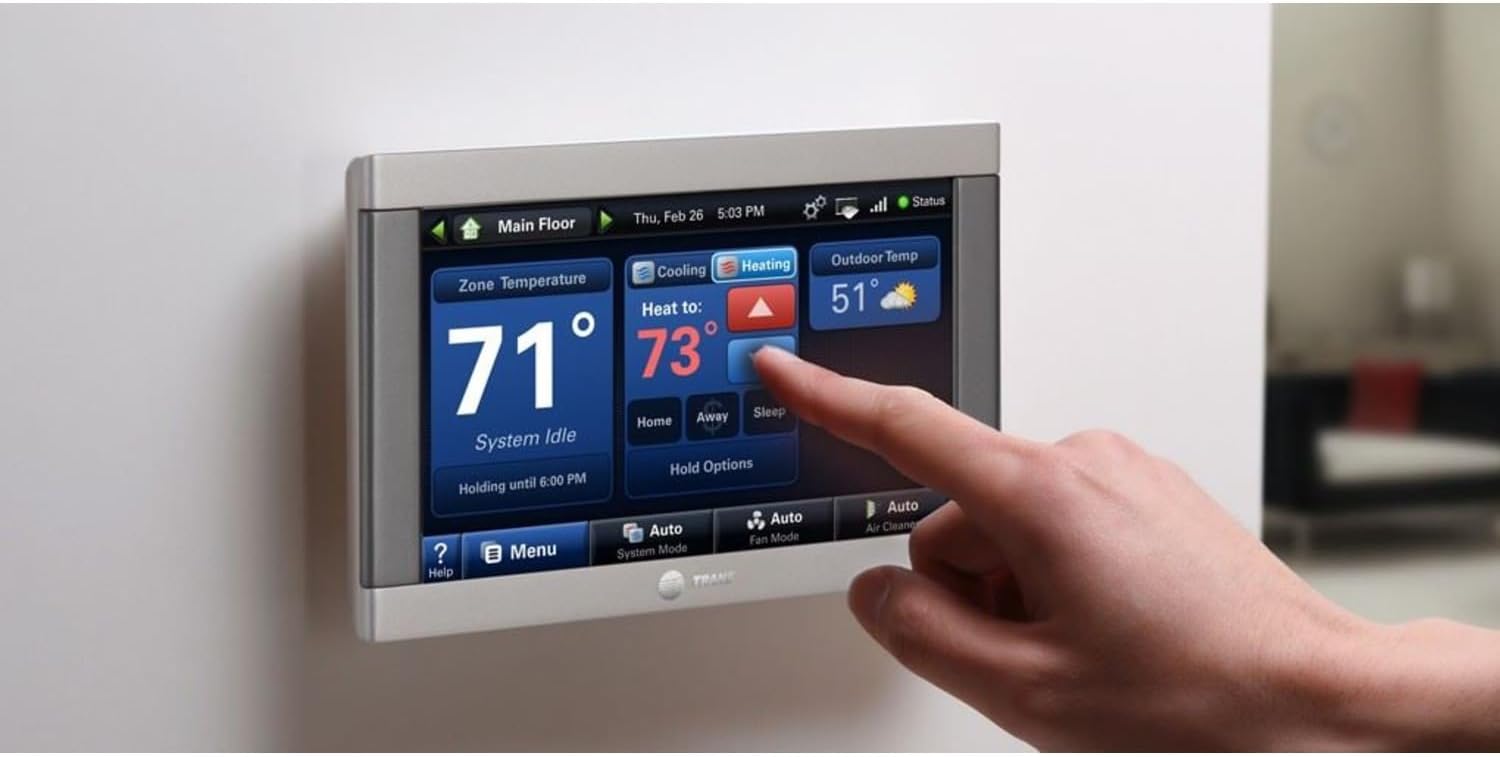
Image: A hand touching the screen of the Trane ComfortLink II XL850 thermostat, adjusting the heating setpoint.
Basic Temperature Control
From the main screen, you can view the current indoor temperature, outdoor temperature, and indoor humidity. To adjust the desired temperature:
- Touch the temperature display area.
- Use the up and down arrows to increase or decrease the setpoint.
- Select the desired operating mode (Heat, Cool, Auto, Off) if available.

Image: The Trane ComfortLink II XL850 thermostat display showing the current indoor temperature and options to adjust the cooling setpoint using up and down arrows.
Programmable Scheduling
The XL850 allows for 7-day programmable scheduling, enabling you to customize up to seven different schedules to match your weekly routine. This feature helps optimize energy usage and maintain comfort.
- Access the scheduling menu through the main screen or 'Menu' option.
- Create or modify schedules for different times of the day (e.g., Wake, Away, Home, Sleep).
- Set desired temperatures for each period.
- Apply schedules to individual days or groups of days.
Remote Access and Smart Features
With Wi-Fi or Ethernet connectivity, you can control your thermostat remotely using a smartphone, tablet, or computer. Download the compatible Trane or Nexia app to:
- Adjust temperature and humidity settings from anywhere.
- Monitor system status and performance.
- Receive smart alerts for maintenance needs.
- Integrate with voice control platforms like Alexa and Google Assistant (requires compatible smart home hub).
The built-in Z-Wave bridge enhances home automation by allowing comprehensive control of lighting, security, and other smart devices from the thermostat interface or connected app.
Maintenance
Smart Maintenance Alerts
The Trane ComfortLink II XL850 provides smart maintenance alerts directly on the thermostat screen and through the mobile app. These alerts include reminders for:
- Filter changes for your HVAC system.
- General system maintenance.
- Humidifier servicing (if applicable).
Adhering to these alerts helps ensure optimal system performance and longevity.
Cleaning the Thermostat
To clean the touchscreen and exterior of the thermostat:
- Turn off the thermostat's display or set it to 'Off' mode to prevent accidental changes.
- Use a soft, damp cloth (water only) to gently wipe the screen and casing.
- Avoid using abrasive cleaners, solvents, or chemical sprays, as these can damage the screen or finish.
Troubleshooting
Common Issues and Solutions
| Issue | Possible Cause | Solution |
|---|---|---|
| Thermostat not powering on | No power to the unit; wiring issue. | Check circuit breaker. Verify wiring connections (consult an HVAC technician if unsure). |
| Cannot connect to Wi-Fi | Incorrect Wi-Fi password; router issues; out of range. | Re-enter Wi-Fi password. Restart your router. Ensure thermostat is within Wi-Fi range. |
| Temperature not changing | System mode incorrect; schedule override; HVAC system malfunction. | Verify thermostat mode (Heat/Cool/Auto). Check for active holds or schedule overrides. If issue persists, contact an HVAC technician. |
| Z-Wave device not pairing | Device too far; device already paired; interference. | Ensure device is close to the thermostat. Exclude the device from its previous network if applicable. Refer to Z-Wave device manual for pairing instructions. |
Trane Diagnostics
The XL850 includes built-in Trane Diagnostics. If you opt-in, your HVAC dealer can monitor real-time system performance and receive alerts for potential issues. This allows for remote troubleshooting and proactive maintenance, helping to keep your system running smoothly.
For complex issues or system malfunctions, it is recommended to contact a certified Trane HVAC professional.
Specifications
| Feature | Detail |
|---|---|
| Model Name | XL-850 |
| Display Type | 4.3" Color LCD Touchscreen |
| Connectivity Technology | Wi-Fi, Z-Wave (Built-in Bridge) |
| Connectivity Protocol | Wi-Fi, Z-Wave |
| Z-Wave Certification ID | ZC08-14090003 |
| Programmability | 7-Day Programmable Scheduling |
| Control Method | Touch |
| Voltage | 24 Volts (AC) |
| Material | Plastic |
| Shape | Rectangular |
| Item Weight | 1 pound |
| Package Dimensions | 10 x 5.75 x 3.1 inches |
| Included Components | Anchors, Back Plate, Manual, USB Cable |
| Manufacturer | Trane |

Image: A front view of the Trane ComfortLink II XL850 thermostat with dimensions indicated: 5 3/8 inches width and 3 3/8 inches height.

Image: A comparison chart detailing features of various Trane thermostats, including the ComfortLink II XL850, highlighting its 4.3" color touchscreen, built-in bridge, and Wi-Fi/Ethernet connectivity.
Warranty and Support
Warranty Information
Specific warranty details for the Trane ComfortLink II XL850 Smart Thermostat are typically provided at the time of purchase or can be found on the official Trane website. It is common for Trane products to offer a limited warranty on functional parts, often requiring product registration.
Please retain your proof of purchase and consult the warranty documentation included with your product for precise terms and conditions.
Customer Support
For technical assistance, troubleshooting, or warranty claims, please contact Trane customer support or your authorized Trane dealer. You can find contact information on the official Trane website or in your product documentation.
- Online Resources: Visit the official Trane website for FAQs, support articles, and additional product information.
- Authorized Dealers: Your local Trane dealer can provide expert installation, maintenance, and repair services.


