
Fosmon C-10825FCUS
Fosmon Minutes Countdown Plug-in Timer Outlet Instruction Manual
Model: C-10825FCUS | Brand: Fosmon
Introduction
The Fosmon Minutes Countdown Plug-in Timer Outlet provides precise control over your electrical appliances and lights. Designed for indoor use, this ETL-certified timer offers customizable countdown durations from 1 minute to 63 minutes, along with a convenient daily repeat function and multiple safety features. It is ideal for managing power to various devices, enhancing both convenience and energy efficiency in your home.
Product Overview
The Fosmon Countdown Timer features a compact design with intuitive controls. It includes six time-setting buttons, an On/Off button, and a Repeat button, along with two grounded outlets.

Image: Two Fosmon Minutes Countdown Plug-in Timer Outlets, showing the front panel with minute buttons and control buttons.
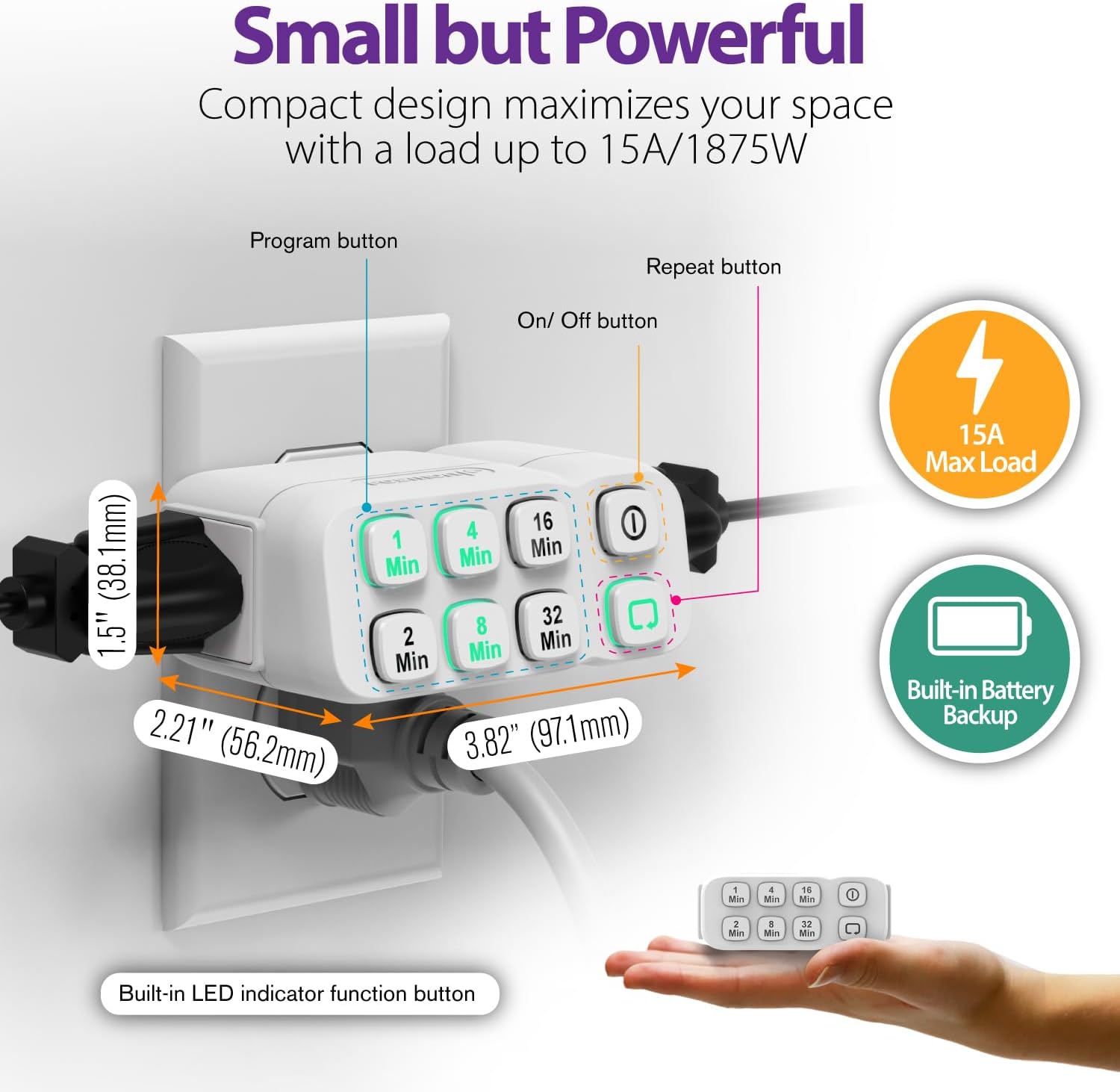
Image: A single Fosmon timer plugged into a wall outlet, with dimensions (3.82"D x 2.21"W x 1.5"H) and key features like 15A Max Load and Built-in Battery Backup highlighted.
Components:
- Time Buttons: 1 Min, 2 Min, 4 Min, 8 Min, 16 Min, 32 Min. These buttons are used to set the desired countdown duration.
- On/Off Button: Manually turns the connected device on or off instantly.
- Repeat Button: Activates the daily repeat function for the set countdown program.
- Grounded Outlets: Two outlets for connecting appliances.
Setup
- Plug In the Timer: Insert the Fosmon Countdown Timer into a standard 125V AC 60Hz wall outlet.
- Connect Your Device: Plug the appliance or light you wish to control into one of the grounded outlets on the timer.
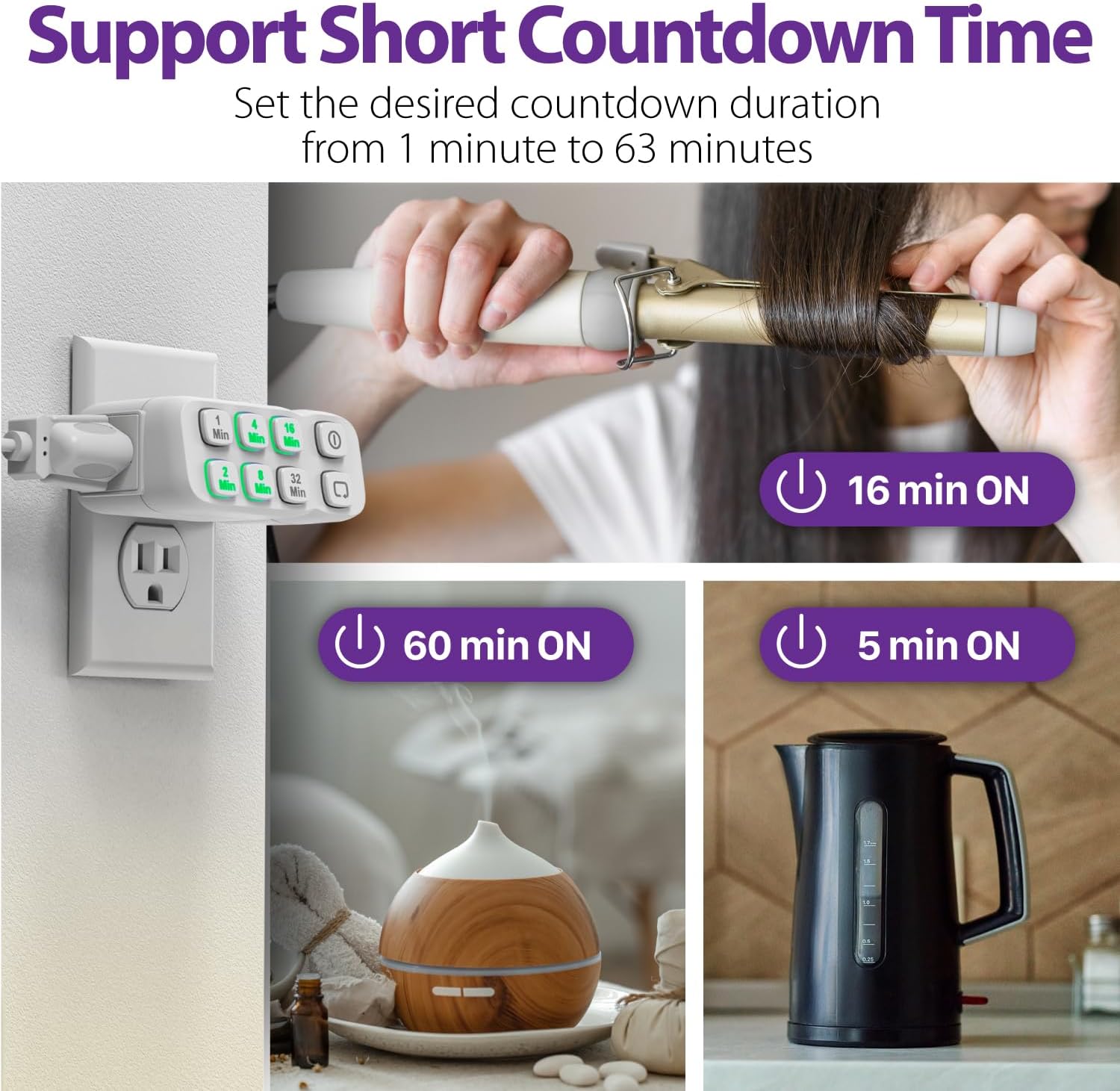
Image: The Fosmon timer plugged into a wall, demonstrating its use with a curling iron, diffuser, and kettle, highlighting its short countdown capabilities.
Initial Power-Up:
Upon plugging in, the timer is ready for use. The built-in battery backup ensures that your settings are retained even during power outages.
Operating Instructions
Setting a Countdown Program:
To set a specific countdown duration (from 1 to 63 minutes), press the desired minute buttons. You can combine multiple buttons to achieve the exact time. For example, to set a 20-minute countdown, press the 16-Min button and then the 4-Min button within 2 seconds.

Image: Visual guide showing how to combine minute buttons (e.g., 1+2=3 mins, 32+4+1=37 mins, 32+16+8+4+2+1=63 mins) to set various countdown durations.
Once the program is confirmed (indicated by the illuminated buttons), the timer will turn on the connected device for the set duration and then automatically turn it off.
Manual On/Off:
Press the On/Off button to instantly turn the connected device on or off, bypassing any set countdown program.
Daily Repeat Function:
To have the timer repeat the same countdown program daily, set your desired countdown duration, then press the Repeat button. The timer will activate the program at the same time every 24 hours.
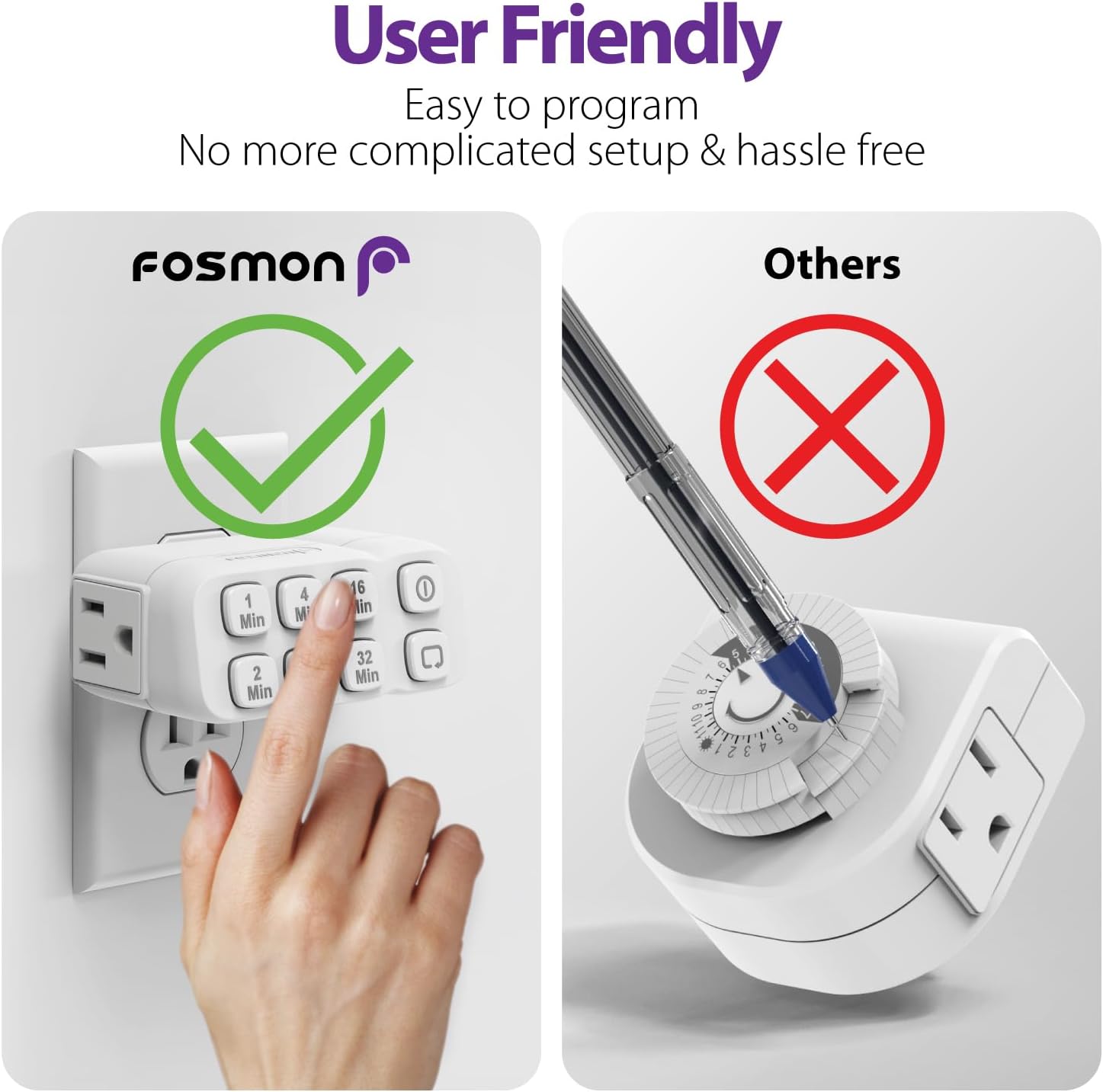
Image: The Fosmon timer plugged into a wall, with icons illustrating features like Built-in Battery Backup, Daily Repeat, 63 Countdown Program, Auto & Manual modes, and Sleep Friendly operation.
This feature is particularly useful for lights to deter break-ins or for daily routines like charging devices for a specific period.
Video: A setup guide for the Fosmon 63 Minute Plug-In Countdown Timer, demonstrating how to program and use its features, including the daily repeat function. This video is provided by the seller, SF Planet.
Video: A short preview of the setup guide for the Fosmon 63 Minute Plug-In Countdown Timer, demonstrating basic programming. This video is provided by the seller, SF Planet.
Applications:
The timer is versatile and can be used for various indoor applications:
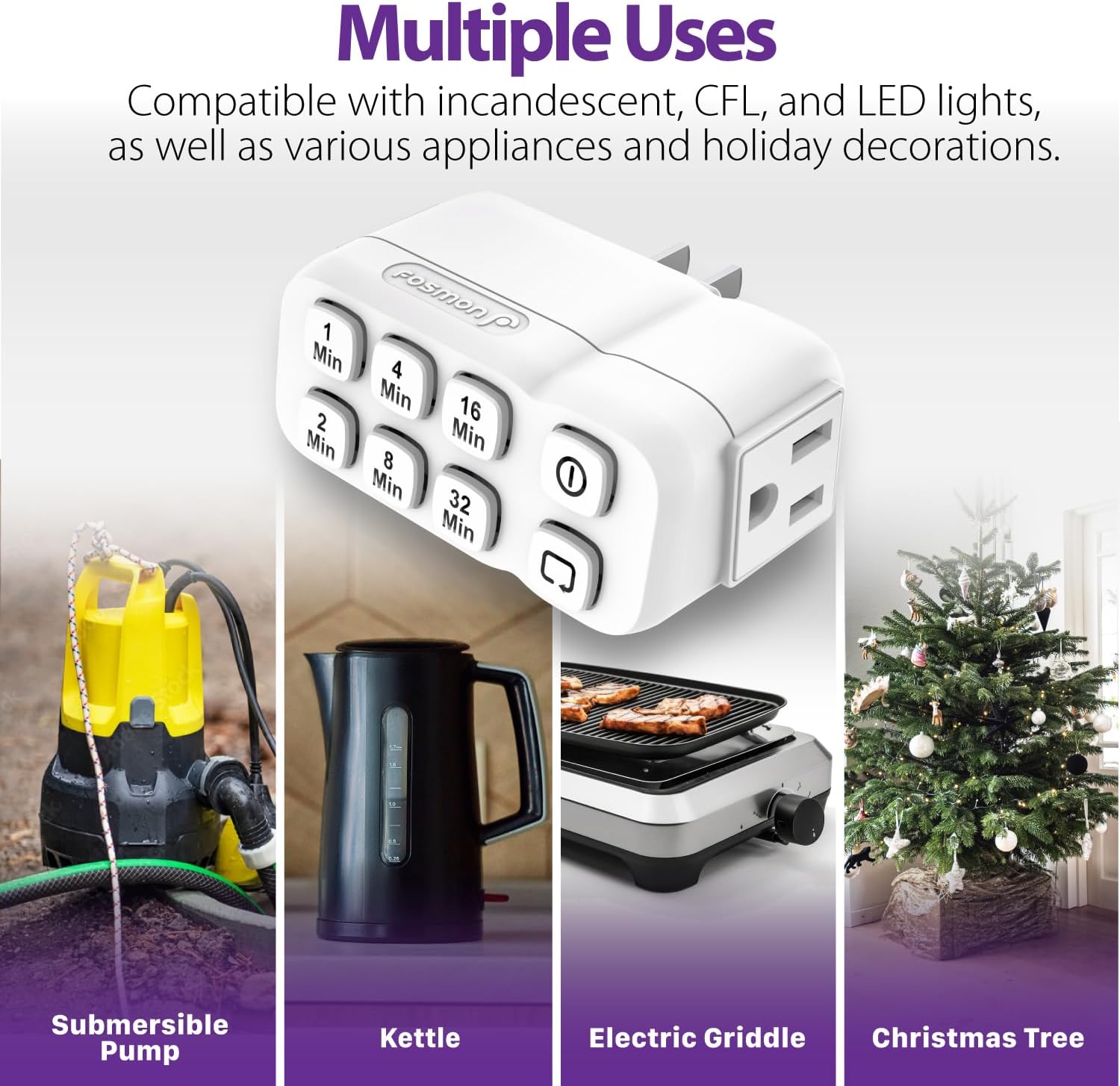
Image: The Fosmon timer shown with examples of its diverse applications, including a submersible pump, kettle, electric griddle, and Christmas tree lights.
- Lights (incandescent, CFL, LED)
- Fans
- Coffee Makers
- Small Pumps
- Kettles
- Griddles
- Hair Straighteners
- Holiday Decorations
Maintenance
- Cleaning: Disconnect the timer from the power outlet before cleaning. Wipe with a dry, soft cloth. Do not use liquid cleaners or abrasive materials.
- Storage: Store in a cool, dry place away from direct sunlight and moisture when not in use for extended periods.
Troubleshooting
Timer Not Responding:
- Ensure the timer is fully inserted into a working wall outlet.
- Check if the connected appliance is working by plugging it directly into a wall outlet.
- The internal battery backup may need to be reset if the timer behaves unexpectedly after a long period of no power. Unplug and replug the timer.
Countdown Not Activating/Repeating:
- Ensure you are pressing the minute buttons within 2 seconds of each other to combine times.
- For daily repeat, ensure the Repeat button was pressed after setting the desired countdown.
Specifications
| Feature | Detail |
|---|---|
| Power | 125VAC 60Hz |
| Max. Load (Resistive) | 15A 1875W |
| Max. Load (Tungsten) | 10A 1250W |
| Motor Load | 1/2 HP |
| TV Rating | TV-5 |
| Battery Backup | NiMH 2.4V (> 100 Hours) |
| Operating Temperature | 32°F to 104°F (0°C to 40°C) |
| Case Material | Fire-Resistant V-0 |
| Product Dimensions | 3.82"D x 2.21"W x 1.5"H |
| Color | White |
Related documentsC-10825FCUS


Ask a question about this manual
Ask about setup, troubleshooting, compatibility, parts, safety, or missing instructions. Manuals+ will review the question and use this page’s manual context to help answer it.