Product Overview
The Olfjurk Automatic Pet Feeder, model PF001S, is designed to provide scheduled meals for your pets. It features a 4-liter food capacity, customizable feeding schedules, and a dual power supply option for reliable operation. This feeder is suitable for dogs, cats, and other small pets.
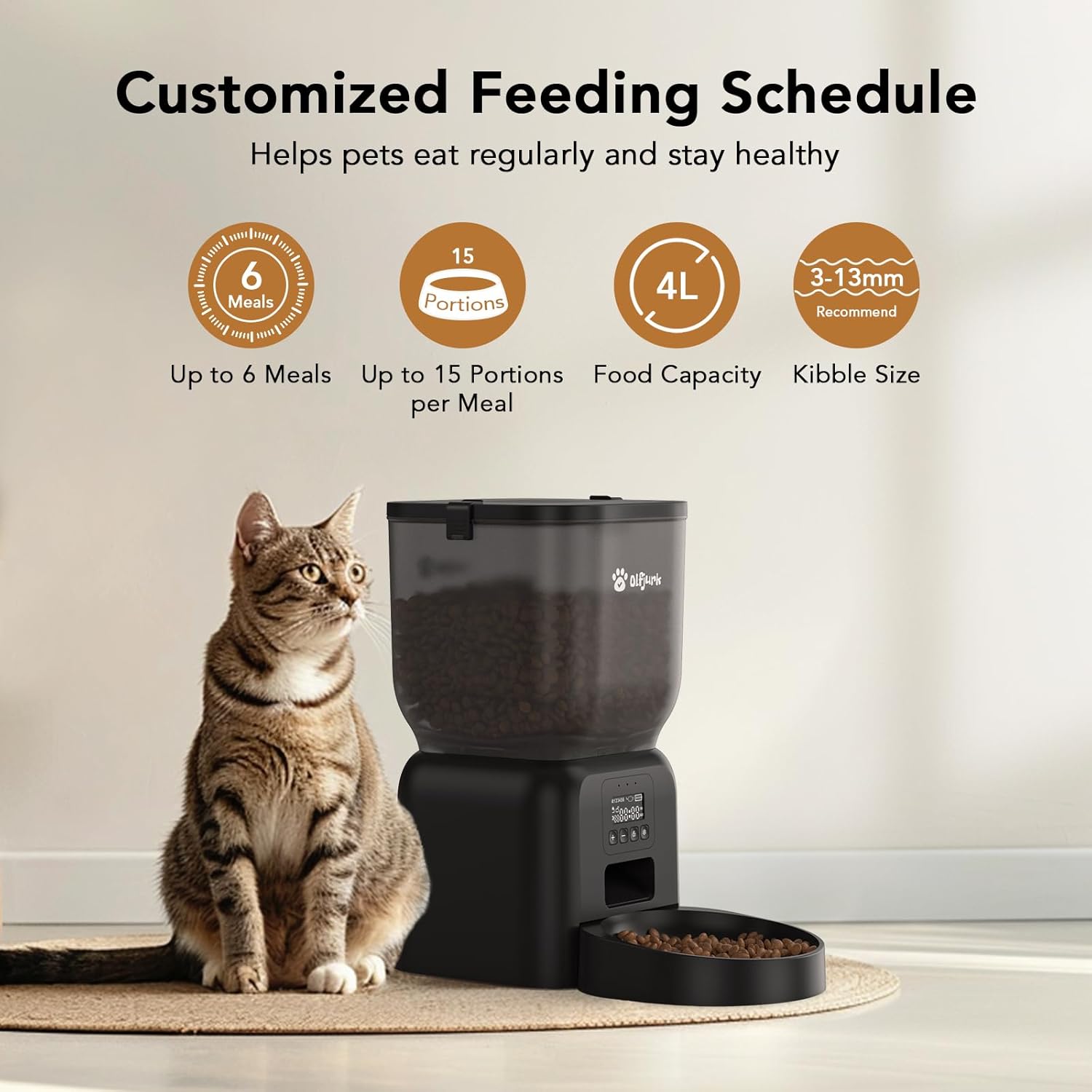
Image: The Olfjurk Automatic Pet Feeder (Model PF001S) in black, shown with a cat. This image illustrates the overall design and size of the feeder.
Key Features:
- 4-Liter Food Capacity: Stores a substantial amount of dry pet food.
- Customizable Feeding Schedule: Program up to 6 meals per day with 1 to 15 portions per meal.
- Dual Power Supply: Operates via AC power adapter (not included) or 3 D-cell batteries (not included) for backup.
- Anti-Blocking Design: Engineered to prevent food jams, suitable for dry kibble between 3mm and 13mm.
- Freshness Preservation: Includes a desiccant compartment in the lid to keep food fresh.
- Detachable Components: Food bucket and dish are removable for easy cleaning.
Package Contents
Before setup, ensure all components are present:
- Olfjurk Automatic Pet Feeder Base
- Food Bucket (Hopper)
- Food Bucket Lid with Desiccant Compartment
- Food Dish
- User Manual (this document)
Note: An AC power adapter and 3 D-cell batteries are not included and must be purchased separately.
Setup Instructions
1. Assembly
- Place the feeder base on a stable, flat surface.
- Align the food bucket with the base and twist it securely into place.
- Insert the food dish into the designated slot at the front of the base.
- Open the food bucket lid and place a desiccant packet (if available) into the desiccant compartment to maintain food freshness. Close the lid securely.
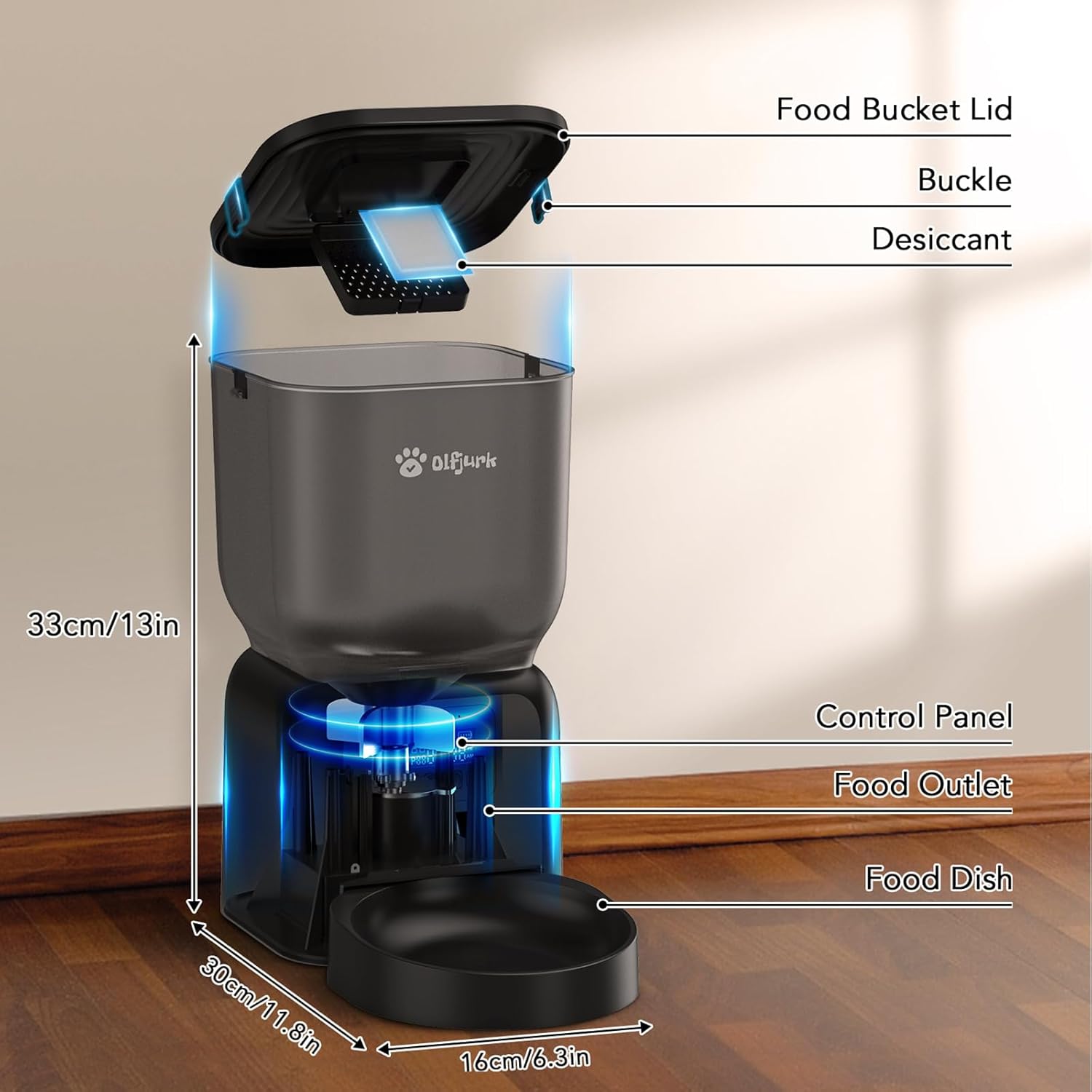
Image: A diagram illustrating the main components of the Olfjurk Automatic Pet Feeder, including the food bucket lid, buckle, desiccant compartment, control panel, food outlet, and food dish. Dimensions are also shown.
2. Power Supply
The feeder supports dual power options:
- AC Power: Connect a compatible 5V/1A AC power adapter (not included) to the feeder's power port and plug it into a wall outlet.
- Battery Backup: For backup power or portable use, insert 3 D-cell batteries (not included) into the battery compartment located at the bottom of the feeder. Ensure correct polarity.
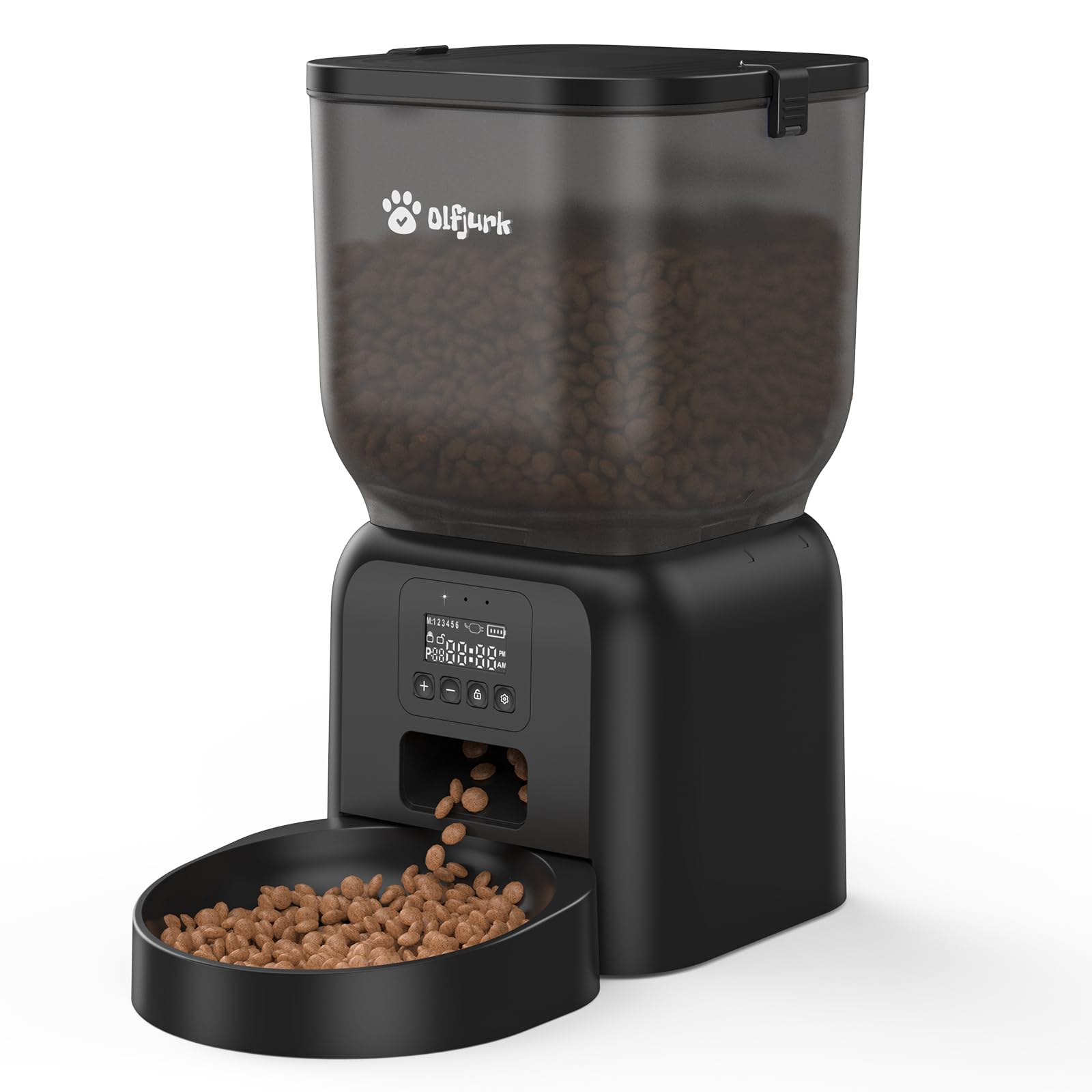
Image: The Olfjurk Automatic Pet Feeder highlighting its dual power supply options: a power cord connection (adapter not included) and a compartment for 3 D-cell batteries (not included).
3. Filling the Food Hopper
- Open the food bucket lid.
- Pour dry pet food into the hopper. The feeder has a 4-liter capacity.
- Ensure the kibble size is between 3mm and 13mm to prevent jamming.
- Close the lid securely to maintain food freshness.
Operating Instructions
1. Setting the Clock
Refer to the control panel and its buttons (usually labeled SET, UP, DOWN, FEED). The exact steps may vary slightly, but generally involve:
- Press and hold the SET button until the clock display flashes.
- Use the UP and DOWN buttons to adjust the hour.
- Press SET again to move to minutes, then adjust with UP and DOWN.
- Press SET to confirm and exit clock setting mode.
2. Programming Feeding Schedules
The feeder allows up to 6 meals per day, with 1 to 15 portions per meal.
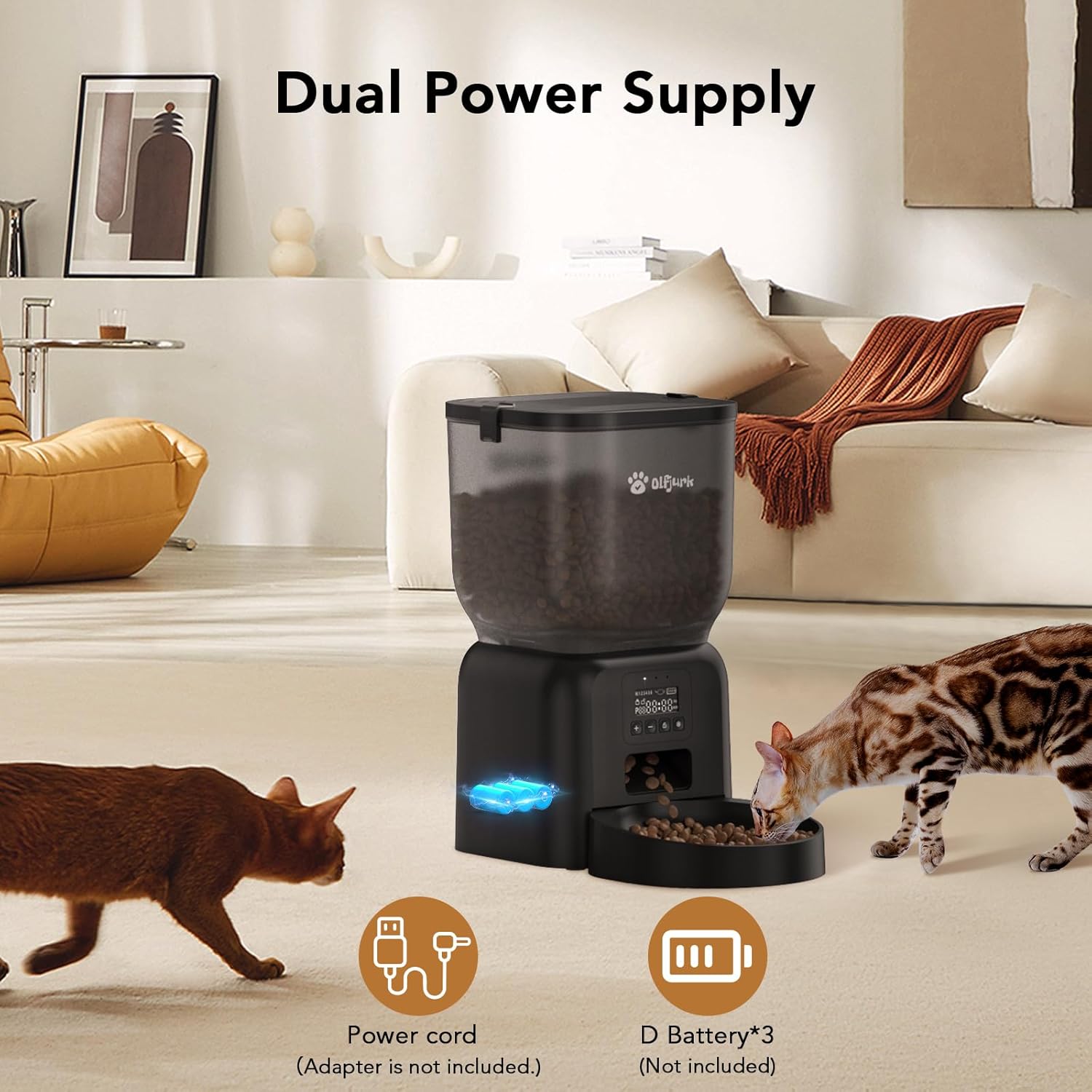
Image: An illustration detailing the customizable feeding schedule features of the Olfjurk Automatic Pet Feeder, including up to 6 meals, up to 15 portions per meal, 4L food capacity, and recommended kibble size of 3-13mm.
- Press the SET button repeatedly to cycle through meal settings (P1, P2, P3, P4, P5, P6).
- When a meal setting (e.g., P1) flashes, use UP and DOWN to set the desired feeding time for that meal.
- Press SET to move to the portion setting for that meal. Use UP and DOWN to select the number of portions (1-15).
- Repeat for all desired meals. To disable a meal, set its portion size to 0.
- Press SET to save and exit programming mode.
3. Manual Feeding
To dispense food manually, press the FEED button. Each press will dispense one portion. Hold the button for continuous dispensing (if supported by the model) or press multiple times for multiple portions.
4. Anti-Blocking Mechanism
The feeder incorporates an anti-blocking design to ensure smooth food delivery. This mechanism is optimized for dry kibble within the recommended size range of 3mm to 13mm.
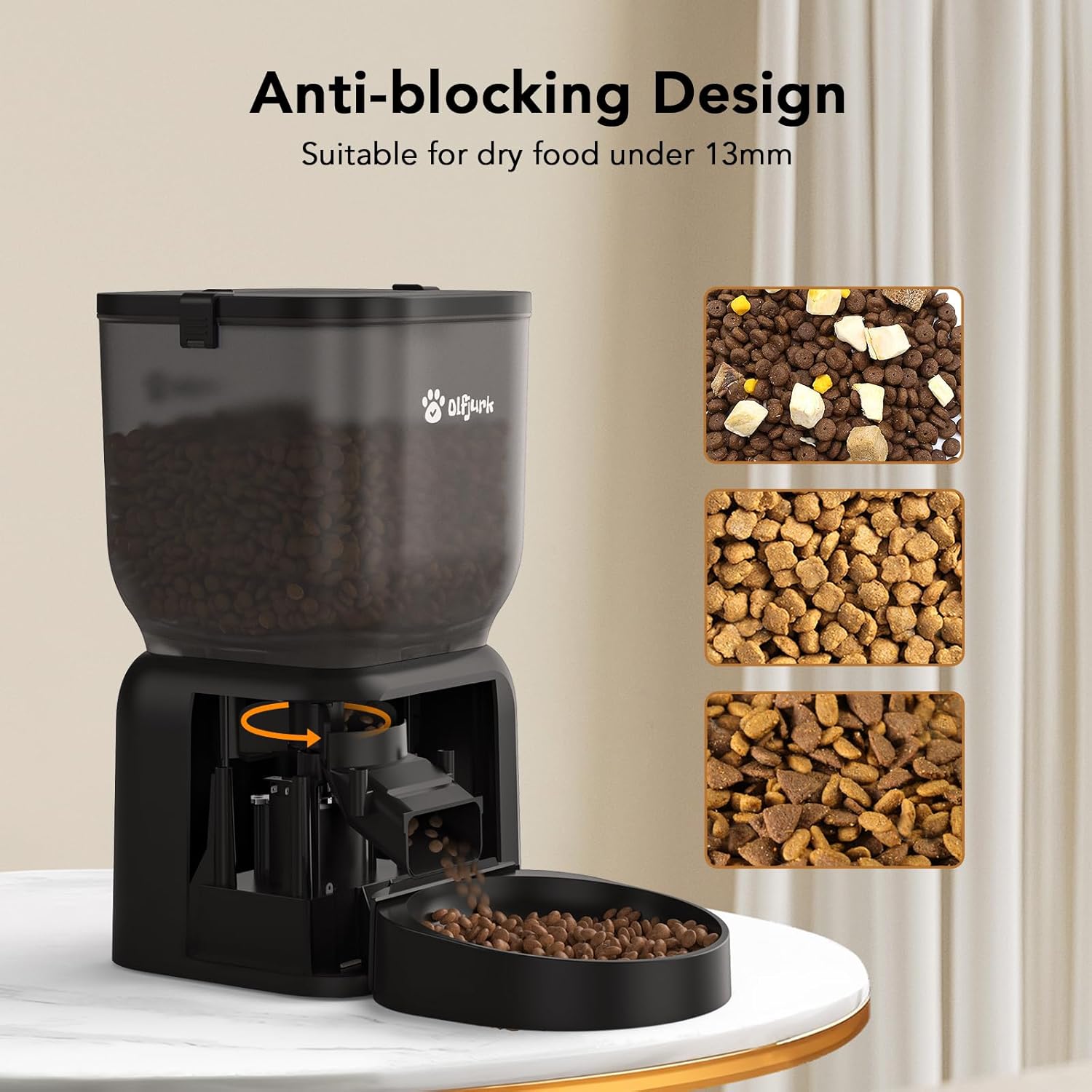
Image: A close-up view of the Olfjurk Automatic Pet Feeder's anti-blocking design, illustrating how dry food under 13mm is dispensed. Various kibble types are shown as examples.
Maintenance and Cleaning
Regular cleaning ensures hygiene and extends the life of your feeder.

Image: The detachable components of the Olfjurk Automatic Pet Feeder, including the food bucket and food dish, being cleaned in a sink. A note indicates that the base should not be washed.
- Disassembly: Unplug the feeder from power and remove any batteries. Detach the food bucket and food dish from the base.
- Cleaning Components: The food bucket and food dish can be washed with mild soap and water. Rinse thoroughly and dry completely before reassembly.
- Cleaning the Base: DO NOT WASH THE BASE. Wipe the exterior of the base with a damp cloth. Ensure no water enters the electronic components.
- Desiccant Replacement: Replace the desiccant packet in the lid every 1-2 months, or as needed, to maintain food freshness.
- Reassembly: Once all parts are dry, reassemble the feeder by attaching the food bucket and food dish.
Troubleshooting
- Feeder Not Powering On:
- Ensure the AC adapter is securely plugged into both the feeder and a working power outlet.
- If using batteries, check that they are inserted with correct polarity and are not depleted. Replace if necessary.
- Food Not Dispensing:
- Check if the food hopper is empty.
- Verify that the kibble size is within the recommended 3mm-13mm range. Larger kibble may cause jams.
- Inspect the food outlet for any blockages. Gently clear any obstructions.
- Ensure the feeder is programmed correctly with scheduled meal times and portion sizes.
- Incorrect Time or Feeding Schedule:
- Re-enter the clock settings and feeding schedules carefully, following the "Operating Instructions" section.
- If the clock setting is difficult, try resetting the device (if a reset button is available, otherwise remove power for a few minutes).
- Feeder Making Unusual Noises:
- This could indicate a food jam. Follow the steps for "Food Not Dispensing".
- Ensure the feeder is on a stable, level surface.
Specifications
| Feature | Specification |
|---|---|
| Model Number | PF001S |
| Brand | Olfjurk |
| Product Dimensions | 19.56 x 19.56 x 23.65 cm (7.7 x 7.7 x 9.3 inches) |
| Item Weight | 1.52 kg (3.35 lbs) |
| Material | Plastic |
| Food Capacity | 4 Liters |
| Recommended Kibble Size | 3mm - 13mm |
| Feeding Schedule | Up to 6 meals per day |
| Portion Size | 1 - 15 portions per meal |
| Power Supply | AC Adapter (5V/1A, not included) or 3 x D-cell Batteries (not included) |
| Target Species | Dog, Cat, Small Pets |
Warranty and Support
For warranty information, please refer to the documentation provided at the time of purchase or contact the retailer where the Olfjurk Automatic Pet Feeder was purchased.
For technical support or further assistance, please contact the manufacturer, Olfjurk, or your product retailer.


