
HJC 10730510
HJC C91N KAON MC5 XL Motorcycle Helmet User Manual
Comprehensive guide for setup, operation, and maintenance of your HJC C91N KAON MC5 XL helmet.
1. Introduction
Thank you for choosing the HJC C91N KAON MC5 XL motorcycle helmet. This manual provides essential information for the proper use, maintenance, and care of your helmet to ensure safety and longevity. Please read this manual thoroughly before using your helmet.
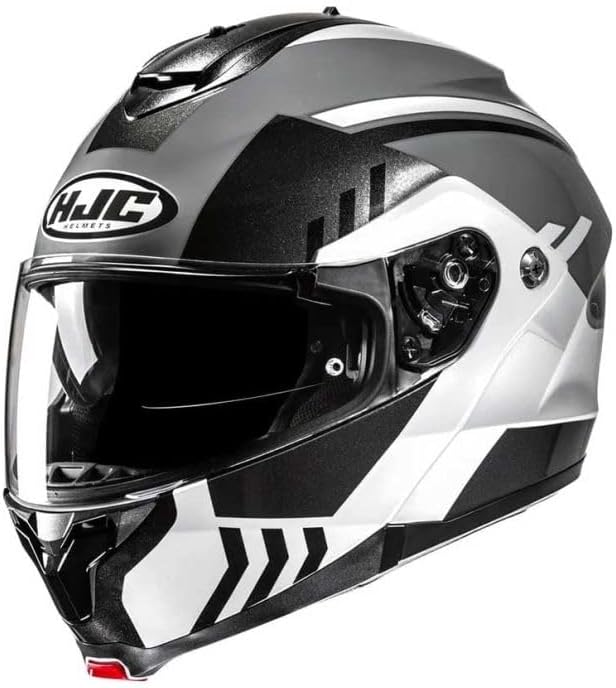
Figure 1: Front view of the HJC C91N KAON MC5 XL helmet, featuring its distinctive graphic design and clear visor.
2. Key Features
The HJC C91N helmet is designed with advanced features for comfort, safety, and convenience:
- Advanced Composite Polycarbonate Shell: Lightweight design offering superior fit and comfort through advanced CAD technology.
- Easy-to-Use Chin Bar: Operated with a single, intuitive lever, designed for ease of use even with gloves.
- Internal Sun Screen: Features a manual mechanism for easy forward and backward adjustment.
- Superior Ventilation System: Large top air intake channels airflow deep into the helmet's EPS liner for optimal cooling.
- SuperCool Interior: Top lining and cheek pads made from antibacterial and breathable fabric for enhanced cooling and comfort.
- Smart HJC Ready: Prepared for integration with Bluetooth 10B or 20B communication systems (sold separately).
- Safety Standard: Meets Standard ECE 22.06.
- Flip-Up Design: Provides versatility for different riding conditions and convenience.
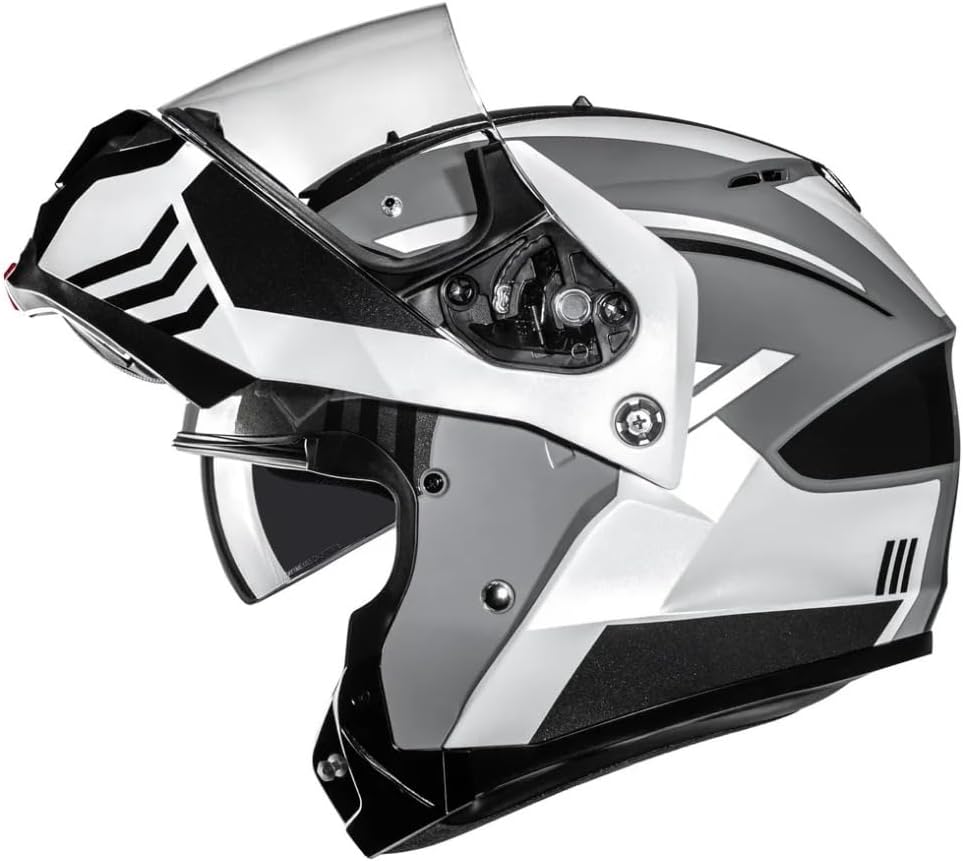
Figure 2: Side view of the helmet demonstrating the flip-up chin bar mechanism and the internal sun screen.
3. Setup Guide
3.1. Unboxing and Initial Inspection
Carefully remove the helmet from its packaging. Inspect the helmet for any signs of damage during shipping. Ensure all components, including the helmet bag and manual, are present.
3.2. Proper Helmet Fit
A properly fitting helmet is crucial for safety. The helmet should fit snugly around your head without causing pressure points. To check the fit:
- Place the helmet on your head, ensuring it sits level and covers your forehead.
- Fasten the chin strap securely. It should be tight enough that you cannot pull the helmet off your head when pulling upwards from the rear.
- With the chin strap fastened, try to rotate the helmet from side to side and front to back. Your skin should move with the helmet, indicating a snug fit. If the helmet slides independently of your skin, it is too large.
3.3. Chin Strap Adjustment
Adjust the chin strap so it is snug under your chin, without being uncomfortably tight. Ensure the D-rings (if applicable) are correctly threaded and secured.
3.4. Bluetooth System Installation (Optional)
The C91N is designed to accommodate Smart HJC Bluetooth communication systems (10B or 20B). Refer to the specific instruction manual provided with your Smart HJC system for detailed installation steps. The helmet features dedicated recesses for speakers and a microphone.
4. Operating Instructions
4.1. Operating the Chin Bar
To open the chin bar, locate the single lever positioned at the front center of the chin bar. Press the lever firmly and lift the chin bar upwards until it locks into the fully open position. To close, pull the chin bar down until it securely latches into place. Always ensure the chin bar is fully latched before riding.
4.2. Internal Sun Screen Operation
The internal sun screen is operated by a slider mechanism located on the left side of the helmet. Slide the lever forward to deploy the sun screen and backward to retract it. Use the sun screen only in appropriate lighting conditions and ensure it does not obstruct your vision.
4.3. Ventilation System
The helmet features a large top air intake. Open the vent by sliding the control forward to allow airflow. Close it by sliding it backward. This system directs air through deep EPS channels to keep your head cool. Adjust as needed for comfort based on riding conditions.

Figure 3: Side profile of the helmet, showing the top ventilation intake and the visor pivot point.
5. Maintenance and Care
5.1. Cleaning the Helmet Shell
Clean the helmet shell with a soft cloth and mild soap and water. Avoid using harsh chemicals, solvents, or abrasive cleaners, as these can damage the shell's finish and protective properties. Rinse thoroughly and dry with a soft, clean cloth.
5.2. Visor Care
Clean the visor with a soft, damp cloth and mild soap. For stubborn dirt or insects, soak a cloth in warm water and place it over the affected area for a few minutes to soften the debris before gently wiping. Do not use abrasive materials or window cleaners. If your visor has an anti-fog coating, avoid rubbing the inside surface vigorously.
5.3. Interior Lining Removal and Cleaning
The SuperCool interior lining and cheek pads are removable for cleaning. Gently detach them according to the instructions provided in the helmet's specific manual (if available, otherwise, look for snap or velcro attachments). Hand wash with mild soap and cool water, then air dry completely before re-installing. Do not machine wash or tumble dry.
5.4. Storage
Store your helmet in a cool, dry place away from direct sunlight and extreme temperatures. Use the provided helmet bag to protect it from dust and scratches. Do not store the helmet near chemicals or solvents.
6. Troubleshooting
| Problem | Possible Cause | Solution |
|---|---|---|
| Visor fogging | Temperature difference, high humidity, lack of airflow. | Open vents, slightly crack the visor, apply anti-fog treatment, ensure interior is dry. |
| Chin bar not latching securely | Obstruction, mechanism misalignment, improper closing technique. | Ensure no debris is blocking the latch. Apply firm, even pressure when closing. If issue persists, contact support. |
| Helmet feels too tight/loose | Incorrect size, new helmet break-in period. | Ensure correct size was purchased. New helmets may feel tight initially and loosen slightly with use. If too loose, it is unsafe and should be replaced. |
7. Technical Specifications
| Attribute | Detail |
|---|---|
| Model Name | C91n |
| Style | Flip-Up |
| Outer Material | Polycarbonate |
| Item Weight | 2200 Grams |
| Item Dimensions (LxWxH) | 16.14 x 12.2 x 12.2 inches |
| Package Weight | 2.6 Kilograms |
| Size | X-Large |
| Color | Mc5 |
| Manufacturer | HJC |
| Part Number | 10730510 |
| Included Components | Helmet. |
Figure 4: Rear view of the helmet, illustrating the aerodynamic design and graphic details.
8. Warranty and Support
8.1. Manufacturer's Warranty
The HJC C91N KAON MC5 XL helmet comes with a 2-year manufacturer's warranty. This warranty covers defects in materials and workmanship under normal use. Please retain your proof of purchase for warranty claims.
8.2. Customer Support
For technical assistance, warranty claims, or any other inquiries regarding your HJC helmet, please contact HJC customer support through their official website or the retailer from whom you purchased the product. Provide your model number (C91N) and part number (10730510) when contacting support for faster service.
Ask a question about this manual
Ask about setup, troubleshooting, compatibility, parts, safety, or missing instructions. Manuals+ will review the question and use this page’s manual context to help answer it.