
MARBERO M155SL30
MARBERO M155SL30 Portable Power Station and Solar Panel User Manual
Your reliable power solution for outdoor adventures and emergency backup.
1. Introduction
Thank you for choosing the MARBERO M155SL30 Portable Power Station with 30W Foldable Solar Panels. This comprehensive user manual provides essential information for the safe and efficient operation, maintenance, and troubleshooting of your device. Please read this manual thoroughly before use and retain it for future reference.
The MARBERO M155SL30 is a high-capacity (155Wh / 42,000mAh) portable power solution designed to provide reliable electricity for various devices, including smartphones, tablets, laptops, and small appliances. Its compact design, multiple output ports, and versatile charging options make it ideal for camping, RV travel, emergency home backup, and other off-grid activities.
2. What's in the Box
Carefully unpack your MARBERO M155SL30 and ensure all items are present and undamaged:
- 1 x MARBERO M155SL30 Portable Power Station
- 1 x MARBERO 30W Foldable Solar Panel
- 1 x 15V/2A AC Power Adapter
- 1 x Car Charger Adapter
- 1 x Cigarette Lighter Adapter
- 1 x User Manual (this document)
3. Product Features
- High Capacity: 155Wh (42,000mAh) lithium-ion battery for extended power supply.
- Versatile Outputs: Includes 2 x USB 5V-2.1A ports, 1 x USB QuickCharge 3.0 port (5-9V/1A), 2 x 5.5mm DC outputs (9-12.6V/10A, 15A Max Total), and 1 x AC outlet (110V/60Hz, 100W running, 150W peak).
- Multiple Charging Methods: Recharge via AC wall adapter, car charger, or the included 30W foldable solar panel.
- Integrated LED Lighting: Features an LED light with 3 modes: Persistent, Flashing, and SOS for emergency situations.
- Portable Design: Lightweight (3.7lb for power station) and compact (8.34"L x 3.62"W x 7.4"H) with a convenient carrying handle.
- Safety Protections: Built-in safeguards against short circuit, over-charge, overload, and over-voltage.
4. Product Overview
Familiarize yourself with the components and ports of your MARBERO M155SL30 Portable Power Station.
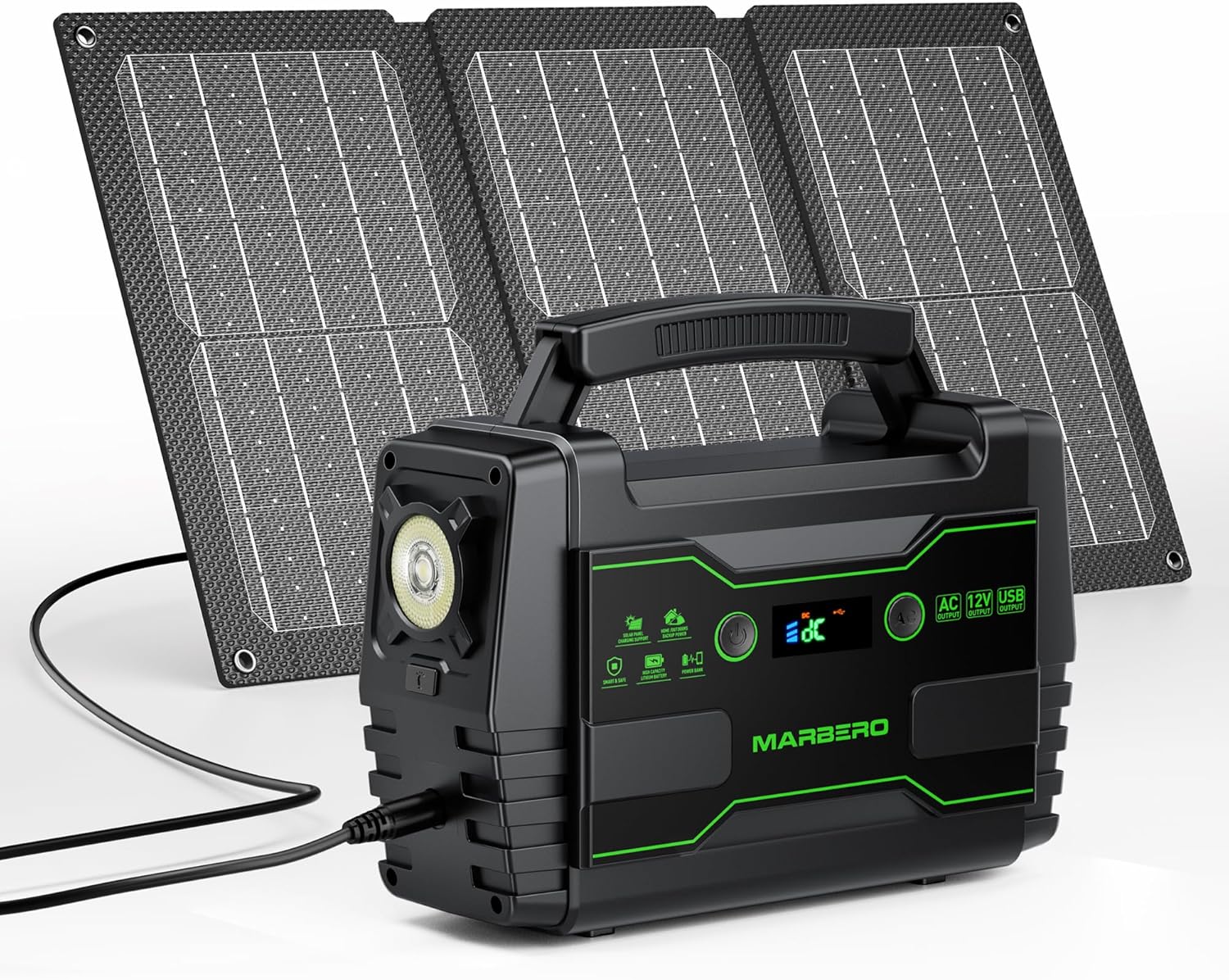
Image 1: The MARBERO M155SL30 Portable Power Station shown with its accompanying 30W foldable solar panel.

Image 2: Diagram illustrating the various output ports on the MARBERO M155SL30, including AC, USB, and DC outputs, along with the DC input port.
Control Panel and Ports:
- AC Outlet (110V/60Hz): For standard household electronics.
- USB-A Ports (5V-2.1A): For charging smartphones, tablets, and other USB-powered devices.
- USB QuickCharge 3.0 Port: For fast charging compatible devices.
- DC Output Ports (5.5mm): For 9-12.6V DC devices.
- DC Input Port (5.5mm): For charging the power station via AC adapter, car charger, or solar panel.
- LED Light: Multi-mode illumination.
- Display Screen: Shows battery level and output status.
5. Setup
Before first use, it is recommended to fully charge your MARBERO M155SL30 Portable Power Station.
Initial Charging:
- Connect the provided 15V/2A AC Power Adapter to the DC Input Port (5.5mm) on the power station.
- Plug the AC adapter into a standard wall outlet.
- The display screen will indicate charging status. Charge until the battery indicator shows full.
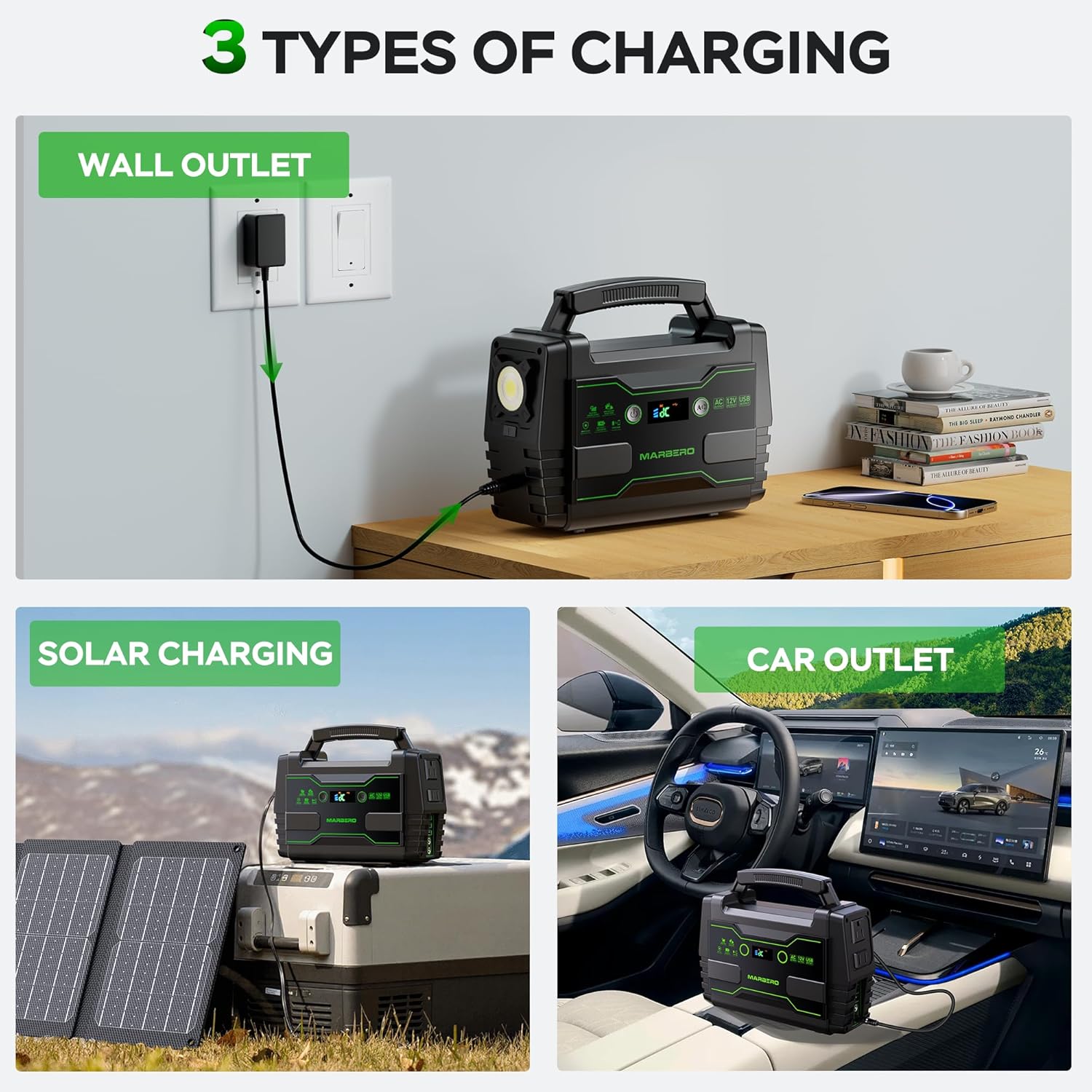
Image 3: Visual representation of the three charging methods: wall outlet, solar panel, and car outlet.
6. Operating Instructions
Charging the Power Station:
Your power station can be recharged using three methods:
- AC Wall Outlet: Use the included 15V/2A AC Power Adapter.
- Car Charger: Use the included Car Charger Adapter and Cigarette Lighter Adapter to charge from your vehicle's 12V outlet.
- Solar Panel: Connect the MARBERO 30W Foldable Solar Panel to the DC Input Port. Ensure the solar panel is placed in direct sunlight for optimal charging. The solar charging works under various sunlight conditions while maintaining a current of 2A.
Using Output Ports:
To power or charge your devices, simply plug them into the appropriate output port on the power station. The power station will automatically detect and provide power.
- AC Output: Press the AC power button to activate the AC outlet. Plug in devices requiring 110V AC power (up to 100W continuous, 150W peak).
- USB Outputs: Plug your USB cables into the standard USB-A ports or the QuickCharge 3.0 port.
- DC Outputs: Connect your 9-12.6V DC devices to the 5.5mm DC output ports.

Image 4: The MARBERO M155SL30 simultaneously charging multiple devices, demonstrating its high compatibility.
LED Light Modes:
The integrated LED light offers three modes for various situations:
- Persistent Light: For continuous illumination.
- Flashing Light: For signaling or attracting attention.
- SOS Mode: For emergency signaling.
Press the LED light button to cycle through the modes.

Image 5: Illustration of the three LED lighting modes: Persistent, Flashing, and SOS.
7. Maintenance
Proper maintenance ensures the longevity and optimal performance of your power station:
- Storage: Store the power station in a cool, dry place, away from direct sunlight and extreme temperatures.
- Charging Frequency: If not used regularly, charge the power station every 3-6 months to maintain battery health.
- Cleaning: Use a soft, dry cloth to clean the exterior. Do not use abrasive cleaners or immerse the unit in water.
- Avoid Over-Discharge: Do not allow the battery to completely drain for extended periods.
8. Troubleshooting
If you encounter issues with your MARBERO M155SL30, refer to the following common problems and solutions:
| Problem | Possible Cause | Solution |
|---|---|---|
| Power station not charging. | Adapter not properly connected; faulty adapter/cable; battery protection activated. | Ensure all connections are secure. Try a different charging method. If using solar, ensure direct sunlight. Contact support if issue persists. |
| Devices not charging/powering. | Output port not activated; device power draw exceeds limit; power station battery low. | Ensure the correct output button (e.g., AC) is pressed. Check device's power requirements. Recharge the power station. |
| AC output automatically shuts off. | Overload protection activated; overheating. | Reduce the load on the AC outlet. Allow the unit to cool down. Ensure proper ventilation. |
| LED light not working. | Battery low; malfunction. | Recharge the power station. If still not working, contact customer support. |
If the problem persists after trying these solutions, please contact MARBERO customer service for assistance.
9. Specifications
| Feature | Detail |
|---|---|
| Model Name | M155SL30 |
| Battery Capacity | 155Wh (42,000mAh) Lithium Ion |
| AC Output | 110V/60Hz, 100W (Running), 150W (Peak) |
| USB Output 1 & 2 | 5V-2.1A (Total: 3.1A Max) |
| USB QuickCharge 3.0 | 5-9V/1A |
| DC Output (2 ports) | 9-12.6V/10A (15A Max Total) |
| DC Input | 15V/2A (AC Adapter), 13.4V-25.6V (Solar Panel) |
| Product Dimensions | 8.34"L x 3.62"W x 7.4"H |
| Item Weight | 3.7 lb (Power Station) |
| Solar Panel Power | 30W |
| Solar Panel Folded Dimensions | 12.44" x 7.48" x 0.62" |
| Solar Panel Weight | 1.65 lb |
| Operating Temperature | 0°C to 40°C (32°F to 104°F) |
10. Warranty and Support
MARBERO offers a 12-month warranty for your M155SL30 Portable Power Station and Solar Panel from the date of purchase. This warranty covers manufacturing defects and workmanship under normal use.
For any questions, concerns, or warranty claims, please do not hesitate to contact MARBERO customer service. Our dedicated support team is available 7 days a week, 24 hours a day, to assist you.
Contact Information:
- Via Amazon's message system (recommended for fastest service).
- Refer to the contact details provided on the product packaging or MARBERO's official website.
Please have your purchase details and product model number (M155SL30) ready when contacting support to ensure efficient service.
Related documentsM155SL30


Ask a question about this manual
Ask about setup, troubleshooting, compatibility, parts, safety, or missing instructions. Manuals+ will review the question and use this page’s manual context to help answer it.