
1. Introduction
Thank you for choosing the MARBERO M440 Portable Power Station. This device is designed to provide reliable power for various electronic devices during outdoor activities, emergencies, or as a backup power source. With its high capacity and multiple output options, it ensures your essential devices remain powered.
2. Product Overview
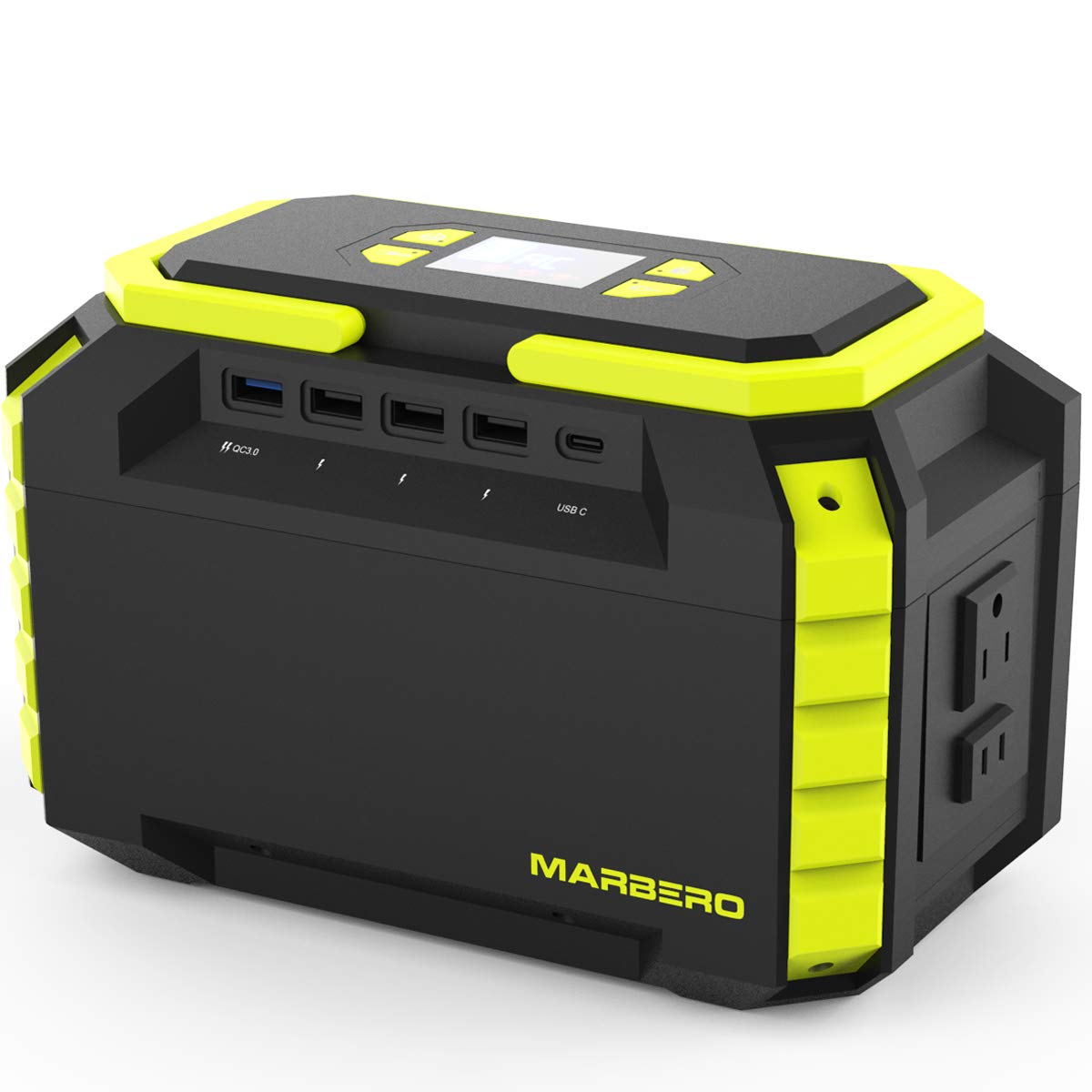
The MARBERO M440 Portable Power Station features a 222Wh/60000mAh capacity, capable of powering a wide range of electronics. Its compact and lightweight design makes it ideal for portability.
Key Features:
- Large Capacity: 222Wh/60000mAh for extended power supply.
- Multi-Output Ports: Includes AC outlets, DC ports, and USB ports (Type-A and Type-C) for versatile device charging.
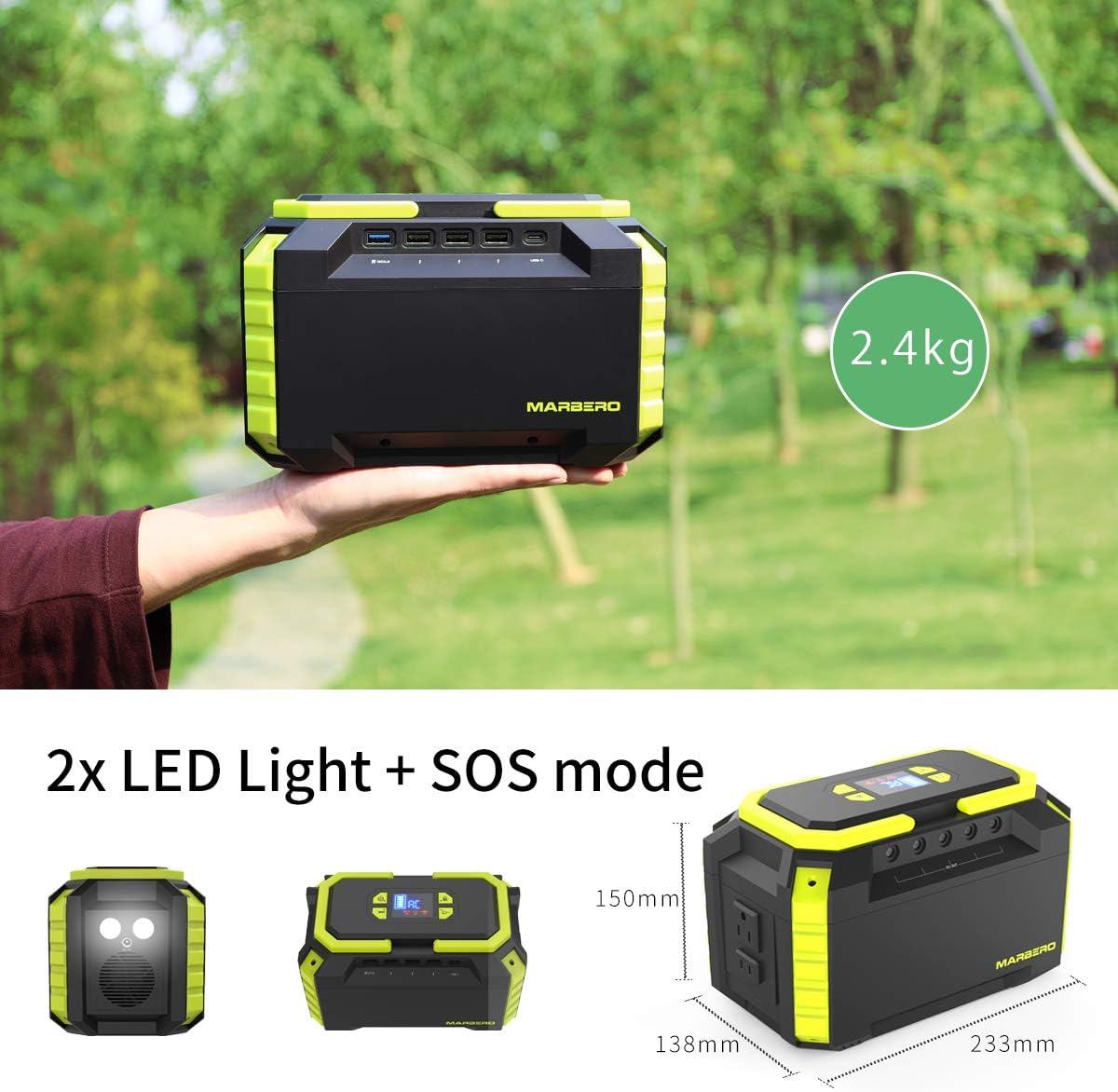
- Emergency LED Flashlight: Built-in LED lights with multiple brightness levels and an SOS mode for emergencies.
- Multiple Recharging Methods: Can be recharged via wall outlet, car adapter, or compatible solar panel (sold separately).
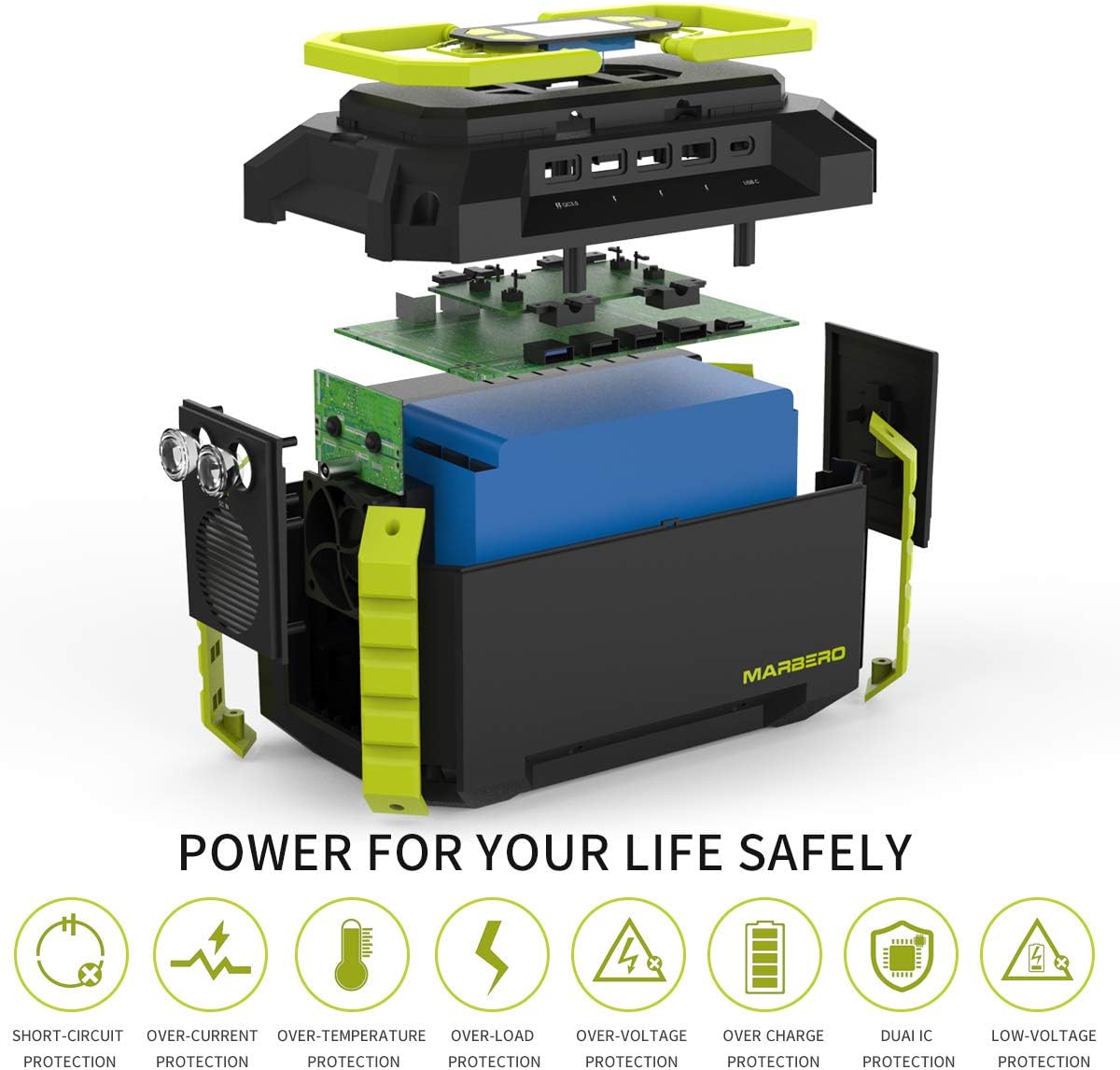
- Advanced Safety: Equipped with a Battery Management System (BMS) for voltage, temperature, short-circuit, over-charge, overload, and over-voltage protection.
Device Capacity Examples:
- Mobile Phone: Approximately 24 full charges
- Laptop: Approximately 5 full charges
- CPAP Machine: Up to 8 hours of operation
- LED Light (5W): Up to 45 hours of illumination
- Mini Refrigerator (40W): Up to 5 hours of operation


3. Setup
Before initial use, fully charge your MARBERO M440 Power Station. This ensures optimal battery performance and longevity.
Initial Charging:
- Connect the provided AC power adapter to the DC IN port on the power station.
- Plug the AC power adapter into a standard wall outlet.
- The LED display will indicate charging progress. The unit is fully charged when all battery indicator segments are illuminated and steady.
4. Operating Instructions
The MARBERO M440 is designed for user-friendly operation. Follow these steps to power your devices.
Powering On/Off:
- To turn on the unit, press and hold the main power button until the display illuminates.
- To turn off the unit, press and hold the main power button until the display turns off.
Using AC Outlets:
- Ensure the power station is turned on.
- Press the AC power button to activate the AC outlets. The AC indicator light will turn on.
- Plug your AC-powered device into one of the 110V AC outlets.
- After use, press the AC power button again to turn off the AC outlets and conserve power.
Using DC & USB Ports:
- Ensure the power station is turned on.
- Press the DC/USB power button to activate the DC and USB ports. The corresponding indicator light will turn on.
- Connect your device to the appropriate USB (Type-A, QC3.0, Type-C) or DC output port.
- After use, press the DC/USB power button again to turn off these outputs.
5. Charging Methods
The MARBERO M440 offers three convenient ways to recharge its internal battery.
1. Wall Outlet Charging:
- Use the included AC power adapter.
- Plug the adapter into a standard wall socket and connect it to the power station's DC IN port.
- Charging time: Approximately 5-6 hours.
2. Car Charger Charging:
- Use the included car adapter (12V).
- Connect the car adapter to your vehicle's 12V cigarette lighter socket and to the power station's DC IN port.
- For efficient charging, ensure your car engine is running.
- Charging time: Approximately 6-7 hours.
3. Solar Panel Charging (Solar Panel Not Included):
- Connect a compatible 15V~24V/1.2A solar panel (sold separately) to the power station's DC IN port.
- Place the solar panel in direct sunlight for optimal charging.
- Charging time will vary depending on solar intensity and panel wattage.

6. LED Flashlight Operation
The power station includes two built-in LED flashlights for illumination in low-light conditions or emergencies.
Operating the Flashlight:
- Press the dedicated LED flashlight switch once to turn on the lights at the first brightness level.
- Press the switch a second time for a brighter setting.
- Press the switch a third time to activate the SOS flashing mode.
- Press the switch a fourth time to turn off the flashlight.
7. Maintenance
Proper maintenance ensures the longevity and optimal performance of your power station.
- Storage: Store the power station in a cool, dry place away from direct sunlight and extreme temperatures.
- Charging Frequency: If not used regularly, recharge the unit every 3-6 months to maintain battery health.
- Cleaning: Use a soft, dry cloth to clean the exterior. Do not use abrasive cleaners or immerse the unit in water.
- Avoid Over-Discharging: Do not allow the battery to completely drain for extended periods.
8. Troubleshooting
If you encounter issues with your MARBERO M440, refer to the following common solutions.
Unit Not Turning On:
- Ensure the battery is charged. Connect to a power source and allow it to charge for at least 30 minutes.
- Press and hold the main power button for 3-5 seconds to ensure it's properly activated.
Devices Not Charging:
- Verify that the specific output port (AC, DC, USB) is activated by pressing its respective power button.
- Check if the device's power consumption exceeds the power station's output limit (200W for AC).
- Ensure the charging cables are securely connected to both the power station and your device.
- If using AC, check if the device requires a pure sine wave inverter (this unit provides a modified sine wave, which may not be compatible with all sensitive electronics).
Slow Charging:
- When charging via solar panel, ensure the panel is in direct, unobstructed sunlight.
- Check the solar panel's output specifications to ensure it meets the recommended 15V~24V/1.2A input.
- Ensure the charging adapter is the original one provided or a compatible replacement.
Overload/Short Circuit Protection:
- The unit will automatically shut off if an overload or short circuit is detected.
- Disconnect all devices, wait a few minutes, and then restart the power station.
- Reduce the load by connecting fewer devices or devices with lower power consumption.
9. Specifications
| Feature | Detail |
|---|---|
| Brand | MARBERO |
| Model Name | M440 |
| Capacity | 222Wh / 60000mAh |
| AC Output | 110V, 200W (300W Peak) |
| DC Output | 9-12.6V/10A (Max 15A) |
| USB Output | 3x USB (4.6A Max), 1x QC3.0 USB, 1x USB Type-C (5~9V/2A) |
| DC Input (Charging) | 15V~24V/1.2A |
| Power Source | Battery Powered, Solar Powered, AC Powered |
| Battery Type | Lithium Ion |
| Item Weight | 2.9 Pounds (approx. 1.3 kg) |
| Product Dimensions | 7.2"L x 4.3"W x 4.6"H (approx. 18.3cm L x 10.9cm W x 11.7cm H) |
| Special Features | Automatic Shut Down, Emergency Light, Portable, Lightweight, High-capacity, Short Circuit Protection, Over Charge Protection, Overload Protection, Over-Voltage Protection |
| Included Components | 1*MARBERO Portable Power Station M440, 1*Power Adapter, 1*Cigarette Lighter Adapter, 1*User Manual |
10. Safety Information
Read and understand all safety instructions before using this product. Failure to follow these instructions may result in electric shock, fire, or serious injury.
- Do not disassemble, repair, or modify the unit.
- Do not expose the unit to fire or high temperatures.
- Do not use or store the unit in a bathroom or in areas exposed to water or moisture.
- Do not use the unit if it is damaged or has been modified.
- Keep out of reach of children.
- Use only original or certified compatible accessories.
- Ensure proper ventilation during use and charging.
11. Warranty and Support
MARBERO products are designed for reliability and performance. For warranty information, technical support, or any questions regarding your M440 Portable Power Station, please refer to the contact details provided in your product packaging or visit the official MARBERO website.
Please retain your proof of purchase for warranty claims.


