1. Introduction
Thank you for choosing the PoolMr Manatee 01 Cordless Robotic Pool Cleaner. This manual provides essential information for the safe and efficient operation, maintenance, and troubleshooting of your new pool cleaner. Please read this manual thoroughly before use and retain it for future reference.
Package Contents:
- Automatic Robotic Pool Cleaner x1
- Power Adapter x1
- Power Supply Unit x1
- User Manual x1
- Hook x1 (for retrieval)
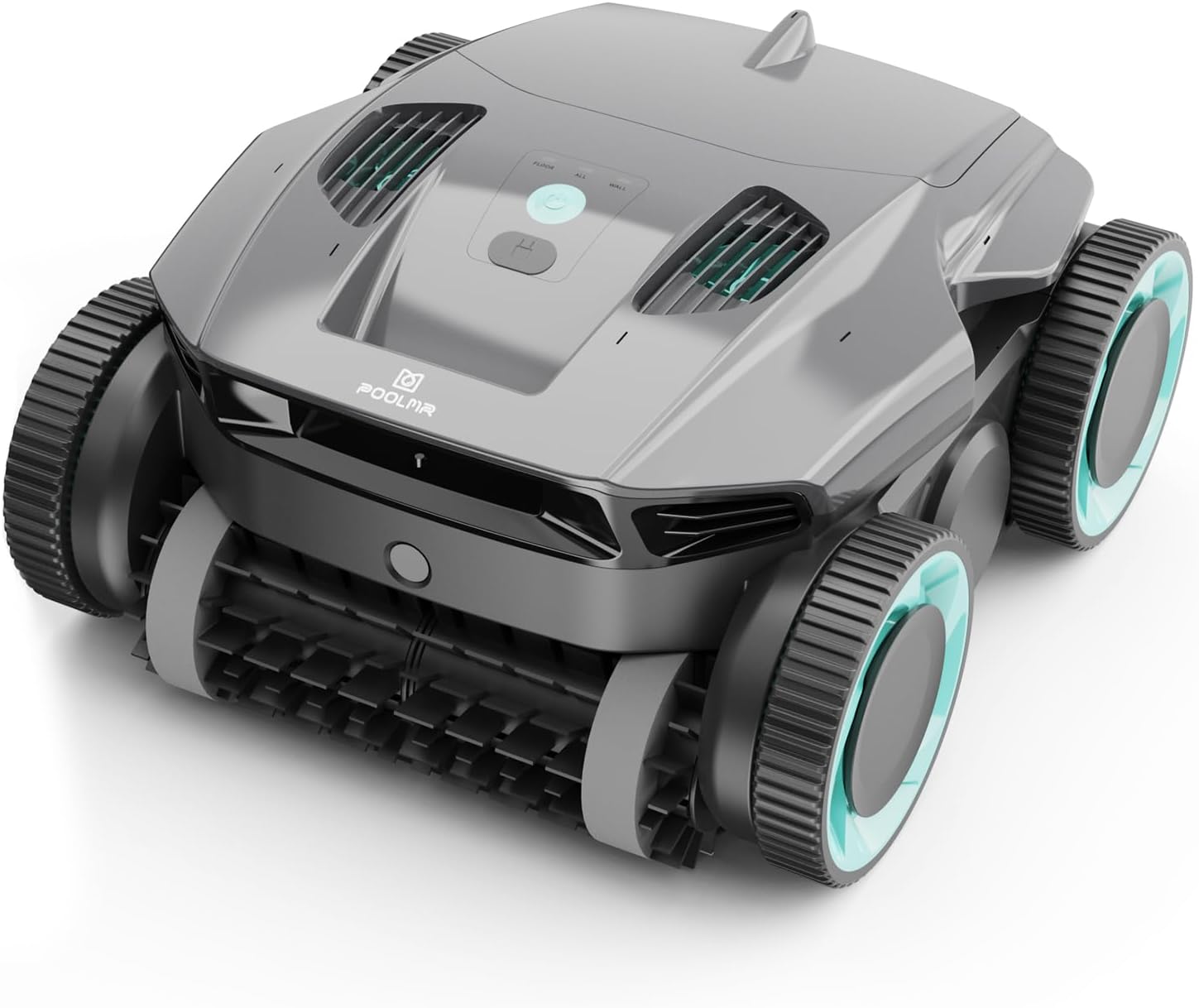
Image: The PoolMr Manatee 01 Robotic Pool Cleaner, gray-black in color, featuring large wheels and scrubbing brushes.
2. Important Safety Instructions
Always follow basic safety precautions when operating electrical appliances to reduce the risk of fire, electric shock, and injury.
- Read all instructions before using the appliance.
- This appliance is not intended for use by persons (including children) with reduced physical, sensory or mental capabilities, or lack of experience and knowledge, unless they have been given supervision or instruction concerning use of the appliance by a person responsible for their safety.
- Children should be supervised to ensure that they do not play with the appliance.
- Use only the power adapter and power supply unit provided by the manufacturer.
- Ensure the charging port is completely dry and sealed before placing the cleaner in water.
- Do not operate the cleaner if the power cord or plug is damaged.
- Always remove the cleaner from the pool before swimming or performing any pool maintenance.
- Store the cleaner and its accessories in a cool, dry place away from direct sunlight.
3. Setup
Initial Charging:
Before first use, fully charge the robotic pool cleaner. This typically takes 3-4 hours. Locate the charging port on the cleaner's top panel, open the protective cover, and connect the power adapter. Ensure the power supply unit is connected to a suitable power outlet.

Image: The PoolMr Manatee 01 Robotic Pool Cleaner connected to its charger, indicating a full charge.
Once charging is complete, disconnect the adapter and firmly close the protective cover of the charging port to ensure it is watertight before placing the cleaner in the pool.
4. Operation
Powering On and Mode Selection:
Press and hold the power button on the top panel for 2 seconds to turn on the cleaner. The indicator lights will illuminate. You can select from three cleaning modes:
- Floor Mode: Focuses cleaning on the pool floor.
- Wall Mode: Focuses cleaning on the pool walls and waterline.
- All Mode: Cleans both the pool floor, walls, and waterline.

Image: The top control panel of the PoolMr Manatee 01, showing options for Floor, All, and Wall cleaning modes, along with a power button.
Placing in the Pool:
Gently submerge the cleaner into the pool. It will slowly sink to the bottom as air escapes. The cleaner is equipped with smart navigation and ultrasonic technology to map out efficient cleaning routes and avoid obstacles.

Image: Two PoolMr Manatee 01 cleaners in a pool, illustrating their intelligent routing planning and effective cleaning coverage using ultrasonic radar and IMU navigation.
Automatic Docking and Retrieval:
When the battery is low or the cleaning cycle is complete, the cleaner will automatically dock itself near the closest pool wall for easy retrieval. Use the provided hook to safely lift the cleaner out of the water. The cleaner features a quick water release ability to drain water efficiently as it is lifted.

Image: A person using a pole with a hook to retrieve the PoolMr Manatee 01 from the pool, demonstrating its quick water release capability.
5. Maintenance
Filter Maintenance:
Regular cleaning of the filter basket is crucial for optimal performance. Simply lift the lid on the top of the cleaner, remove the filter basket, and rinse it thoroughly with a hose. Ensure all debris is removed before reinserting the basket.

Image: A hand lifting the 3L large top-load filter basket from the PoolMr Manatee 01 Robotic Pool Cleaner.
General Cleaning:
Periodically inspect the heavy-duty silicone roller brushes for any tangled debris or wear. Clean the exterior of the cleaner with a soft cloth and fresh water. Do not use harsh chemicals or abrasive materials.
6. Troubleshooting
If you encounter issues with your PoolMr Manatee 01, please refer to the following common problems and solutions:
| Problem | Possible Cause | Solution |
|---|---|---|
| Cleaner does not power on. | Low battery; Power button not pressed correctly. | Charge the cleaner fully; Press and hold the power button for 2 seconds. |
| Cleaner is not moving or stuck. | Debris caught in brushes; Motor blockage; Navigation issue. | Remove cleaner from pool and clear any debris from brushes/motors; Ensure pool is free of large obstacles. |
| Poor cleaning performance. | Filter basket is full or clogged; Brushes are worn. | Clean the filter basket thoroughly; Inspect and replace worn brushes if necessary. |
| Cleaner does not climb walls. | Incorrect cleaning mode; Low battery; Slippery pool surface. | Select 'Wall Mode' or 'All Mode'; Ensure battery is fully charged; Clean pool walls if algae is present. |
7. Specifications
| Feature | Detail |
|---|---|
| Model | Manatee 01 |
| Dimensions | 13.78 x 13.78 x 7.78 inches |
| Item Weight | 31.9 pounds |
| Power Source | Battery Powered (10000mAh Lithium-Ion) |
| Runtime | Up to 120 minutes |
| Charging Time | 3-4 hours |
| Filtration Rate | 20m³/h |
| Filter Basket Capacity | 3L |
| Special Features | Wall and Waterline Cleaning, Smart Navigation, Quad-Motor, Automatic Docking, Quick Water Release |
| Control Method | Touch, App Control |
8. Warranty and Support
Warranty Information:
The PoolMr Manatee 01 Robotic Pool Cleaner comes with a 24-month warranty from the date of purchase. This warranty covers manufacturing defects and malfunctions under normal use. Please retain your proof of purchase for warranty claims.
Customer Support:
If you have any problems or questions regarding your PoolMr Robotic Pool Cleaner, please do not hesitate to contact our Service Team. We are here to assist you within 24 hours.
For more information and support, visit the official PoolMr Store: PoolMr Store


