1. Introduction
This manual provides detailed instructions for the installation, operation, and maintenance of your STUDIOFINIX 100W In-Wall Volume Control Knob, Model ST-VCP-100. This device is designed to provide convenient, in-wall volume adjustment for your home audio system, featuring impedance matching for speaker and amplifier protection.
Key Features:
- 100W power handling capacity.
- Impedance matching for connecting multiple speaker pairs.
- Easy-to-install wall-mounted design.
- 12-position adjustable volume control.
- Passive design, requiring no external power.
2. Package Contents
Please verify that all items listed below are included in your package:
- Volume Controller (1)
- Panel (3) - 1 pre-installed, 2 additional for color options
- Terminals (2)
- Panel Screws (6)
- Mounting Screws (2)
- Instruction Manual (1)

Image: All components included in the STUDIOFINIX ST-VCP-100 package, including the volume controller, multiple faceplates, terminals, and screws.
3. Setup and Installation
Safety Information: Before beginning installation, ensure that power to the amplifier/receiver is turned OFF and disconnected from the main power source. Always consult a qualified electrician if you are unsure about any electrical wiring procedures.
Tools Required:
- Screwdriver (Phillips head)
- Wire strippers
- Electrical box (standard single-gang or double-gang, depending on installation)
Installation Steps:
- Prepare Wiring: Run speaker wires from your amplifier/receiver to the location of the volume control, and from the volume control to your speakers. Ensure sufficient wire length for connections.
- Mount Electrical Box: Install a standard electrical box in the desired wall location.
- Connect Speaker Wires:
- Strip approximately 1/4 inch of insulation from the ends of all speaker wires.
- Connect the speaker wires from your amplifier/receiver to the 'INPUT' terminals on the volume control. Match positive (+) and negative (-) terminals for Left (L) and Right (R) channels.
- Connect the speaker wires leading to your speakers to the 'OUTPUT' terminals on the volume control. Again, ensure correct polarity (+/-) and channel (L/R) matching.
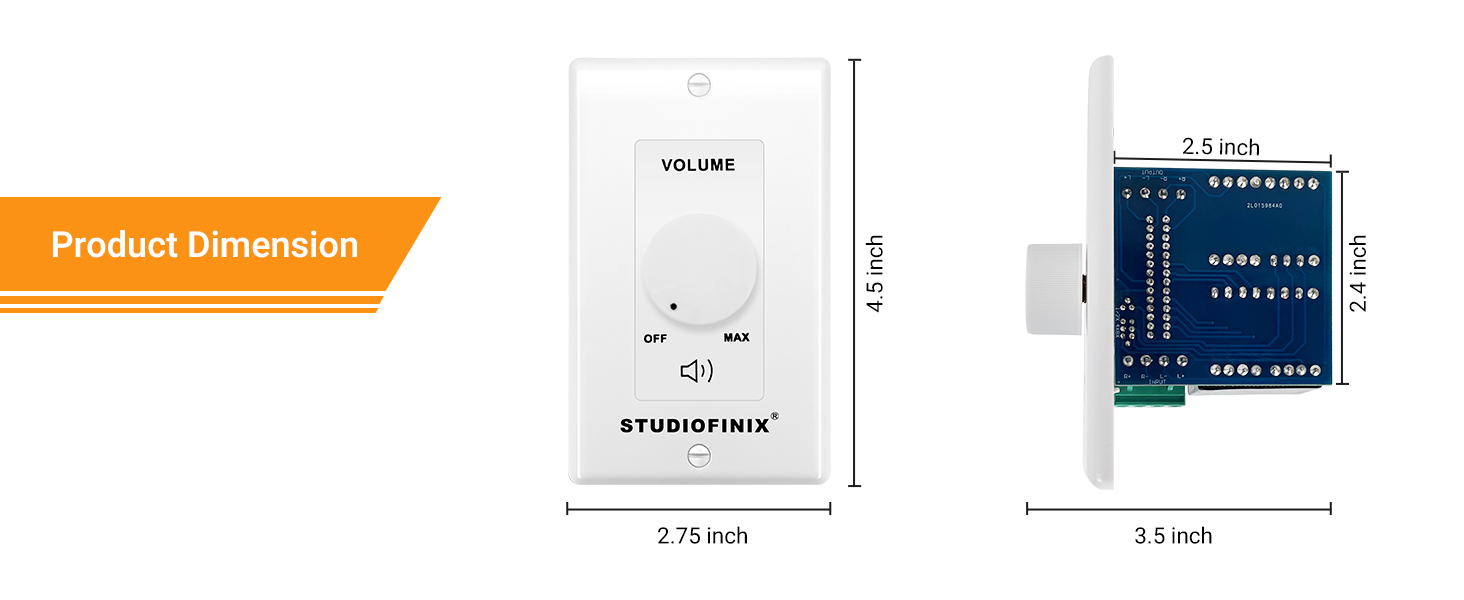
Image: A diagram illustrating the wiring connections from an amplifier/receiver to the STUDIOFINIX volume control and then to multiple speakers, highlighting input and output terminals.
- Secure Volume Control: Carefully push the wired volume control into the electrical box. Use the provided mounting screws to secure the volume control bracket to the electrical box.
- Attach Faceplate and Knob: Place the desired faceplate over the volume control and secure it with the panel screws. Push the volume knob onto the shaft until it is firmly seated.
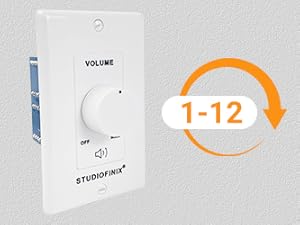
Image: The STUDIOFINIX volume control unit being inserted into a wall opening, demonstrating the in-wall installation process.

Image: A detailed view of the rear of the STUDIOFINIX volume control, highlighting the screw terminals for speaker wire connections and the internal transformer.
4. Operating Instructions
The STUDIOFINIX ST-VCP-100 features a simple rotary knob for volume adjustment.
- Power On/Off: Rotate the knob counter-clockwise until it clicks into the 'OFF' position to turn off the audio to the connected speakers. Rotate clockwise to turn on and increase volume.
- Volume Adjustment: Rotate the knob clockwise to increase the volume and counter-clockwise to decrease it. The knob provides 12 distinct steps of volume adjustment, from minimum ('OFF') to maximum ('MAX').

Image: Close-up of the volume control knob, indicating its 12-position adjustable range from off to maximum volume.
5. Maintenance
The STUDIOFINIX ST-VCP-100 requires minimal maintenance.
- Cleaning: To clean the faceplate, gently wipe it with a soft, dry cloth. Avoid using abrasive cleaners or solvents, as these may damage the finish.
- Inspection: Periodically check the connections to ensure they remain secure.
6. Troubleshooting
If you encounter issues with your volume control, please refer to the following common problems and solutions:
| Problem | Possible Cause | Solution |
|---|---|---|
| No sound from speakers. | Volume knob is in 'OFF' position. Loose or incorrect wiring. Amplifier/receiver is off or muted. | Rotate knob clockwise to increase volume. Check all speaker wire connections at the volume control and amplifier/speakers for correct polarity and secure fit. Ensure amplifier/receiver is powered on and not muted. |
| Distorted or low sound. | Incorrect wiring polarity. Overdriving the amplifier or speakers. Faulty speaker wire. | Verify positive (+) and negative (-) connections are consistent throughout the system. Reduce amplifier volume or volume control setting. Inspect speaker wires for damage and replace if necessary. |
| Volume does not change. | Knob not properly seated. Internal component failure. | Remove and re-seat the volume knob firmly onto the shaft. If the issue persists, contact STUDIOFINIX customer support. |
7. Specifications
| Feature | Specification |
|---|---|
| Model Number | ST-VCP-100 |
| Power Handling | 100W (Maximum) |
| Operation Mode | Manual |
| Actuator Type | Knob |
| Number of Positions | 8 (Impedance Matching) / 12 (Volume Steps) |
| Connector Type | Screw Terminals |
| Circuit Type | Parallel |
| Contact Material | Metal |
| International Protection Rating | IP54 |
| Package Dimensions | 5.16 x 3.9 x 3.39 inches |
| Item Weight | 1.21 Pounds |
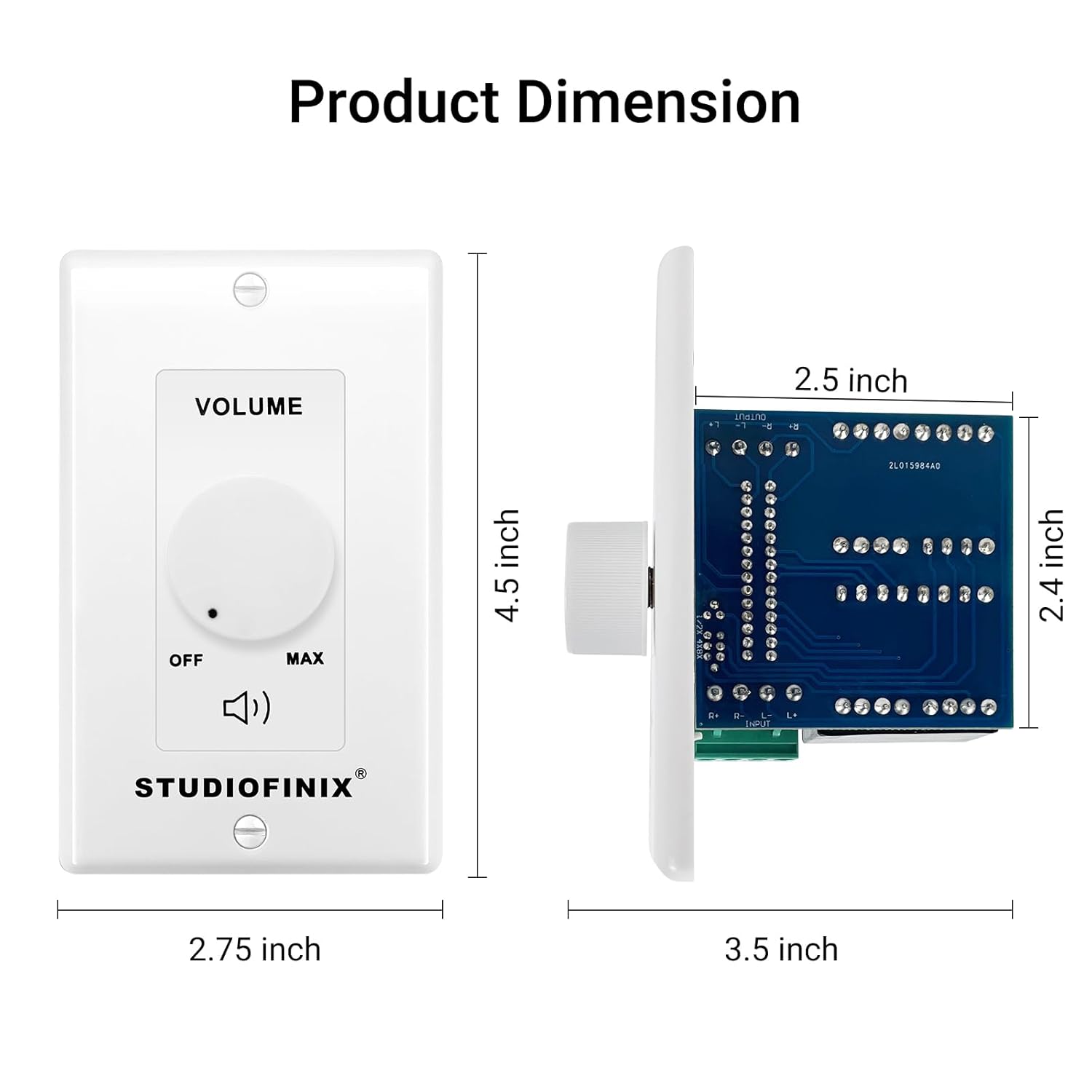
Image: A technical drawing illustrating the front and side dimensions of the STUDIOFINIX ST-VCP-100 volume control unit in inches.
8. Warranty and Support
STUDIOFINIX products are designed for reliability and performance. For warranty information or technical support, please refer to the contact details provided with your purchase documentation or visit the official STUDIOFINIX website. Please retain your proof of purchase for warranty claims.


