
1. Introduction
This manual provides essential information for the safe and efficient operation, installation, and maintenance of your Samsung WindFree AI Inverter Split Air Conditioner. Please read this manual thoroughly before using the appliance and retain it for future reference.
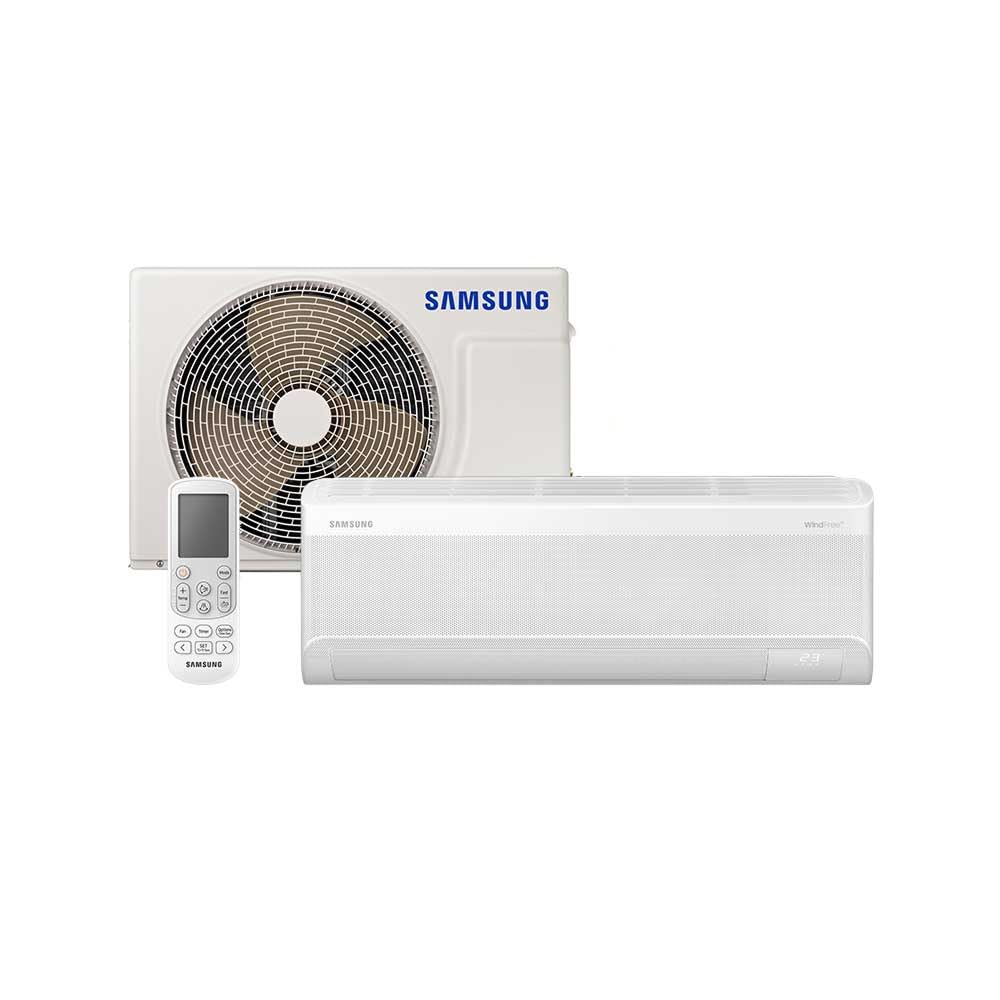
Image: Front view of the Samsung WindFree AI Inverter Split Air Conditioner indoor unit.
2. Safety Information
Always follow basic safety precautions to reduce the risk of fire, electric shock, or injury. This appliance is not intended for use by persons (including children) with reduced physical, sensory or mental capabilities, or lack of experience and knowledge, unless they have been given supervision or instruction concerning use of the appliance by a person responsible for their safety.
- Ensure the power supply matches the unit's requirements (220V).
- Do not attempt to repair or modify the unit yourself. Contact qualified service personnel.
- Keep the area around the outdoor unit clear of obstructions.
- Do not insert fingers or objects into the air inlet/outlet.
- Disconnect power before cleaning or performing maintenance.
3. Product Overview
The Samsung WindFree AI Inverter Split Air Conditioner is designed for efficient and comfortable cooling. Key features include:
- WindFree™ Cooling: Disperses air gently through 23,000 micro air holes, eliminating unpleasant drafts.
- AI Auto Cooling: Optimizes cooling based on user preferences and environmental conditions.
- Digital Inverter Technology: Provides energy-efficient operation and precise temperature control.
- SmartThings Integration: Allows remote control and monitoring via smartphone.
- Fast Cooling Mode: Quickly cools the room for immediate comfort.
- Good Sleep Mode: Adjusts temperature for optimal sleeping conditions.
- Antibacterial Filter: Helps maintain cleaner air by capturing dust and allergens.
- Auto Clean Function: Automatically dries the heat exchanger to prevent mold and bacteria buildup.
- Freeze Wash: Sterilizes the heat exchanger by freezing and thawing.
- R-32 Refrigerant: Environmentally friendly refrigerant.
3.1. Components

Image: Indoor Unit (Front View)

Image: Outdoor Unit (Front View)
The system consists of an indoor unit (evaporator) and an outdoor unit (condenser). A remote control is also included for convenient operation.
4. Setup and Installation
Professional installation by a qualified technician is highly recommended to ensure proper functioning and safety. Incorrect installation can lead to water leakage, electric shock, or fire.
4.1. Installation Steps (Overview)
- Site Selection: Choose appropriate locations for both indoor and outdoor units, ensuring proper airflow and drainage.
- Mounting: Securely mount the indoor unit on the wall and the outdoor unit on a stable surface.
- Piping and Wiring: Connect refrigerant pipes and electrical wiring between the units according to the wiring diagram.
- Vacuuming and Leak Check: Evacuate the refrigerant lines and check for leaks.
- Test Run: Perform a test run to ensure all functions operate correctly.

Image: Illustration of the indoor unit installation process, highlighting its simple design.
4.2. Dimensions

Image: Diagram showing the dimensions of the indoor unit: 30cm (Depth) x 90cm (Width) x 29cm (Height).
5. Operating Instructions
Your air conditioner offers various modes and smart features for optimal comfort.
5.1. Basic Operation
- Power On/Off: Press the Power button on the remote control.
- Temperature Adjustment: Use the Up/Down arrows to set the desired temperature.
- Mode Selection: Cycle through modes (Cool, Fan, Dry, Auto) using the Mode button.
- Fan Speed: Adjust fan speed as desired.
5.2. WindFree™ Mode
Activate WindFree™ mode for a gentle, draft-free cooling experience. Air is dispersed softly through thousands of micro-holes on the unit's front panel.

Image: Visual representation of the WindFree™ mode, illustrating air flowing through micro-holes for a comfortable, draft-free environment.
5.3. AI Auto Cooling
The AI Auto Cooling function intelligently analyzes room conditions and user preferences to automatically select the optimal operating mode and temperature.

Image: Diagram showing the AI Auto Cooling system, which uses artificial intelligence to automatically adjust settings for optimal comfort.
5.4. SmartThings Integration and Voice Control
Connect your air conditioner to the Samsung SmartThings app for remote control, scheduling, and energy monitoring. You can also use voice commands with compatible assistants like Bixby, Google Assistant, and Amazon Alexa.

Image: SmartThings app showing remote control of the air conditioner, enabling "Welcome Climate" before arriving home.

Image: A person using voice commands (e.g., "Alexa, activate WindFree mode") to control the air conditioner.
SmartThings Energy: Monitor and manage your energy consumption through the SmartThings app to optimize efficiency.

Image: Screenshot of the SmartThings Energy function, displaying energy usage and cost estimates.
5.5. Fast Cooling Mode
For rapid cooling, activate the Fast Cooling mode. This mode operates at maximum fan speed to quickly reach the desired temperature.

Image: Illustration comparing standard cooling with Fast Cooling mode, showing faster temperature reduction.
5.6. Good Sleep Mode
The Good Sleep mode automatically adjusts the temperature and fan speed throughout the night to create an optimal sleeping environment, promoting deeper sleep.

Image: Graph illustrating temperature and energy consumption patterns during Good Sleep mode for enhanced comfort.
5.7. Silent Operation
The unit is designed for quiet operation, ensuring a peaceful environment, especially in WindFree mode.

Image: Diagram illustrating the quiet operation of the air conditioner, particularly in WindFree mode, with a sound level of 23dB.
5.8. Welcome Climate Video
This video demonstrates how to activate your WindFree air conditioner remotely to ensure a comfortable environment upon your arrival home.
Video: Demonstrates the "Welcome Climate" feature, allowing remote activation of the air conditioner via smartphone before arriving home. (Video source unavailable in provided data)
6. Maintenance
Regular maintenance ensures optimal performance and extends the lifespan of your air conditioner.
6.1. Filter Cleaning
The antibacterial filter should be cleaned regularly (e.g., every two weeks or as needed) to maintain air quality and efficiency. Refer to the manual for specific instructions on how to remove and clean the filter.

Image: Cross-section view highlighting the 99% antibacterial filter within the indoor unit, designed for cleaner air.
6.2. Auto Clean Function
The Auto Clean function automatically runs the fan after the unit is turned off to dry any moisture inside the heat exchanger, preventing mold and bacteria growth.

Image: Diagram illustrating the Auto Clean process, which involves gentle breeze and WindFree drying cycles to keep the air conditioner clean.
6.3. Freeze Wash
The Freeze Wash feature helps sterilize the heat exchanger by freezing it to create ice, then thawing it to wash away contaminants. This process helps remove up to 90% of microorganisms.

Image: Step-by-step illustration of the Freeze Wash function: Freezes, Thaws and Washes, then Dries, to sterilize the internal components.
6.4. General Cleaning
- Wipe the exterior of the indoor unit with a soft, damp cloth.
- Ensure the outdoor unit is free from debris and obstructions.
- Do not use harsh chemicals or abrasive cleaners.
7. Troubleshooting
Before contacting service, refer to the following common issues and solutions:
| Problem | Possible Cause | Solution |
|---|---|---|
| Unit does not turn on. | No power, circuit breaker tripped, remote control batteries low. | Check power supply, reset circuit breaker, replace remote batteries. |
| Insufficient cooling. | Dirty air filter, blocked outdoor unit, wrong mode selected, room too large. | Clean air filter, clear obstructions, select Cool mode, ensure unit capacity matches room size. |
| Unusual noise. | Loose parts, foreign objects, normal operating sounds (e.g., refrigerant flow). | Check for loose parts, remove foreign objects. If noise persists or is abnormal, contact service. |
| Water leakage from indoor unit. | Clogged drain hose, improper installation. | Clear drain hose. If issue persists, contact a qualified technician for inspection. |
If the problem persists after attempting these solutions, please contact Samsung customer support or a qualified service technician.
8. Specifications
| Feature | Detail |
|---|---|
| Brand | Samsung |
| Model Number | AR12DYFAAWKNAZ (F-AR12DYFAAWK) |
| Cooling Capacity | 12,000 BTUs |
| Voltage | 220 Volts |
| Refrigerant | R-32 |
| Inverter Type | Digital Inverter |
| Installation Type | Wall-mounted (Split) |
| Control Method | Remote Control, Application (SmartThings), Voice (Bixby, Google Assistant, Alexa) |
| Product Dimensions (Indoor Unit) | 30P x 90L x 29A centimeters |
| Special Features | WindFree™ Cooling, AI Auto Cooling, SmartThings, Fast Cooling, Good Sleep, Antibacterial Filter, Auto Clean, Freeze Wash |
| Energy Efficiency | Class A (INMETRO) |
| Compressor Type | Rotary Scroll |
| Copper Coil | Yes, for durability. |

Image: Energy efficiency label (INMETRO Class A) for the air conditioner, indicating low energy consumption.

Image: Close-up view of the copper coil, highlighting its resistance and durability.

Image: Outdoor unit highlighting the use of R-32 refrigerant (ecologically correct) and a 10-year warranty on the Digital Inverter compressor.
9. Warranty and Support
Your Samsung WindFree AI Inverter Split Air Conditioner comes with a limited warranty. The standard warranty period is 12 months from the date of purchase, as per the product specifications. Additionally, the Digital Inverter compressor is covered by a 10-year warranty.
For detailed warranty terms and conditions, please refer to the warranty card included with your product or visit the official Samsung website.
Extended Warranty Options:
- Extended Warranty against failures and defects for 12 months (total 24 months).
- Extended Warranty against failures and defects for 24 months (total 36 months).
These extended warranty options are available for purchase separately.
9.1. Customer Support
If you encounter any issues or require assistance, please contact Samsung customer support. Have your model number (AR12DYFAAWKNAZ) and purchase information ready when contacting support.
You can find contact information for Samsung support on their official website or in the documentation provided with your product.


