
Introduction
Welcome to the user manual for your new Oraimo OSW-805 Watch 5 Smart Watch. This guide provides essential information on setting up, operating, and maintaining your device to ensure optimal performance and longevity. The Oraimo Watch 5 features a vivid 2.01-inch HD Panda Glass screen, 1ATM water resistance, and comprehensive health tracking capabilities.
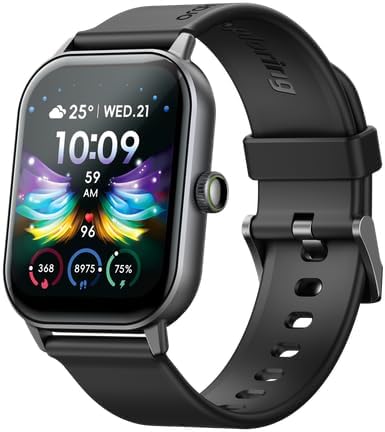
Image: Front view of the Oraimo OSW-805 Watch 5 Smart Watch, showcasing its display and strap.
What's in the Box
Upon opening your Oraimo Watch 5 package, please verify that all the following items are included:
- Oraimo OSW-805 Watch 5 Smart Watch
- Charging Cable
- User Manual (this document)
Setup
1. Charging the Device
Before first use, fully charge your Oraimo Watch 5.
- Connect the charging cable to the charging port on the back of the watch.
- Plug the other end of the cable into a USB power adapter (not included) or a computer's USB port.
- The watch display will indicate charging status. A full charge typically takes approximately 2 hours.
The Oraimo Watch 5 is equipped with a 300mAh battery, providing up to 7 days of normal usage time and up to 30 days of standby time on a single charge.
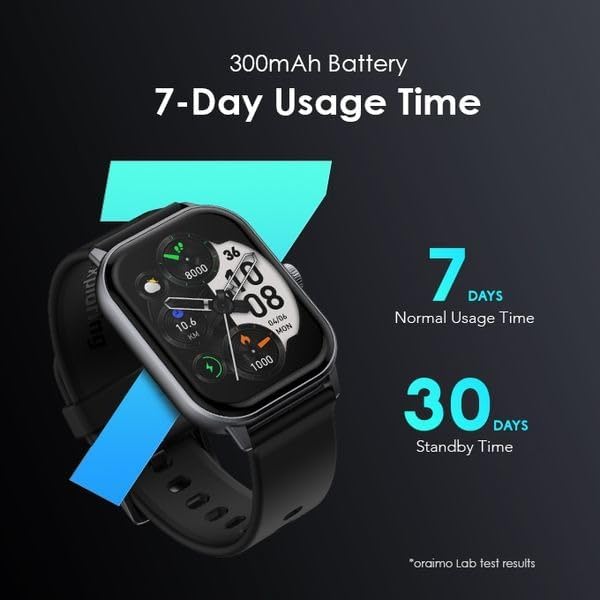
Image: Illustration of the Oraimo Watch 5's 300mAh battery, highlighting 7 days of normal usage and 30 days of standby time.
2. Pairing with Your Smartphone
To unlock the full features of your Oraimo Watch 5, pair it with your smartphone using the dedicated app.
- Download the Oraimo Health app from your smartphone's app store (available for Android).
- Ensure Bluetooth is enabled on your smartphone.
- Open the Oraimo Health app and follow the on-screen instructions to create an account or log in.
- In the app, navigate to the device pairing section and select "Add Device".
- Choose "Oraimo Watch 5" from the list of available devices.
- Confirm the pairing request on both your watch and smartphone.
The watch uses Bluetooth connectivity for seamless communication with your smartphone.
Operating Your Smart Watch
1. Display and Navigation
The Oraimo Watch 5 features a 2.01-inch HD Full Touch Screen with Panda Glass, offering clear visuals and smooth interaction.
- Touch Screen: Tap, swipe, and long-press to navigate menus, select options, and interact with features.
- Side Button: Typically used to wake the screen, return to the home screen, or access the app list.
- Watch Faces: Customize your watch face from a variety of AI-generated options via the Oraimo Health app.

Image: Close-up of the Oraimo Watch 5 display, highlighting its 2.01" HD Full Touch Screen, 88.8% screen-to-body ratio, 650lm brightness, and 50 Hz refresh rate.
2. Health Tracking Features
Your Oraimo Watch 5 is an all-in-one health tracker, monitoring key health metrics throughout the day.
- Heart Rate Monitoring: Continuously tracks your heart rate, providing insights into your cardiovascular health.
- Sleep Tracking: Monitors your sleep patterns, including deep sleep, light sleep, and wake times.
- Step Counter: Records your daily steps, distance covered, and calories burned.
- Blood Oxygen Monitoring: Measures your blood oxygen saturation levels.
3. Smart Notifications and Calling
Stay connected with smart notifications delivered directly to your wrist.
- Notifications: Receive instant alerts for incoming calls, messages, and app notifications (e.g., social media, email).
- Wireless HD Calling: Make and receive calls directly from your watch when connected to your smartphone.
4. Multi-Sport Modes
Track your workouts with precision using the watch's extensive sport modes.
- The Oraimo Watch 5 supports over 105 sport modes, including walking, running, cycling, and more.
- Select your activity from the watch's menu to record duration, calories burned, heart rate, and other relevant metrics.

Image: Overview of Oraimo Watch 5 features including screen-to-body ratio, Panda Glass, battery life, 1ATM water resistance, 105 sports modes, AI-generated watch faces, and wireless HD calling.
Maintenance
1. Water Resistance
The Oraimo Watch 5 features 1ATM water resistance, making it suitable for daily wear and workouts.
- It is resistant to splashes, rain, and sweat.
- Avoid prolonged submersion in water, hot water, or steam.
- Do not press buttons underwater.
- Dry the watch thoroughly after exposure to water to prevent damage.
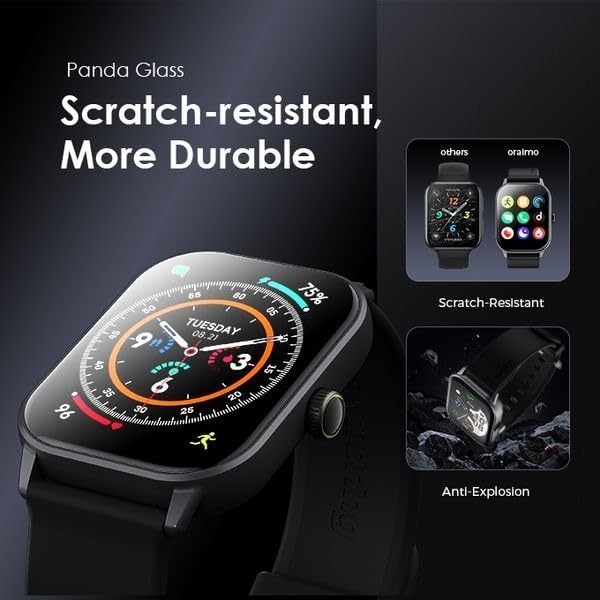
Image: Depiction of Oraimo Watch 5's Panda Glass, emphasizing its scratch-resistant and anti-explosion properties.
2. Cleaning and Care
To keep your watch in good condition:
- Wipe the watch and strap regularly with a soft, dry cloth.
- If necessary, use a slightly damp cloth for cleaning, then dry thoroughly.
- Avoid using harsh chemicals or abrasive materials.
Troubleshooting
If you encounter issues with your Oraimo Watch 5, try the following solutions:
- Watch not turning on: Ensure the watch is fully charged. Connect it to the charger for at least 30 minutes.
- Cannot pair with smartphone:
- Ensure Bluetooth is enabled on your phone and the watch is within range.
- Restart both your watch and smartphone.
- Clear the Bluetooth cache on your phone (if applicable).
- Try unpairing and re-pairing the device through the Oraimo Health app.
- Inaccurate health data: Ensure the watch is worn snugly on your wrist, not too loose or too tight. Clean the sensors on the back of the watch.
- Notifications not appearing: Check notification settings in the Oraimo Health app and your phone's system settings to ensure permissions are granted.
For further assistance, refer to the support section of the Oraimo Health app or contact Oraimo customer support.
Specifications
| Feature | Detail |
|---|---|
| Model Number | Watch 5 |
| Display | 2.01-inch HD Full Touch Screen with Panda Glass |
| Water Resistance | 1ATM |
| Battery Capacity | 300mAh Lithium Polymer |
| Battery Life | Up to 7 days (normal usage), Up to 30 days (standby) |
| Connectivity | Bluetooth |
| Health Tracking | Heart Rate, Sleep, Steps, Blood Oxygen |
| Special Features | Wireless HD Calling, Multi-Sport Modes (105+), AI-Generated Watch Faces |
| Operating System | Android (compatible) |
| Manufacturer | Oraimo Technology Limited |
Warranty and Support
Your Oraimo Watch 5 is covered by a manufacturer's warranty. Please refer to the warranty card included in your product packaging for specific terms and conditions.
For technical support, troubleshooting, or warranty claims, please contact Oraimo customer service through their official website or the Oraimo Health app. Keep your purchase receipt as proof of purchase.


