Introduction
This manual provides essential information for the safe and efficient operation, installation, and maintenance of your Hisense BI350XPZ Electric Built-in Oven. Please read these instructions carefully before using the appliance and keep them for future reference.

Figure 1: Front view of the Hisense BI350XPZ Electric Built-in Oven, featuring a pizza cooking inside.
Safety Information
Always follow basic safety precautions when using electrical appliances to reduce the risk of fire, electric shock, burns, or injury. Keep children away from the appliance during operation. Do not touch hot surfaces. Ensure proper ventilation. Disconnect the appliance from the power supply before cleaning or maintenance.
Setup and Installation
Unpacking
Carefully remove all packaging materials and accessories. Inspect the oven for any damage. Do not install a damaged appliance.
What's in the Box
- Non-stick pizza tray
- Foldable pizza peel
- Grill rack
- Drip pan
- Telescopic guides

Figure 2: Included accessories for the Hisense BI350XPZ oven, showing the pizza tray, grill rack, and drip pan.
Installation Dimensions
Ensure the cabinet opening meets the required dimensions for proper installation and ventilation. Refer to the diagram for precise measurements.

Figure 3: Installation dimensions for the Hisense BI350XPZ oven (595mm height, 595mm width, 564mm depth).
Electrical Connection
The oven is supplied with a power cable approximately one meter long, fitted with a Schuko plug. Ensure the electrical outlet is properly grounded and matches the voltage and current requirements of the appliance. Consult a qualified electrician if unsure.
Operating Instructions
Control Panel Overview
The oven features a digital display and a central selector knob for program selection and temperature adjustment. Familiarize yourself with the icons and their functions for optimal use.
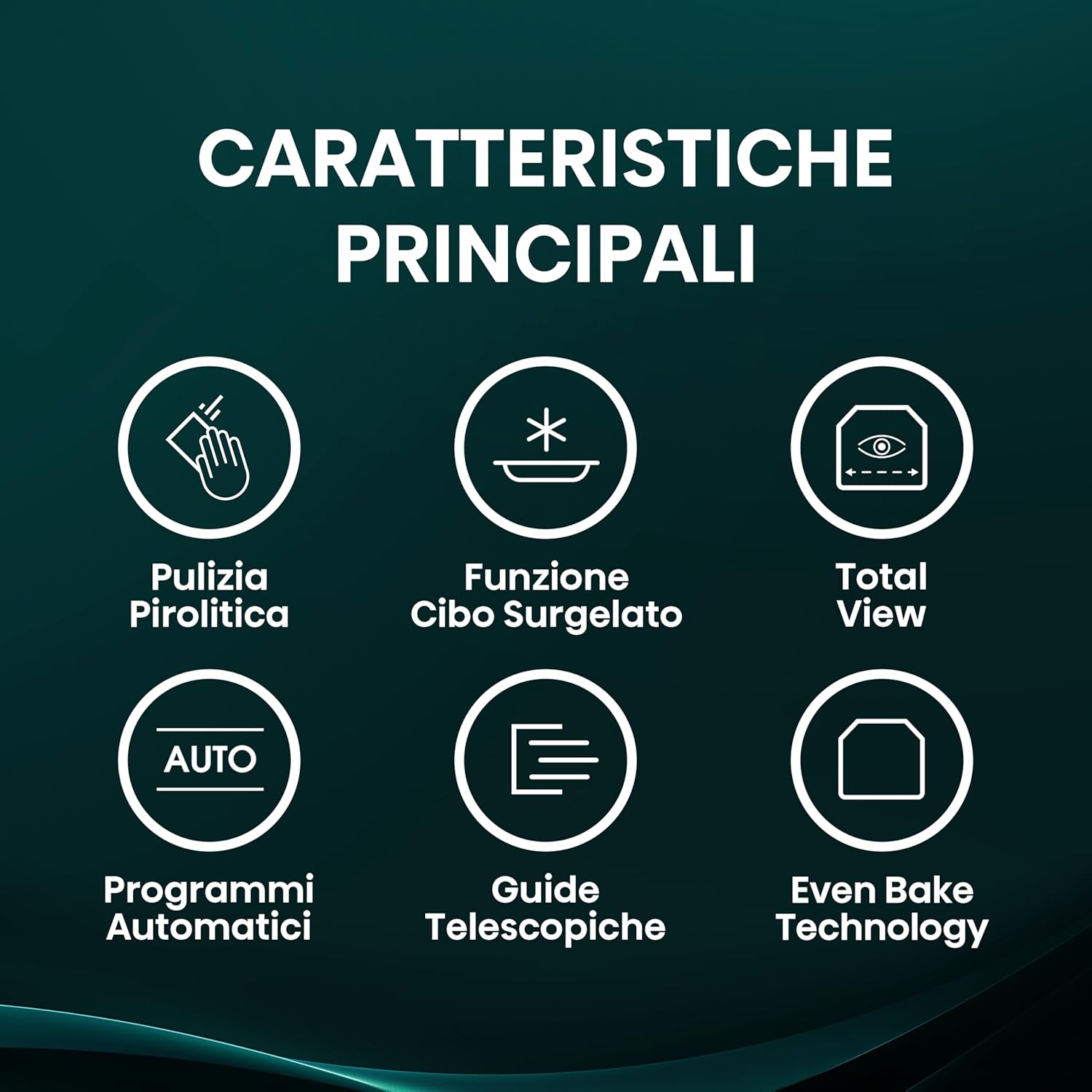
Figure 4: Control panel of the Hisense BI350XPZ oven, showing the digital display and central selector knob.
Cooking Functions
- Pizza Mode Pro: Achieves 350°C for perfect pizza in approximately 3 minutes and 30 seconds. Includes a dedicated non-stick tray and foldable peel.
- 23 Automatic Programs: Pre-set programs for various dishes, simplifying cooking.
- Frozen Food Function: Optimized settings for cooking pre-packaged and frozen items like croissants, chicken nuggets, and fries.
- Add Steam: Introduces steam during cooking for improved results, particularly for bread, roasts, and pastries, creating a crispy exterior and moist interior.
- Even Bake Technology: Ensures uniform heat distribution for consistent cooking results across all levels.
- Multiphase Cooking: Allows automatic and sequential transitions between different cooking modes and heating elements.
- Rapid Heating: Quickly preheats the oven to 200°C in approximately 5 minutes.
- Multilevel Cooking: Designed to cook multiple dishes simultaneously on different levels with uniform heat distribution.
- Double Gratin: Utilizes both upper and lower grill functions for even browning.
Special Features
- Total View: Enhanced internal lighting and door design allow clear visibility of food without opening the oven, preserving heat.
- Cooling System: An advanced cooling system keeps the exterior surfaces cool to the touch, enhancing safety. The fan may continue to operate after the oven is turned off until the internal temperature drops below 60°C.
- Soft Closing Door: The oven door features a soft-closing mechanism for quiet and gentle operation.
- Cool Door: The multi-layered glass door remains cool to the touch during operation, providing safety, especially for households with children.
- Telescopic Guides: Facilitate easy and safe insertion and removal of trays and racks.

Figure 5: Using the Add Steam function, with water being poured into a tray.

Figure 6: Overview of automatic cooking programs, showing various food icons.
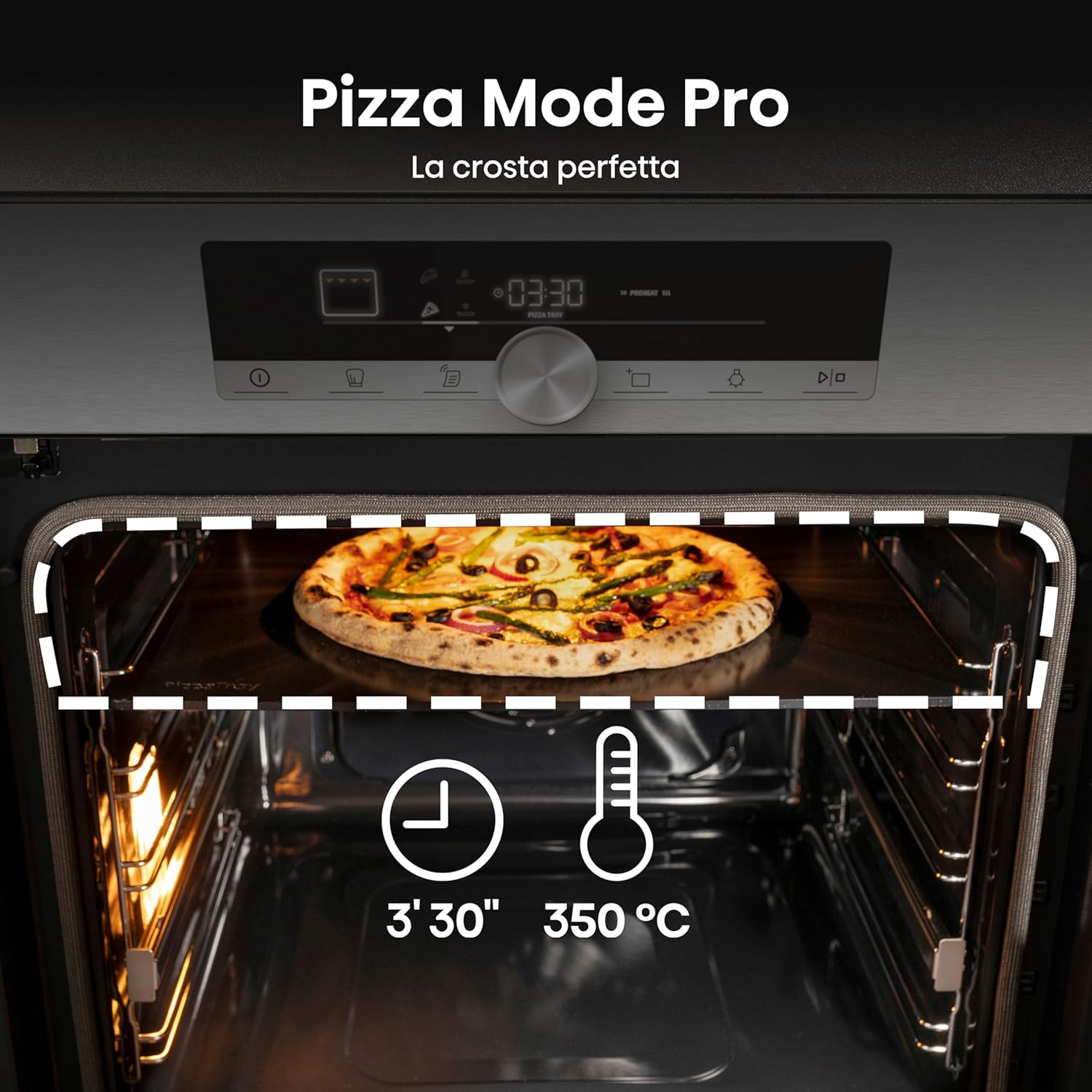
Figure 7: Pizza Mode Pro in action, highlighting the 3'30" cooking time at 350°C.
Maintenance and Cleaning
Pyrolytic Cleaning
The pyrolytic cleaning function is a highly effective method for cleaning the oven interior. It heats the oven to approximately 500°C, incinerating food residues and grease into ash. The oven door remains locked during the process. After the cycle, allow the oven to cool, then wipe away the remaining ash with a damp cloth. Three different pyrolytic cycles are available depending on the level of soiling.
Figure 8: Pyrolytic cleaning function, indicated by a hand icon and a fan symbol.
General Cleaning
For routine cleaning, use mild detergents and a soft cloth. Avoid abrasive cleaners or scouring pads that could damage surfaces. Ensure the oven is cool before cleaning.
Troubleshooting
| Problem | Possible Cause | Solution |
|---|---|---|
| Oven not heating | Power supply issue, incorrect program selection, oven not turned on. | Check power connection. Ensure the oven is switched on and a cooking program is selected. Verify circuit breaker. |
| Exterior door becomes very hot | Normal operation for some cooking modes, especially at high temperatures. | Exercise caution. The oven features a Cool Door design to minimize heat transfer, but surfaces can still be hot. Keep children away. |
| Controls seem complex or confusing | Unfamiliarity with the digital interface and numerous functions. | Refer to the "Operating Instructions" section. Practice using the selector knob and understanding the icons. The power button must be pressed to start cooking after setting parameters. |
| Timer function is unclear | Icons for minute minder and automatic shut-off timer may be similar. | Consult the detailed instructions for setting the timer. Ensure the correct timer mode (minute minder or cooking duration) is selected and activated. |
Specifications
| Feature | Detail |
|---|---|
| Model Number | BI350XPZ |
| Brand | Hisense |
| Type | Electric Built-in Oven |
| Capacity | 77 Liters (XXL Cavity) |
| Energy Class | A+ |
| Number of Functions | 23 (plus autocooking) |
| Heating Method | Convection |
| Fuel Type | Electric |
| Color | Inox |
| Dimensions (H x W x D) | 595mm x 595mm x 564mm (approximate, refer to installation diagram) |
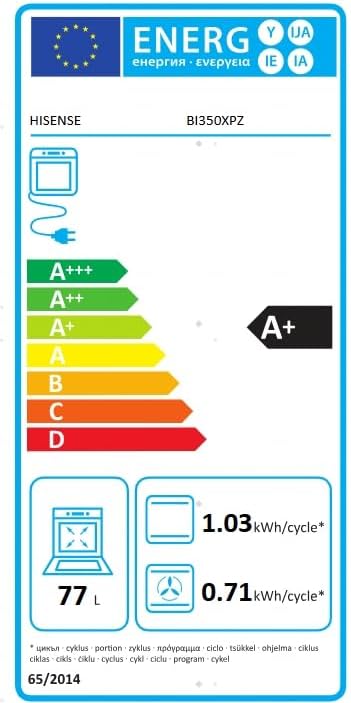
Figure 9: Energy Label for Hisense BI350XPZ, indicating A+ energy class and 77L capacity.
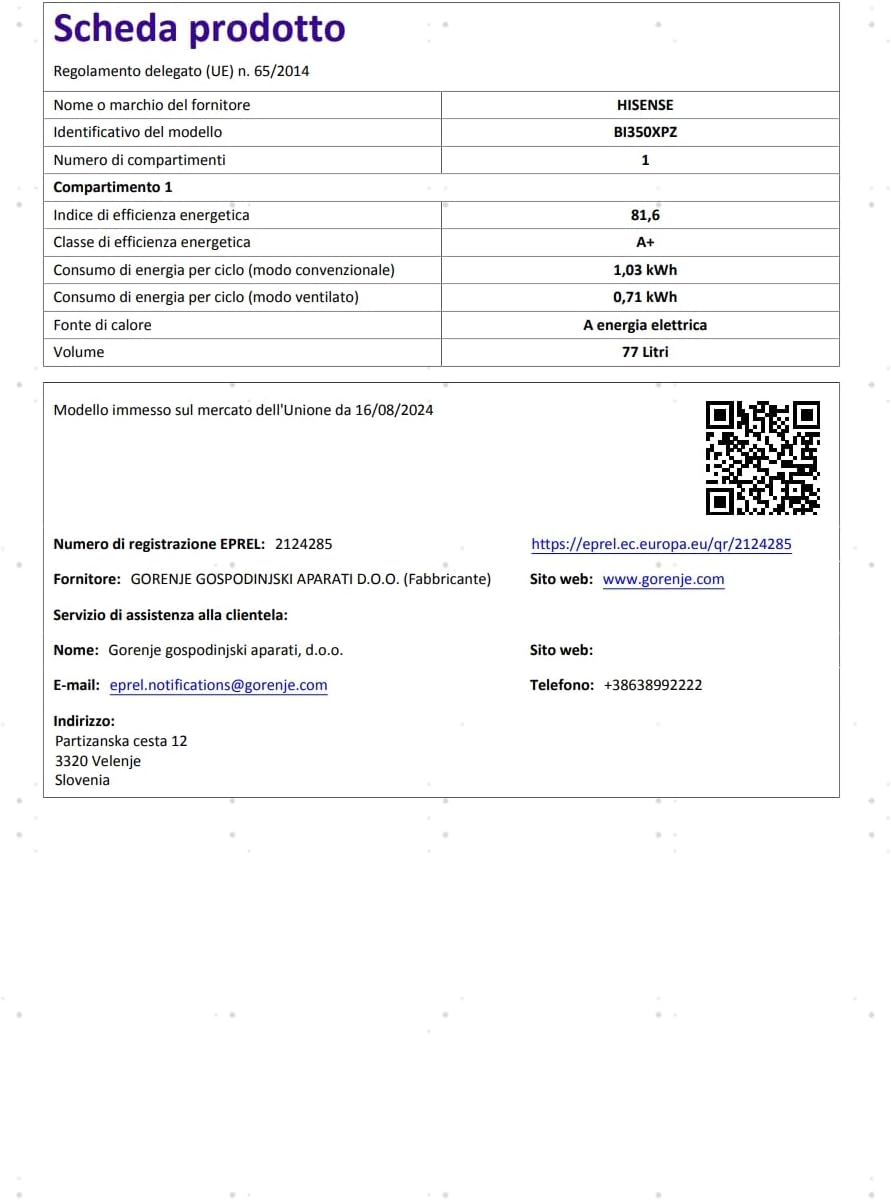
Figure 10: Product Data Sheet. For more details, visit the EPREL database.
Warranty and Support
Warranty Information
For specific warranty terms and conditions, please refer to the documentation provided with your purchase or contact the manufacturer directly. General return policies for purchases made through Amazon.it can be found on their help pages regarding returns and refunds.
Customer Support
For technical assistance, spare parts, or service inquiries, please contact the manufacturer's customer support:
- Manufacturer: GORENJE GOSPODINJSKI APARATI D.O.O.
- Website: www.gorenje.com
- Email: eprel.notifications@gorenje.com
- Phone: +3863899222
- Address: Partizanska cesta 12, 3320 Velenje, Slovenia