
Monster AC317
Monster Open Ear AC317 Headphones User Manual
Model: E52
Introduction
Thank you for choosing Monster Open Ear AC317 Headphones. This manual provides detailed instructions on how to set up, operate, maintain, and troubleshoot your new headphones. Please read this manual carefully before use to ensure optimal performance and longevity of your device.
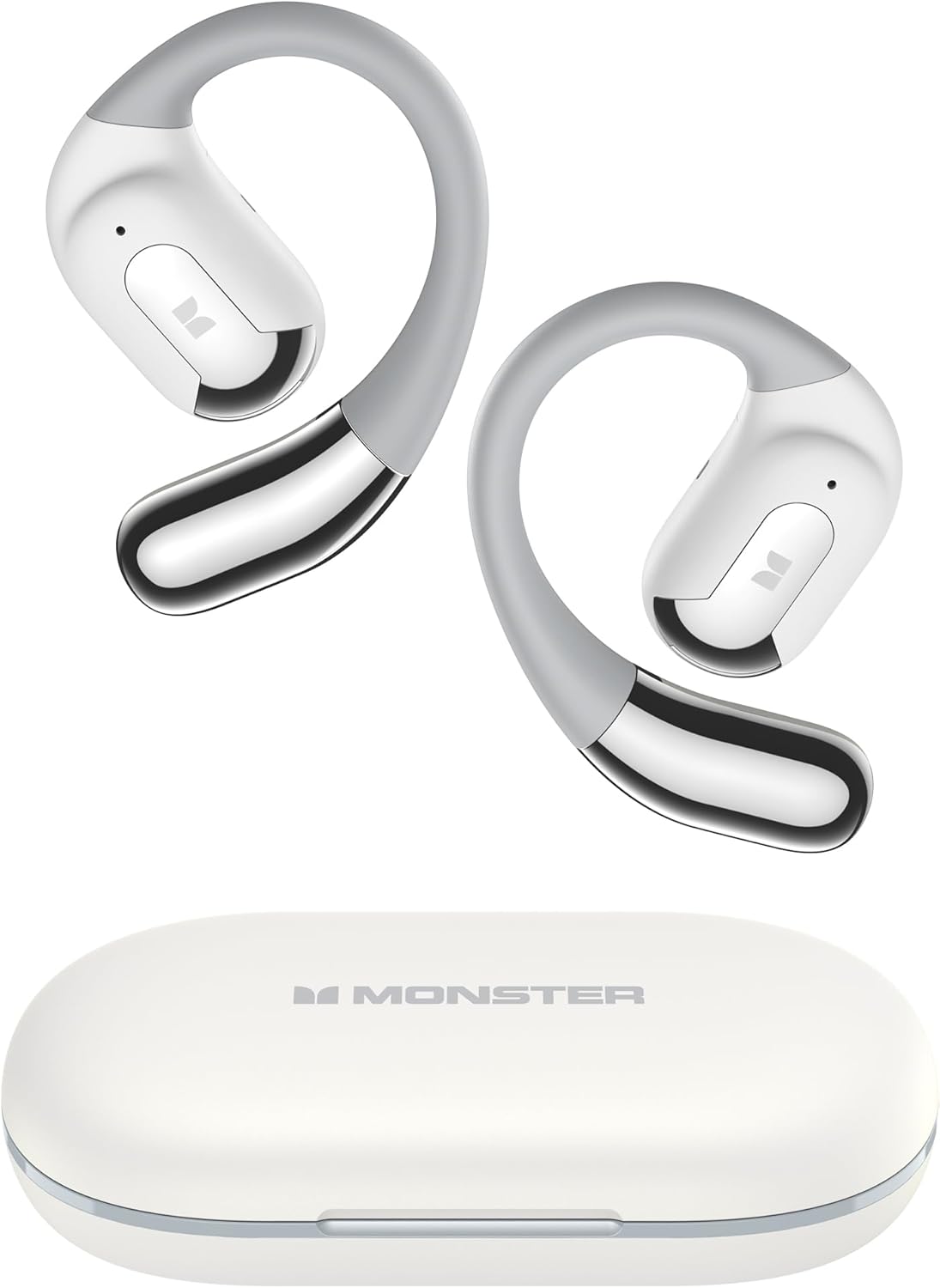
Image: Monster Open Ear AC317 Headphones and their charging case.
What's in the Box
Please check the contents of your package to ensure all items are present:
- Monster Open Ear AC317 Headphones × 1 pair
- Type-C Charging Cable × 1
- Charging Case × 1
- User Manual × 1

Image: All components included in the product packaging, including the headphones, charging case, Type-C cable, and user manual.
Setup
1. Charging the Headphones and Case
Before first use, fully charge the headphones and the charging case. The charging case provides additional battery life for your headphones.
- Connect the provided Type-C charging cable to the charging port on the case and a USB power source.
- The charging case can be fully charged in approximately 1 hour.
- Place the earbuds into the charging case. They will begin charging automatically.
- A single charge of the earbuds provides up to 8 hours of listening time, and the charging case extends total playback to up to 24 hours.

Image: Visual representation of charging times and battery life, indicating 1 hour for full charge, 8 hours of single earbud use, and 24 hours total with the charging case.
2. Bluetooth Pairing
Follow these steps to connect your Monster Open Ear AC317 Headphones to your device:
- Step 1: Pick up the earbuds from the charging case. They will automatically power on and enter pairing mode.
- Step 2: On your cellphone or Bluetooth-enabled device, turn on Bluetooth and search for "Monster Open Ear AC317" in the list of available devices.
- Step 3: Select "Monster Open Ear AC317" to pair. You will hear a system voice prompt "Connected" once pairing is successful.

Image: Step-by-step guide on how to connect the headphones to a smartphone via Bluetooth settings.
Operating Instructions
1. Wearing the Headphones
The Monster Open Ear AC317 Headphones feature an ergonomic open-ear design for comfort and situational awareness.
- Take out the earbuds from the case.
- From top to bottom, place the ear hook behind your ear.
- Adjust by twisting for comfort and a secure fit.

Image: Visual guide demonstrating the correct way to place and adjust the open-ear headphones for a secure and comfortable fit.

Image: A person wearing the headphones, illustrating the comfortable and secure fit provided by the open-ear design and flexible ear hooks.
2. Smart Touch Controls
The headphones feature intuitive touch controls for various functions:
| Action | Function | Earbud (L/R) |
|---|---|---|
| Click × 2 | Play/Pause | L / R |
| Hold × 2s | Voice Assistant | L / R |
| Click × 3 | Previous Song | L |
| Click × 3 | Next Song | R |
| Click × 2 | Answer Call | L / R |
| Hold × 2s | Reject Call | L / R |
| Click × 1 | Volume Down | L |
| Click × 1 | Volume Up | R |

Image: Visual guide to the touch controls, showing the number of clicks or hold duration for various functions like play/pause, volume, call management, and voice assistant.
3. Audio Experience
Experience Pure Monster Sound with enhanced mid to high frequencies, providing premium audio quality while maintaining awareness of your surroundings.

Image: An exploded diagram of the earbud's internal components, illustrating the technology behind the Pure Monster Sound.
4. Crystal Clear Calls
The integrated AI noise reduction algorithm minimizes audio distractions, ensuring clear communication during calls.

Image: A visual representation of the AI noise reduction technology, showing how it processes sound to deliver clearer calls by minimizing background noise.
Maintenance
1. Cleaning
To maintain the performance and appearance of your headphones:
- Wipe the earbuds and charging case with a soft, dry, lint-free cloth.
- Do not use abrasive cleaners, solvents, or aerosol sprays.
- Ensure charging contacts are clean and dry before placing earbuds in the case.
2. Water Resistance
The Monster Open Ear AC317 Headphones are IPX6 water resistant, meaning they are protected against powerful water jets. This makes them suitable for workouts and light rain, but they are not designed for submersion in water.

Image: The headphones shown with water droplets, illustrating their IPX6 water-resistant rating, suitable for protection against rain, humidity, and moisture.
3. Storage
When not in use, store the headphones in their charging case to protect them from dust and damage.
Troubleshooting
If you encounter any issues with your headphones, please refer to the following common solutions:
- No Sound: Ensure the headphones are charged and properly paired with your device. Check the volume level on both the headphones and your device.
- Pairing Issues: Turn off Bluetooth on your device, then turn it back on. Forget the device from your Bluetooth list and try pairing again. Ensure the headphones are in pairing mode.
- Intermittent Connection: Move closer to your audio source. Avoid obstacles between the headphones and your device. Ensure no other strong wireless signals are interfering.
- Charging Problems: Ensure the charging cable is securely connected to both the case and the power source. Check if the charging contacts on the earbuds and inside the case are clean.
- Unresponsive Touch Controls: Ensure your fingers are clean and dry. Try restarting the headphones by placing them back in the case and taking them out again.
If the problem persists, please contact Monster customer support for further assistance.
Specifications
| Feature | Specification |
|---|---|
| Model Name | E52 (AC317) |
| Connectivity Technology | Wireless (Bluetooth) |
| Bluetooth Version | 5.4 |
| Battery Life (Single Charge) | Up to 8 Hours |
| Battery Life (With Charging Case) | Up to 24 Hours |
| Charging Time | Approx. 1 Hour (Case) |
| Control Type | Touch Control |
| Water Resistance Level | IPX6 |
| Frequency Range | 20 Hz - 20,000 Hz |
| Material | Plastic |
| Item Weight | 5.9 ounces |
| Ear Placement | On Ear (Open-Ear Design) |
| Compatible Devices | Smartphones, Laptops, Tablets, Smart Speakers, Televisions, Cars |
Safety Information
- Do not expose the headphones or charging case to extreme temperatures, direct sunlight, or high humidity.
- Avoid listening at high volume levels for extended periods to prevent hearing damage.
- Keep out of reach of children and pets.
- Dispose of the product responsibly according to local regulations. Do not dispose of with household waste.
Warranty and Support
Monster products are designed and manufactured to the highest quality standards. For warranty information and customer support, please refer to the warranty card included in your product packaging or visit the official Monster website. If you experience any issues or have questions, please contact Monster customer service for assistance.
Related documentsAC317


Ask a question about this manual
Ask about setup, troubleshooting, compatibility, parts, safety, or missing instructions. Manuals+ will review the question and use this page’s manual context to help answer it.