
1. Introduction
Thank you for choosing the Panamalar BSX558 Automatic Upper Arm Blood Pressure Monitor. This device is designed for convenient and accurate measurement of blood pressure and pulse rate at home. It features a large LCD display with a 3-color backlight for easy reading, dual user memory, and a comfortable adjustable cuff.

Image: Panamalar Blood Pressure Monitor showing its display and key features.
2. Important Safety Information
- Consult your physician before using this device if you have any medical conditions.
- This device is intended for adult home use only. It is not a substitute for professional medical advice or treatment.
- Do not self-diagnose or self-medicate based on measurement results. Always consult a healthcare professional.
- Keep the device out of reach of children and pets.
- Avoid taking measurements in a moving vehicle or during strenuous activity.
- Do not use the device near strong electromagnetic fields.
3. Package Contents
Verify that all the following items are included in your package:
- Panamalar Blood Pressure Monitor (Model BSX558)
- Comfortable Upper Arm Cuff (22-40cm)
- USB Cable
- Instruction Manual
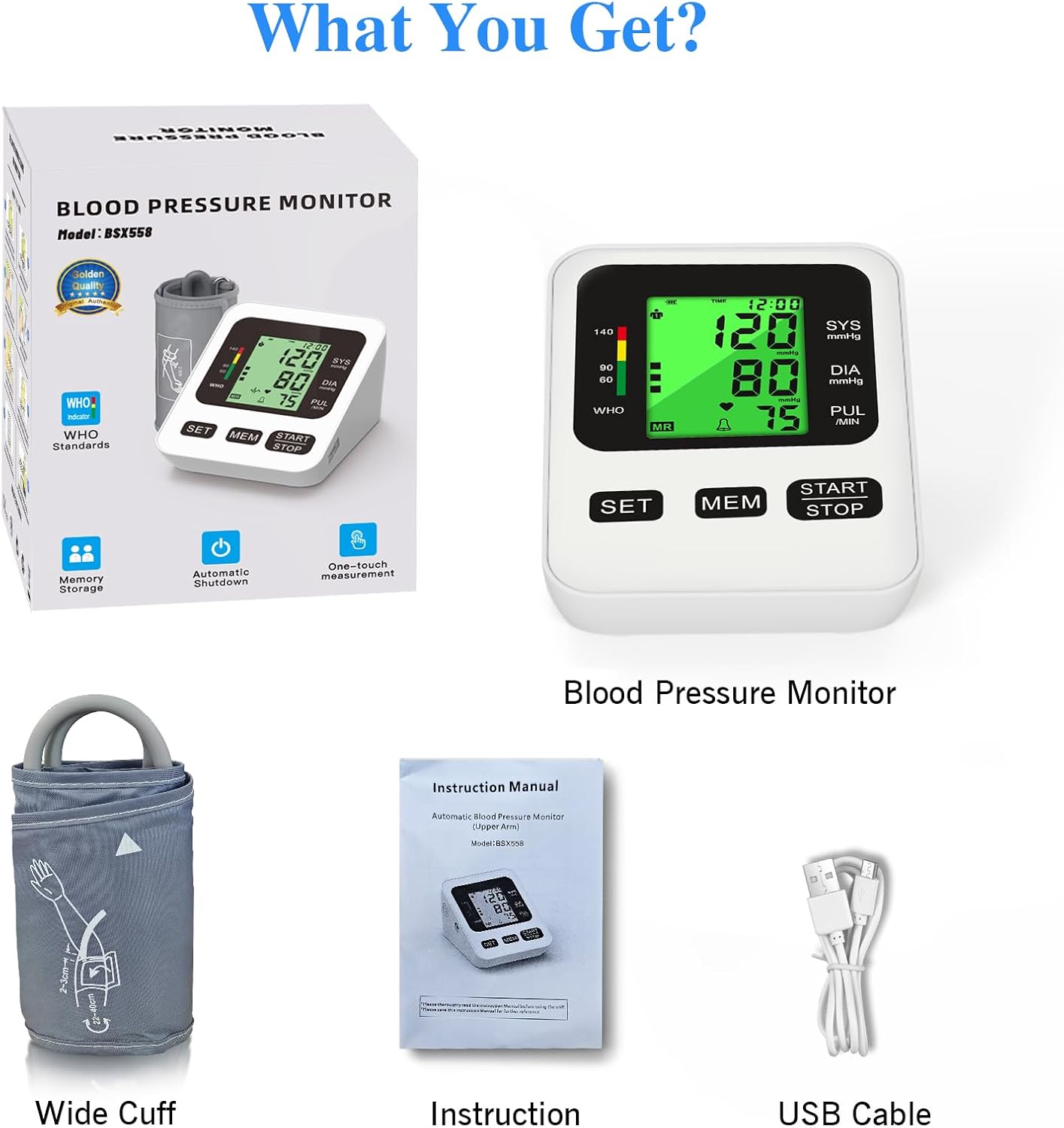
Image: The complete package contents including the monitor, cuff, USB cable, and manual.
4. Product Features
- Automatic Operation: One-button start for quick and easy measurements.
- 3-Color Backlight LCD Display: Clear indication of blood pressure levels (Green for Normal, Yellow for Moderate Hypertension, Red for Severe Hypertension).
- Dual User Memory: Stores up to 99 readings for two separate users (total 198 records) with date and time stamps.
- Adjustable Cuff: Fits arm circumferences from 22-40cm for a comfortable and secure fit.
- Average Value Function: Calculates the average of the latest three measurements for improved accuracy.
- Flexible Power Supply: Can be powered by the included USB cable or 4 AA batteries (not included).
5. Setup
5.1 Power Supply
The monitor can be powered by either 4 AA batteries or the provided USB cable.
- Battery Installation: Open the battery compartment on the back of the device. Insert 4 AA batteries (not included) according to the polarity indicators. Close the compartment securely.
- USB Power: Connect the included USB cable to the monitor's USB port and to a compatible USB power source (e.g., wall adapter, computer USB port).
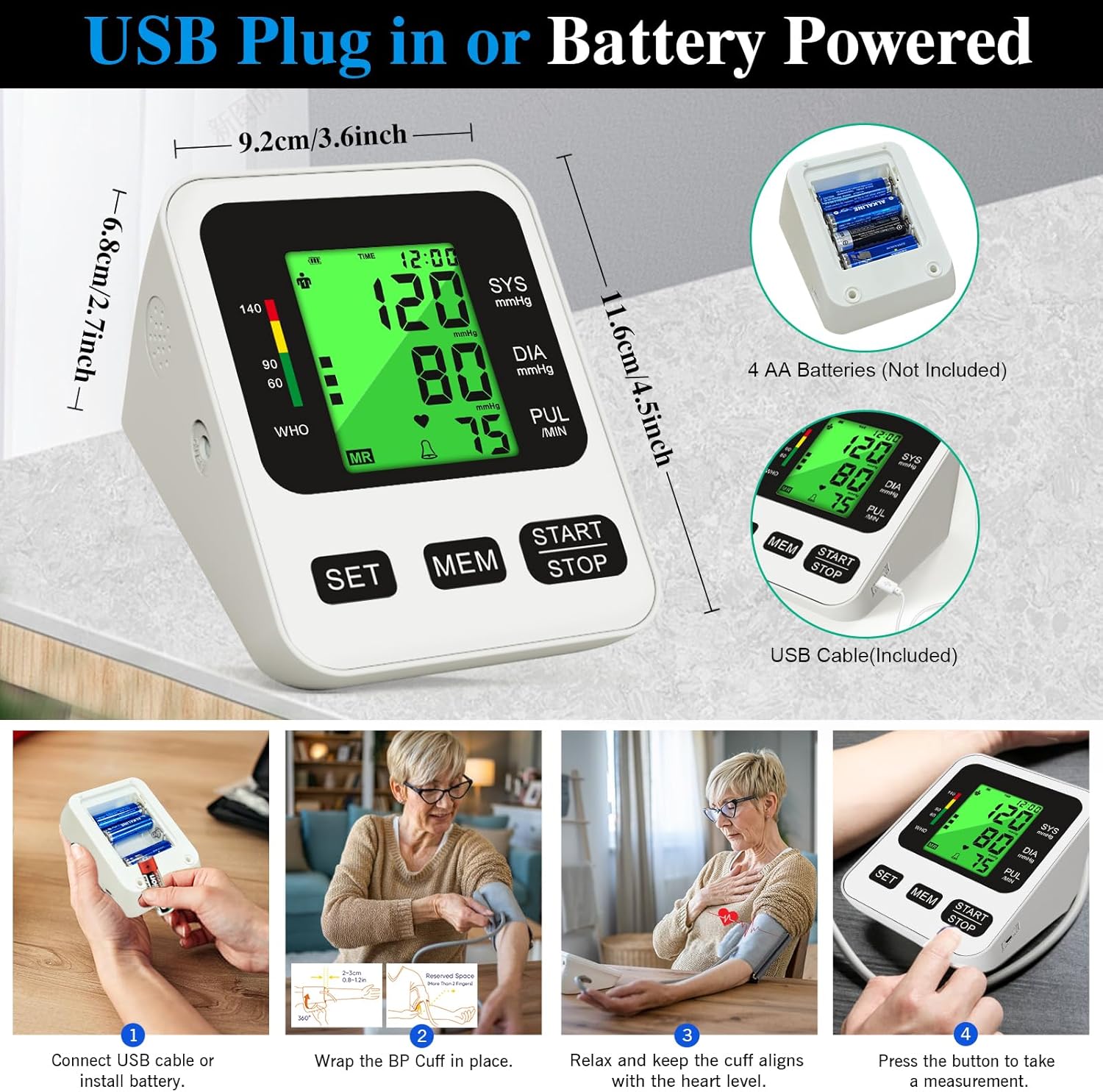
Image: Illustration of connecting the USB cable or installing AA batteries into the monitor.
5.2 Cuff Attachment
Ensure the cuff is properly attached to the monitor and your arm for accurate readings.
- Connect the air tube from the cuff securely into the air jack on the side of the monitor.
- Wrap the cuff around your bare upper arm, approximately 1-2 cm above your elbow. The air tube should run down the inside of your arm, aligned with your middle finger.
- Ensure the cuff is snug but not too tight. You should be able to insert two fingers between the cuff and your arm.
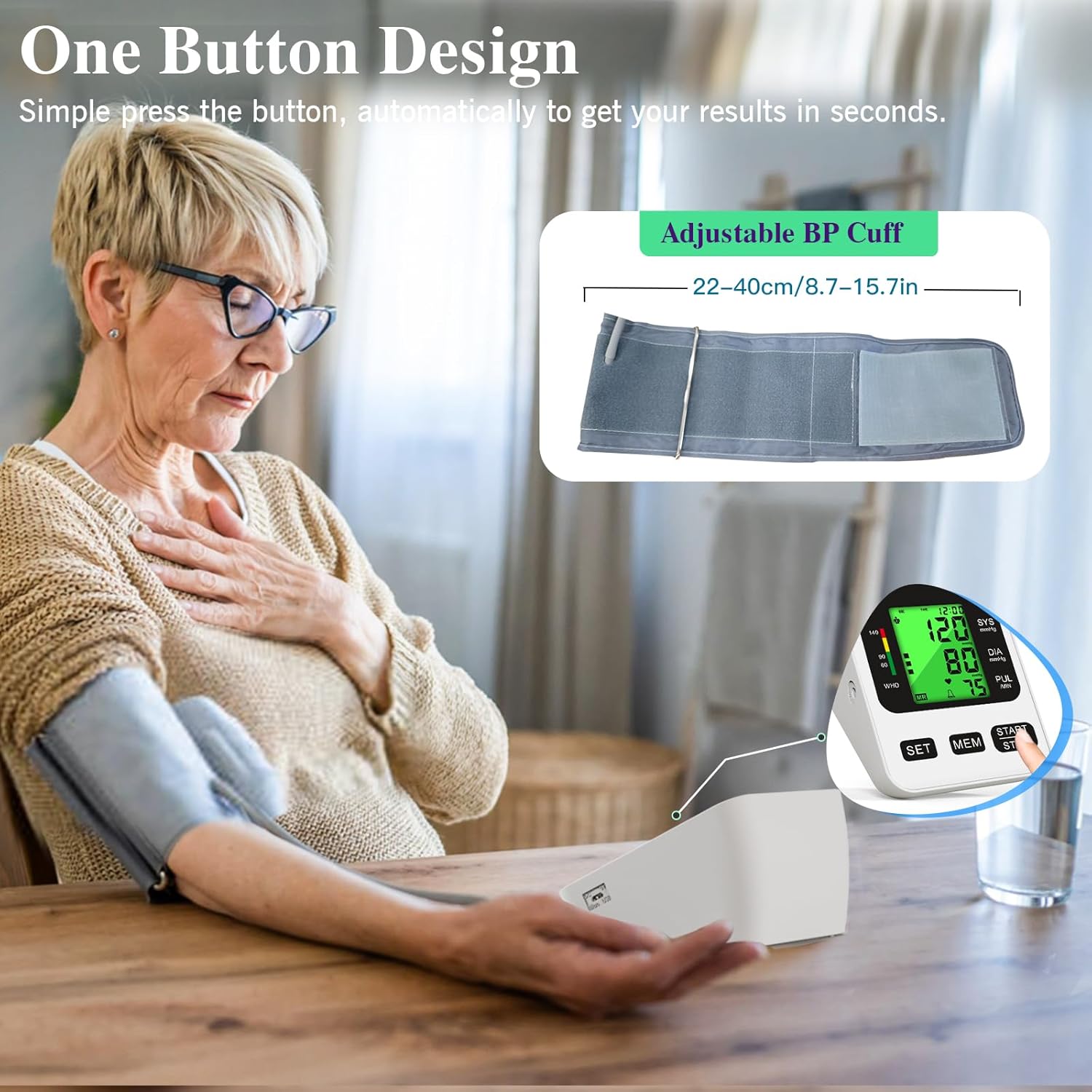
Image: A user demonstrating the correct placement of the adjustable blood pressure cuff on the upper arm.
6. Operating Instructions
6.1 Before Measurement
- Rest for at least 5 minutes before taking a measurement.
- Avoid eating, drinking alcohol, smoking, or exercising for 30 minutes prior to measurement.
- Sit in a comfortable position with your back supported and feet flat on the floor.
- Place your arm on a table so the cuff is at heart level.
6.2 Taking a Measurement
- Press the "START/STOP" button. The cuff will automatically inflate.
- Remain still and silent during the measurement.
- Once the measurement is complete, the cuff will deflate, and your systolic pressure, diastolic pressure, and pulse rate will be displayed on the LCD screen.
- The backlight color will indicate your blood pressure category:
- Green: Normal blood pressure (below 140mmHg)
- Yellow: Moderate high blood pressure (140-180mmHg)
- Red: Severe hypertension (above 180mmHg)
- The device will automatically turn off after a few seconds of inactivity.

Image: The monitor's display showing different backlight colors (green, yellow, red) corresponding to blood pressure levels.
7. Memory Functions
The device supports two users, each with 99 memory slots, totaling 198 records. Each record includes the measurement values, date, and time.
7.1 Selecting a User
Before taking a measurement, press the "SET" button to toggle between User 1 and User 2. The selected user icon will be displayed on the screen.
7.2 Viewing Stored Readings
- With the device off, press the "MEM" button. The most recent reading for the currently selected user will be displayed.
- Press "MEM" repeatedly to scroll through older readings.
- To view the average of the last three readings, press "MEM" until "AVG" appears.
7.3 Deleting Stored Readings
To delete all readings for the current user, enter memory mode, then press and hold the "SET" button for approximately 3 seconds until "DEL" appears and the memory is cleared.

Image: The monitor displaying readings for two different users, highlighting the dual user memory function.
8. Maintenance and Care
- Clean the monitor and cuff with a soft, dry cloth. Do not use abrasive cleaners or immerse the device in water.
- Store the device in a cool, dry place, away from direct sunlight, extreme temperatures, and humidity.
- Remove batteries if the device will not be used for an extended period to prevent leakage.
- Do not attempt to disassemble or repair the device yourself. Contact customer support for assistance.
- Avoid bending or kinking the air tube of the cuff.
9. Troubleshooting
| Problem | Possible Cause | Solution |
|---|---|---|
| Device does not power on | Low or dead batteries; USB cable not connected properly. | Replace batteries; ensure USB cable is securely connected to both the monitor and power source. |
| Inaccurate readings | Improper cuff placement; movement during measurement; talking during measurement; incorrect posture. | Ensure cuff is correctly placed at heart level; remain still and silent; sit in a relaxed, upright position. |
| Cuff does not inflate | Air tube not connected; air leakage from cuff. | Check that the air tube is securely plugged into the monitor; inspect cuff for damage. |
| Error message on display | Refer to the specific error code in the full manual (if available) or contact support. | Restart the device and re-take the measurement. If the error persists, contact customer support. |
10. Specifications
- Model: BSX558
- Measurement Method: Oscillometric
- Cuff Size: 22-40 cm (Upper Arm)
- Display: LCD with 3-color backlight
- Memory: 2 Users x 99 Records (198 total)
- Power Supply: 4x AA Batteries (not included) or USB Cable (included)
- Product Dimensions: 4.5 x 2.6 x 3.5 inches (9.2 x 10.8 cm)
- Weight: Approximately 13.44 ounces
- Manufacturer: Shenzhen BSX Technology Electronics Co., Ltd.
11. Warranty and Support
Panamalar provides customer support for its products. If you encounter any quality problems with your digital blood pressure monitor, please contact us.
- Customer Support: 7/24 online support is available. Refer to your product packaging or the official Panamalar website for contact details.
- Warranty: Specific warranty terms and duration may vary. Please retain your proof of purchase for warranty claims.