1. Important Safety Information
Please read and understand all safety instructions before operating this product. Failure to follow these instructions may result in injury or damage to the product.
- This device is for indoor use only. Ensure proper ventilation during operation.
- Use only professional-grade fog fluid. Do not use flammable liquids or other substitutes.
- Keep the fog machine away from children and pets.
- Do not touch the nozzle during operation or immediately after use, as it becomes very hot.
- Ensure the power supply matches the voltage requirements specified on the unit.
- Never operate the unit with a damaged power cord or if the unit itself is damaged.
- Do not immerse the unit in water or other liquids.
- Always disconnect the power before cleaning or servicing.
- Avoid directing fog directly at people or sensitive equipment.
- Do not block ventilation openings.
2. Product Overview
2.1 Key Features
- 2000W Dual-Pipe Fog Output: Delivers powerful fog columns from two nozzles.
- 16 RGB LED Lights: Integrated 16 (8+8) 3W RGB LEDs for customizable color effects.
- Multiple Control Options: Supports wireless remote, DMX512 console, and manual LCD interface control.
- 2.5L Fluid Tank: Large capacity for extended operation.
- Adjustable Smoke Direction: Nozzle control pin allows for directional adjustment.
- Rapid Heating System: Initial warm-up in 1-3 minutes, subsequent reheating in 30-40 seconds.
- Durable Construction: IP30-rated aluminum/ABS housing.
- Safety Features: Advanced aluminum heating technology to prevent clogging, visible fluid monitoring, and auto-shutoff.
2.2 Package Contents
Verify that all items are present in the package:
- Fog machine x 1
- Power cord x 1
- Signal line x 1 (for DMX connection)
- Wireless remote control x 1
- Cone needle x 1 (for nozzle adjustment)
- Instruction manual x 1

Figure 2.2.1: Included Package Contents
2.3 Component Identification

Figure 2.3.1: Front and Rear View of the Fog Machine with Labeled Components
- Fog Outlet: Where fog is emitted.
- LED Lights: RGB LEDs for lighting effects.
- Fuel Tank: Reservoir for fog fluid.
- Handle: For carrying the unit.
- Power ON/OFF Switch: Main power control.
- LCD Screen: Displays operational status and menu options.
- Menu/Up/Down/Enter Buttons: For manual control and settings adjustment.
- DMX IN/OUT Ports: For connecting to a DMX controller.
- Power Cord Jack: Connection point for the power cable.
3. Setup
3.1 Fluid Installation
- Ensure the fog machine is powered off and unplugged.
- Locate the fluid tank cap on top of the unit.
- Carefully pour professional fog fluid (not included) into the tank. Do not overfill.
- Screw the tank cap tightly to prevent leaks.

Figure 3.1.1: Pouring Fog Fluid into the Tank
3.2 Power Connection and Initial Warm-up
- Connect the power cable to the power cord jack on the unit and then to a suitable power outlet (AC110V/220V compatible).
- Flip the power ON/OFF switch to the 'ON' position.

Figure 3.2.1: Connecting Power and Turning On the Unit
- The LCD screen will display '-UP-' indicating the unit is warming up. The initial warm-up time is approximately 1-3 minutes.
- Once the screen displays '----', the machine is ready for operation. Subsequent reheating cycles will take 30-40 seconds.

Figure 3.2.2: Warm-up Indicator on LCD Screen
4. Operation
4.1 Control Methods
The Warmdance fog machine offers three control methods: Wireless Remote Control, DMX512 Console Control, and Manual Control via the LCD display.

Figure 4.1.1: Available Control Methods
4.1.1 Wireless Remote Control
- Before first use, pull out the small plastic sheet from the remote control's battery compartment.

Figure 4.1.1.1: Activating the Remote Control
- The effective remote control distance is within 10-30 meters without any obstructions.

Figure 4.1.1.2: Remote Control Range
Remote Control Button Functions:

Figure 4.1.1.3: Remote Control Button Layout and Functions
- FOG Button: Hold down this button to emit fog. No LED light will activate when only fog is emitted. Smoke concentration is determined by the panel setting (P00* value).
- G Button: Press and hold to activate Green LED light.
- R Button: Press and hold to activate Red LED light.
- B Button: Press and hold to activate Blue LED light.
- Fog and Light Combination: Press any color button (R, G, or B) to turn on the light, then press the 'FOG' button again. The light and smoke spraying will work simultaneously.
4.1.2 DMX512 Console Control
The fog machine is DMX512 compatible, allowing integration with professional lighting control systems. It supports 13-channel control for various functions including fog output, LED colors, modes, and speeds.
- Connect a DMX cable from your DMX console to the 'DMX IN' port on the fog machine.
- Refer to the DMX channel chart in the separate DMX manual (if provided) or the product specifications for detailed channel assignments and values.
- Use your DMX console to program and control fog output and LED effects.

Figure 4.1.2.1: DMX Control for Enhanced Effects
4.1.3 Manual Control (LCD Display)
The LCD display and buttons on the unit allow for direct control and setting adjustments.
- Use the 'MENU' button to navigate through different settings.
- Use the 'UP' and 'DOWN' buttons to adjust values or select options.
- Press 'ENTER' to confirm your selection.
- Specific menu options and their functions will be detailed in the full instruction manual.
4.2 Adjustable Smoke Direction
The fog machine features adjustable nozzles, allowing you to direct the smoke output.
- Use the provided cone needle to gently adjust the nozzle spray angle.
- Move the needle left or right to achieve the desired angle.
- The machine supports vertical, side-standing, and inverted fog spray configurations.
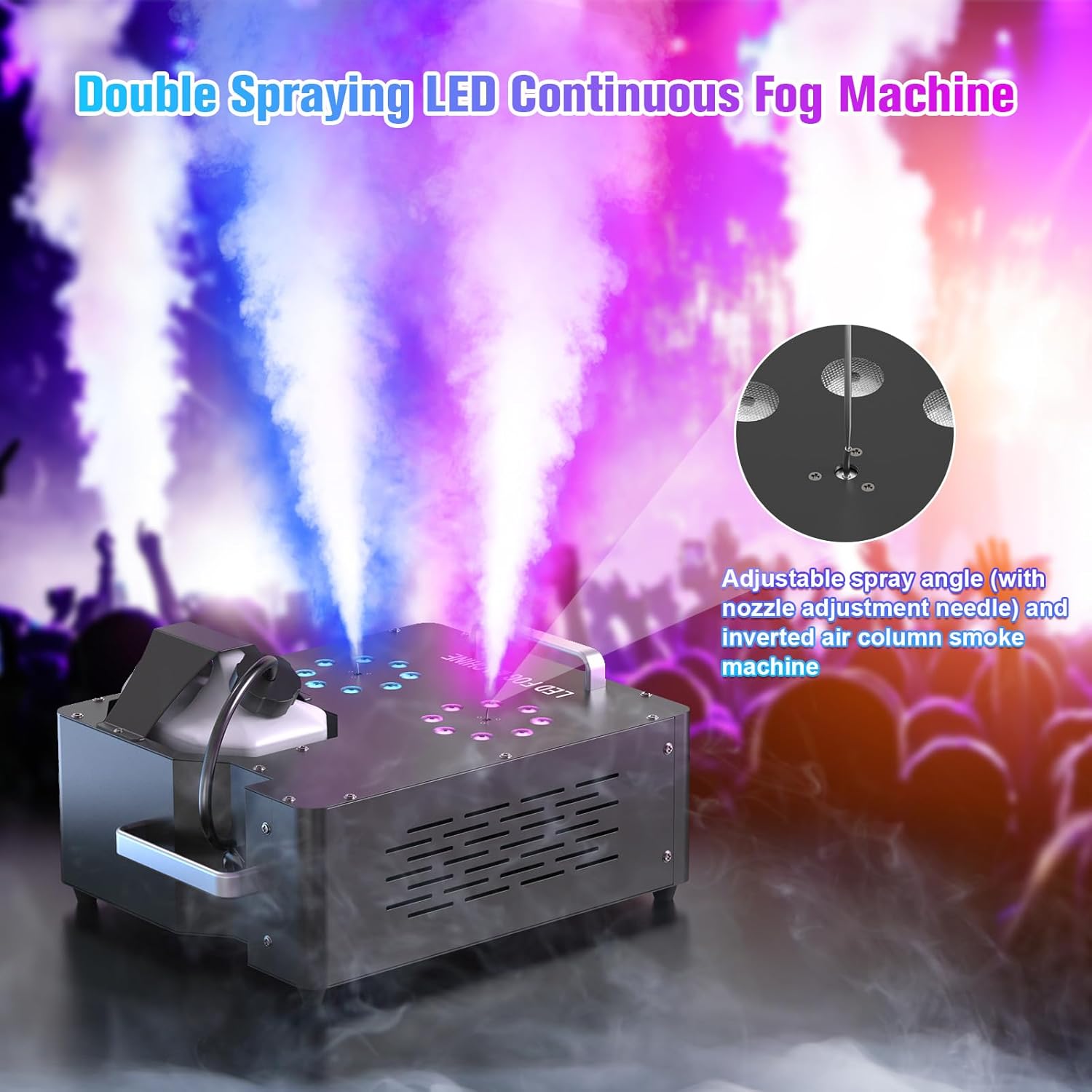
Figure 4.2.1: Adjustable Spray Angle Mechanism

Figure 4.2.2: Examples of Adjustable Spray Directions
4.3 LED Light Operation
The integrated 16 RGB LEDs can be controlled independently or in conjunction with fog output.
- Manual Color Selection: Use the remote control (R, G, B buttons) or the LCD screen menu to select desired colors.
- DMX Control: For advanced lighting shows, use a DMX512 console to control individual LED groups, color mixing, and various lighting modes.
- The two independent light groups (8+8 LEDs) allow for multi-zone color mixing and dynamic effects.
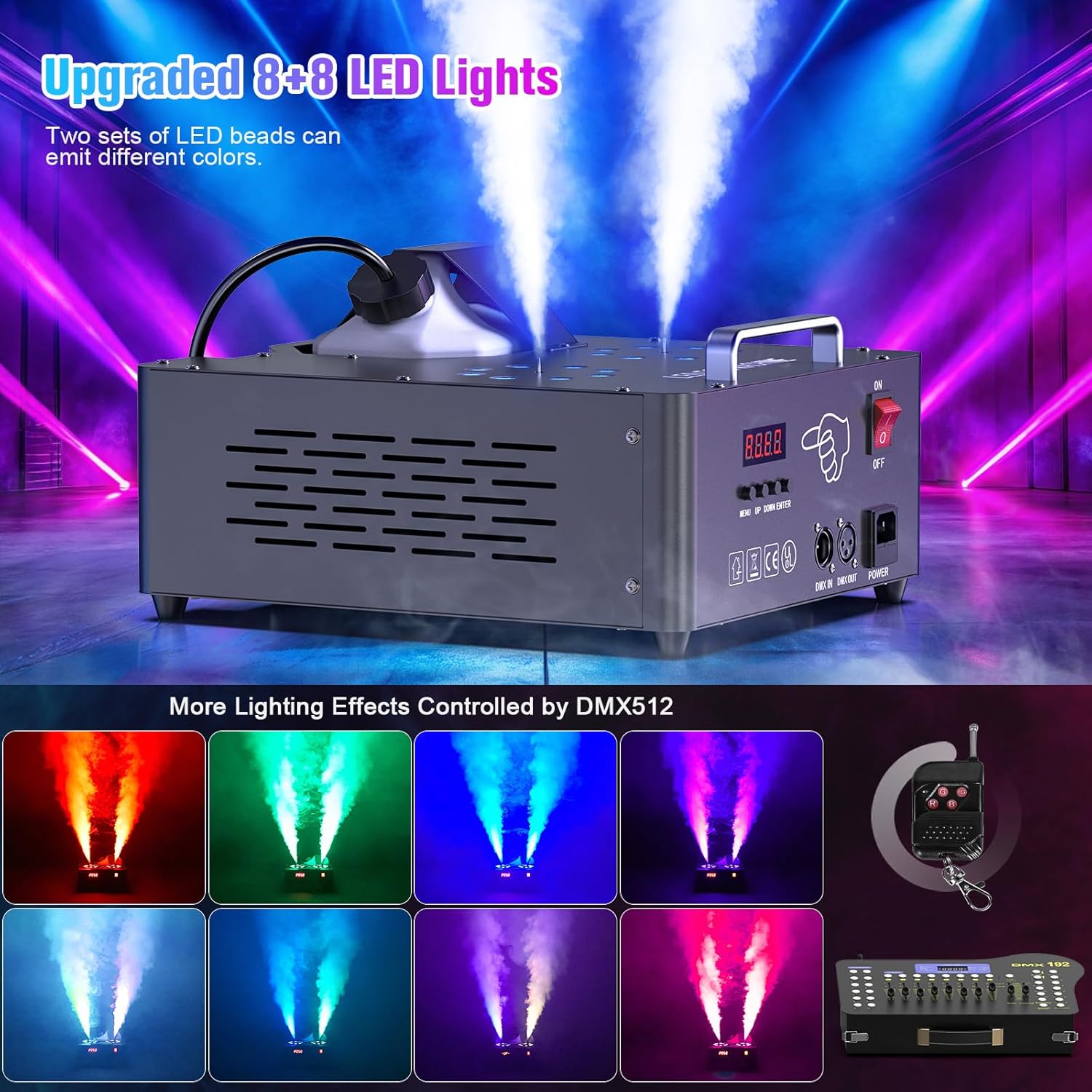
Figure 4.3.1: Dual Nozzle Fog Output with RGB LED Lighting
5. Maintenance
Regular maintenance ensures optimal performance and extends the lifespan of your fog machine.
- Cleaning: After every 40 hours of continuous operation or before long-term storage, clean the internal system. Run a mixture of 80% distilled water and 20% white vinegar through the machine for 1-2 minutes.
- Fluid Tank: Empty any remaining fog fluid from the tank before storage.
- Exterior: Wipe the exterior of the machine with a soft, dry cloth. Do not use abrasive cleaners or solvents.
- Storage: Store the unit in a cool, dry place, away from direct sunlight and extreme temperatures. Ensure the unit is completely dry before storage.
- Nozzle: If the nozzle becomes clogged, use the provided cone needle to carefully clear any blockages.
6. Troubleshooting
If you encounter issues with your fog machine, refer to the table below for common problems and solutions.
| Problem | Possible Cause | Solution |
|---|---|---|
| No fog output | No fog fluid in tank Machine not warmed up Nozzle clogged Pump malfunction | Fill tank with fog fluid Wait for '----' display Clean nozzle with cone needle Contact customer support |
| Weak fog output | Low fluid level Partial nozzle clog Incorrect fluid type | Refill fluid tank Clean nozzle Ensure use of professional fog fluid |
| LED lights not working | Remote battery dead DMX signal issue Internal wiring problem | Replace remote battery Check DMX connections and console settings Contact customer support |
| Machine not powering on | Power cord not connected Power outlet issue Internal fuse blown | Check power cord connection Test outlet with another device Contact customer support |
| Fluid leaking | Tank cap not tight Unit tilted excessively Damaged tank or hose | Tighten tank cap Ensure unit is on a level surface Contact customer support |
7. Specifications
| Feature | Detail |
|---|---|
| Model Number | ZQ10136US |
| Power | 2000W |
| Voltage | AC110V/220V (compatible) |
| Fog Output | 30000 CFM (Cubic Feet per Minute) |
| Fog Spray Distance | 3-5 meters |
| Fluid Tank Capacity | 2.5 Liters |
| Initial Warm-up Time | 1-3 minutes |
| Reheating Time | 30-40 seconds |
| LED Lights | 16 (8+8) x 3W RGB LEDs |
| Control Modes | Wireless Remote, DMX512, Manual (LCD) |
| DMX Channels | 13 Channels |
| Construction Material | Aluminum / ABS |
| IP Rating | IP30 |
| Operating Temperature | -10℃ to 45℃ |
| Item Weight | 14.97 pounds (approx. 6.79 kg) |
| Package Dimensions | 17 x 15.5 x 10.5 inches (approx. 43 x 39.4 x 26.7 cm) |
8. Warranty and Support
This product comes with a standard manufacturer's warranty. Please refer to the warranty card included in your package for specific terms and conditions.
For technical support, troubleshooting assistance, or warranty claims, please contact Warmdance customer service through the retailer where the product was purchased or visit the official Warmdance website for contact information.
Please have your model number (ZQ10136US) and purchase date available when contacting support.