1. Introduction
This manual provides comprehensive instructions for the installation, operation, and maintenance of your MOES 30W Power Delivery USB C Wall Electrical Outlet. This ETL Listed outlet features a 15 Amp capacity, an ultra-speed Type C receptacle, and is designed for efficient charging of various compatible devices.

Image 1: MOES 30W Power Delivery USB C Wall Electrical Outlet with its packaging.
2. Safety Information
WARNING: Risk of electric shock. Improper installation can result in serious injury or death. Always turn off power at the circuit breaker before installation.
- ETL Listed: This product is ETL Listed, ensuring it meets recognized safety standards.
- Tamper-Resistant Design: Built-in shutters prevent foreign objects from being inserted into the receptacles, enhancing safety, especially in households with children.
- Overcurrent Protection: Designed to safeguard connected electronics from receiving excessive power.
- Voltage: Operates at 120 Volts. Ensure your electrical system is compatible.
- Consult a qualified electrician if you are unsure about any part of the installation process.

Image 2: Overview of the MOES outlet's safety features, including tamper-resistant design and various protections.
3. Package Contents
Verify that all items are present in the package:
- 1 x MOES 30W Power Delivery USB C Wall Electrical Outlet
- 1 x Wall Plate
- 4 x Screws
- 1 x User Manual
4. Specifications
| Feature | Detail |
|---|---|
| Brand | MOES |
| Model | Type 1C/1A 30WPD 15A Outlet |
| Voltage | 120 Volts |
| Amperage | 15 Amp |
| USB Output (Total) | 30W Max |
| USB Type-C | PD3.0 (Power Delivery) |
| USB Type-A | QC2.0 (Quick Charge) |
| Material | Plastic |
| Color | White |
| Compatible Devices | Smartphone, Tablet, Laptop (USB-C PD compatible) |
| Certifications | ETL Listed |

Image 3: Dimensions of the MOES USB C Wall Electrical Outlet for installation planning.
5. Setup and Installation
- Turn Off Power: Locate your circuit breaker panel and turn off the power to the outlet you intend to replace. Use a voltage tester to confirm the power is off before proceeding.
- Remove Old Outlet: Unscrew and carefully remove the existing wall plate and outlet from the electrical box. Disconnect the wires from the old outlet.
- Prepare Wires: If necessary, strip approximately 1/2 inch (12-15mm) of insulation from the ends of the electrical wires (Hot, Neutral, Ground).
- Connect Wires:
- Connect the Hot wire (usually black or red) to the brass screw terminal.
- Connect the Neutral wire (usually white) to the silver screw terminal.
- Connect the Ground wire (usually green or bare copper) to the green screw terminal.
- Mount New Outlet: Carefully push the wired outlet back into the electrical box. Secure it with the provided screws.
- Install Wall Plate: Attach the screwless wall plate by first screwing the clear inner part to the outlet, then snapping the decorative outer plate into place.
- Restore Power: Return to your circuit breaker panel and turn the power back on. Use a voltage tester to confirm power is restored to the new outlet.
Installation Video Guide:
Video 1: Step-by-step guide on how to install the MOES wall outlet.
6. Operating Instructions
The MOES 30W Power Delivery USB C Wall Electrical Outlet provides both traditional AC power and advanced USB charging capabilities.
- AC Receptacles: Use the two standard 15 Amp AC outlets for powering appliances and devices requiring 120V.
- USB Type-C Port (PD3.0): Plug in your USB-C compatible devices, such as iPhones (15 Series), MacBooks, iPads, and Samsung Galaxy phones, for rapid charging up to 30W via Power Delivery 3.0.
- USB Type-A Port (QC2.0): Connect devices that use a standard USB-A cable for charging, supporting Quick Charge 2.0 for faster charging where compatible.
- Smart Chip Technology: The integrated smart chip automatically detects the connected device and delivers the optimal power level for fast and efficient charging.
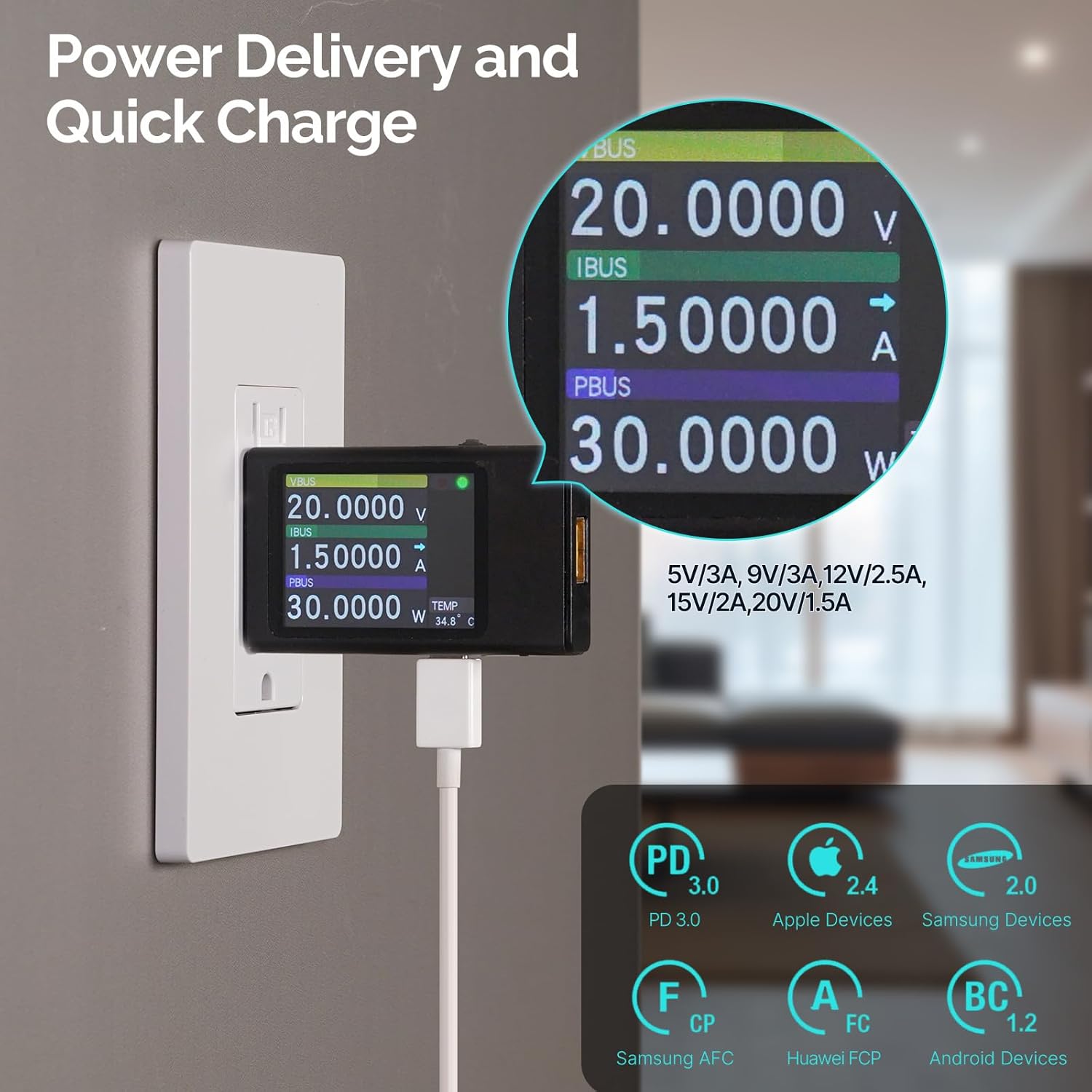
Image 4: Power Delivery and Quick Charge capabilities of the MOES outlet.

Image 5: Universal compatibility of the MOES outlet with various devices.
Product Overview Video:
Video 2: Overview of the MOES 30W PD USB Wall Outlet features and usage.
7. Maintenance
- Cleaning: Disconnect power before cleaning. Use a soft, dry cloth to wipe the surface of the outlet and wall plate. Avoid using liquid cleaners or abrasive materials.
- Regular Checks: Periodically inspect the outlet for any signs of damage, loose connections, or discoloration. If any issues are found, turn off power and consult a qualified electrician.
8. Troubleshooting
| Problem | Possible Cause | Solution |
|---|---|---|
| No power from AC receptacles or USB ports. | Circuit breaker tripped; loose wiring connection. | Check and reset the circuit breaker. If issue persists, turn off power and check wiring connections. Consult an electrician if needed. |
| USB devices charging slowly. | Device not compatible with fast charging; faulty cable; multiple devices drawing power simultaneously. | Ensure your device supports PD3.0 (USB-C) or QC2.0 (USB-A). Try a different, high-quality charging cable. Disconnect other devices to test single-port performance. |
| Outlet feels warm. | Normal operation under heavy load; excessive load. | Slight warmth is normal. If it feels excessively hot, disconnect devices and reduce the load. Ensure proper ventilation. |
9. Warranty and Support
For warranty information or technical support, please refer to the contact details provided in your product packaging or visit the official MOES website. Keep your purchase receipt for warranty claims.