1. Introduction
This manual provides essential instructions for the safe and efficient operation, setup, and maintenance of your Furvveerr High-Precision DTF Oven. Please read this manual thoroughly before using the device to ensure optimal performance and safety.

Figure 1: Furvveerr High-Precision DTF Oven with its lid open, showcasing the heating plate and control panel.
2. Safety Information
Always observe the following safety precautions to prevent injury or damage to the device:
- Ensure the oven is placed on a stable, heat-resistant surface.
- Do not touch the heating plate or internal surfaces during or immediately after operation, as they will be hot. Use protective gloves.
- Keep flammable materials away from the oven.
- Ensure adequate ventilation in the work area.
- Do not operate the oven with a damaged power cord or plug.
- Unplug the device when not in use or before cleaning.
- This appliance is equipped with power overload protection.
3. Product Overview
The Furvveerr High-Precision DTF Oven is designed for curing PET film used in Direct-to-Film (DTF) heat transfer printing. It features precise time and temperature control for consistent results.
Key Features:
- Enhanced Baking Efficiency: Provides stable temperature control for faster curing of PET film, resulting in vibrant colors and reduced baking time.
- Versatile Compatibility: Accommodates PET film sizes A3+, A3, A4, and A5, with a maximum curing size of 13.8" x 19.3" (35cm x 49cm).
- Precise Time Control: Integrated timer function allows customization of time and temperature settings. A buzzer indicates when the countdown is complete.
- Consistent Heat Distribution: Ensures thorough curing of powder ink across various substrates.
- Safety and Ease of Use: Includes power overload protection, an easy-to-read display, and hydraulic rod control for safe and reliable operation.

Figure 2: Key components and features of the DTF Oven, including its durable metal design, heating plate, control panel, and power switch with fuse.

Figure 3: Detailed view of the digital control panel for setting temperature and time.
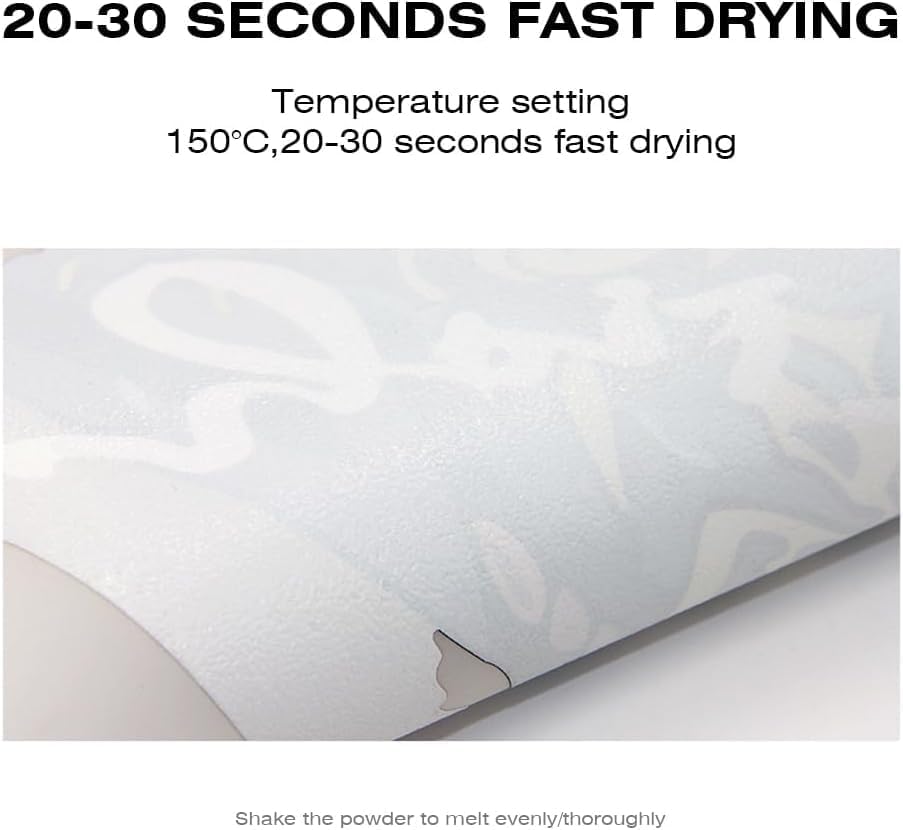
Figure 4: Adjustable exhaust vents on the oven, allowing control over ventilation.
4. Specifications
| Specification | Value |
|---|---|
| Model Number | 8THSDKX0000V1 |
| Product Dimensions | 18.5 x 20.67 x 5.91 inches |
| Item Weight | 25.4 pounds |
| Voltage | 110V |
| Power | 1000W |
| Temperature Range | 0-300℃ |
| Time Setting | 0-999 seconds |
| Compatible Film Sizes | A3+, A3, A4, A5 |
| Maximum Curing Size | 13.8" x 19.3" (35cm x 49cm) |
| Manufacturer | Furvveerr |

Figure 5: Product dimensions of the DTF Oven.
5. Setup
Before operating your DTF Oven, ensure proper setup:
- Unpacking: Carefully remove all packaging materials and inspect the oven for any damage.
- Placement: Position the oven on a flat, stable, and heat-resistant surface with adequate clearance for ventilation.
- Power Connection: Connect the power cord to a grounded electrical outlet matching the specified voltage (110V).
- Ventilation: Ensure the adjustable exhaust vents are clear and can be rotated as needed for proper air circulation.
- Initial Power On: Turn on the oven and familiarize yourself with the control panel for temperature and time settings.

Figure 6: Included components for initial setup.
6. Operating Instructions (DTF Process)
Follow these steps for the DTF printing and curing process:
- Prepare Materials: Ensure you have DTF film, DTF ink, DTF powder, and a DTF printer ready.
- Design and Print: Create your design on a computer and print the image onto the PET film using a DTF printer.
- Apply DTF Powder: Evenly spread DTF powder over the wet ink on the printed PET film and shake off any excess.
- Set Oven Parameters: Power on the DTF Oven. Use the control panel to set the desired temperature and time. A recommended setting is 150℃ for 20-30 seconds.
- Cure the Film: Once the oven reaches the set temperature, carefully place the powdered PET film onto the heating plate. Close the lid. The timer will begin.
- Monitor Curing: The oven will bake until the hot melt powder melts. An alarm will sound when the countdown is complete. For sheets with large images or heavy ink coverage, it is recommended to open the cover, rotate the sheet 180°, and heat for an additional 20 seconds.
- Remove Film: Carefully remove the cured PET film from the oven using protective gloves.
- Heat Press: Proceed to heat press your design onto the desired garment or substrate using a heat press machine.

Figure 7: Overview of the DTF printing and curing process.
Video 1: Demonstration of setting temperature and time on the DTF Oven, placing a powdered film inside, and the resulting cured film.
7. Maintenance
Regular maintenance ensures the longevity and optimal performance of your DTF Oven:
- Cleaning: After each use, allow the oven to cool completely. Wipe down the heating plate and interior surfaces with a soft, dry cloth to remove any powder residue. Do not use abrasive cleaners or solvents.
- Exterior Cleaning: Clean the exterior with a damp cloth.
- Ventilation: Periodically check and clean the exhaust vents to ensure they are free from obstructions.
- Storage: Store the oven in a dry, dust-free environment when not in use.
8. Troubleshooting
If you encounter issues with your DTF Oven, refer to the following common problems and solutions:
| Problem | Possible Cause | Solution |
|---|---|---|
| Oven does not power on | No power supply, power cord loose, power overload protection triggered. | Check power connection, ensure outlet is functional. Reset power overload protection if applicable. |
| Inconsistent curing results | Incorrect temperature/time settings, uneven powder application, film not flat. | Verify settings (e.g., 150℃ for 20-30s). Ensure powder is evenly applied. Place film flat on the heating plate. |
| Oven not reaching set temperature | Heating element issue, sensor malfunction. | Contact customer support for assistance. |
| Buzzer not sounding | Buzzer malfunction. | Contact customer support for assistance. |
If the problem persists after attempting these solutions, please contact Furvveerr customer support.
9. Warranty and Support
Furvveerr is committed to providing quality products and customer satisfaction. While specific warranty details are not provided in this manual, our company integrates research and development, production, agency representation, and sales, maintaining solid relationships with numerous corporations globally. We operate overseas warehouses in Europe, the U.S., and Australia to support our customers.
For any inquiries, technical assistance, or support needs, please refer to the contact information provided at the point of purchase or visit the official Furvveerr website.