
1. Introduction
This manual provides essential information for the installation, operation, and maintenance of your SAMA GT650 Black 650W Fully Modular Power Supply. Please read this manual thoroughly before installation and retain it for future reference. This power supply is designed to deliver stable and efficient power to your computer system, featuring 80 Plus Gold certification, ATX 3.1, and PCIe 5.1 compliance.
2. Safety Information
- Do not open the power supply unit. High voltages are present inside, even when disconnected from power.
- Do not insert any objects into the fan grille or ventilation openings.
- Ensure the power supply is installed in a well-ventilated area.
- Use only the modular cables provided with this power supply. Using incompatible cables can damage the PSU and connected components.
- Before installation, ensure your system's total power requirements do not exceed the PSU's 650W capacity.
- Always disconnect the AC power cord from the wall outlet before installing or removing the power supply or any system components.
3. Package Contents
Verify that all items are present in your package:
- SAMA GT650 Black 650W Fully Modular Power Supply
- AC Power Cord
- Set of Modular Cables (including 12V-2x6 connector)
- Mounting Screws
- User Manual (this document)
4. Features
- 650W Gold Efficiency Performance: Ensures efficient and stable power delivery with up to 90% efficiency, reducing energy loss.
- ATX 3.1 and PCIe 5.1 Compliant: Ready for modern GPUs with a native 12V-2x6 connector for reliable system performance.
- Japanese Capacitors: High-quality main Japanese electrolytic capacitors provide stable voltage output and long-term durability.
- ECO Silent Mode with 120mm FDB Fan: The Fluid Dynamic Bearing (FDB) fan operates quietly, especially at low loads, while maintaining effective cooling.
- Fully Modular Design: Allows for improved airflow and simplified cable management within your PC build.
- Compact Body Size: Measuring 150mm x 140mm x 86mm, it fits into various PC cases with limited power supply chamber sizes.
- Comprehensive Protection: Features multiple power protection circuits including OCP (Over Current Protection), OVP (Over Voltage Protection), UVP (Under Voltage Protection), OPP (Over Power Protection), and SCP (Short Circuit Protection).
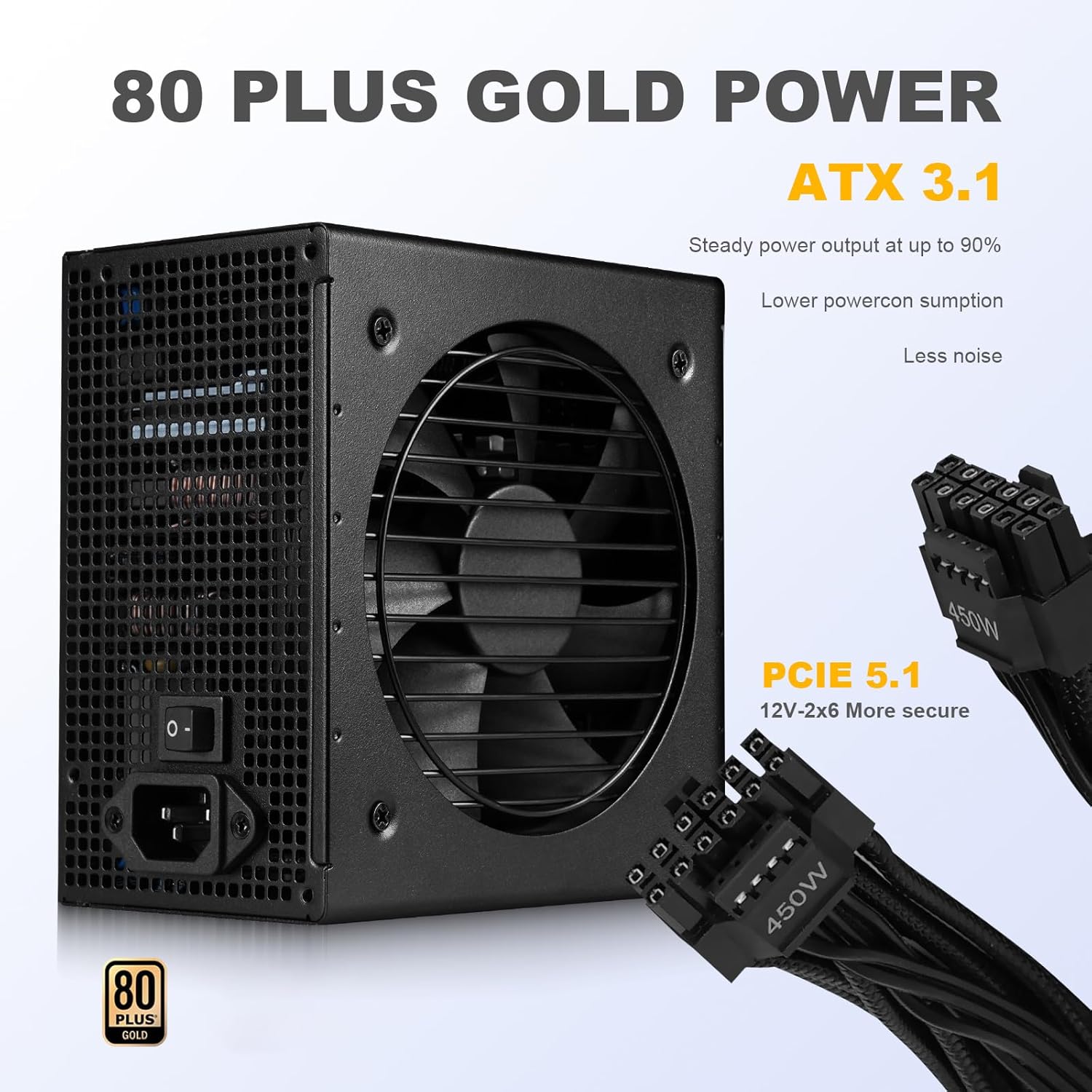
Image: Overview of the SAMA GT650 Power Supply highlighting 80 Plus Gold, ATX 3.1, and PCIe 5.1 compliance.

Image: Internal components of the power supply, emphasizing the Japanese capacitors for reliability.
5. Setup and Installation
Follow these general steps for installing your SAMA GT650 Power Supply. Always refer to your PC case and motherboard manuals for specific instructions.
- Prepare Your System:
- Ensure your computer is completely powered off and unplugged from the wall outlet.
- Open your PC case to access the power supply mounting area.
- Mount the Power Supply:
- Carefully place the SAMA GT650 into the designated PSU bay in your PC case.
- Secure the power supply to the case using the provided mounting screws.
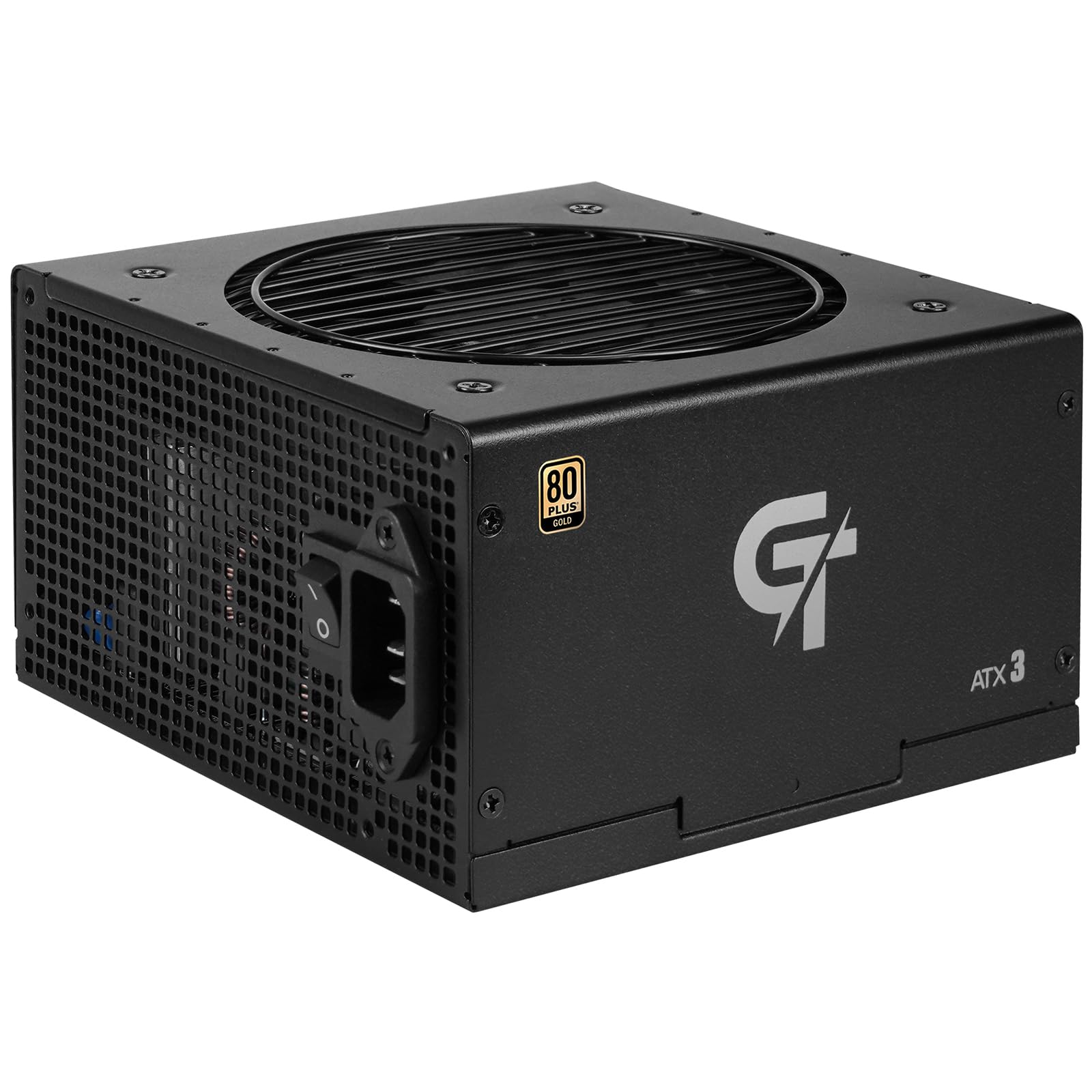
Image: The SAMA GT650 Power Supply, illustrating its form factor for installation.
- Connect Modular Cables:
- Identify the necessary cables for your motherboard, CPU, graphics card(s), and storage devices.
- Connect the required modular cables to the corresponding ports on the power supply. The ports are labeled for clarity (e.g., Mainboard, CPU/PCI-E, IDE/SATA).
- Route the cables neatly through your case for optimal airflow and aesthetics.

Image: Side view of the power supply, detailing the labeled modular cable connection ports.

Image: Illustration of the native 12V-2x6 connector, designed for direct GPU connection.

Image: A visual representation of the various fully modular cables provided with the power supply.
- Connect to Components:
- Connect the 20+4 pin ATX cable to your motherboard.
- Connect the 4+4 pin or 8-pin EPS/ATX12V cable to your motherboard's CPU power connector.
- Connect the 6+2 pin PCIe cables (or the native 12V-2x6 cable) to your graphics card(s).
- Connect SATA power cables to your SSDs/HDDs and other SATA-powered devices.
- Connect Molex (IDE) cables to any legacy peripherals if needed.
- Final Checks:
- Ensure all cables are securely connected.
- Verify that the power supply's ON/OFF switch is in the OFF position.
- Close your PC case.
6. Operating Instructions
- Power On:
- Plug the AC power cord into the power supply and then into a wall outlet.
- Flip the power supply's ON/OFF switch to the ON position (usually marked 'I').
- Press the power button on your computer case to start your system.
- ECO Silent Mode:
- The SAMA GT650 features an intelligent fan control that operates in ECO silent mode. The 120mm FDB fan will remain off at low loads to minimize noise.
- As the system load and internal temperature increase, the fan will automatically spin up to provide necessary cooling.

Image: Close-up view of the intelligent temperature control fan on the SAMA GT650.
- Power Off:
- Shut down your computer through the operating system.
- For complete power disconnection, flip the power supply's ON/OFF switch to the OFF position (usually marked 'O') and unplug the AC power cord.
7. Maintenance
Proper maintenance ensures the longevity and optimal performance of your power supply.
- Cleaning: Periodically clean the exterior of the power supply and its fan grille using a soft, dry cloth. For deeper cleaning, use compressed air to remove dust from the fan and internal components, ensuring the power supply is completely disconnected from power first.
- Airflow: Ensure that the power supply's intake and exhaust vents are not obstructed. Maintain good airflow within your PC case to prevent overheating.
- Cable Management: Regularly check that all modular cables are securely connected and not interfering with case fans or other components.
8. Troubleshooting
If you encounter issues with your SAMA GT650 Power Supply, refer to the following common problems and solutions:
| Problem | Possible Cause | Solution |
|---|---|---|
| System does not power on. |
|
|
| System powers on but immediately shuts down. |
|
|
| System is unstable or crashes. |
|
|
| Fan is not spinning. |
|
|
If troubleshooting steps do not resolve the issue, please contact SAMA customer support.
9. Specifications
Detailed specifications for the SAMA GT650 Black 650W Power Supply:
| Specification | Value |
|---|---|
| Model Name | GT0650-BKGFF001-US |
| Brand | SAMA |
| Output Wattage | 650 watts |
| Form Factor | ATX |
| Cooling Method | Air (120mm FDB Fan) |
| Item Dimensions (L x W x H) | 5.5 x 5.9 x 3.3 inches (140 x 150 x 86 mm) |
| Item Weight | 1.5 kg |
| Connector Type Used on Cable | ATX, PCIe |
| Power Supply Design | Full Modular |
| Number of Fans | 1 |
| Minimum Input Voltage | 100 volts |
| Maximum Input Voltage | 240 volts |
| Lower Temperature Rating | 32 °F (0 °C) |
| Upper Temperature Rating | 104 °F (40 °C) |
| System Bus Connector Type | 20+4 Pin |
| Efficiency Certification | 80 Plus Gold |
| ATX Standard | ATX 3.1 |
| PCIe Standard | PCIe 5.1 (12V-2x6) |

Image: A detailed table outlining the technical specifications of the GT650 power supply.
10. Warranty
The SAMA GT650 Black 650W Fully Modular Power Supply comes with a 5-year warranty from the date of purchase. This warranty covers defects in materials and workmanship under normal use. For warranty claims or detailed terms and conditions, please refer to the official SAMA website or contact customer support.
11. Support
For technical assistance, troubleshooting beyond this manual, or warranty inquiries, please contact SAMA customer support through the following channels:
- Official SAMA Website: Visit SAMA Official Store on Amazon for product information and support resources.
- Email Support: Refer to the contact section on the official SAMA website for email support options.
- Online Resources: Check for FAQs or updated drivers/firmware on the SAMA support pages.
When contacting support, please have your product model (GT650) and proof of purchase readily available.


