
1. Introduction
Thank you for choosing the CTOLITY AP1000 Portable Power Station. This device is designed to provide reliable and portable power for various applications, including outdoor camping, RV use, and home backup. Featuring a 1024Wh LiFePO4 battery and 1600W AC output, it offers fast charging capabilities and multiple output ports to meet your power needs.
This manual provides essential information for the safe and efficient operation of your power station. Please read it thoroughly before use and retain it for future reference.
2. Important Safety Information
Always observe the following safety precautions to prevent injury or damage to the device:
- Do not disassemble, repair, or modify the unit.
- Keep the unit away from fire, water, and extreme temperatures.
- Do not use or store the unit in direct sunlight or high-temperature environments.
- Ensure proper ventilation during use to prevent overheating.
- Keep out of reach of children and pets.
- Use only approved accessories and charging cables.
- Avoid dropping or subjecting the unit to strong impacts.
- In case of fire, use a dry powder fire extinguisher. Water may cause electric shock.
3. What's in the Box
Verify that all the following items are included in your package:
- CTOLITY AP1000 Portable Power Station
- AC Charging Cable (Input)
- Car Input Charging Cable (Car to XT60 Input)
- Solar Charging Cable (MC4 to XT60 Input)
- User Manual

Image: Package contents of the CTOLITY AP1000 Portable Power Station.
4. Product Overview and Setup
4.1. Device Layout
Familiarize yourself with the ports and controls on your AP1000 power station:

Image: Front panel of the CTOLITY AP1000, highlighting various input and output ports and the LCD display.
- Power Button/Main Switch: Turns the unit on/off.
- LCD Display: Shows input/output power, battery level, and warning icons.
- AC Output (110V): Two pure sine wave AC outlets (1600W total).
- USB Output: Four QC3.0 USB-A ports (18W each).
- Type-C Output: One PD100W and one 22.5W USB-C port.
- DC Output (12V/18A): Two DC output ports.
- Car Charger Output: One 12V/18A car charging output.
- Solar Panel Input (XT60): Up to 500W input for solar charging.
- AC Input (1000W): For fast wall charging.
- Overload Protector: Safety feature.
- LED Lights: Integrated lighting with multiple modes.
4.2. Initial Charge
Before first use, fully charge the power station. Connect the AC charging cable to the AC input port and plug it into a wall outlet. The LCD display will indicate charging status.
5. Operation
5.1. Charging the Power Station
The AP1000 offers multiple charging methods:
- AC Wall Outlet: Connect the AC charging cable to the AC input. The unit can fully recharge in approximately 1.2 hours (1000W input).
- Solar Panel: Connect compatible solar panels (up to 500W) to the XT60 solar input port using the provided solar charging cable. The built-in MPPT controller optimizes charging. Full charge can be achieved in approximately 2 hours under optimal sunlight.
- Car Charger: Use the car charging cable to connect the unit to your vehicle's 12V outlet.

Image: Illustration of the three charging methods: solar, AC, and car charging.
5.2. Powering External Devices
To power your devices:
- Press the main power button to turn on the power station.
- Press the corresponding output button (AC, USB, DC) for the port you wish to use. The icon for the activated output will appear on the LCD.
- Connect your device to the appropriate output port.
- When finished, turn off the output ports and then the main power button to conserve battery.

Image: The CTOLITY AP1000 powering various devices simultaneously.
5.3. LCD Display Information
The intuitive LCD display provides real-time status updates:
- Input Power: Current power being drawn for charging.
- Output Power: Current power being supplied to devices.
- Remaining Battery Level: Percentage of charge remaining.
- Warning Icons: Indicators for overload, high/low temperature, fan operation, etc.
- Remaining Charging/Discharging Time: Estimated time until full or empty.

Image: Close-up of the LCD display with explanations of each indicator.
5.4. LED Lighting Function
The power station includes an integrated LED light with multiple modes:
- Low Brightness: For general illumination.
- High Brightness: For stronger light.
- Strobe Mode: Flashing light for signaling.
- SOS Mode: International Morse code for distress.

Image: The CTOLITY AP1000's LED light illuminating a campsite.
6. Maintenance and Storage
6.1. Battery Care
The AP1000 uses LiFePO4 (Lithium Iron Phosphate) battery cells, known for their longevity and safety. The advanced Battery Management System (BMS) provides comprehensive protection:
- Overcharge Protection
- Over-discharge Protection
- Over Current Protection
- Over Voltage Protection
- Short Circuit Protection
- Overload Protection
- Thermal Protection
- Battery Failure Protection
To maximize battery lifespan (rated for 3,000 cycles to 80% capacity):
- Avoid fully discharging the battery frequently.
- Store the unit with at least 50% charge if not used for extended periods.
- Recharge the unit every 3-6 months if stored, even if unused.
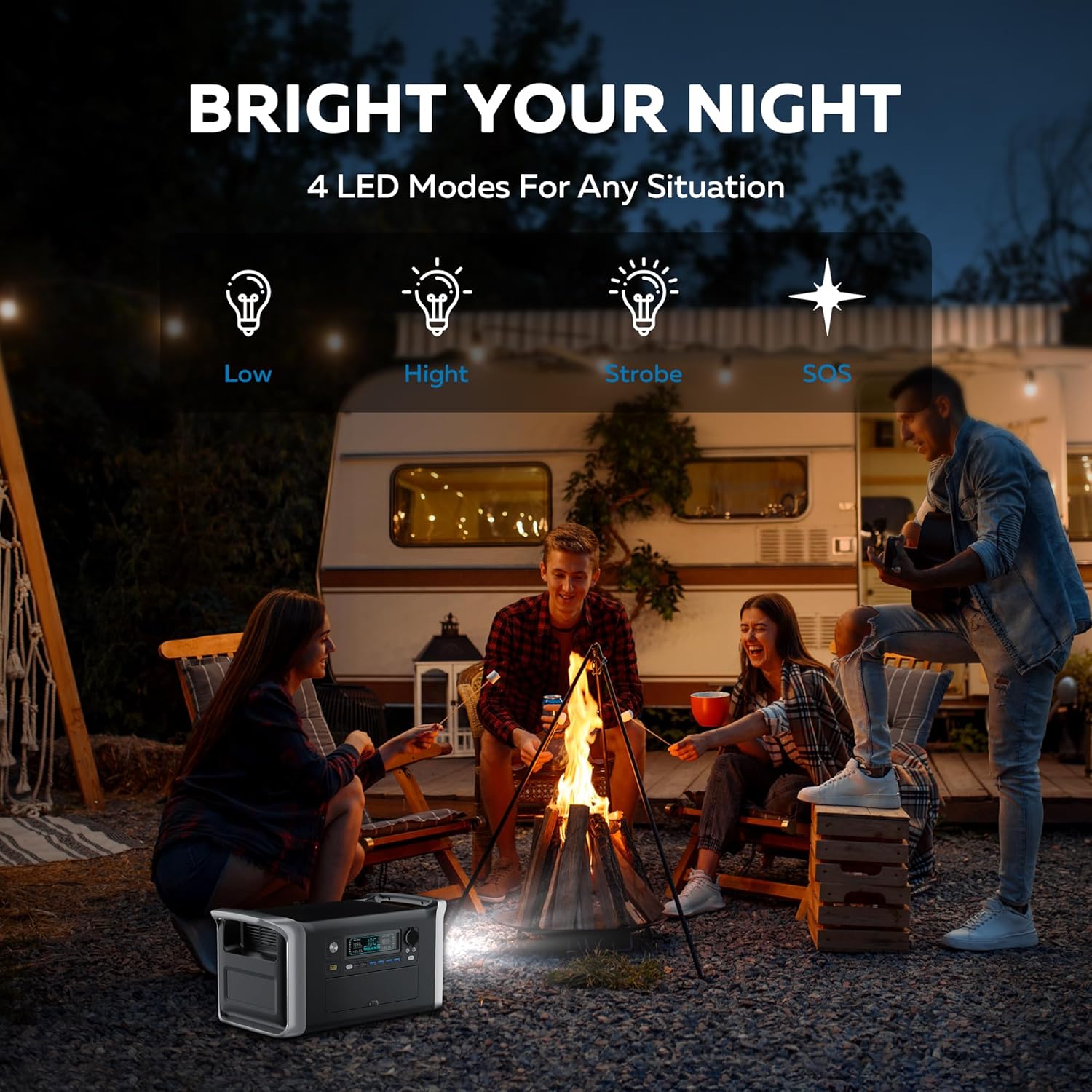
Image: Diagram showing the LiFePO4 battery structure and BMS protection features.
6.2. Cleaning and Storage
- Clean the unit with a dry, soft cloth. Do not use abrasive cleaners or solvents.
- Store in a cool, dry place, away from direct sunlight and moisture.
- Ensure the unit is turned off before storing.
- The unit is designed to operate in temperatures from -20°C to 40°C.

Image: The CTOLITY AP1000 operating in cold temperatures.
7. Specifications
| Feature | Detail |
|---|---|
| Brand | CTOLITY |
| Model Name | Apower1000 Portable Power Station |
| Battery Type | LiFePO4 (Lithium Iron Phosphate) |
| Capacity | 1024Wh |
| AC Output Power | 1600W (Rated), 1800W (Peak) |
| AC Output Voltage | 110 Volts |
| AC Input Power | 1000W (Fast Charge) |
| Solar Input (XT60) | Up to 500W |
| USB-A Output | 4 x QC3.0 (18W each) |
| USB-C Output | 1 x PD100W, 1 x 22.5W |
| DC Output | 2 x 12V/18A |
| Car Charger Output | 1 x 12V/18A |
| Charging Time (AC) | Approx. 1.2 hours |
| Charging Time (Solar) | Approx. 2 hours (500W input) |
| Life Cycles | 3,000 cycles to 80%+ capacity |
| Dimensions | 17.6"L x 9.2"W x 8.6"H |
| Item Weight | 36.4 Pounds |
| Operating Temperature | -20°C to 40°C |
| Material | ABS |
| Sound Level | 40 dB |
8. Troubleshooting
If you encounter issues with your CTOLITY AP1000, please refer to the following common problems and solutions:
- Unit not turning on: Ensure the power button is pressed firmly. Check if the battery is completely depleted; if so, connect to an AC outlet for charging.
- No output from ports: Ensure the specific output button (AC, USB, DC) for the desired port is activated. Check if the device you are trying to power exceeds the power station's output limits (1600W AC).
- Slow charging:
- AC Charging: Verify the AC cable is securely connected and the wall outlet is functioning.
- Solar Charging: Ensure solar panels are in direct sunlight and free from obstructions. Check cable connections. Cloudy weather or incorrect panel angle will reduce charging speed.
- Car Charging: Confirm the car engine is running for optimal charging.
- Overload warning: If an overload icon appears on the LCD, disconnect some devices to reduce the total power draw. The unit will automatically reset after a few seconds.
- Temperature warning: If high or low temperature icons appear, move the unit to an environment within the recommended operating temperature range (-20°C to 40°C) and allow it to cool down or warm up before resuming use.
If the problem persists, please contact customer support.
9. Warranty and Customer Support
The CTOLITY AP1000 Portable Power Station comes with a 1-Year Manufacturer Warranty from the date of purchase. This warranty covers defects in materials and workmanship under normal use.
The warranty does not cover:
- Damage caused by misuse, abuse, or unauthorized modification.
- Damage caused by natural disasters or accidents.
- Normal wear and tear.
For warranty claims, technical assistance, or any questions regarding your product, please contact CTOLITY customer support through the retailer where you purchased the product or visit the official CTOLITY website for contact information.
CTOLITY Official Website: Visit the CTOLITY Store on Amazon


