
PALONE LT807SL
PALONE Solar Bug Zapper User Manual
Model: LT807SL
Introduction
Thank you for choosing the PALONE Solar Bug Zapper. This device is designed to effectively eliminate flying insects using UV light and a high-voltage grid, while also providing versatile lighting options. It is suitable for both indoor and outdoor environments, offering a chemical-free solution for pest control.
Safety Information
- Keep out of reach of children and pets.
- Do not touch the internal high-voltage grid with hands or conductive objects when the device is operating.
- Ensure the device is turned off and unplugged before cleaning or maintenance.
- Do not immerse the device in water or expose it to heavy rain. While it has IPX4 water resistance, it is not fully waterproof.
- Avoid placing the zapper near flammable materials or heat sources.
- Do not use in areas where explosive gases or combustible dust may be present.
- If the power cord is damaged, it must be replaced by the manufacturer, its service agent, or similarly qualified persons to avoid a hazard.
Package Contents
Please check the package for the following items:
- PALONE Solar Bug Zapper Unit (1)
- Detachable Solar Panel (1)
- USB-C Charging Cable (1)
- Cleaning Brush (1)
- User Manual (1)
Product Overview
Familiarize yourself with the components of your PALONE Solar Bug Zapper.

Image: The PALONE Solar Bug Zapper unit shown with its detachable solar panel and an illustration of insects being attracted to it.
- Main Unit: Contains the UV light, high-voltage grid, and LED light.
- Detachable Solar Panel: For solar charging, can be positioned separately for optimal sunlight exposure.
- USB-C Port: For alternative charging via USB-C cable.
- Control Button: Used to power on/off and switch between modes/light levels.
- Collection Tray: Located at the bottom, collects zapped insects for easy cleaning.
- Hanging Hook: For suspending the zapper.
Setup
Initial Charging
Before first use, it is recommended to fully charge the bug zapper using the USB-C cable for optimal performance.
- Connect the provided USB-C cable to the charging port on the zapper.
- Plug the other end of the USB-C cable into a 5V USB power adapter (not included), power bank, or computer USB port.
- The charging indicator light will illuminate. Once fully charged, the indicator light may change color or turn off depending on the model.

Image: Illustration showing both solar panel charging and USB-C charging methods for the bug zapper.
Solar Panel Connection and Placement
The detachable solar panel allows for flexible placement to maximize sun exposure.
- Connect the cable from the detachable solar panel to the designated port on the bug zapper unit.
- For outdoor use, place the solar panel in a location that receives direct sunlight for most of the day. The zapper unit can be hung or placed in a desired area, even if it's shaded, as long as the solar panel receives sun.
- The device will automatically charge when sunlight hits the solar panel. Note that the zapper's bug-killing function does not operate during solar charging in daylight.
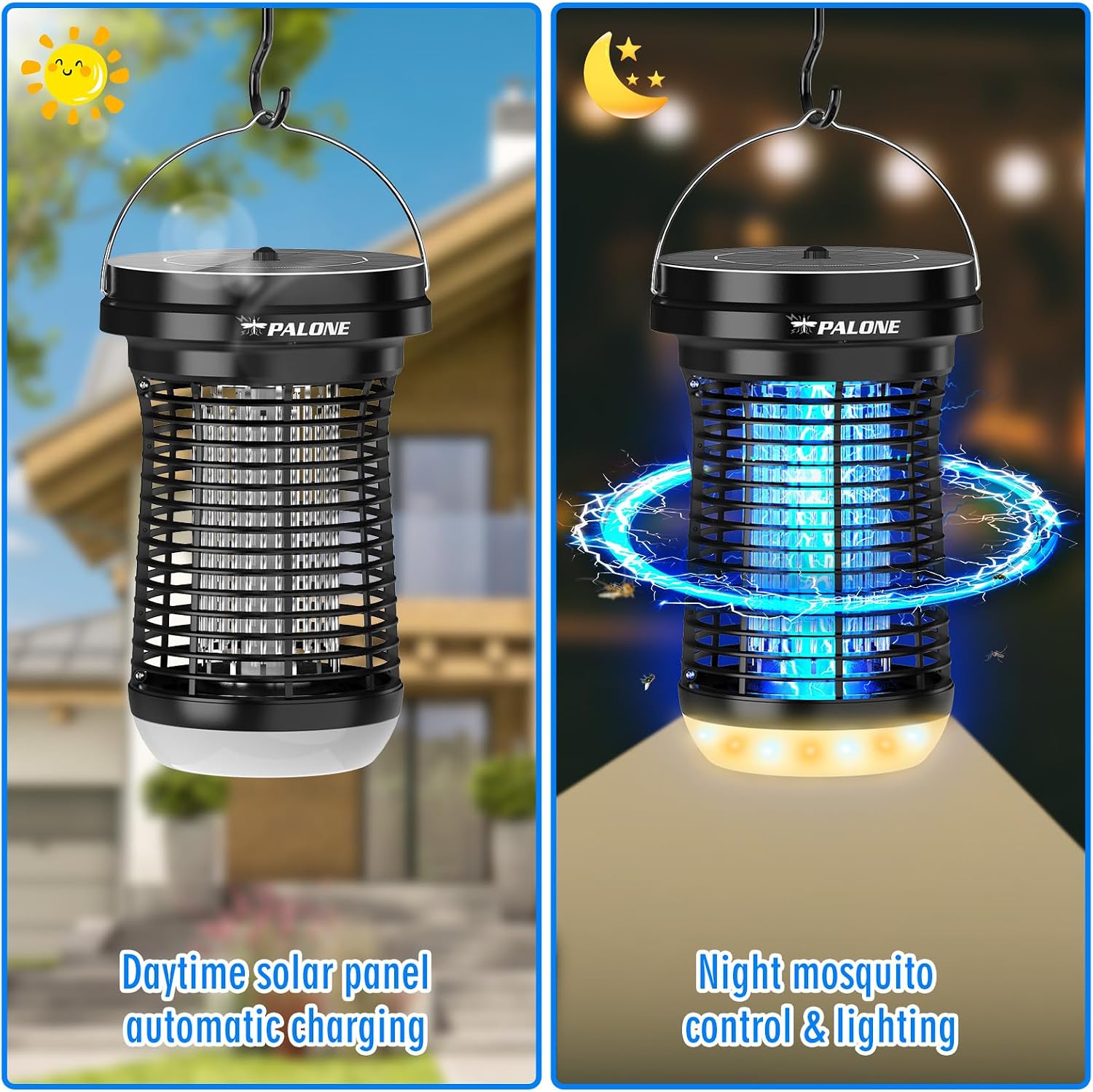
Image: Depiction of the bug zapper automatically charging during the day via its solar panel and operating with mosquito control and lighting at night.

Image: The detachable solar panel connected to the main unit, allowing the panel to be placed in direct sunlight while the zapper is under a shaded patio.
Operating Instructions
The PALONE Solar Bug Zapper offers multiple modes for pest control and lighting.
Power On/Off
- To power on or off the device, long press the control button for 3 seconds.
Mode Selection and Light Levels
The device features a combination of bug zapping and lighting functions, with adjustable light levels.
- Once powered on, short press the control button to cycle through the available modes and light levels.
- The modes include:
- Mosquito Control Mode (UV Light): The blue UV light attracts insects to the high-voltage grid. This mode can operate for approximately 18 hours on a full charge.
- Lighting Mode (Warm/White Light): Provides ambient lighting without the bug zapping function. This mode can operate for approximately 13 hours on a full charge.
- Anti-mosquito + Lighting Mode: Combines the UV bug zapper with ambient lighting. This mode can operate for approximately 8 hours on a full charge.
- There are 7 distinct light levels for the ambient lighting modes, allowing you to adjust brightness as needed. Continue short pressing the button to cycle through these levels.

Image: Visual representation of the three main operational modes: Mosquito control, Lighting, and combined Anti-mosquito + Lighting.
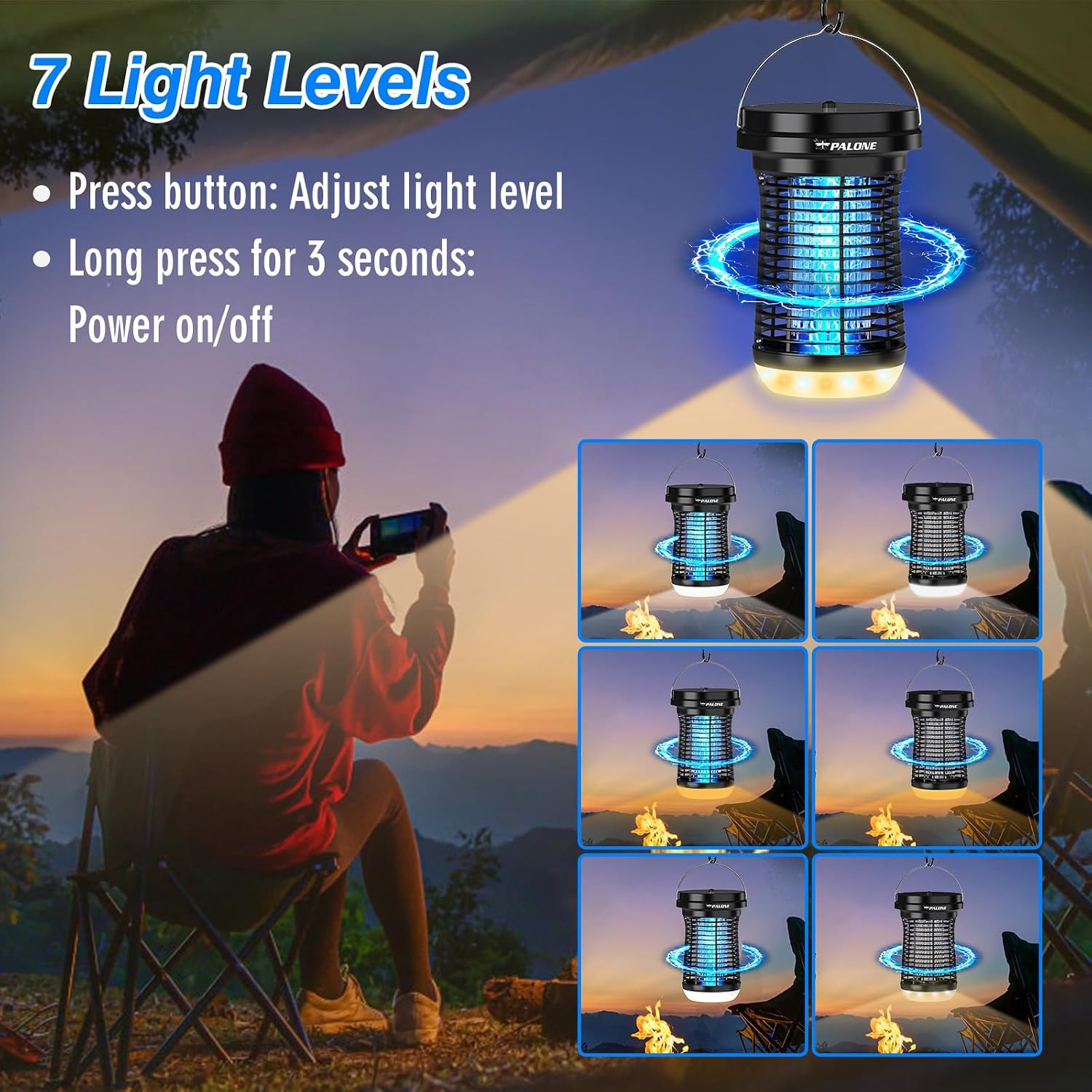
Image: A user adjusting the light levels of the bug zapper, demonstrating the 7 available brightness settings.
Intelligent Light Control (Dusk-to-Dawn)
The zapper is equipped with an intelligent light sensor for automatic operation.
- When the device is set to a mode that includes bug zapping or lighting, it will automatically activate at dusk and turn off at dawn, provided there is sufficient charge.
- Ensure the solar panel is exposed to sunlight during the day for continuous automatic operation at night.

Image: The bug zapper shown in a light rain, indicating its IPX4 water resistance rating.
Maintenance
Cleaning the Collection Tray
Regular cleaning of the collection tray is essential for optimal performance.
- Ensure the bug zapper is turned off before cleaning.
- Gently twist or pull the removable collection tray from the bottom of the unit.
- Empty the collected insects into a waste bin.
- Use the provided cleaning brush to remove any remaining debris from the tray and the high-voltage grid. For stubborn residue, a dry cloth can be used.
- Rinse the collection tray with water if necessary, but ensure it is completely dry before reattaching. Do not rinse the main unit or the high-voltage grid with water.
- Reattach the collection tray securely to the bottom of the unit.
Note: For best results, clean the collection tray weekly or as needed, depending on insect activity.
Troubleshooting
| Problem | Possible Cause | Solution |
|---|---|---|
| Zapper not turning on. | Low battery. Device not powered on. Light sensor detecting daylight. | Charge the device fully using USB-C or solar panel. Long press the control button for 3 seconds to power on. Ensure it's dark enough for the light sensor to activate, or test in a dark room. |
| Fewer insects being zapped. | Collection tray is full. UV light effectiveness reduced. Competing light sources nearby. | Clean the collection tray and high-voltage grid. Ensure the UV light is clean and unobstructed. Place the zapper away from other bright lights. |
| Solar charging not working. | Solar panel not receiving direct sunlight. Solar panel dirty or obstructed. Cable not properly connected. | Relocate the solar panel to an area with direct sunlight. Clean the solar panel surface. Check the connection between the solar panel and the zapper unit. |
| Zapping sound is loud. | This is normal operation. | The loud "snap" indicates that an insect has been successfully zapped by the high-voltage grid. This is a normal and expected sound. |
Specifications
| Feature | Detail |
|---|---|
| Brand | PALONE |
| Model Number | LT807SL |
| Dimensions (L x W x H) | 6.8" x 11" x 6.8" |
| Weight | 2.2 pounds |
| Voltage (Grid) | 4500V |
| UV Wavelength | 365-395nm |
| Charging Methods | Solar (3.5W detachable panel) & USB-C |
| Water Resistance | IPX4 (Splash-proof) |
| Operating Modes | Mosquito Control, Lighting, Combined |
| Light Levels | 7 (for ambient lighting) |
| Recommended Use | Outdoor, Camping, Patio, Garden, Indoor |
Warranty and Support
PALONE products are designed and manufactured to the highest quality standards. In the unlikely event of a problem with your product, please contact PALONE customer support for assistance.
For warranty information and technical support, please refer to the contact details provided on the product packaging or visit the official PALONE website.
Please retain your proof of purchase for warranty claims.
Ask a question about this manual
Ask about setup, troubleshooting, compatibility, parts, safety, or missing instructions. Manuals+ will review the question and use this page’s manual context to help answer it.