1. Product Overview
This manual provides essential information for the safe and effective use of the YIHETOP DSE6020MKII Generator Control Panel Module. The DSE6020MKII is an electronic control unit designed for generator applications, offering comprehensive monitoring, protection, and operational control. It is a direct replacement for DSE6020 models.
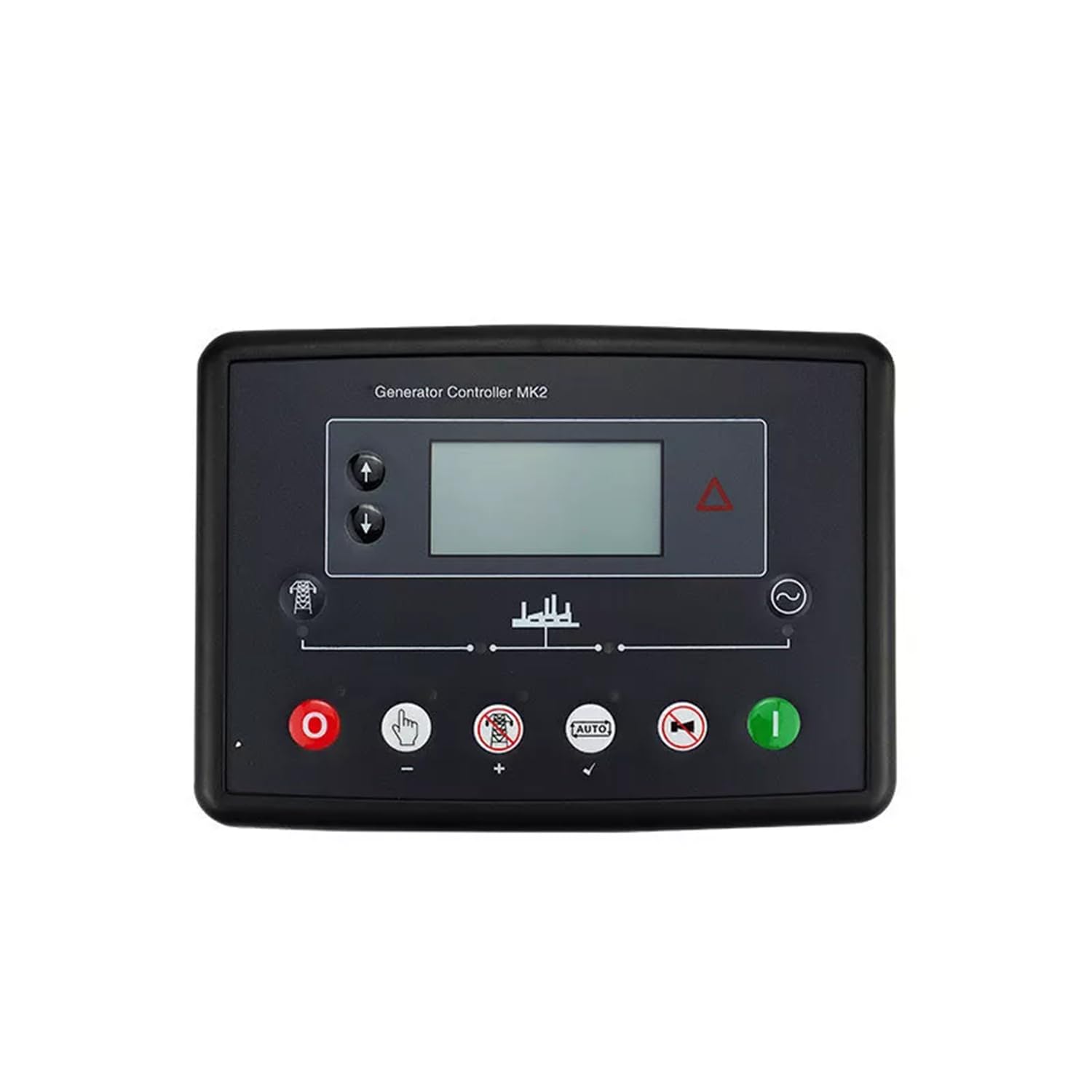
Image 1.1: Front view of the YIHETOP DSE6020MKII Generator Control Panel Module, showing the display screen, control buttons, and connection terminals at the bottom.
2. Specifications
| Specification | Detail |
|---|---|
| Manufacturer | YIHETOP |
| Model Number | DSE6020MKII, DSE6020 |
| Part Number | DSE6020MKII, DSE6020 |
| ASIN | B0DM1RHZXK |
| Included Components | 1*Control module |
3. Included Components
The package for the YIHETOP DSE6020MKII Generator Control Panel Module typically includes:
- 1 x DSE6020MKII Generator Control Module
4. Setup and Installation
Important: Installation of this generator control module should only be performed by qualified personnel with experience in electrical systems and generator maintenance. Incorrect installation can lead to equipment damage, personal injury, or death.
4.1 Safety Precautions
- Ensure the generator is completely shut down and disconnected from all power sources before beginning installation.
- Wear appropriate personal protective equipment (PPE), including safety glasses and insulated gloves.
- Verify all wiring connections are secure and correctly terminated according to the generator's wiring diagram and local electrical codes.
4.2 Mounting the Module
- Select a suitable mounting location within the generator's control panel enclosure, ensuring adequate ventilation and protection from environmental elements.
- Cut the necessary panel opening according to the module's dimensions.
- Secure the DSE6020MKII module into the panel opening using the provided mounting hardware.
4.3 Wiring Connections
Refer to the specific wiring diagram provided with your generator and the DSE6020MKII module for detailed connection instructions. General connections include:
- DC Supply: Connect the module to a stable DC power source (typically 12V or 24V).
- Engine Inputs: Connect sensors for oil pressure, engine temperature, fuel level, etc.
- Generator Inputs: Connect voltage and current transformers for generator output monitoring.
- Outputs: Connect to the generator's starter motor, fuel solenoid, and other control relays.
- Communication Ports: If applicable, connect to a PC for configuration or remote monitoring.
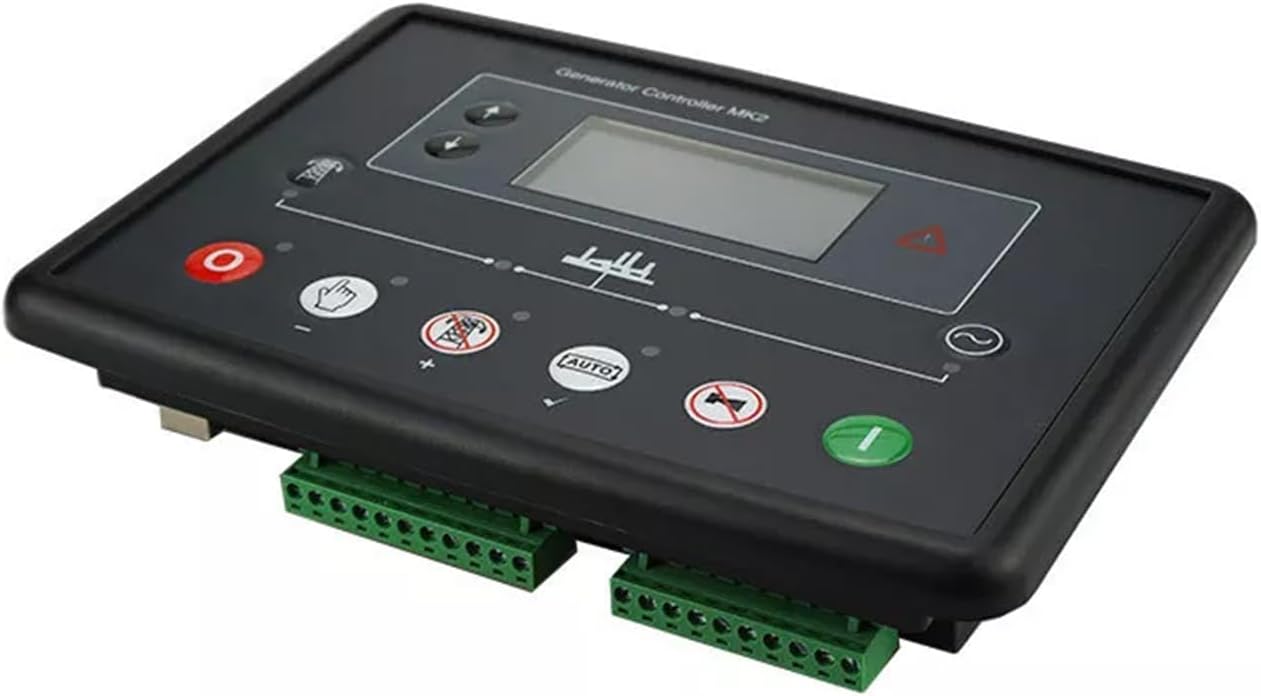
Image 1.2: Close-up view of the green terminal blocks at the bottom of the DSE6020MKII module, used for electrical connections.
5. Operating Instructions
The DSE6020MKII module features an intuitive interface for controlling and monitoring your generator.
5.1 Control Panel Layout
The front panel typically includes:
- LCD Display: Shows generator status, parameters, and alarms.
- Navigation Buttons: Used to scroll through menus and adjust settings.
- Mode Buttons:
- STOP/RESET (Red 'O' button): Stops the generator and clears active alarms.
- MANUAL START (Green 'I' button): Starts the generator manually.
- AUTO Mode (Button with 'AUTO' text): Enables automatic operation, where the generator starts and stops based on configured events (e.g., mains failure).
- TEST Mode: Starts the generator for testing purposes.
- Status Indicators: LEDs to show various operational states and alarms.
5.2 Starting the Generator
- Manual Start: Press the STOP/RESET button to ensure the module is in stop mode and any alarms are cleared. Then, press the MANUAL START button. The generator will initiate its start sequence.
- Auto Mode: Press the AUTO button. The module will monitor the mains supply (if configured) and automatically start the generator upon detection of a mains failure.
5.3 Stopping the Generator
- Manual Stop: Press the STOP/RESET button. The generator will initiate its cool-down and stop sequence.
- Auto Mode: If in AUTO mode, the generator will automatically stop once the mains supply returns (if configured for mains monitoring) and the configured cool-down period has elapsed.
5.4 Monitoring Parameters
Use the navigation buttons to scroll through the LCD display to view various generator parameters such as:
- Engine speed (RPM)
- Oil pressure
- Engine temperature
- Fuel level
- Battery voltage
- Generator voltage, current, frequency, and power output
6. Maintenance
Regular maintenance ensures the longevity and reliable operation of your DSE6020MKII module and the generator it controls.
- Visual Inspection: Periodically inspect the module for any signs of damage, loose connections, or corrosion.
- Cleaning: Keep the module's display and buttons clean using a soft, dry cloth. Avoid using abrasive cleaners or solvents.
- Firmware Updates: Check the manufacturer's website for any available firmware updates for improved performance or new features. Updates should be performed by qualified technicians.
- Battery Check: Ensure the generator's battery, which powers the control module, is in good condition and properly charged.
7. Troubleshooting
This section provides general troubleshooting tips for common issues. For complex problems, consult a qualified technician.
7.1 Module Not Powering On
- Check the DC power supply connections to the module.
- Verify the generator's battery voltage is within the specified operating range.
- Inspect any inline fuses for the module's power supply.
7.2 Generator Fails to Start
- Check for active alarms on the module's display and clear them using the STOP/RESET button.
- Ensure there is sufficient fuel in the generator's tank.
- Verify the engine's battery is charged and connections are secure.
- Check for any engine-specific issues (e.g., low oil pressure, high engine temperature).
7.3 Incorrect Readings on Display
- Verify that all sensor connections are secure and correctly calibrated.
- Ensure the module's configuration settings match the installed sensors and generator parameters.
8. Warranty and Support
For warranty information and technical support regarding your YIHETOP DSE6020MKII Generator Control Panel Module, please refer to the documentation provided at the time of purchase or contact your seller directly. Keep your purchase receipt as proof of purchase.