1. Introduction
This manual provides essential information for the safe and effective operation of your Yatao Digital Camera. Please read it thoroughly before using the camera and retain it for future reference. This camera is designed for capturing high-resolution photos and videos, offering features suitable for various photography needs.
2. Package Contents
Verify that all items listed below are included in your package:
- Yatao Digital Camera (Model YT01/CV2)
- Macro Lens
- Wide-Angle Lens
- 2 x Batteries
- Battery Charger
- Type-C USB Cable
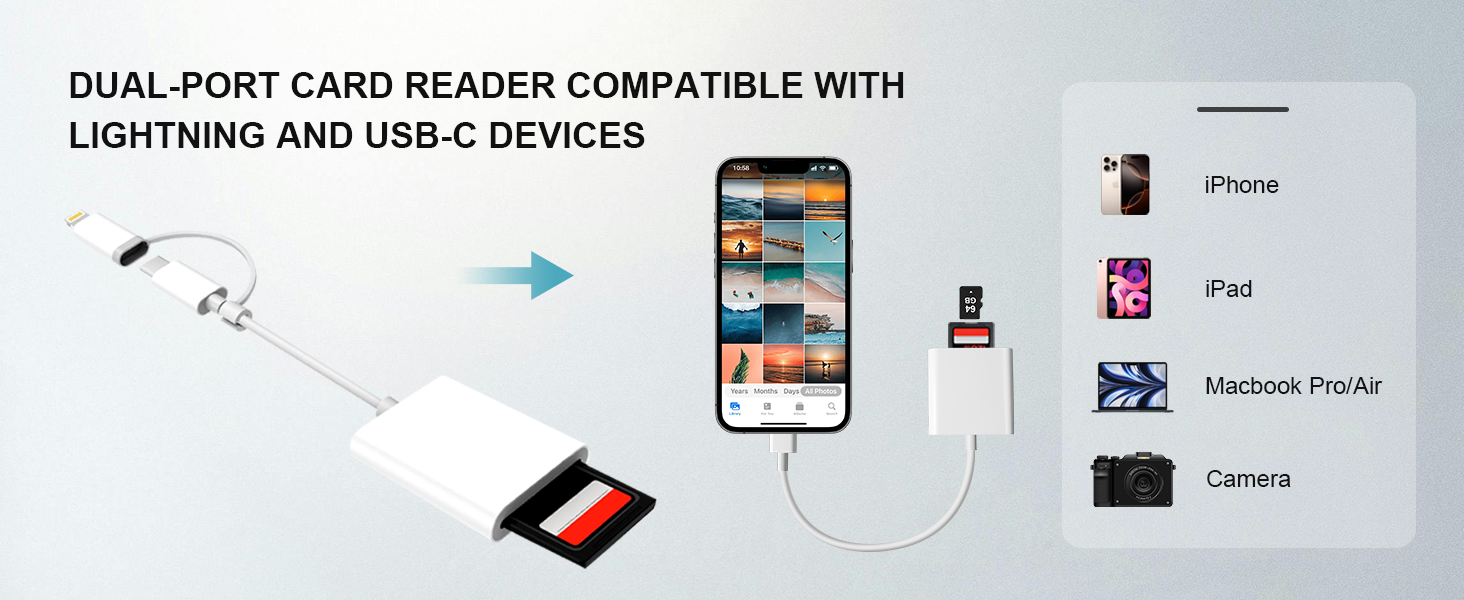
- Card Reader
- Lanyard
- Cleaning Cloth
- Lens Cap
- 64GB Micro SD Card (pre-inserted)
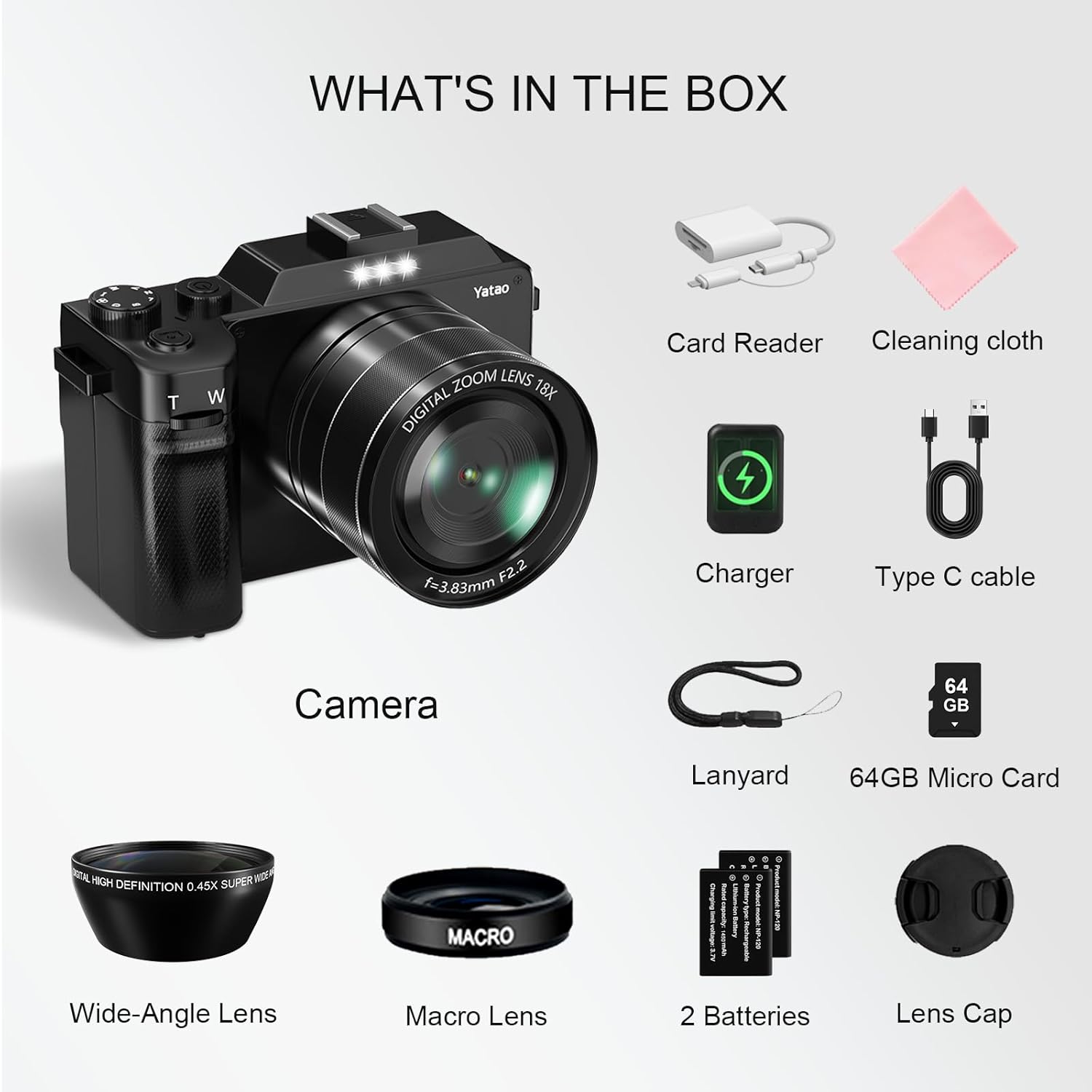
The camera comes with a 64GB Micro SD card pre-inserted. For safe transportation, the battery is only partially charged. Please fully charge the battery before first use.
3. Setup
3.1. Inserting Battery and SD Card
- Open the battery compartment cover located at the bottom of the camera.
- Insert the battery into the compartment, ensuring correct orientation.
- The 64GB Micro SD card is pre-inserted. If replacing, gently push the existing card to eject it, then insert the new card until it clicks into place.
- Close the battery compartment cover securely.
3.2. Attaching Lenses
The camera includes a wide-angle lens and a macro lens for versatile photography. To attach a lens:
- Remove the lens cap from the camera body.
- Align the threads of the desired lens (wide-angle or macro) with the camera's lens mount.
- Gently twist the lens clockwise until it is securely attached.

3.3. Initial Charging
Connect the camera to a power source using the provided Type-C USB cable and battery charger. The battery indicator will show charging status. Ensure the battery is fully charged before first use for optimal performance.

4. Operating the Camera
4.1. Basic Controls
Refer to the camera diagram for button locations:
- Power On/Off: Press the Power Key (18) to turn the camera on or off.
- Shutter Button: Press the Photo Key (20) to capture a photo or start/stop video recording.
- Zoom: Use the T/W buttons (located near the shutter) to zoom in (T) or zoom out (W).
- Navigation: Use the directional buttons (Left Key/Camera Switch (4), Right Key/DISP Key (5), OK/Menu Key (10)) to navigate menus and settings.
4.2. Shooting Modes
The camera offers various shooting modes accessible via the Mode dial or menu:
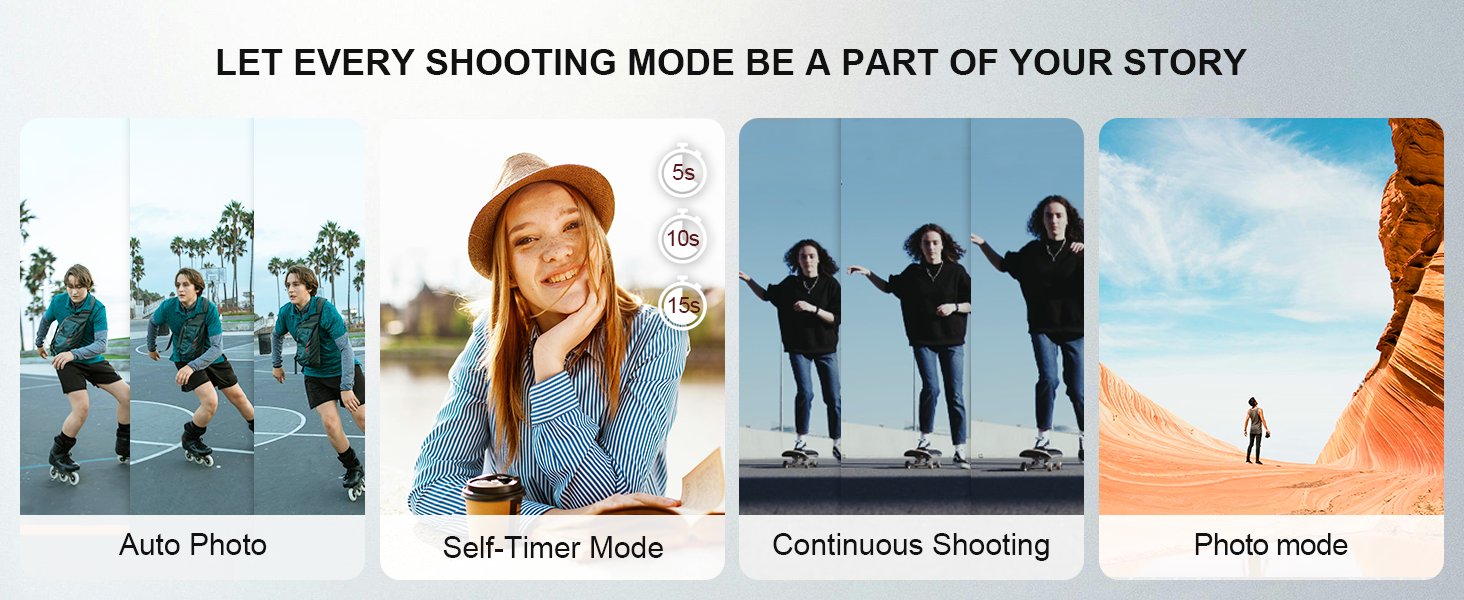
- Photo Mode: Standard photo capture.
- Video Mode: Records video footage.
- Slow Motion: Captures video at a higher frame rate for slow-motion playback.
- Time-lapse: Records a series of images over time to create a time-lapse video.
- Continuous Shooting: Captures multiple photos in quick succession.
- Self-Timer Mode: Sets a delay before taking a photo (e.g., 2s, 5s, 10s).
4.3. Dual Camera Functionality
The camera features both front and rear cameras. Use the Camera Switch button (4) to toggle between the front-facing lens for selfies and vlogging, and the rear-facing lens for general photography.
4.4. Webcam Mode
The camera can function as a high-definition webcam. Connect the camera to your computer using the provided USB cable. On your computer, select the webcam mode from the device options. This allows for video calls and live streaming.

4.5. WiFi Connectivity
The camera features built-in WiFi for easy transfer of photos and videos to your smartphone or tablet. Download the companion app (details in the user guide) to connect your device to the camera's WiFi hotspot. This enables instant sharing and remote control.

4.6. Video Playback and Pause
The camera supports video playback and a pause feature during recording, allowing for seamless capture of moments.

5. Maintenance
5.1. Cleaning
- Use the provided cleaning cloth to gently wipe the camera body and lens.
- For stubborn smudges on the lens, use a specialized lens cleaning solution and cloth.
- Avoid using harsh chemicals or abrasive materials.
5.2. Battery Care
- Always use the original charger and batteries.
- Do not expose batteries to extreme temperatures.
- Store batteries in a cool, dry place when not in use.
5.3. Storage
- Store the camera in a dry, dust-free environment.
- Remove the battery if the camera will not be used for an extended period.
- Keep the camera away from direct sunlight and high humidity.
6. Troubleshooting
| Problem | Possible Cause | Solution |
|---|---|---|
| Camera does not power on | Low or depleted battery | Charge the battery fully. |
| Cannot take photos/videos | SD card full or not inserted correctly | Check SD card insertion, format or replace if full. |
| Poor image quality | Incorrect settings, dirty lens | Adjust resolution settings, clean the lens. |
| WiFi connection issues | Incorrect password, out of range | Verify WiFi password, ensure device is close to camera. |
7. Specifications
| Feature | Detail |
|---|---|
| Brand | Yatao |
| Model Name | YT01 |
| Model Number | CV2 |
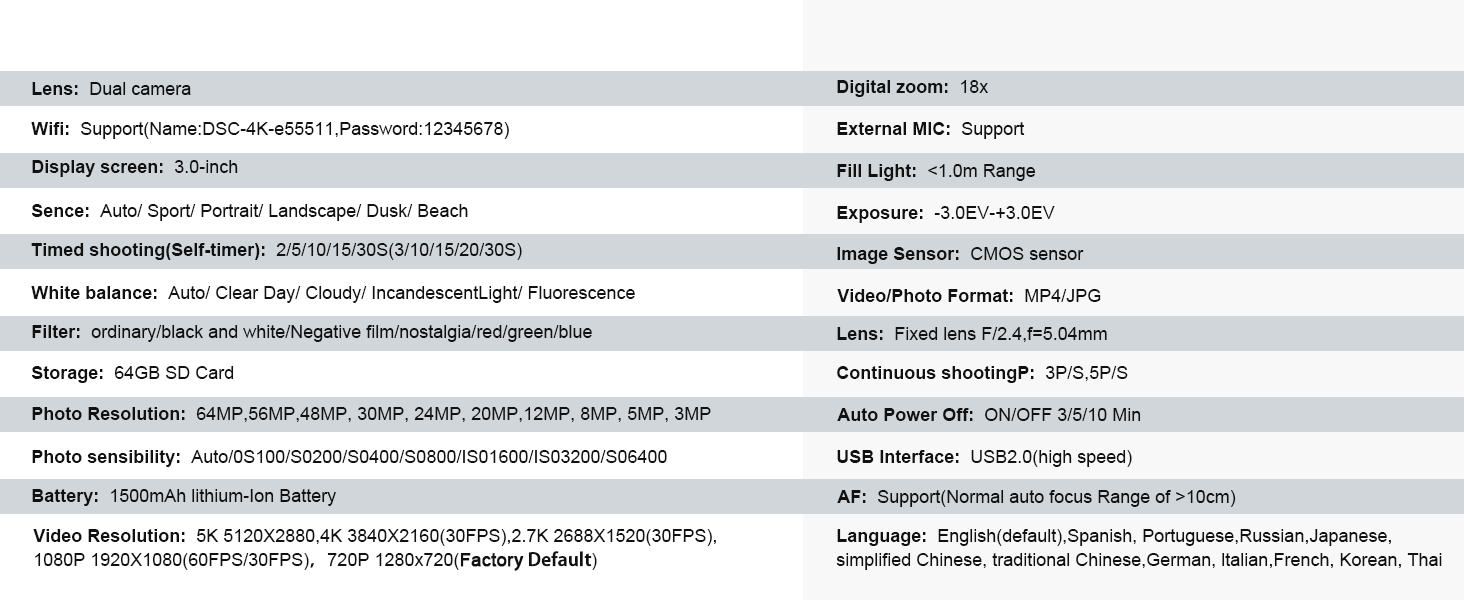
| Photo Sensor Resolution | 64 MP |
| Video Resolution | 4K (3840 x 2160 pixels), 5K (5120 x 2880 pixels) |
| Frame Rate | 24, 30, 60 FPS |
| Image Stabilization | Digital |
| Wireless Technology | Wi-Fi |
| Memory Storage Capacity | 64 GB (Micro SD Card included) |
| Lens Type | Wide Angle, Macro |
| Zoom | Optical and Digital Zoom |
| Screen Size | 3 Inches |
| Battery Type | Lithium Ion (2 included) |
| Webcam Functionality | Yes, via USB connection |
| Supported File Format | JPEG, MP4 |
| Item Weight | 0.71 Kilograms |
8. Warranty and Support
For warranty information, technical support, or service inquiries, please refer to the contact information provided in the original product packaging or visit the official Yatao website. Keep your purchase receipt as proof of purchase.
9. Official Product Videos
A perfect optical digital camera for taking on adventures
This video showcases the Yatao Digital Camera's suitability for outdoor adventures, highlighting its portability and ease of use for capturing moments in various environments.
Perfect for Vlog, Travel moments, everyday shots
This video demonstrates the camera's versatility for vlogging, travel, and everyday photography, emphasizing its features that make it ideal for capturing various life moments.
User-friendly, ideal for children to handle with ease
This video highlights the camera's user-friendly design, making it suitable for beginners and children to operate with ease, encouraging early photography skills.
4k Digital Camera
This video provides a general overview of the camera's 4K digital video capabilities, showcasing its ability to capture high-quality footage.
Yatao 5K & 64MP digital camera, taking good selfies!
This video focuses on the camera's 5K video and 64MP photo capabilities, specifically highlighting its effectiveness for capturing high-quality selfies.


