1. Introduction
This user manual provides detailed instructions for the setup, operation, and maintenance of your FIGEBNY Wireless HDMI Transmitter and Receiver. This device allows for seamless wireless transmission of video and audio signals from various sources to display devices, supporting 4K decoding and 1080P output. Its plug-and-play design ensures ease of use without the need for complex installations or software.

Image: The FIGEBNY Wireless HDMI Transmitter (TX) and Receiver (RX) units, along with included Mini HDMI and Micro HDMI adapters.
2. Key Features
- Large LED Screen Display: The latest upgrade technology features a larger LED color display screen, allowing you to check the connection status and signal strength in real-time, ensuring more reliable and stable connectivity.
- Ultimate Streaming Experience: This HDMI wireless transmitter and receiver offer smooth, reliable streaming with exceptional clarity. No cables, WiFi, Bluetooth, or apps are required—just simply connect your PC, laptop, TV box, or projector for high-quality, lag-free visuals on a bigger screen.
- Comprehensively Versatile: Universal wireless HDMI connectivity allows you to connect your devices to any screen wirelessly. Perfect for business presentations, educational settings, movie nights, and family events. A reliable choice for diverse environments, including conferences, classrooms, entertainment, and outdoor presentations.
- Visual Clarity and High Definition: Enjoy 4K Decoding and 1080P Output for crystal-clear visuals and superior audio, creating a stunning, immersive experience.
- Strong Signal, Effortless Transmission: FIGEBNY's latest wireless screen mirroring solution features advanced 2.4G/5G dual-band technology for flawless performance, with high-definition output up to 165 feet (50 meters) away. It provides high-performance signaling and minimal delay.
- Three Flexible Modes: Mirror Mode converts small screens into bigger, clearer displays. Extend Mode broadens your workspace for efficient multitasking. Privacy Mode allows one-click disconnect/reconnect for instant privacy and easy reconnection.
- Elegant & Portable Design: Sturdy construction ensures an extended lifespan. The small and portable design offers convenience, making it an excellent gift for work and entertainment for your friends and family.

Image: The large LED screen on the transmitter unit, displaying connection status, signal strength, and power supply information.
3. Package Contents
Please verify that all items listed below are included in your package:
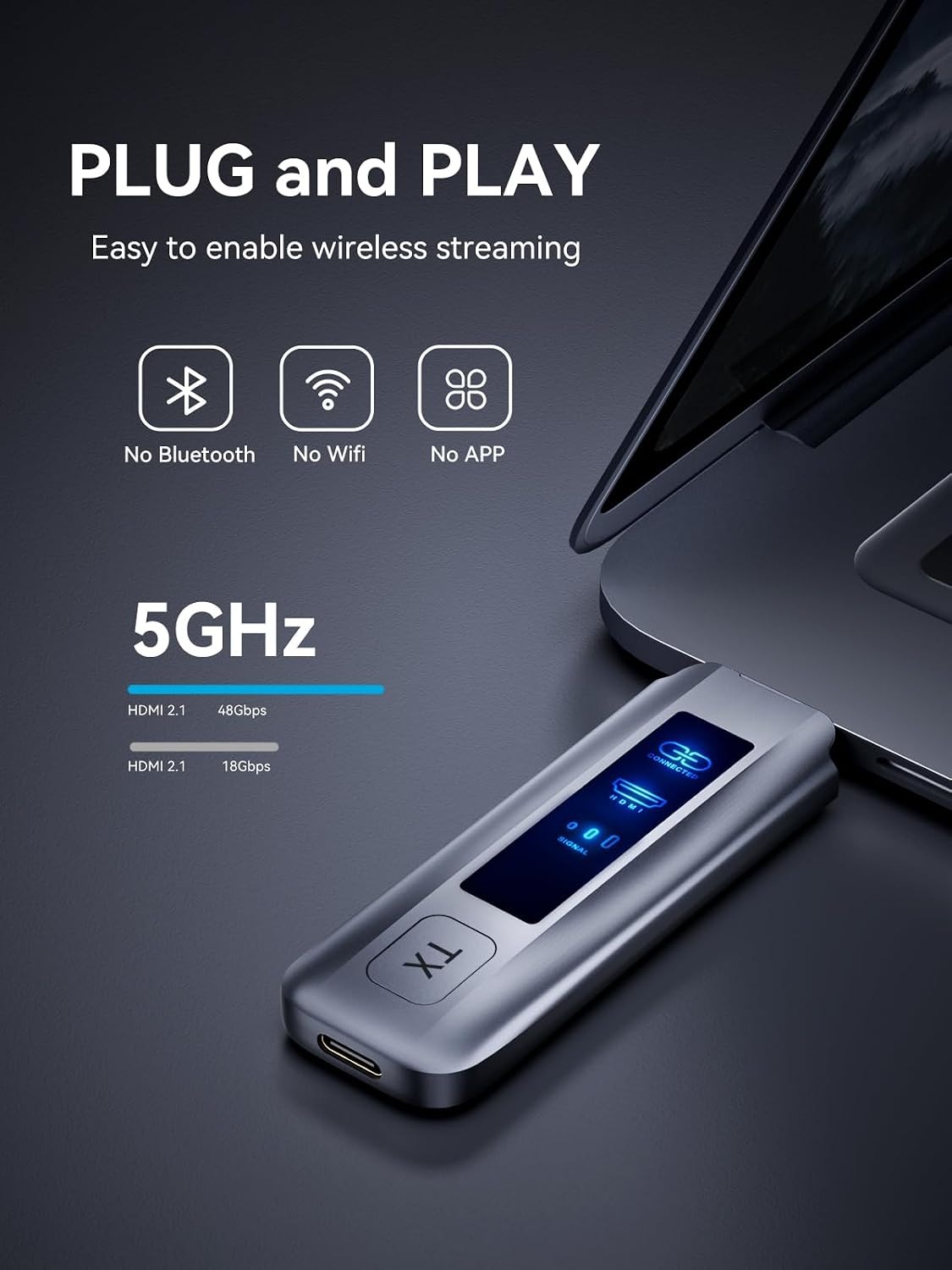
Image: The package contents including the wireless HDMI transmitter, receiver, various cables, adapters, and the user manual.
- Wireless HDMI Transmitter x 1
- Wireless HDMI Receiver x 1
- Mini HDMI Adapter x 1
- Micro HDMI Adapter x 1
- Type-C Adapter Cable x 1
- USB-C Cable x 2
- HDMI Cable x 1
- User Manual x 1
4. Setup Instructions
Follow these simple steps to set up your Wireless HDMI Transmitter and Receiver:

Image: A visual guide illustrating the three-step setup process for the wireless HDMI system.
- Connect the Receiver (RX): Connect the receiver unit to the HDMI input port of your display device (e.g., TV, monitor, projector). Ensure to plug in the 5V/2A charger adapter (not included) to power the receiver.
- Connect the Transmitter (TX): Connect the transmitter unit to the HDMI output port of your source device (e.g., PC, laptop, TV box). Ensure to plug in the 5V/2A charger adapter (not included) to power the transmitter.
- Automatic Mirroring: After connecting both units and ensuring they are powered, wait for approximately 3-5 seconds. The devices will automatically pair and begin mirroring your display.
For source devices with Mini HDMI or Micro HDMI ports, use the included adapters. For devices requiring USB-C connection, use the provided Type-C adapter cable.
5. Operating Modes
The FIGEBNY Wireless HDMI system supports multiple display modes to suit various needs:

Image: Illustration of the two primary display modes: Copy Mode (Mirror) and Extended Mode.
- Mirror Mode (Copy Mode): This mode duplicates the content from your source device's screen onto the larger display. It is ideal for presentations, sharing videos, or displaying the same content on multiple screens simultaneously.
- Extend Mode: This mode expands your desktop workspace across the source device and the connected display, allowing for efficient multitasking. You can drag windows and applications between the two screens.
- Privacy Mode: This feature allows for one-click disconnect and reconnect, providing instant privacy when needed and easy re-establishment of the connection.
Switching between modes can typically be done via a function button on the transmitter or through your source device's display settings.
6. Compatibility
The FIGEBNY Wireless HDMI Transmitter and Receiver is designed for broad compatibility with various devices:

Image: Visual representation of compatible input (TX) and output (RX) devices, including laptops, PCs, cameras, TVs, projectors, and monitors.
Transmitter (TX) Compatible Devices:
- Personal Computers (PC)
- Laptops
- Cameras (with HDMI output)
- TV Boxes
- Phones/iPads (with appropriate adapters/cables, e.g., iPhone 15 series, Galaxy 21+, iPad 10th+)
Receiver (RX) Compatible Devices:
- Televisions (TV)
- Projectors
- Monitors
- HDTVs
The system supports HDCP, allowing streaming from various platforms including TikTok, HBO Max, Prime Video, Hulu, and Twitch.
7. Maintenance
To ensure the longevity and optimal performance of your Wireless HDMI Transmitter and Receiver, please follow these maintenance guidelines:
- Cleaning: Use a soft, dry cloth to clean the devices. Do not use liquid cleaners, abrasive materials, or aerosol sprays, as they may damage the components or finish.
- Storage: When not in use, store the devices in a cool, dry place away from direct sunlight, excessive heat, and extreme temperatures.
- Handling: Handle the devices with care. Avoid dropping them or subjecting them to strong impacts, which could damage internal circuitry.
- Power Supply: Always use the recommended 5V/2A power adapter to ensure stable operation and prevent potential damage from incorrect voltage or current.
8. Troubleshooting
If you encounter issues with your FIGEBNY Wireless HDMI Transmitter and Receiver, please refer to the following common solutions:
| Problem | Possible Cause | Solution |
|---|---|---|
| No Signal / Black Screen | Incorrect connection, insufficient power, or pairing issue. | Ensure both TX and RX are properly connected and powered by a 5V/2A adapter. Verify the correct HDMI input is selected on your display. Re-pair the devices by briefly pressing the function button on the TX unit. |
| Flickering Screen / Unstable Connection | Wireless interference, excessive distance, or physical obstacles. | Reduce the distance between the TX and RX units. Remove any large physical obstacles (walls, furniture) between them. Check for strong Wi-Fi signals or other wireless devices that might cause interference and try to minimize them. |
| No Audio | Audio settings on source/display, or connection issue. | Check the audio output settings on your source device (laptop, PC). Ensure the display's volume is turned up and not muted. Reconnect the HDMI cables to ensure a secure connection. |
| Poor Video Quality (Not 1080P) | Source resolution setting, display capability, or signal degradation. | Ensure your source device is set to output 1080P resolution. Verify that your display device supports 1080P. Reduce the transmission distance or minimize interference. |
| Overheating | Poor ventilation or prolonged use in a confined space. | Ensure adequate ventilation around both the transmitter and receiver units. Disconnect the power and allow them to cool down if they become excessively hot. If the issue persists, contact customer support. |
If the problem persists after trying these solutions, please contact FIGEBNY customer support for further assistance.
9. Specifications
| Feature | Detail |
|---|---|
| Model Number | LS30 |
| Product Dimensions | 3.5 x 1.5 x 0.9 inches |
| Item Weight | 12.6 ounces (0.36 Kilograms) |
| Connectivity Technology | Wireless (2.4G/5G Dual-band) |
| Video Output Resolution | 1080P (4K Decoding) |
| Transmission Distance | Up to 165 feet (50 meters) |
| Latency | Ultra-Low Lag (<0.1s) |
| Display Screen | Larger LED Color Display |
| HDCP Support | Yes |
| Color | Gray |
| Manufacturer | FIGEBNY |
| Date First Available | September 29, 2024 |
10. Warranty and Support
FIGEBNY is committed to providing excellent customer service and product support for your Wireless HDMI Transmitter and Receiver.
- Quick Reply: Expect a response to your inquiries within 24 hours.
- Return Policy: Enjoy a 30-day no-reason return policy from the date of purchase.
- Replacement Warranty: A replacement is available within 12 months of purchase for manufacturing defects.
- Lifetime Support: FIGEBNY offers lifetime professional after-sales service for its products.
For support, please visit the official FIGEBNY store on Amazon or contact their customer service directly through the platform.
Important Note on Video Content
Please be advised that while this product supports video transmission, specific official product video demonstrations could not be embedded in this manual. The provided product data did not include direct URLs for official seller-created videos with the necessary verification details (such as 'creator_type: Seller' or specific filenames) required for embedding as per the instructions. Therefore, no video content is present in this document.


