1. Introduction
This manual provides comprehensive instructions for the safe and efficient operation of your BAOFENG DM-1701A Digital Two Way Radio. The DM-1701A is a dual-band, 5W digital and analog walkie-talkie featuring DMR True2-Slot technology, supporting both DMR digital and traditional analog communication modes. Please read this manual thoroughly before using the device to ensure proper functionality and to maximize your communication experience.
2. Product Overview
2.1 Included Components
The BAOFENG DM-1701A package includes the following items:
- Portable Radio
- 2200mAh Original Battery
- High Gain Antenna
- Belt Clip
- Sling
- Charger (Dock & Adapter)
- User’s manual
- Programming Cable
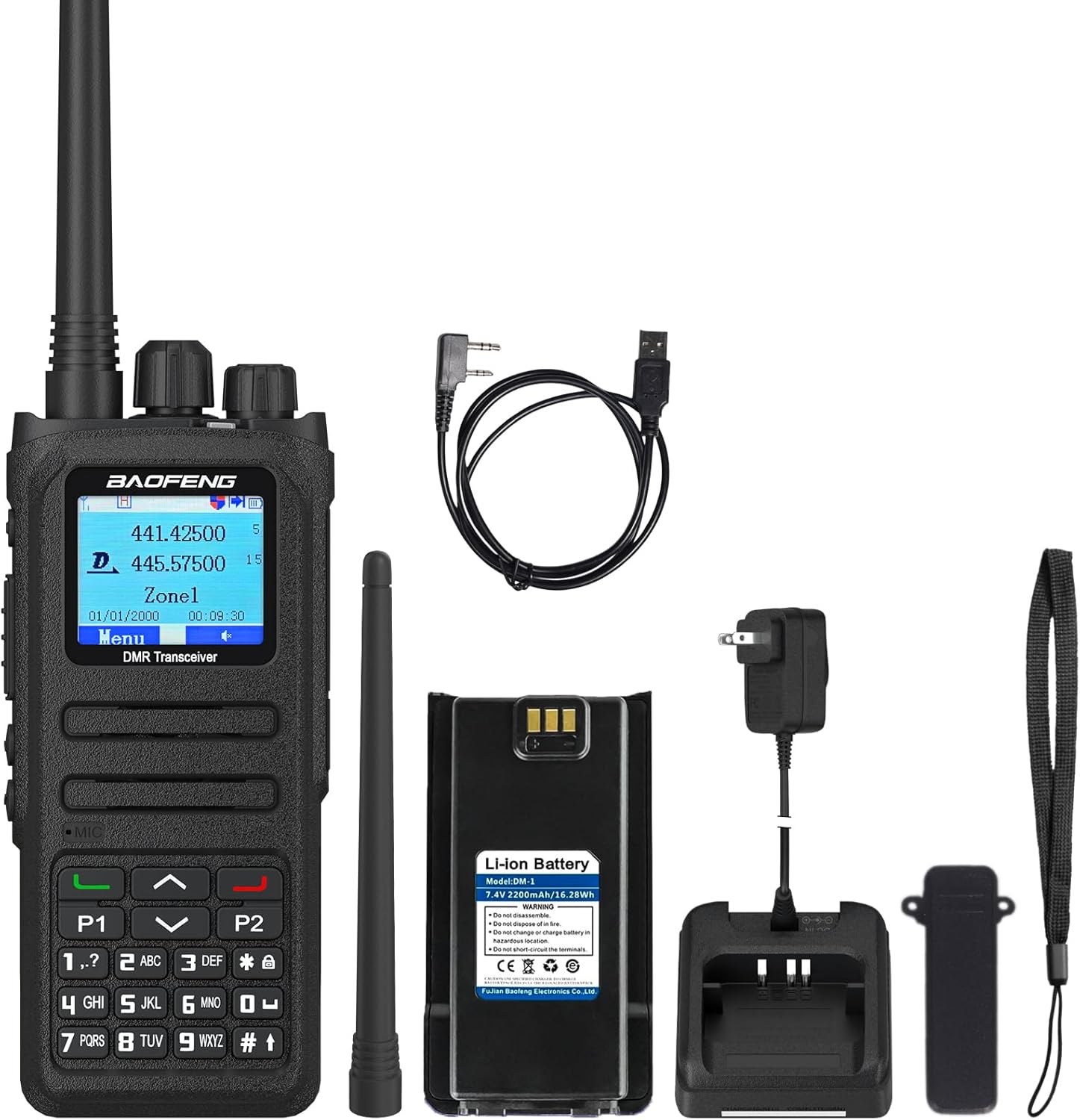
Figure 2.1: BAOFENG DM-1701A Digital Two Way Radio with all included accessories: the radio unit, battery, antenna, belt clip, sling, charging dock, power adapter, and programming cable.
2.2 Key Features
- DMO True2-Slot Dual Time Slot: Enables two groups of calls on a single frequency point simultaneously, doubling communication efficiency.
- Digital and Analog Compatibility: Supports both DMR digital and analog communication modes for seamless transition and diverse communication needs.
- Digital Signaling Function: Offers various calling modes including single call, group call, and all call, compliant with DMR protocol. Includes remote inhibit function.
- SMS Function: Allows sending and receiving text messages up to 64 characters in Chinese and English, useful when voice calls are inconvenient.
- Manual Frequency Writing: Supports channel/frequency mode, allowing manual frequency input directly on the device. Programming software can also be used.
- Alarm Function: Includes general and silent alarm capabilities for emergency situations.
- Customizable Side Buttons: Side buttons can be configured to suit user preferences.
- High Sound Quality: Utilizes advanced AMBE+2TM voice processing technology.
- 2200mAh Large Capacity Battery: Provides extended operating and standby time.

Figure 2.2: Visual representation of the BAOFENG DM-1701A's key features, including its 2200mAh battery, high power output, long range capability, and DMR Tier 1 & 2 compliance with dual time slot functionality.

Figure 2.3: Illustration of the DM-1701A's dual-mode capability, supporting both analog and digital communications, along with its SMS and call interconnection features.
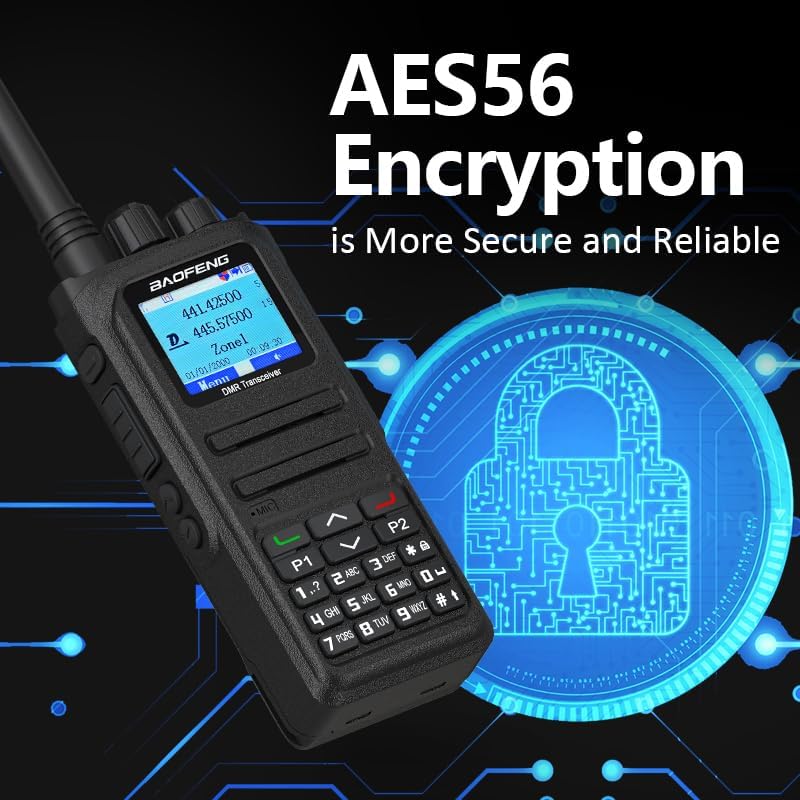
Figure 2.4: The DM-1701A features AES56 Encryption for secure and reliable communication, as depicted by the padlock and circuit board graphic.
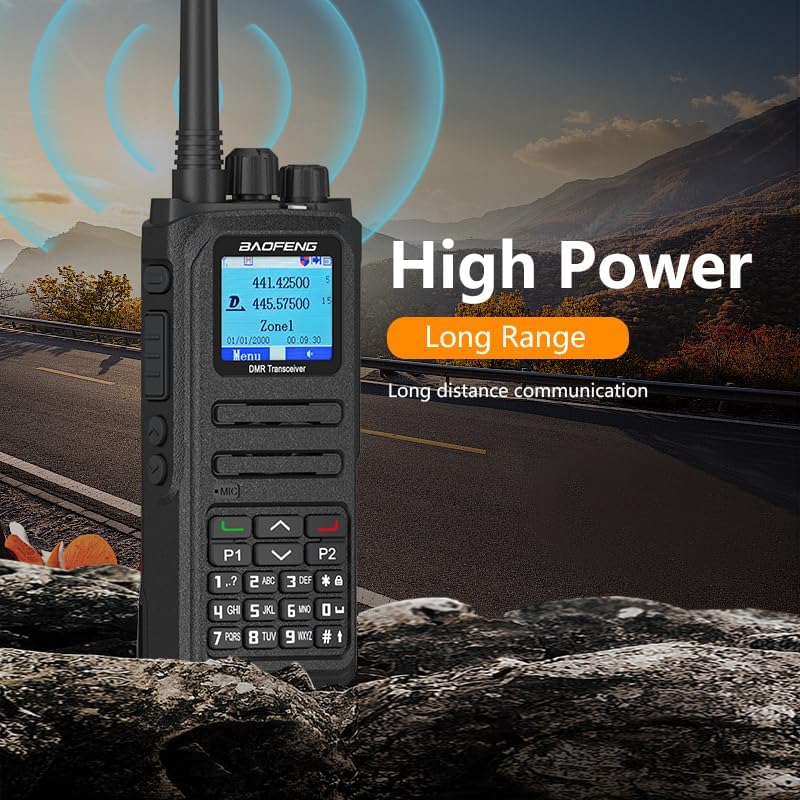
Figure 2.5: The BAOFENG DM-1701A offers high power output for long-distance communication, suitable for various outdoor environments.

Figure 2.6: The radio is equipped with a 2200mAh large capacity Li-ion battery, providing extended battery life and standby time.

Figure 2.7: Comparison illustrating the upgraded product design of the DM-1701A compared to its predecessor, the DM-1701.
3. Setup
3.1 Battery Installation
- Align the battery pack with the grooves on the back of the radio.
- Slide the battery pack upwards until it clicks into place.
- To remove, press the battery release latch (if present) and slide the battery downwards.
3.2 Antenna Attachment
Screw the high gain antenna clockwise into the antenna connector on the top of the radio until it is finger-tight. Do not overtighten.
3.3 Charging the Battery
- Connect the power adapter to the charging dock.
- Place the radio with the battery installed into the charging dock.
- Ensure the charging indicator light on the dock illuminates, indicating proper charging.
- A full charge typically takes several hours. Refer to the charger's specific instructions for details.
3.4 Programming Cable Usage
The included programming cable allows for advanced configuration of the radio via computer software. Connect the cable to the radio's programming port and to a USB port on your computer. Install the necessary drivers and programming software (typically available from the manufacturer's website or included on a CD).
Important Note: The BAOFENG DM-1701A is NOT pre-programmed with GD77 firmware. For necessary files and guides related to GD77, please contact the seller or manufacturer support.

Figure 3.1: Reminder that the DM-1701A radios are not pre-programmed with GD77 firmware. Users should contact support for relevant files and guides if GD77 firmware is desired.
4. Operating Instructions
4.1 Power On/Off
- To Power On: Rotate the Power/Volume knob clockwise until you hear a click and the display illuminates.
- To Power Off: Rotate the Power/Volume knob counter-clockwise until you hear a click and the display turns off.
4.2 Adjusting Volume
Rotate the Power/Volume knob clockwise to increase volume and counter-clockwise to decrease volume.
4.3 Channel/Frequency Mode
The DM-1701A supports both channel mode (pre-programmed channels) and frequency mode (direct frequency input). Use the menu or a designated button to switch between these modes. In frequency mode, you can manually enter desired frequencies using the keypad.
4.4 Digital and Analog Communication
The radio can operate in both DMR digital and traditional analog modes. The current operating mode is typically indicated on the display. Ensure you are in the correct mode for your intended communication partner.
- Digital Mode (DMR): Offers clearer audio, better range, and advanced features like dual time slot and digital signaling.
- Analog Mode: Compatible with traditional analog two-way radios.
4.5 Making a Call
- Select Channel/Contact: Use the keypad or navigation buttons to select the desired channel or contact from your contact list.
- Press PTT: Press and hold the Push-To-Talk (PTT) button on the side of the radio to transmit. Speak clearly into the microphone.
- Release PTT: Release the PTT button to listen for a response.
The DM-1701A supports various calling modes:
- Single Call: Direct communication with a specific radio.
- Group Call: Communication with a predefined group of radios.
- All Call: Broadcast message to all radios within range.
4.6 SMS Function
To send an SMS message:
- Navigate to the SMS menu option.
- Select "New Message" or "Drafts".
- Enter your message using the keypad (up to 64 characters).
- Select the recipient(s) and send.
4.7 Alarm Function
The radio features general and silent alarm functions for emergency use. Consult the detailed menu guide (if available in the full manual) for specific activation procedures for these alarms.
4.8 Customizable Side Buttons
The side buttons (P1, P2) can be programmed via the radio's menu or programming software to perform various functions, such as quick access to specific channels, scan, or alarm activation. Refer to the programming software guide for customization options.
5. Maintenance
5.1 General Care
- Keep the radio dry. Avoid exposure to rain, moisture, or liquids.
- Clean the radio's surface with a soft, damp cloth. Do not use harsh chemicals or solvents.
- Avoid extreme temperatures. Do not leave the radio in direct sunlight or in very cold environments.
- Do not drop or subject the radio to severe impacts.
5.2 Battery Care
- Use only the original BAOFENG battery and charger.
- Do not short-circuit the battery terminals.
- Do not dispose of batteries in fire.
- If the radio will not be used for an extended period, remove the battery and store it in a cool, dry place.
6. Troubleshooting
| Problem | Possible Cause | Solution |
|---|---|---|
| Radio does not power on. | Battery is low or not installed correctly. | Charge the battery or re-install it securely. |
| Cannot transmit or receive. | Incorrect frequency/channel, wrong mode (digital/analog), out of range, or antenna not attached. | Verify frequency/channel settings. Ensure correct digital/analog mode. Check antenna connection. Move closer to other radios. |
| Poor audio quality. | Low signal strength, interference, or incorrect squelch setting. | Adjust squelch level. Move to an area with better signal. Check for sources of interference. |
| Programming software not connecting. | Incorrect cable, driver issues, or software not properly installed. | Ensure correct programming cable is used. Install/reinstall USB drivers. Verify software installation. |
| GD77 firmware not present. | The radio is not pre-programmed with GD77 firmware. | Contact the seller or manufacturer for necessary files and guides if you wish to install GD77 firmware. This is not a defect. |
7. Specifications
| Feature | Detail |
|---|---|
| Model Number | DM-1701A |
| Brand | BAOFENG |
| Memory Channels | Up to 3000 |
| Frequency Range | 136-174 MHz, 400-470 MHz |
| Frequency Stability | ±1.0ppm |
| Operating Temperature | -30℃ to +60℃ |
| Operating Voltage | DC 7.4V |
| Output Power | 5W/1W |
| Output Consumption (Analog) | ≤1.6A |
| Output Consumption (Digital) | <0.9A |
| Consumption (Standby) | ≤0.18A |
| Modulation Distortion | ≤5% |
| Adjacent Channel Selectivity | ≤-65dB / ≤-60dB |
| Antenna Port Spurious | 1GHz-12.75GHz: ≤-30dBm |
| Battery Type | 1 Lithium Ion (2200mAh) |
| Item Weight | 1.45 pounds (approx. 0.66 kg) |
| Package Dimensions | 7.99 x 4.92 x 4.21 inches |
| Talking Range Maximum | 5 Kilometer |
| Water Resistance Level | Not Water Resistant |
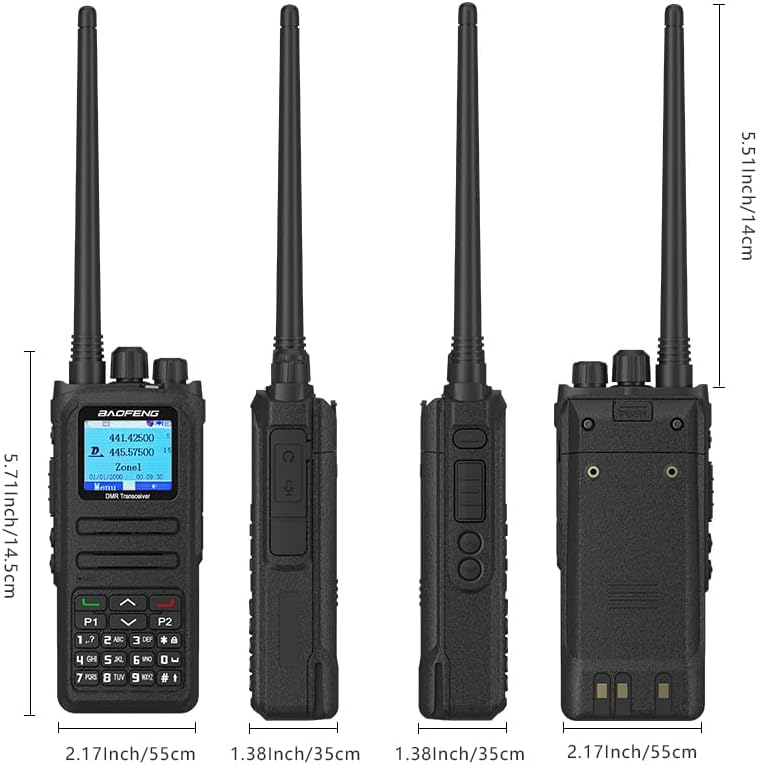
Figure 7.1: Physical dimensions of the BAOFENG DM-1701A radio, including antenna length, for reference.
8. Warranty and Support
8.1 Warranty Information
The BAOFENG DM-1701A Digital Two Way Radio comes with a 1-year warranty. This warranty is provided exclusively through "Shiqun Electronics Co., Ltd." Please retain your proof of purchase for warranty claims.
8.2 Customer Support
For technical assistance, troubleshooting, or warranty inquiries, please contact the seller or "Shiqun Electronics Co., Ltd." directly. Refer to your purchase documentation for specific contact details.


