
Introduction
Thank you for choosing the Muggo 12 oz Self-Heating Coffee Mug. This innovative mug is designed to maintain the temperature of your already hot beverages, ensuring your coffee, tea, or other hot drinks stay at your preferred warmth for longer. Please read this manual carefully to ensure proper use and care of your Muggo mug.
Product Overview
The Muggo Self-Heating Coffee Mug combines advanced heating technology with a sleek, portable design. It features intuitive controls and a durable construction for everyday use.
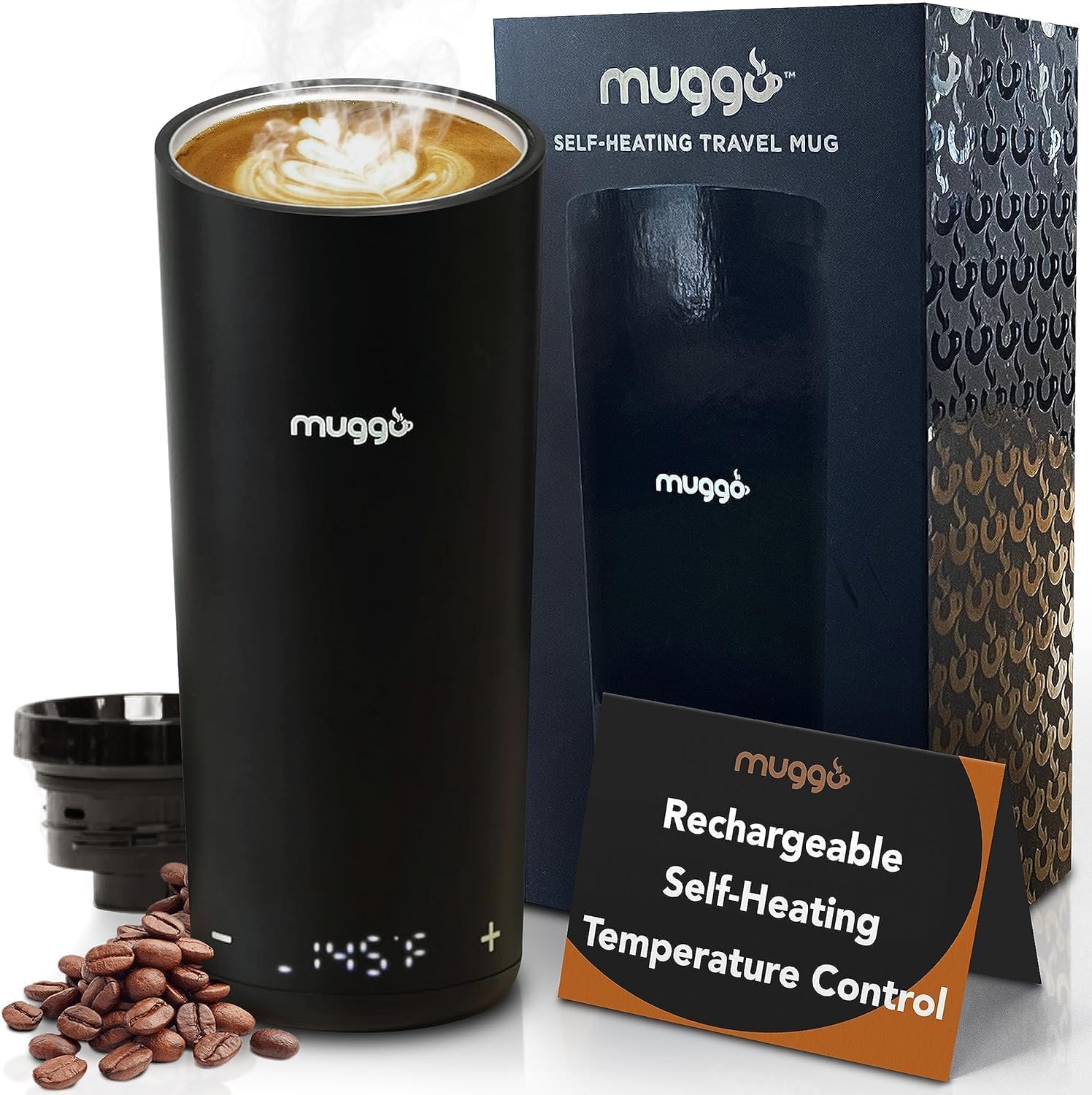
The Muggo 12 oz Self-Heating Coffee Mug, presented with its packaging and coffee beans, showcasing its sleek black design and digital temperature display.
Key Features:
- Temperature Maintenance: Designed to keep already hot liquids warm, not to reheat cold liquids. Reheating from room temperature will significantly reduce battery life.
- Touch-Sensitive LED Display: Easily adjust your beverage temperature between 95°F and 160°F using the integrated touch controls.
- Ergonomic & Durable Design: Features a stainless steel insulated inner vessel and a BPA-free black ceramic outer finish. It fits comfortably in your hand and most car cup holders.
- Leak-Resistant Lid: A 360-degree click-to-open lid with a rubber seal prevents spills and leaks, keeping your drink secure.
- USB-C Charging: Equipped with a convenient USB-C charging port and a built-in lithium-ion battery for direct warming and recharging.
- Capacity: 12 oz for your favorite hot beverages.
- Battery Life: Up to 3 hours of continuous temperature maintenance.

An overview of the Muggo mug's key features, including its 12 oz capacity, 3-hour battery life, and construction from premium, BPA-free materials.

The Muggo self-heating mug, illustrating its stainless-steel inner vessel and thermal insulation, confirming its BPA-free and durable design.
Setup
1. Initial Charging
- Before first use, ensure the outside of the mug is completely dry.
- Locate the USB-C charging port at the bottom of the mug.
- Connect the provided USB-C cable to the mug and a compatible power source (e.g., wall adapter, computer USB port).
- Allow the mug to fully charge. The LED display will indicate charging status.

Illustration showing the USB-C charging port located at the base of the Muggo self-heating mug for convenient power connection.
2. First Use
- Wash the interior of the mug and the lid thoroughly before initial use. Refer to the "Maintenance and Cleaning" section for detailed instructions.
- Ensure the mug is completely dry before filling with your beverage.
Operating Instructions
1. Filling the Mug
- Pour your already hot beverage into the mug.
- Do not overfill. Leave adequate space for the lid.
2. Attaching the Lid
- Place the lid onto the mug and twist or press down firmly until you hear a click, ensuring a secure, leak-resistant seal.
- To open the lid for drinking, press the center button. Press again to close.

Detail of the Muggo mug's 360-degree click-to-open leak-resistant lid, designed with a rubber seal to prevent spills.
3. Setting the Temperature
- Ensure the touch-sensitive controls are dry for proper functionality.
- The LED display at the bottom of the mug shows the current temperature.
- Use the - and + touch sensors to adjust your desired temperature between 95°F and 160°F.
- The mug will automatically work to maintain the set temperature.

A hand demonstrating the use of the touch-sensitive LED controls on the Muggo mug, allowing users to adjust the temperature with simple presses.

The Muggo self-heating mug highlighting its adjustable temperature range from 95°F to 160°F, designed to maintain beverage warmth.
Important Note:
The Muggo mug is designed to maintain the temperature of an already hot liquid. It is not intended for heating cold liquids to a hot temperature. Attempting to do so will significantly decrease battery life and may not achieve desired results.
Maintenance and Cleaning
Proper maintenance ensures the longevity and optimal performance of your Muggo mug.
1. Daily Cleaning
- Interior: Hand wash the interior of the mug with warm, soapy water and a soft sponge or brush. Rinse thoroughly.
- Lid: Disassemble the lid components if possible (refer to product packaging for specific lid disassembly instructions) and wash with warm, soapy water. Ensure all parts are rinsed and dried completely before reassembly.
- Exterior: Wipe the exterior of the mug with a damp cloth. Do not submerge the entire mug in water.
2. Charging Port Care
- Always ensure the USB-C charging port at the bottom of the mug is completely dry before plugging in the charging cable.
- Avoid exposing the charging port to liquids or debris to prevent damage.
3. Storage
- Store the mug in a clean, dry place when not in use.
- For extended storage, ensure the battery is partially charged (around 50%) to help preserve battery health.
Troubleshooting
If you encounter any issues with your Muggo mug, please refer to the following common problems and solutions:
| Problem | Possible Cause | Solution |
|---|---|---|
| Mug not heating or display flickering. | Low battery; internal malfunction; attempting to heat cold liquid. | Ensure the mug is fully charged. Remember the mug maintains heat, it does not heat cold liquids. If the issue persists after charging and using with hot liquid, contact customer support. |
| Temperature controls unresponsive. | Moisture on touch sensors; internal issue. | Ensure the touch-sensitive area is completely dry. If still unresponsive, try restarting the mug (if applicable) or contact support. |
| Lid leaks or does not seal properly. | Lid not properly attached; rubber seal damaged or dirty. | Ensure the lid is clicked into place securely. Inspect the rubber seal for any damage or debris and clean if necessary. |
| Battery life is shorter than expected. | Attempting to heat cold liquids; frequent temperature changes; aging battery. | Only use the mug to maintain the temperature of already hot liquids. Avoid frequent and drastic temperature adjustments. Battery performance may degrade over time. |
Specifications
- Model: V10
- Capacity: 12 oz
- Temperature Range: 95°F - 160°F (35°C - 71°C)
- Battery Life: Up to 3 hours
- Charging Port: USB-C
- Materials: Stainless Steel (inner vessel), BPA-Free Ceramic (outer finish)
- Item Weight: Approximately 1.65 pounds
- Package Dimensions: 8.86 x 4.61 x 3.86 inches
Warranty and Support
Muggo stands behind the quality of its products. For warranty information, technical support, or any questions not covered in this manual, please contact Muggo customer service through the retailer where you purchased the product or visit the official Muggo website.
Please retain your proof of purchase for warranty claims.


